
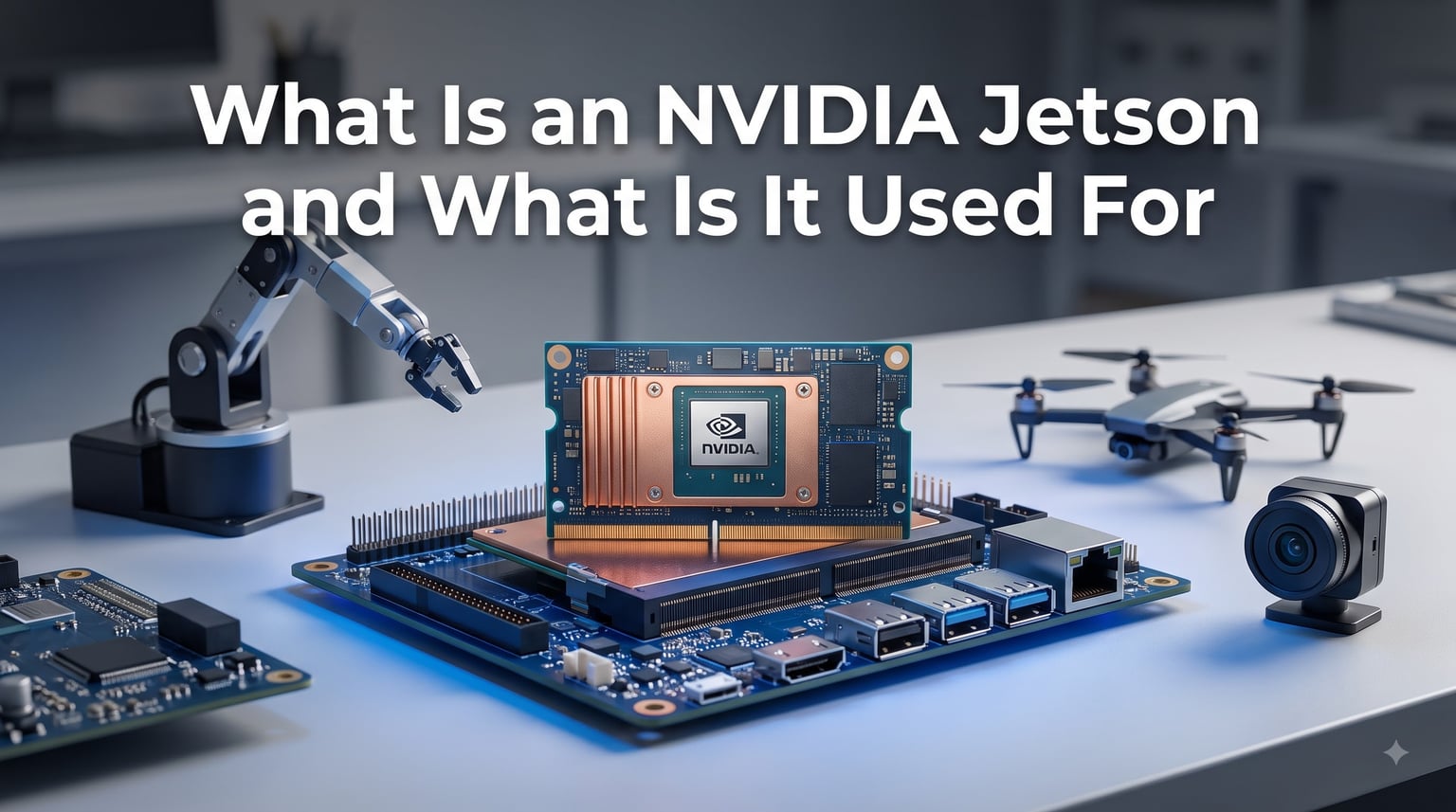
NVIDIA Jetson is a family of embedded computing boards built specifically for edge AI and robotics. Each module packs GPU-accelerated processing power into a compact, low-power package that runs full Ubuntu Linux and the JetPack SDK. If you have ever wondered how a drone recognizes objects in real time or how a warehouse robot navigates without a cloud connection, Jetson is the brain behind much of that work.
I have spent years working with embedded systems, and Jetson stands out because it brings data-center-class AI inference to devices that fit in your hand. Whether you are building an autonomous robot, a smart camera, or experimenting with local LLMs, this platform removes the need for a constant internet connection.
In this guide, we will break down exactly what NVIDIA Jetson is, how it works, the full product family, real-world use cases, and how it compares to alternatives like Raspberry Pi. We will also cover cost considerations and a practical getting-started path so you can decide whether Jetson fits your next project. NVIDIA Jetson plays a central role in the broader landscape of physical AI infrastructure platforms shaping robotics right now.
Table of Contents
What Is an NVIDIA Jetson?
NVIDIA Jetson is a series of System-on-Module (SoM) computing boards designed to accelerate machine learning inference at the edge. Each module combines an ARM-based CPU, an NVIDIA GPU with CUDA and Tensor cores, memory, and power management circuitry on a single small board. That integration is what makes Jetson different from a traditional single-board computer.
The System-on-Module concept matters here. The Jetson module itself contains the core computing silicon, but it needs a carrier board to provide physical ports like USB, Ethernet, HDMI, and power input. NVIDIA sells developer kits that bundle a module with a reference carrier board, while third-party manufacturers build specialized carrier boards for industrial, automotive, or ruggedized applications.
So, is the NVIDIA Jetson a computer? Yes, absolutely. It runs a full Ubuntu Linux desktop environment, supports standard development tools, and boots like any other Linux machine. The difference is that it also has a GPU capable of running deep learning models, computer vision algorithms, and now generative AI workloads directly on the device.
The Jetson Product Family Explained
NVIDIA offers Jetson modules across several performance tiers, from entry-level hobbyist boards to flagship units designed for autonomous vehicles. Choosing the right one depends on your AI workload, power budget, and form factor constraints.
Jetson Nano is the original entry point. It delivers 472 GFLOPS of AI performance with a 128-core Maxwell GPU and 4 GB of RAM. While it is now considered legacy, many beginners still use it for learning computer vision basics. Power draw sits around 5 to 10 watts.
Jetson Orin Nano replaced the original Nano and represents a massive leap. It offers up to 40 TOPS of AI performance with an Ampere GPU, available in 4 GB or 8 GB configurations. The Orin Nano Super variant pushes performance even further, and users on Reddit report successfully running Llama 3 and Mistral models locally on it. Power consumption ranges from 7 to 25 watts.
Jetson Orin NX steps up to 100 TOPS with the same Ampere architecture but more CUDA and Tensor cores. It targets applications needing higher throughput, such as multi-camera industrial inspection or simultaneous localization and mapping on mobile robots.
Jetson AGX Orin is the workstation-class module. It delivers up to 275 TOPS, supports up to 64 GB of memory, and draws between 15 and 60 watts. Engineers use it for autonomous vehicle development, advanced robotics research, and multi-sensor fusion systems.
Jetson Thor is the newest flagship, built on the Blackwell GPU architecture. It targets generative AI and autonomous machine workloads at scale, delivering massive throughput for transformer-based models. NVIDIA positions Thor as the platform for the next generation of humanoid robots and self-driving systems.
How NVIDIA Jetson Works: The Technology Inside
At its core, Jetson works by combining ARM CPU processing with NVIDIA GPU acceleration on a single chip. The GPU handles parallel workloads like neural network inference, image processing, and matrix math far faster than a CPU alone could manage. This is what enables real-time AI on a device drawing under 60 watts.
The CUDA cores handle general-purpose GPU computing, while dedicated Tensor cores accelerate the matrix multiply-accumulate operations that dominate deep learning workloads. When you run an object detection model on Jetson, the Tensor cores crunch the inference math while CUDA cores handle supporting computations.
Edge computing is the key concept here. Instead of sending camera frames or sensor data to a cloud server for AI processing, Jetson runs everything locally. This eliminates network latency, reduces bandwidth costs, and allows operation in environments with no connectivity. For a robot that needs to make split-second navigation decisions, that low-latency local processing is not a luxury but a requirement.
Thermal management is something every Jetson user deals with. The modules generate real heat under load, so most setups require either a passive heatsink for light workloads or active fan cooling for sustained AI inference. Thermal throttling will reduce performance if cooling is inadequate, which is a common frustration beginners discover the hard way.
The Software Ecosystem: JetPack, CUDA, and TensorRT
Hardware is only half the story. NVIDIA Jetson runs JetPack SDK, which bundles Ubuntu Linux, CUDA libraries, cuDNN, TensorRT, and the DeepStream SDK into one integrated package. This software stack is what makes Jetson approachable, because you get a desktop Linux environment with all the AI libraries pre-configured.
CUDA is NVIDIA’s parallel computing platform that lets developers write code running directly on the GPU. Almost every major AI framework, including PyTorch and TensorFlow, supports CUDA. This means models you train on a desktop GPU can run on Jetson with minimal modification.
TensorRT is where the real performance gains come from. It is NVIDIA’s inference optimization library that takes trained models and optimizes them for the specific GPU architecture on your Jetson module. Applying TensorRT to a model can deliver 2x to 5x speed improvements over standard framework inference. For real-time applications like video analytics or autonomous navigation, that difference is significant.
The NVIDIA Isaac platform extends JetPack for robotics specifically. Isaac provides simulation tools, perception algorithms, and navigation stacks designed for autonomous machines. If you are building a robot, Isaac gives you a head start with pre-built components for SLAM, obstacle avoidance, and path planning.
What Is NVIDIA Jetson Used For? Real-World Applications
NVIDIA Jetson is used for any application that needs AI inference at the edge without relying on cloud connectivity. Here are the most common real-world use cases where Jetson makes a measurable difference.
Robotics and autonomous machines. Jetson powers everything from small educational robots to industrial autonomous mobile robots in warehouses. The GPU handles real-time perception, mapping, and decision-making. This connects directly to AI-powered end effectors and edge computing, where Jetson processes sensor data to control robotic arms and grippers in real time.
Drones and UAVs. Aerial vehicles use Jetson for obstacle avoidance, object tracking, autonomous navigation, and real-time video analytics. The low power consumption and compact form factor make it ideal for weight-sensitive drone payloads.
Smart cameras and video analytics. Retail stores deploy Jetson-powered cameras for customer behavior analysis, foot traffic counting, and inventory management. Industrial facilities use them for safety monitoring and quality control on production lines.
Industrial inspection and quality control. Manufacturing plants use Jetson to run computer vision models that detect defects on high-speed production lines. The low latency ensures issues are caught and flagged in milliseconds.
Healthcare diagnostics. Medical device manufacturers build Jetson into portable diagnostic equipment for real-time image analysis, including ultrasound and endoscopy applications where cloud processing introduces unacceptable delays.
Generative AI and local LLMs. This is the fastest-growing use case in 2026. Users are running Llama 3, Mistral, and other open-source language models entirely on-device with Jetson Orin Nano Super and AGX Orin modules. The Jetson AI Lab provides optimized tutorials for deploying these models without internet dependency.
Autonomous vehicles. The AGX Orin and Thor modules target self-driving car development, handling sensor fusion from cameras, lidar, and radar along with real-time path planning and object detection.
NVIDIA Jetson vs Raspberry Pi: Which Should You Choose?
This is the most common question in forums, and the answer depends entirely on what you are building. Raspberry Pi is a general-purpose single-board computer. Jetson is a purpose-built AI acceleration platform. They overlap in some areas but serve fundamentally different needs.
Choose Raspberry Pi when your project involves general computing, home automation, media streaming, simple IoT, or learning Linux basics. It costs significantly less, has massive community support, and handles most non-AI workloads well. If you just need to run a Python script or host a small web server, a Pi is the right tool.
Choose NVIDIA Jetson when your project requires GPU-accelerated AI inference, real-time computer vision, deep learning model deployment, or autonomous machine control. A Raspberry Pi cannot meaningfully run a neural network for object detection at 30 frames per second. A Jetson module handles that effortlessly.
The cost difference reflects this gap. A Raspberry Pi 5 runs well under $100, while Jetson Orin Nano developer kits start around $250 and AGX Orin modules exceed $2,000. Forum users frequently question whether Jetson is worth the premium, and the honest answer is that it depends on whether your project actually needs GPU acceleration.
Some users combine both boards in a single system, using a Raspberry Pi for general I/O and a Jetson module for AI processing. This hybrid approach works well when you need the Pi’s flexibility alongside Jetson’s compute power.
Cost Considerations: Is Jetson Worth the Investment?
NVIDIA Jetson modules range from roughly $150 for entry-level Orin Nano kits to over $2,000 for AGX Orin industrial modules. The Jetson Thor flagship targets enterprise customers with pricing that reflects its data-center-class performance. No single competitor in the analysis space covers cost analysis comprehensively, so let us address it directly.
For hobbyists and students, the value question is straightforward. If you want to learn AI, computer vision, or robotics with hands-on hardware, an Orin Nano developer kit is a worthwhile investment that gives you real GPU compute. If you just want to blink LEDs or run home automation, stick with Raspberry Pi.
For commercial deployments, the ROI math favors Jetson when you factor in what it replaces. A single Jetson module running local AI inference can eliminate ongoing cloud computing costs, reduce bandwidth requirements, and enable operation in disconnected environments. For a fleet of 50 warehouse robots, the savings from avoiding cloud round-trips on every perception decision add up quickly.
Additional costs to budget for include carrier boards for custom deployments, cooling solutions, power supplies rated for your module’s draw, and storage (NVMe SSDs are strongly recommended over SD cards for production use). These accessories can add $50 to $200 to your total build cost.
Stock availability has been a recurring pain point, particularly with Orin Nano modules. Plan your procurement timeline accordingly, especially for production runs where you need multiple units.
Getting Started with NVIDIA Jetson
If you are new to Jetson, the path is approachable if you take it step by step. Start with a developer kit rather than a standalone module, because the kit includes the carrier board, cooling, and everything needed to boot on day one.
Step 1: Choose your developer kit. The Orin Nano developer kit is the best starting point for most beginners. It balances cost, performance, and community support.
Step 2: Flash JetPack SDK. Use NVIDIA’s SDK Manager on a Linux host computer to flash the latest JetPack image to your module. This installs Ubuntu, CUDA, and all AI libraries in one step.
Step 3: Boot and configure. Connect a monitor, keyboard, and mouse. Complete the Ubuntu setup just like any Linux desktop. Run the included Hello AI World samples to verify your GPU is working.
Step 4: Build your first project. Start with object detection using pre-trained models. The Jetson AI Lab and NVIDIA documentation provide walkthroughs. From there, experiment with image classification, pose estimation, or even a local LLM.
Step 5: Handle common pitfalls. Use an NVMe SSD instead of an SD card for storage, because AI workloads wear out SD cards rapidly. Ensure adequate cooling before running sustained inference. And verify your power supply meets the module’s requirements, because underpowering causes mysterious crashes.
FAQ
What do people use NVIDIA Jetson for?
People use NVIDIA Jetson for edge AI applications including robotics, autonomous drones, smart cameras, industrial inspection, retail analytics, healthcare diagnostics, and running local large language models. Any project that needs GPU-accelerated AI inference without cloud connectivity is a candidate for Jetson.
How much does NVIDIA Jetson cost?
NVIDIA Jetson modules range from approximately $150 for entry-level Orin Nano developer kits to over $2,000 for AGX Orin industrial modules. The flagship Jetson Thor targets enterprise pricing. Additional costs include carrier boards, cooling solutions, and NVMe storage.
What can I do with a Jetson?
You can run real-time object detection, build autonomous robots, deploy computer vision pipelines, run local LLMs like Llama 3 and Mistral, process multi-camera video analytics, build smart mirrors, create AI-powered wearables, develop drone navigation systems, and prototype autonomous vehicle perception stacks.
Is the NVIDIA Jetson a computer?
Yes, NVIDIA Jetson is a complete computer. It runs full Ubuntu Linux with a desktop environment, supports standard development tools, and boots like any Linux machine. The difference is that it also includes an NVIDIA GPU for accelerated AI and deep learning workloads.
How does NVIDIA Jetson compare to a regular GPU?
A regular desktop GPU delivers higher raw performance but consumes hundreds of watts and requires a full PC. Jetson trades peak performance for power efficiency, compact size, and edge deployment capability. Jetson draws 5 to 60 watts and fits in small enclosures, making it suitable for embedded and mobile applications where a desktop GPU is impractical.
Can NVIDIA Jetson run large language models locally?
Yes, Jetson Orin Nano Super and AGX Orin modules can run open-source LLMs like Llama 3 and Mistral entirely on-device. The Jetson AI Lab provides optimized tutorials and benchmarks for generative AI deployment without internet connectivity.
What operating system does NVIDIA Jetson use?
NVIDIA Jetson runs Ubuntu Linux as part of the JetPack SDK. The current JetPack versions include Ubuntu 20.04 or 22.04 depending on the module, along with pre-installed CUDA, cuDNN, TensorRT, and other AI development libraries.
Do I need a carrier board for NVIDIA Jetson?
Yes, Jetson modules require a carrier board to provide physical ports like USB, Ethernet, HDMI, and power input. Developer kits include a reference carrier board. For custom deployments, third-party manufacturers offer industrial, automotive, and ruggedized carrier board options.
Conclusion
NVIDIA Jetson has established itself as the leading platform for edge AI, and understanding what it is and what it is used for opens the door to building genuinely intelligent devices. From the entry-level Orin Nano to the flagship Thor, there is a module for every performance tier and budget.
If your next project needs real-time AI inference, computer vision, or autonomous machine control, Jetson is the hardware that makes it possible without cloud dependency. Start with an Orin Nano developer kit, work through the JetPack samples, and build from there. The learning curve is real, but the community and NVIDIA documentation make it manageable.
What Is an NVIDIA Jetson and what is it used for? It is the bridge between AI research and deployed intelligent machines, and it is more accessible than ever in 2026.