
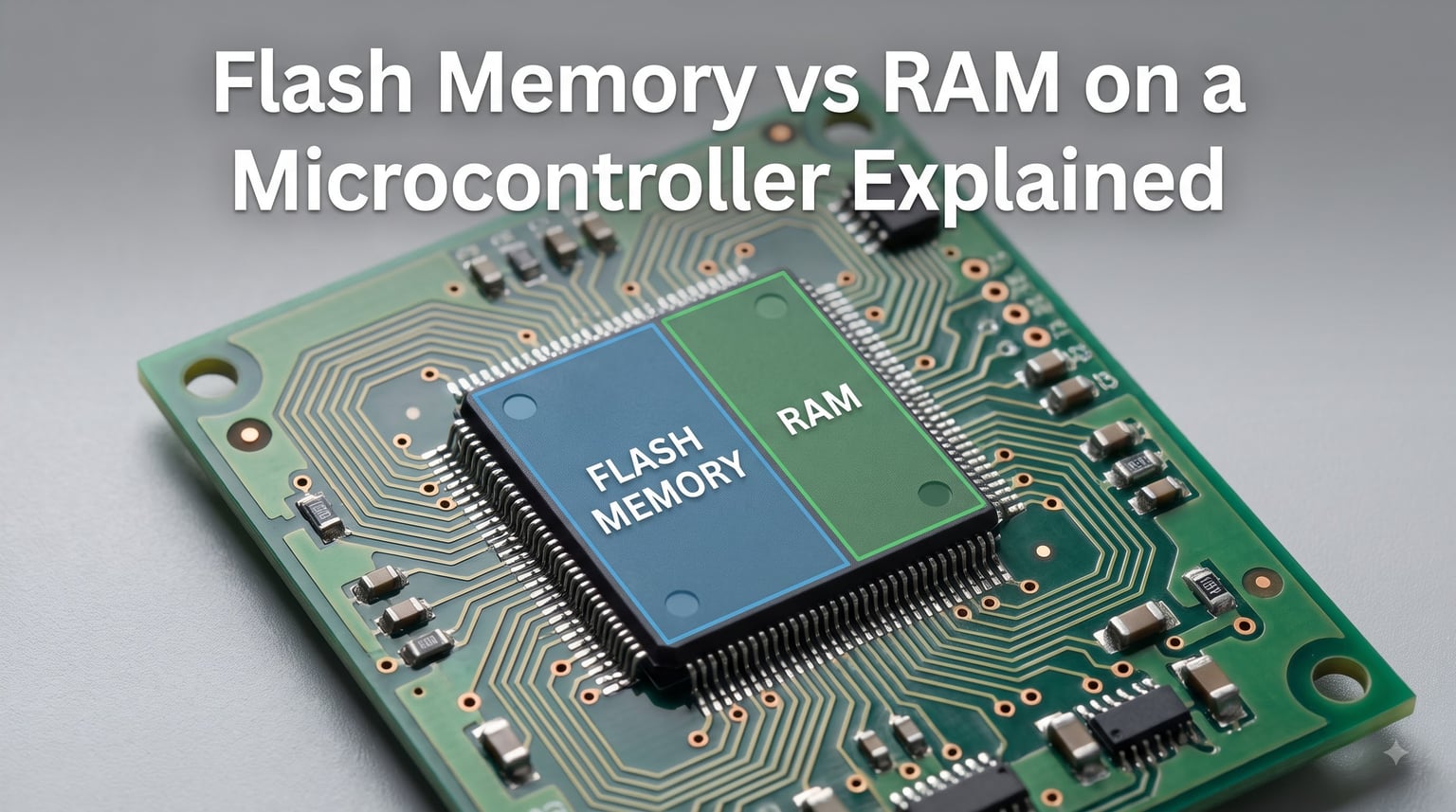
I spent my first six months writing embedded code before I understood why my variables kept disappearing after a reset. The answer was hiding in plain sight: I never really grasped the difference between Flash memory vs RAM on a microcontroller. Once that clicked, debugging became ten times easier.
This guide breaks down microcontroller memory architecture the way I wish someone had explained it to me. We will walk through what Flash does, what RAM does, where your code and variables actually live, and how to avoid the memory mistakes that trap most beginners.
Whether you are programming an Arduino, STM32, or ESP32, understanding this topic will make your firmware more reliable and your debugging sessions shorter. Let us get into it.
Table of Contents
What Is Flash Memory in a Microcontroller
Flash memory in a microcontroller is non-volatile storage that holds your program code and constant data permanently, even when power is removed. Think of it as the chip’s hard drive. Your firmware sits here from the moment you flash it until you overwrite it with new code.
How Flash Memory Stores Data
Flash memory uses floating-gate transistors to trap electrons in an insulated gate. Each cell holds one bit (or multiple bits in newer chips) based on whether electrons are present or absent. The trapped electrons stay put for years without any power, which is why your Arduino sketch survives being unplugged for months.
The technology evolved from early EEPROM and NOR flash designs. Modern microcontrollers use NOR flash because it supports random access reads, meaning the CPU can fetch instructions from any address quickly. This matters because the processor needs to grab code instructions in any order as your program runs.
Flash Memory Characteristics
Flash reads are fast but writes are slow and limited. A typical STM32F4 chip reads Flash at zero wait states up to 180 MHz, but writing takes milliseconds per page and you can only erase and rewrite each block around 10,000 to 100,000 times before it wears out.
Here is what you need to remember about Flash:
- Non-volatile: Data survives power loss
- Read-optimized: Fast sequential and random reads
- Write-limited: Slow writes with finite endurance
- Block-erasable: Must erase whole blocks before rewriting
- Larger capacity: Usually 10x to 100x more than RAM
Why Flash Memory Matters for Firmware
Flash holds your compiled program, constant lookup tables, string literals, and any data marked as const or PROGMEM. When you upload a sketch to your Arduino, it goes straight into Flash. When the chip powers up, it knows exactly where to find your main() function because the bootloader points the CPU to a fixed Flash address.
The trade-off is that Flash cannot store variables that change frequently. Each write cycle wears the cells, and writes block execution for milliseconds. That is why microcontrollers also include RAM.
What Is RAM in a Microcontroller
RAM in a microcontroller is volatile memory that stores temporary data, working variables, and runtime structures while your program runs. Everything that changes during execution lives here. When you cut power, the contents vanish.
How SRAM Works
Static RAM (SRAM) uses six transistors per cell to form a flip-flop that holds a bit as long as power is supplied. This design makes SRAM extremely fast, typically accessing data in a single clock cycle. Most microcontrollers use SRAM rather than DRAM because DRAM needs constant refreshing, which adds complexity and power draw.
The SRAM connects directly to the CPU through a high-speed bus. When your code reads or writes a variable, that operation hits SRAM almost instantly. There are no wait states, no page erases, no write delays. This speed is why variables you modify constantly must live in RAM, not Flash.
RAM Characteristics and Speed
RAM trades capacity for speed. A typical ATmega328P has 2 KB of SRAM but 32 KB of Flash. An STM32F4 might have 192 KB of SRAM paired with 1 MB of Flash. You always get less RAM than Flash, but that RAM is orders of magnitude faster to read and write.
Key RAM properties:
- Volatile: Loses all data on power loss
- Read-write optimized: Byte-level access with zero wait states
- Unlimited writes: No wear-out mechanism
- Smaller capacity: Typically much less than Flash
- Higher cost per byte: Uses more transistors per cell
Why Microcontrollers Need RAM
The CPU needs a scratchpad. When you call a function, the return address goes on the stack in RAM. When you allocate an array with malloc(), it comes from the heap in RAM. When you declare int counter = 0; without const, the variable lives in RAM.
Without RAM, your microcontroller could not hold intermediate calculations, track program state, or manage function calls. Flash alone would force you to write everything to permanent storage on every change, which would wear out the chip in hours.
Key Differences Between Flash Memory and RAM
The core difference between Flash memory and RAM comes down to volatility, speed, capacity, and purpose. Flash is your permanent filing cabinet. RAM is your workbench. You need both because they solve different problems.
Volatility Comparison
Flash is non-volatile. RAM is volatile. This single distinction drives almost every design decision in embedded systems. If your data must survive a power cycle, it goes in Flash. If it changes every millisecond and you do not care about persistence, it goes in RAM.
The volatility gap also affects startup behavior. When power returns, your code in Flash is ready to execute immediately. Your variables in RAM are full of garbage until initialization code fills them with known values.
Speed and Access Time
RAM wins on speed every time. SRAM access takes one clock cycle with no delays. Flash reads add wait states depending on clock speed and MCU architecture. On an STM32 running at 180 MHz, Flash might add 5 to 7 wait states while RAM adds zero.
Flash writes are dramatically slower than RAM writes. Writing a byte to RAM takes nanoseconds. Erasing and writing a Flash page takes milliseconds, during which the CPU cannot execute from that region.
Capacity and Use Cases
Flash holds 10x to 100x more data than RAM on the same chip. An ESP32 has 4 MB of Flash but only 520 KB of SRAM. The ratio exists because Flash cells are smaller and cheaper to manufacture.
This capacity split shapes how you write firmware. You put program code, constants, and large lookup tables in Flash. You keep only the working variables, buffers, and stack in RAM. Running out of RAM is common. Running out of Flash means your code is too large for the chip.
Power Consumption Differences
RAM consumes power continuously to maintain its flip-flops. Flash consumes almost no power when idle but draws a spike during writes. For battery-powered devices, putting the MCU to sleep saves RAM power because the chip can enter low-power modes that preserve RAM contents with minimal current.
This is why sleep modes on microcontrollers like the STM32L series can reduce current to microamps while keeping RAM alive. Flash retention is essentially free, but RAM retention still costs power.
Microcontroller Memory Sections Explained
Your compiled firmware divides into distinct sections in memory. Each section (.text, .data, .bss, stack, heap) has a specific purpose and location defined by the linker script. Understanding these sections tells you exactly where your code and data live.
.text Section (Program Code)
The .text section contains your compiled machine code instructions. This section lives in Flash and includes your function implementations, interrupt handlers, and the startup code that runs before main().
When you write a function in C, the compiler turns it into assembly and the linker places it in .text. The CPU fetches instructions from .text one by one during execution. This section is marked read-only at runtime, which protects it from accidental corruption by buggy pointer writes.
.data Section (Initialized Variables)
The .data section holds global and static variables that have explicit initial values. These variables need a Flash copy (called the “initialization image”) and a RAM destination. At startup, the startup code copies the Flash image to RAM so the variables have their starting values.
Example: int sensor_count = 42; at file scope puts sensor_count in .data. The value 42 lives in Flash until boot, then gets copied to RAM.
.bss Section (Uninitialized Variables)
The .bss section holds global and static variables initialized to zero (or not explicitly initialized). The linker reserves space in RAM for these variables but does not store any Flash image. At startup, the startup code zeroes out the entire .bss region.
Example: uint8_t buffer[256]; at file scope puts buffer in .bss. The 256 bytes of RAM get cleared to zero before your code runs.
Stack Memory
The stack is a region of RAM that grows and shrinks as functions are called and return. Each function call pushes a stack frame containing return addresses, saved registers, local variables, and function parameters. The stack pointer register tracks the top of the stack.
The stack grows downward in most architectures (from high addresses toward low). If you nest too many function calls or declare huge local arrays, the stack can overflow into other memory regions and corrupt your program.
Heap Memory
The heap is a region of RAM used for dynamic allocation via malloc(), calloc(), and new. The heap grows upward (from low addresses toward high) and can fragment over time as allocations of different sizes are made and freed.
The stack and heap share the same physical RAM but grow toward each other. If they collide, you get a stack-heap collision that crashes the program or causes silent corruption.
How Variable Storage Works in Microcontrollers
Where a variable ends up in memory depends on how you declare it. This is where most beginners get confused. Let me show you exactly where each type lives with concrete C examples.
Global vs Local Variables
Global variables are declared outside any function and live for the entire program lifetime. Local variables are declared inside a function and live only while that function executes.
int global_counter = 0;  // Lives in .data (Flash image + RAM copy)

void setup() {
    int local_value = 10;  // Lives on the stack during setup()
}
The global variable persists across the whole program. The local variable appears on the stack when setup() runs and disappears when it returns.
Static Variables
Static variables inside functions behave like globals: they keep their value between calls. The compiler still places them in .data or .bss like any other global, but their scope is limited to the function.
void count_calls() {
    static int call_count = 0;  // In .bss, persists between calls
    call_count++;
}
Every time count_calls() runs, it increments the same variable. The static keyword changes scope and lifetime, not storage location.
Register Variables
The register keyword hints that a variable should live in a CPU register if possible. Modern compilers often ignore this hint because they optimize better than humans. If stored in a register, the variable has no memory address at all, which means you cannot take its address with the & operator.
void fast_loop() {
    register int i;  // Hint: keep i in a register
    for (i = 0; i < 1000; i++) {
        // do something fast
    }
}
Volatile Keyword Usage
The volatile keyword tells the compiler a variable can change outside the current code path. This prevents the compiler from optimizing away reads and caches the variable in a register. Use it for memory-mapped hardware registers and variables shared with interrupts.
volatile uint8_t *uart_status = (uint8_t *)0x4000A000;

void check_uart() {
    while (!(*uart_status & 0x01));  // Wait for flag without optimization
}
Without volatile, the compiler might cache the register value and your loop would never see updates from hardware.
Code Execution Models: XIP and Shadow RAM
Not all microcontrollers execute code the same way. Some run directly from Flash, while others copy code to RAM first. Understanding these models explains startup delays and performance differences.
Execute-in-Place (XIP)
Execute-in-Place means the CPU fetches instructions directly from Flash without copying them to RAM. This eliminates the startup delay needed for copying and saves RAM space. Most modern ARM Cortex-M chips support XIP through an instruction cache that hides Flash latency.
When XIP works well, Flash access through the cache looks as fast as RAM access. The cache prefetches instructions ahead of the current execution point. On cache misses, the CPU stalls for a few cycles while the Flash controller fetches the data.
Shadow RAM Copy Method
Some architectures copy the entire program from Flash to RAM at startup, then execute from RAM. This guarantees deterministic execution speed because RAM access is always fast. Older microcontrollers and some DSPs use this model.
The downside is startup delay and RAM consumption. A 256 KB program copied to RAM means 256 KB of your SRAM is unavailable for variables. For resource-constrained chips, this trade-off is unacceptable.
Which MCUs Use Each Model
AVR chips (Arduino Uno, Nano) execute directly from Flash with no cache. Each instruction fetch adds wait states at higher clock speeds. ARM Cortex-M chips (STM32, Nordic nRF) use XIP with instruction cache. ESP32 copies code from SPI Flash to internal SRAM and executes from there.
This is why ESP32 has a noticeable boot delay while STM32 starts almost instantly. The ESP32 is copying your code into RAM behind the scenes.
Stack vs Heap in Embedded Systems
The stack and heap are both RAM regions, but they serve different purposes and have different characteristics. Choosing the wrong one causes bugs that are hard to diagnose.
Stack Memory Mechanics
The stack operates on a last-in-first-out basis with push and pop operations. Each function call pushes a frame. Each return pops it. Allocation and deallocation happen automatically and take constant time.
Stack allocation is fast and deterministic. You cannot leak stack memory because it frees itself when functions return. The main risk is overflow: if your stack grows too large, it corrupts adjacent memory.
Heap Allocation and Fragmentation
The heap allocates memory in arbitrary-sized blocks based on your requests. Allocation can fail if no contiguous block is large enough, even if enough total memory is free. This is fragmentation.
Heap allocation is slower and non-deterministic. Allocation time depends on the current heap state. On small microcontrollers, I recommend avoiding malloc() entirely and using static buffers instead.
Choosing Between Stack and Heap
Use the stack for short-lived, small, fixed-size data: local variables, function parameters, return addresses. Use static allocation for buffers and data structures with known sizes at compile time. Use the heap only when you need variable-sized data that cannot be predicted at compile time.
On a microcontroller with 8 KB of RAM, every byte matters. A 1 KB buffer on the stack inside a recursive function can crash your program. Plan memory usage carefully.
Common Memory Mistakes and How to Avoid Them
Most embedded bugs trace back to memory misuse. Here are the mistakes I see most often and how to prevent them.
Stack Overflow Prevention
Stack overflow happens when function calls nest too deeply or local variables consume too much space. Symptoms include hard faults, corrupted variables, and mysterious resets.
Prevention tips:
- Avoid deep recursion on resource-constrained MCUs
- Move large buffers from stack to global or static storage
- Check stack usage in your linker map file
- Increase stack size in linker settings if needed
Heap Fragmentation Solutions
Heap fragmentation causes allocation failures even when total free memory exceeds the request. This happens when allocations and frees create gaps too small for new requests.
Solutions include avoiding dynamic allocation, using memory pools with fixed-size blocks, or pre-allocating buffers at startup and reusing them throughout the program.
Returning Pointers to Local Variables
A classic mistake: returning a pointer to a local variable. The variable dies when the function returns, leaving a dangling pointer.
int* bad_function() {
    int local = 42;
    return &local;  // BUG: local dies after return
}
Always return values, not pointers to local storage. If you need to return complex data, pass in a pointer to caller-allocated storage.
Uninitialized Memory Bugs
Reading uninitialized memory gives unpredictable values. This happens when you forget to initialize a variable or assume malloc() returns zeroed memory (it does not).
Use calloc() instead of malloc() for zeroed allocation, or explicitly zero variables after allocation. The compiler can warn about uninitialized variables if you enable the right warnings.
Memory Comparison Across Popular MCU Architectures
Different microcontroller families allocate Flash and RAM differently. Knowing the specs for common platforms helps you choose the right chip and write appropriate code.
Arduino (AVR) Memory Layout
The ATmega328P (Arduino Uno) has 32 KB Flash and 2 KB SRAM. The ATmega2560 (Arduino Mega) has 256 KB Flash and 8 KB SRAM. These chips execute directly from Flash with no cache, so high clock speeds add wait states.
The 2 KB SRAM on an Uno forces careful memory planning. String literals eat RAM unless you use F() macro or PROGMEM. Large arrays quickly exhaust available memory.
STM32 ARM Cortex-M Memory
STM32 chips range from tiny Cortex-M0 parts with 32 KB Flash and 4 KB RAM to powerful Cortex-M4 chips with 1 MB Flash and 192 KB RAM. They support XIP with instruction cache, so Flash access is fast at high clock speeds.
The STM32 linker script defines separate regions for Flash, SRAM, and CCM (Core Coupled Memory). You can place time-critical code in CCM for zero-wait-state execution.
ESP32 Memory Architecture
The ESP32 has 4 MB external SPI Flash and 520 KB internal SRAM. At boot, the second-stage bootloader copies your app from SPI Flash to internal SRAM. Execution happens from SRAM, not Flash.
The ESP32 supports PSRAM for additional memory, but PSRAM access is slower than internal SRAM. You need to use IRAM_ATTR for interrupt handlers and carefully manage memory regions.
Frequently Asked Questions
Is flash memory the same as RAM?
No. Flash memory and RAM are fundamentally different. Flash is non-volatile storage that retains data without power but writes slowly. RAM is volatile storage that loses data on power loss but reads and writes extremely fast. Microcontrollers need both: Flash for program code, RAM for runtime variables.
What is flash memory in a microcontroller?
Flash memory in a microcontroller is non-volatile storage built into the chip that holds your program code and constant data. It uses floating-gate transistors to store electrons permanently. Your compiled firmware, string literals, and const data live in Flash from the moment you upload until you overwrite it.
Is flash memory still used?
Yes. Flash memory remains the dominant storage technology in microcontrollers, SSDs, USB drives, and memory cards. Modern microcontrollers use NOR Flash for fast random access reads. Newer technologies like FRAM and MRAM exist but have not displaced Flash due to cost and ecosystem maturity.
What is a major disadvantage of flash memory?
The main disadvantages of flash memory are slow write speeds, limited write endurance (10,000 to 100,000 cycles per block), and block-erase requirements. Writing takes milliseconds during which execution stalls. These limitations make Flash unsuitable for frequently changing variables, which is why microcontrollers pair Flash with RAM.
Where are variables stored in a microcontroller?
Variables in a microcontroller are stored based on how they are declared. Global and static variables live in .data or .bss sections in RAM. Local variables live on the stack in RAM. Constants marked with const or PROGMEM live in Flash. Dynamic allocations via malloc come from the heap in RAM.
Can microcontrollers execute code from RAM?
Yes, some microcontrollers execute code from RAM. ESP32 copies your entire program to internal SRAM at startup. STM32 and AVR chips typically execute directly from Flash using XIP (execute-in-place). Copying to RAM adds startup delay but provides deterministic execution speed.
Wrapping Up Flash vs RAM on Microcontrollers
Understanding Flash memory vs RAM on a microcontroller is the foundation of writing reliable embedded code. Flash gives you permanent program storage. RAM gives you fast, flexible working memory. Each has strengths that complement the other.
Start by checking your chip’s memory map in the datasheet and linker script. Know how much Flash and RAM you have, where each section lives, and how much stack and heap space you allocated. Monitor usage as you add features.
When you hit memory limits, revisit your variable declarations and buffer sizes. Move constants to Flash with const or PROGMEM. Reduce stack depth. Avoid dynamic allocation. The principles covered here apply to every microcontroller family, from ATtiny chips to powerful Cortex-M7 processors.