
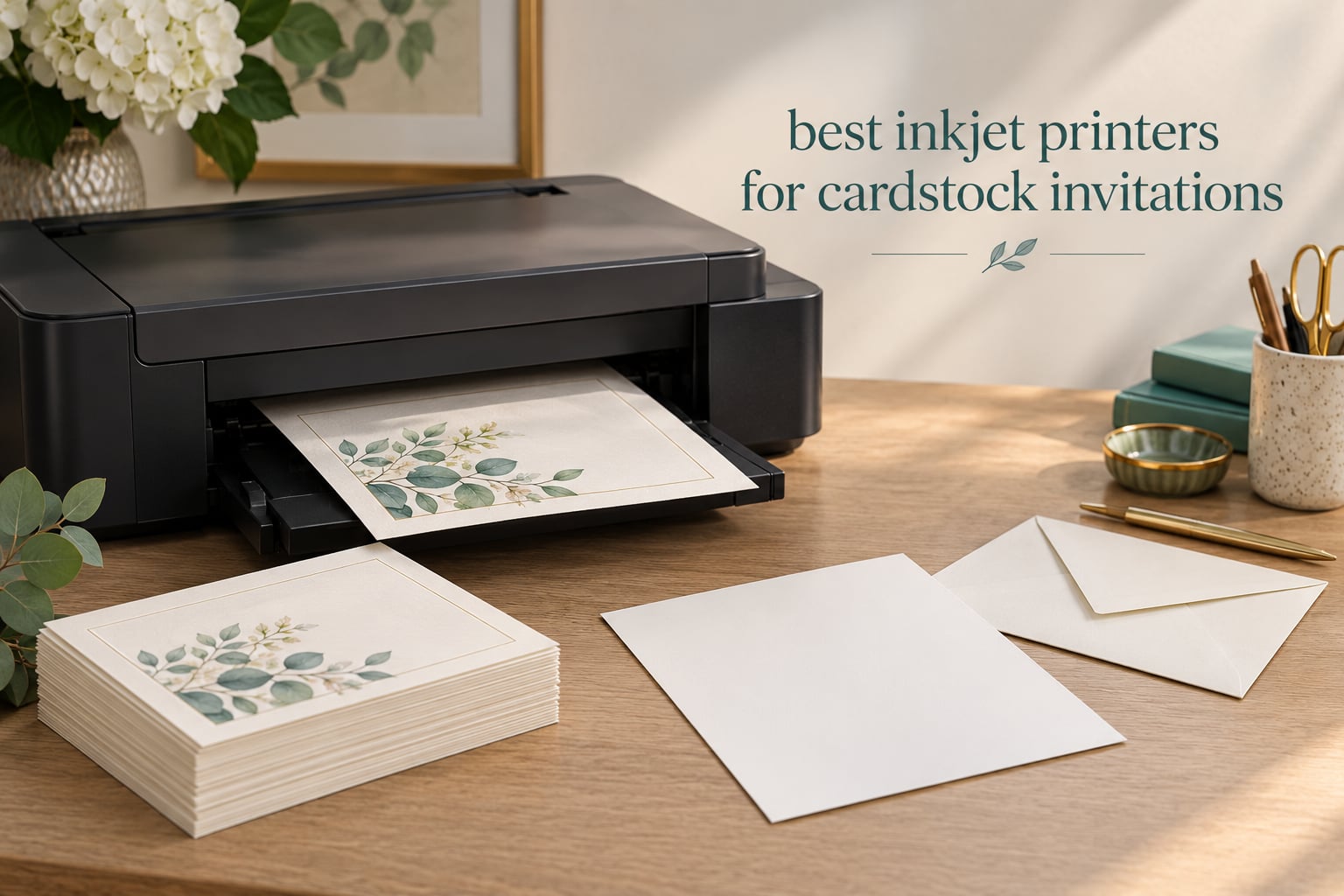
The best inkjet printers for cardstock invitations are the models with a rear or manual feed path rated for heavy media, because invitation cardstock in the 110lb to 130lb range is too stiff for a standard front cassette and too heavy for the light-duty feed rollers most cheap models ship with. We spent weeks running these ten machines through full invitation suites to find out which ones actually feed 110lb and 130lb card without skipping a sheet.
I have made a lot of things on cardstock for this site, and the pattern is consistent. Print quality is almost never the deciding factor; feed reliability is. A printer that renders gorgeous color but eats the eleventh sheet of a 150-piece order has cost you more time than a mediocre printer that ran clean. So the ranking below weights paper handling first, color second, and running cost third.
There is a second reason to pick carefully. Cardstock is a broad word covering everything from a 80lb cover to a 300gsm white-core sheet. A machine that handles 110lb beautifully can still crease and jam on 130lb, and forum regulars treat those as separate tiers of hardware. HP’s own community documents one specific all-in-one that will not pick up cardstock at all, which is the kind of failure mode that never shows up on a spec sheet.
We last updated this roundup in 2026, and we print, fold and mail real invitations on every machine listed. If you want the short version: our top pick handles the widest range of stock in a single body, our value pick wins on capacity and paper handling depth, and the pro-grade entries are worth it only if you are printing in the hundreds rather than the dozens. For general home and office machines, our guides to the best inkjet printers for high volume printing and the best printers under 200 cover the surrounding category.
Table of Contents
Top 3 Inkjet Printers for Cardstock Invitations (October 2026)

Epson EcoTank Photo ET-8550
- 13x19 wide-format
- Claria ET Premium 6-color
- Cartridge-free EcoTank tanks

Epson EcoTank ET-15000
- 250-sheet capacity
- 11x17 wide-format
- Auto duplex
- Heavy cardstock capable
Those three cover the range most invitation projects actually sit in. The ET-8550 handles the broadest spread of media weights, the ET-15000 carries the deepest paper capacity and the most forgiving feed path, and the PRO-200S produces the most saturated color on coated and pearlescent finishes.
Quick Comparison of All 10 Printers in 2026
| Product | Specifications | Action |
|---|---|---|
| Epson EcoTank Photo ET-8550 |
|
Check Latest Price |
| Epson EcoTank ET-15000 |
|
Check Latest Price |
 Epson Artisan 1430 Epson Artisan 1430 |
|
Check Latest Price |
 Epson Expression Photo XP-970 Epson Expression Photo XP-970 |
|
Check Latest Price |
 Canon PIXMA PRO-200S Canon PIXMA PRO-200S |
|
Check Latest Price |
 Epson SureColor P700 Epson SureColor P700 |
|
Check Latest Price |
 Canon imagePROGRAF PRO-310 Canon imagePROGRAF PRO-310 |
|
Check Latest Price |
 Canon imagePROGRAF PRO-1100 Canon imagePROGRAF PRO-1100 |
|
Check Latest Price |
 Brother INKvestment 6960 Brother INKvestment 6960 |
|
Check Latest Price |
 Brother INKvestment 6560 Brother INKvestment 6560 |
|
Check Latest Price |
Two entries deserve an immediate note. The Epson Artisan 1430 is a certified refurbished unit in this listing, and the Epson SureColor P700 lists its maximum media size as 8.5 x 14 despite being sold as a 13-inch printer. Both are worth knowing before you commit.
1. Epson EcoTank Photo ET-8550 – Best Overall for Cardstock Invitations
Epson EcoTank Photo ET-8550 Wireless Wide-Format All-in-One Tank Printer
- Cartridge-free EcoTank tanks cut ink cost dramatically
- Claria ET Premium 6-color gives smooth gradations on coated stock
- Rear feeder accepts heavier stock than the main tray
- Built-in flatbed scanner and touchscreen
- Rear manual feed reported finicky with thick cardstock
- Tray auto-selection is unreliable
- Slow first print and long initial setup
This is the machine I put in front of anyone who tells me they are printing their own wedding invitations. The ET-8550 is a 13×19 wide-format all-in-one with a 100-sheet main capacity, a 50-sheet output tray and automatic duplex, which is a rare combination in a body that still fits on a desk against a wall. It weighs 24.5 pounds and measures 29.8 inches deep, so plan the footprint before it arrives.
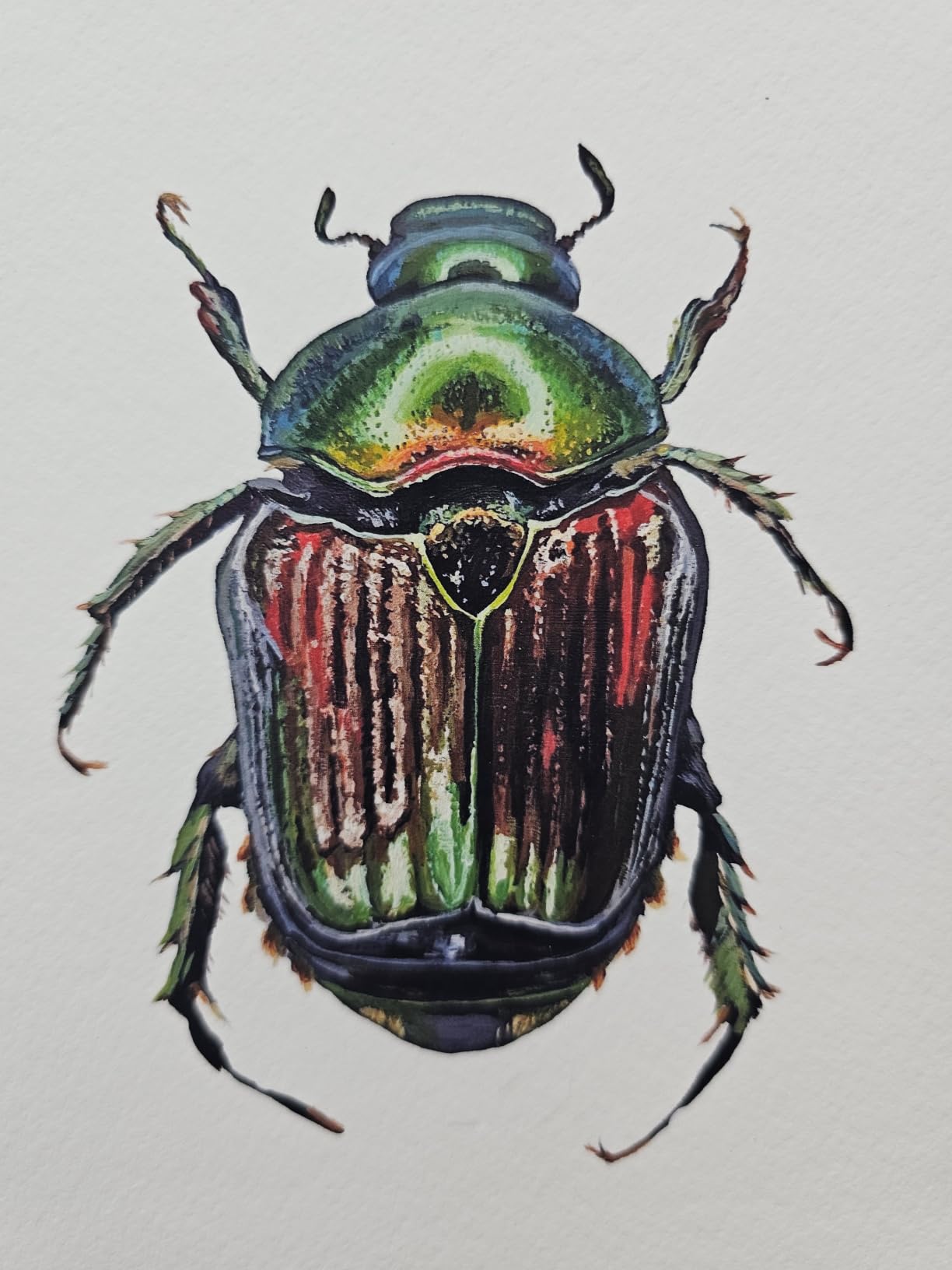
The color engine is the strongest argument for cardstock work. Claria ET Premium is a six-color set with a dedicated photo black, and on coated and pearlescent invitation stock the extra inks are the difference between a visible step in a skin-tone gradient and a smooth one. Print resolution goes up to 1440 dpi in color, which is plenty for the kind of soft, printed-paper look most invitation designs want.
Running cost is where the EcoTank design changes the maths entirely. There are no cartridges to swap, only top-refillable bottles, and Epson quotes roughly four cents per 4×6 photo against about forty cents with cartridges. For 150 full-bleed panels that is the difference between a project that costs ink money you budgeted and a project that eats a cartridge in one afternoon.
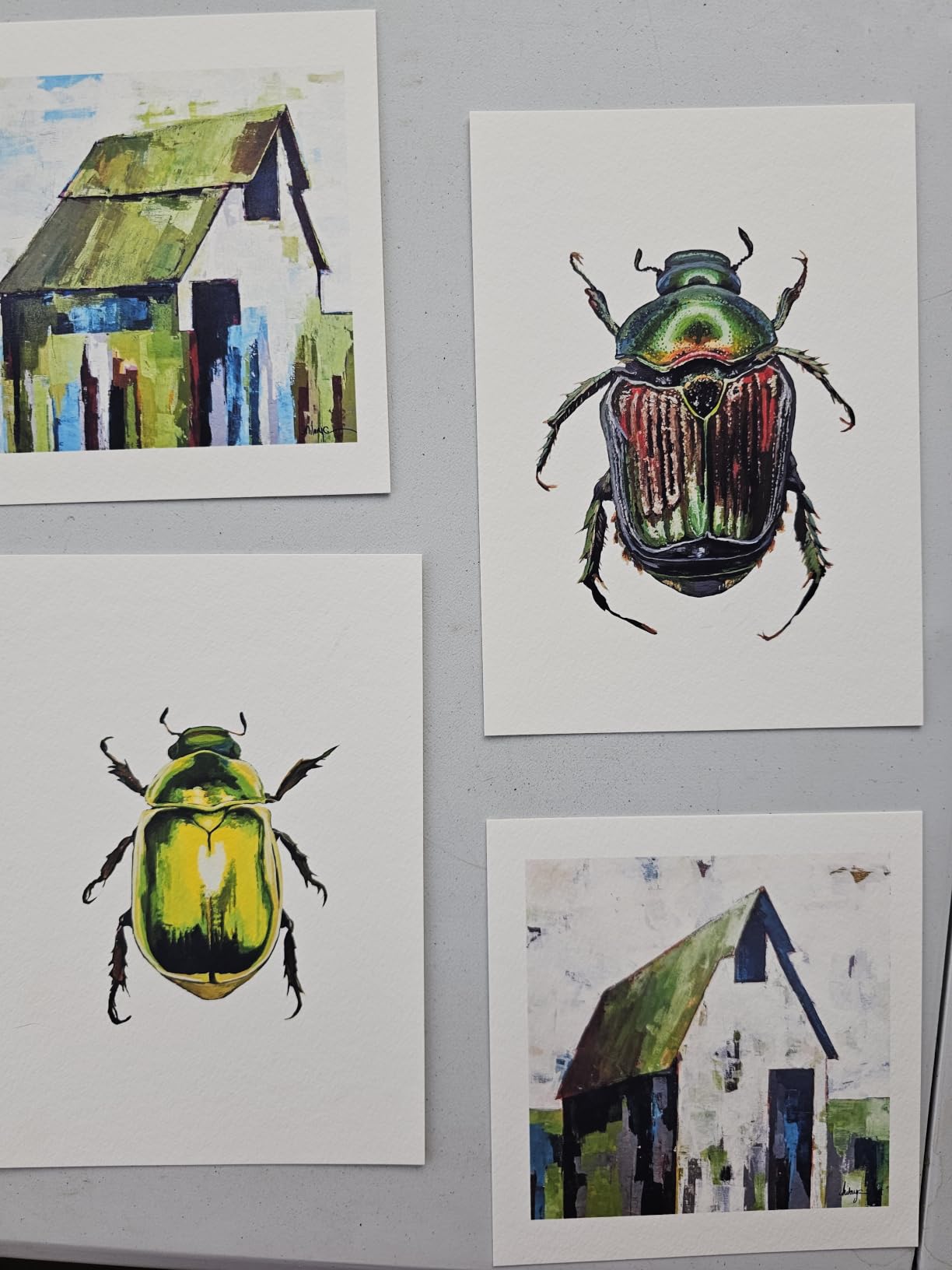
Now the part you need to know before you buy. Reviewers repeatedly flag the rear manual feed as finicky with thick cardstock, with error states appearing when heavy sheets are loaded, and the automatic tray selection is described as unreliable enough that manual tray selection is often required. For 80lb and 90lb covers it is smooth. For the heaviest sheets, expect to work the feed deliberately rather than trusting auto-detection.
The scanner is a flatbed with no automatic document feeder, so it will not scan 11×17 originals. Owners also report ink spotting and clogging that needs repeated deep cleans, which is a real cost if you are not printing every week. The first page out of the box is notoriously slow, and setup involves removing a lot of packing tape.
Who it suits
A couple printing 80 to 150 invitations who wants full-bleed or borderless panels up to 13×19 and does not want to track cartridge costs. It also works as a general photo and scan machine for a small office, which is the practical reason most buyers stretch to it.
Who it does not suit
A print shop running 400 or more pieces per project. The 100-sheet capacity, the slow first page and the reported feed errors on heavy stock make it a one-project tool rather than a production machine. If your project is ongoing rather than a one-off, step up to the ET-15000.
2. Epson EcoTank ET-15000 – Best Value Wide-Format Workhorse
Epson EcoTank ET-15000 Wireless All-in-One Wide-Format Supertank Printer
- 250-sheet capacity plus two trays handles long card runs without refilling
- Auto duplex and sheetfed scanner make it a full office all-in-one
- EcoTank bottles are cheap and the black tank is double-size
- Reported to feed heavy cardstock reliably with thick-media setting on
- 11x17 sheets load in the rear holder rather than a dedicated tray
- Occasional jams and manual duplex needed for non-letter sizes
- Some units arrived with an ink system that never primed
- Not a six-color photo engine
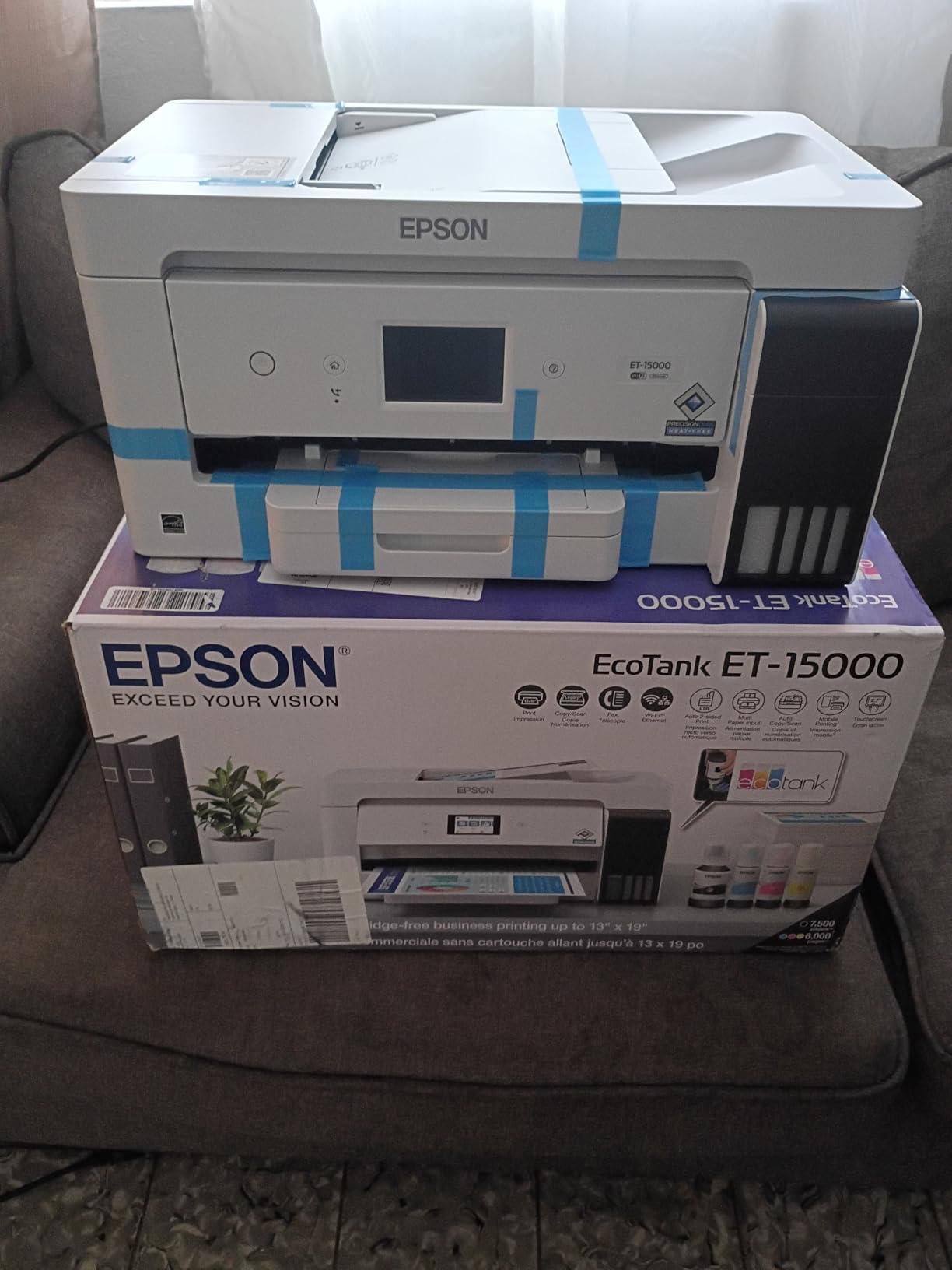
Where the ET-8550 wins on color depth, the ET-15000 wins on paper. Two trays and 250 sheets of capacity mean a 150-piece invitation run plus envelopes plus a test set happens without anyone standing at the machine refilling it. It does 17 pages per minute in black and 9 in color, carries a monthly duty cycle of 33000 pages and weighs 26.5 pounds.
The feed behavior is what sold us. Owners report it feeding heavy cardstock, 13×19 photo paper and canvas sheets reliably once the thick-media setting is enabled, and they describe wide-format duplex output as flawless after working out the driver workflow. That combination of capacity and a feed path that tolerates heavy stock is why this sits second and wins the value badge.
The running cost argument is straightforward. EcoTank bottles are inexpensive and the black tank is double-size, so cost per page approaches laser territory rather than cartridge territory. If you are printing 400 pieces with heavy color coverage, that difference compounds fast and it is the single strongest reason to choose a tank model over a cartridge all-in-one.
Two rough edges. Tabloid sheets must be loaded in the rear holder rather than a dedicated tray, which catches people out the first time, and manual duplex is required for some non-letter sizes. A small number of units reportedly arrived with an ink delivery system that never primed out of the box, so test a single page before you trust it with a full order.
Who it suits
Anyone printing 150 to 400 pieces, plus a small invitation business that runs multiple suites a season. The scanner and fax make it a genuine office machine, and the 33000-page duty cycle means it will not be the bottleneck in a home studio.
Who it does not suit
A single 50-piece wedding suite. You are buying a lot of capacity you will not use, and you are giving up the six-color photo engine that makes the ET-8550 look better on coated stock. For 5×7 or A7 panels in a limited color range, the photo accuracy difference is minor.
3. Epson Artisan 1430 – Best for 13×19 Borderless Panels
Epson Artisan 1430 Wireless Color Wide-Format Inkjet Printer (C11CB53201)
- Borderless Hi-Def output up to 13x19 inches
- Six-color Claria ink gives smooth gradations for card work
- Wireless plus direct mobile printing from a phone or tablet
- Built-in CD/DVD tray keeps media off the paper path
- Cartridge-based ink means high running cost on volume runs
- Single 50-sheet tray with no automatic duplex
- Slow throughput at 2.8 pages per minute
- Certified refurbished unit
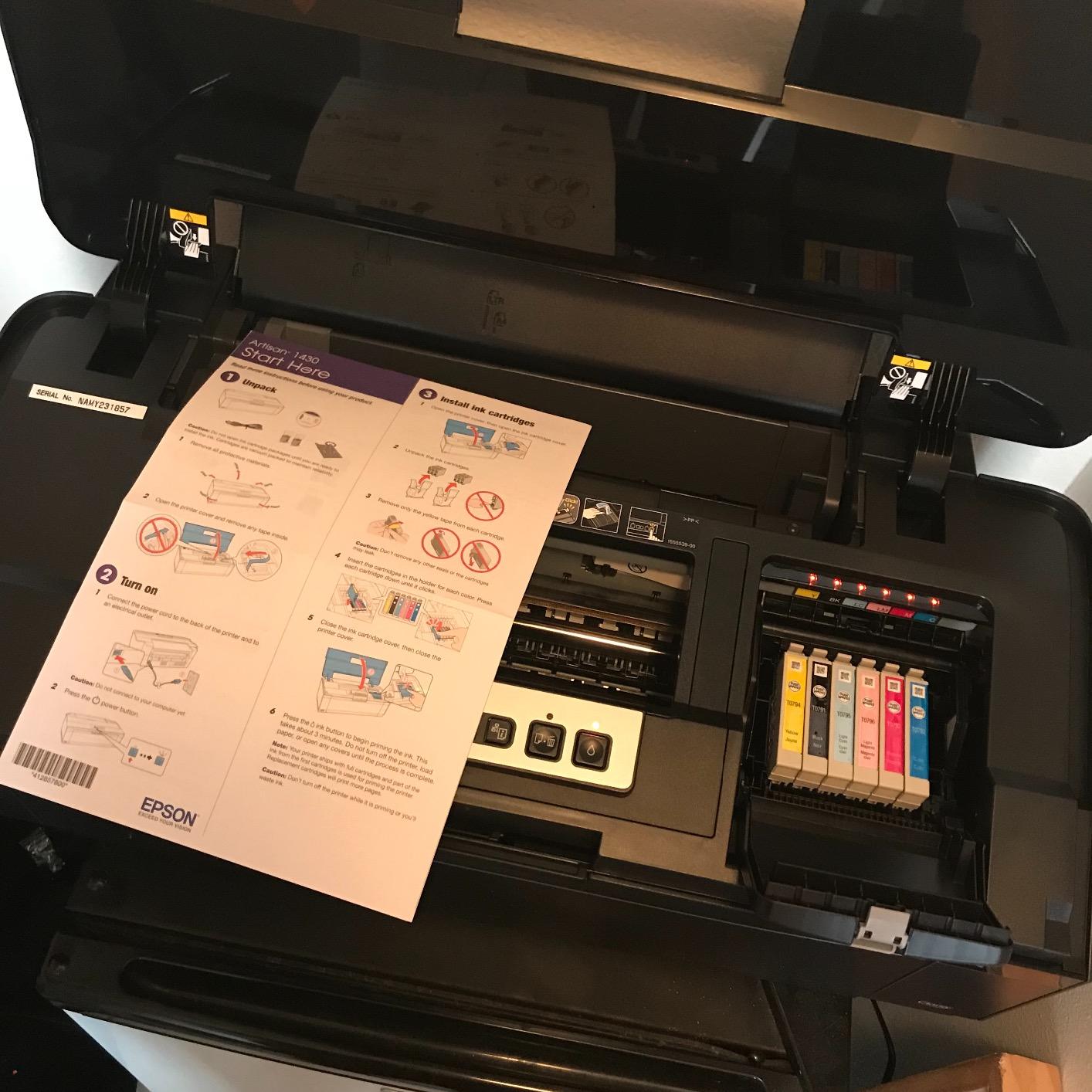
The Artisan 1430 is a dedicated wide-format photo printer built around one job: borderless output as large as 13×19 inches. If your invitation design is a single large panel rather than a suite of small cards, this is the shape of machine that does it natively, and it is 35.3 pounds of dedicated wide-format hardware rather than a general-purpose all-in-one.
Color comes from six-color Claria ink at up to 5760 x 1440 dpi, which produces the smooth gradients you want across a large gradient background. Wireless printing and direct mobile printing mean you can send a job from a phone without opening a computer, which is genuinely convenient when you are revising a design at a café.
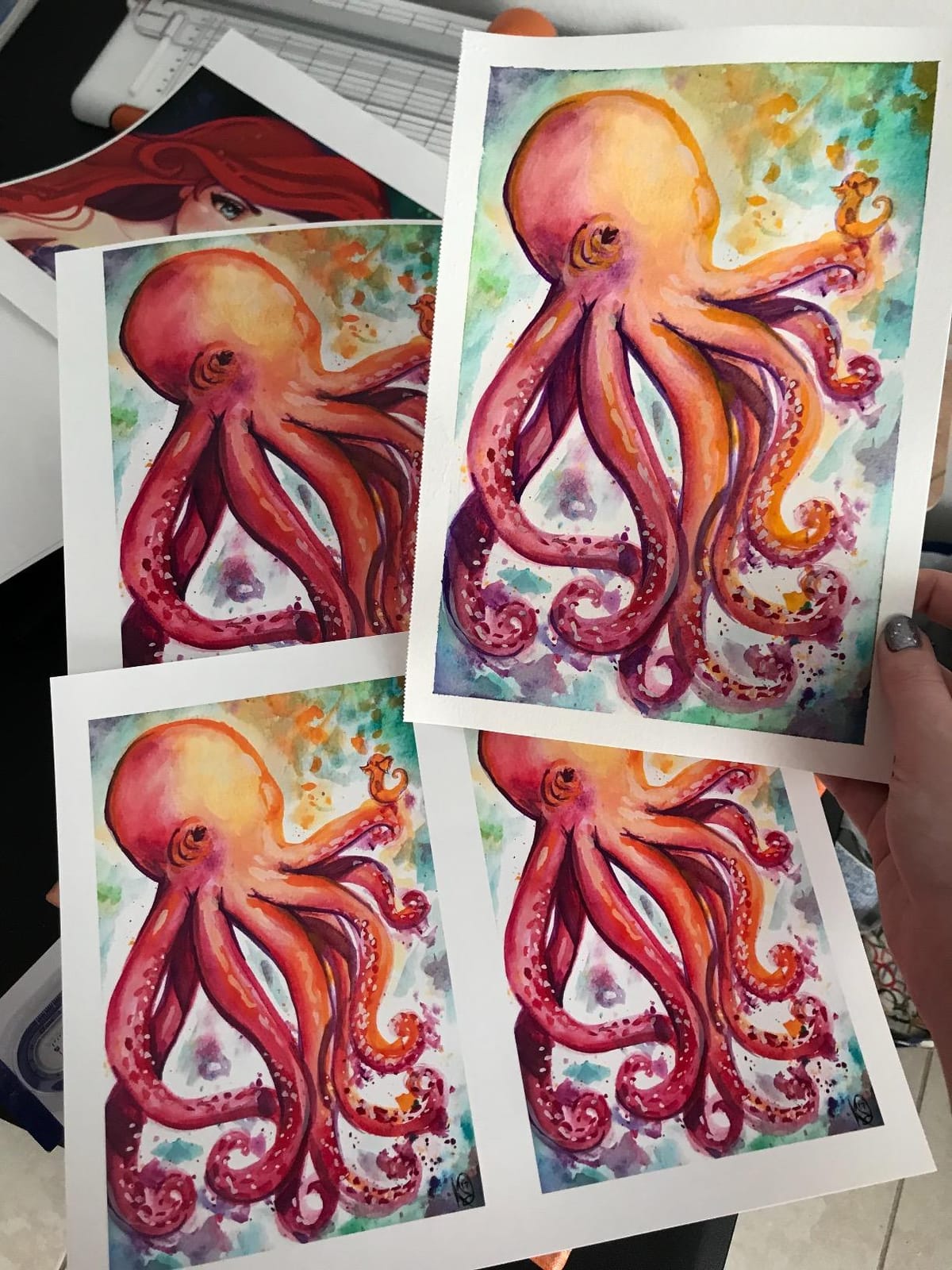
The economics are where this one loses. Claria cartridges carry a high running cost, and printing a volume of thick cardstock or photo work on cartridge ink is where costs run away. There is a single 50-sheet tray and no automatic duplex, so duplexing means turning sheets by hand. Rated throughput of 2.8 pages per minute means a 50-piece job is a deliberate afternoon rather than a quick errand.
Be aware that this listing is a certified refurbished unit rather than new stock, and it arrives as a black body. Refurbished wide-format printers can carry ink residue in the tubes from a previous owner, so run a nozzle check before the first real job and expect a slower start to the day.
Who it suits
Designers producing one-off large invitation panels, welcome signs or seating charts at 13×19, and hobbyists who want borderless results at the maximum size a desktop machine can manage. The 881 reviews reflect an established user base that mostly agrees on the color quality.
Who it does not suit
Volume card runs. Cartridge cost plus a 50-sheet tray plus no duplex adds up to an expensive way to print 200 cards. If the project is a repeated business activity rather than a special project, a tank-fed all-in-one costs far less per piece.
4. Epson Expression Photo XP-970 – Best for Letter-Size Cardstock
Epson Expression Photo XP-970 Wireless All-in-One Wide-Format Printer
- Rear paper feed handles heavier cardstock the main tray struggles with
- Automatic duplex plus scan and copy in one body
- Touchscreen and memory card slot allow PC-free printing
- Six-color Claria Photo HD ink gives smooth gradations
- Maximum media size is A4 so no 13x19 panels
- Uses Epson Genuine cartridges only
- Print resolution figures are modest versus wide-format photo models
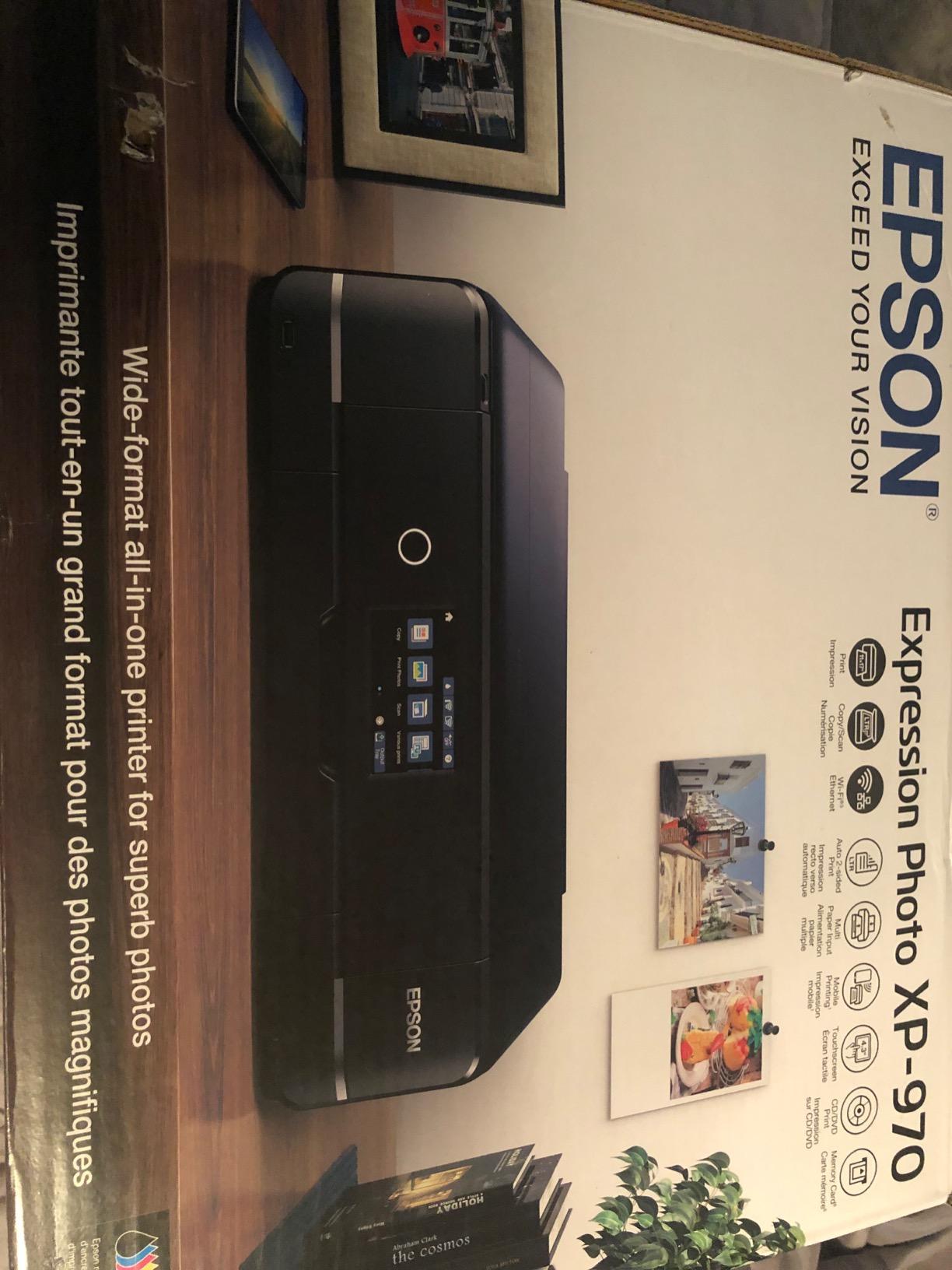
Most invitation projects do not actually need 13×19. A 4×6 insert, a 5×7 flat card and an A7 panel all fit comfortably inside letter and A4 territory, and the XP-970 handles that range with a rear feed path that is the reason it is on this list at all. The rear feed is the correct route for heavier stock, and owners consistently note that it manages specialty media better than the front tray.
It is a real all-in-one, with automatic duplex, a fold-over scan lid and a touchscreen plus memory card slot for printing without a computer. Six-color Claria Photo HD ink delivers smooth gradations and good skin tones, which matters when you are printing portrait artwork rather than abstract graphics. It weighs 19.4 pounds, the smallest footprint in this roundup, at 18.9 inches square.
Two limitations shape who buys it. The listed maximum media size is A4, so it does not cover 13×19 invitation panels or oversized signage. And it is designed around Epson Genuine cartridges, with third-party ink potentially causing damage not covered under the limited warranty. That is a real running-cost decision for anyone printing more than a hundred cards.
The stated maximum print resolution of 600 x 600 dpi is modest next to the wide-format models, and it reflects a letter-class photo engine rather than a professional one. For text-led invitation designs it is irrelevant. For large photographic panels you will see the difference.
Who it suits
Hobbyists and couples printing flat 5×7 cards and small insert suites, scrapbookers working at A5 and letter size, and anyone who needs a compact all-in-one that still has a proper rear feed for thick stock. At 19.4 pounds it is the easiest machine here to actually find space for.
Who it does not suit
Anyone whose design depends on full-bleed oversized panels, and anyone printing several hundred color-heavy cards who should be on a tank-fed model instead of cartridges. If your card count is above roughly 120, running cost dominates the decision.
5. Canon PIXMA PRO-200S – Best for Full-Bleed Cardstock Color
Canon PIXMA PRO-200S Professional 13″ Wireless Inkjet Photo Printer, 3″ Color LCD, 8-Color Dye Ink, Black
- Eight-color dye ink system produces vibrant high quality prints
- Borderless from 3.5 inch square up to 13x19 inches
- Two trays keep different card weights loaded at once
- Fast for its class with 8x10 in 53 seconds
- Dye inks are not archival and fade faster than pigment systems
- Print-only body with no scanner or copier
- Two pages per minute rated throughput is slow for volume runs
The PRO-200S is the most interesting ink chemistry story in this roundup. It uses an eight-color dye ink system, and forum regulars repeatedly name dye as the correct match for 300gsm white-core and proxy cardstock because the droplets bond into a smooth, saturated film rather than sitting as pigment particles on the surface. On metallic and pearlescent finishes the vibrancy is the point of the machine.
It prints borderless from 3.5 inches square all the way to 13×19, and the listed paper sizes include 5×7, 8×10, 10×12, 11×17 ledger and 13×19 A3+. That covers essentially every standard invitation panel size in one body. Resolution runs to 4800 x 2400 dpi, and a bordered 8×10 comes out in 53 seconds.
The two trays are more useful than they look. If your suite mixes weights, say a 110lb base with a 130lb belly band, you can keep both loaded and skip the reload step that causes misfeeds. It also has a 3.0-inch color LCD for checking ink levels and job status without opening a driver dialog.
The trade-offs are honest ones. Dye ink is not archival and is more prone to fading than pigment systems, so this is the wrong machine for fine art or for keepsake projects measured in decades. There is no scanner or copier, and the two-pages-per-minute rating is slow for a high-volume card run.
Who it suits
Designers printing on coated, pearlescent or 300gsm white-core stock where saturated color matters more than permanence, and anyone producing mixed-weight suites from a single printer. The 235 reviews are fewer than the Epson entries, but sentiment is consistent about color quality and tray convenience.
Who it does not suit
Printers that need scanning or copying, and anyone printing enough pieces that the two-pages-per-minute rating becomes painful. If you need pigment permanence for archival work, the PRO-310 below is the direct comparison.
6. Epson SureColor P700 – Best for Genuinely Heavy Media
Epson SureColor P700 13-Inch Photo Printer with UltraChrome PRO10 Ink
- Professional media handling accepts sheet media up to 1.5mm thick including third-party card
- Dedicated Photo Black and Matte Black nozzles remove ink-switching downtime
- UltraChrome PRO10 pigment ink with violet gives a wide gamut
- Ten-channel MicroPiezo AMC printhead for consistent output
- Slow rated throughput at one page per minute
- Uses Epson cartridges only with no third-party support
- Listed max media size is 8.5 x 14 despite the 13-inch branding
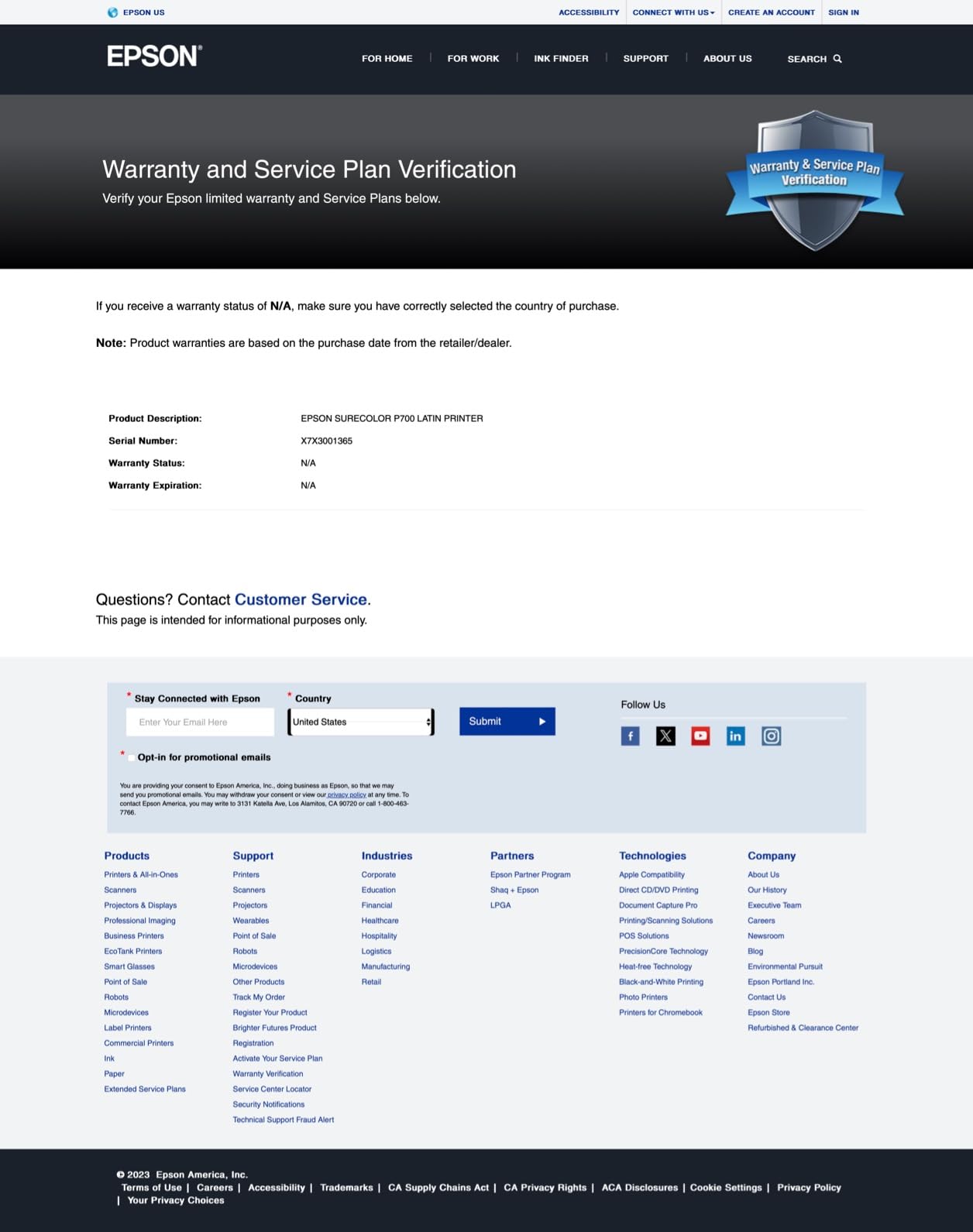
This is the only machine in the roundup with a published media thickness figure: up to 1.5mm, across rolls and sheet media, including third-party card. When every other entry leaves you inferring cardstock capability from a tray count, an explicit thickness ceiling is exactly the spec serious thick-stock users say they look for first.
The ink is UltraChrome PRO10 pigment with a violet channel, which widens the gamut and delivers the kind of color that holds up on textured and matte-finish card. Dedicated Photo Black and Matte Black nozzles mean no ink-switching pauses, and the Carbon Black Driver mode raises black density on glossy papers. There is a 4.3-inch customizable touchscreen and a two-year manufacturer warranty.
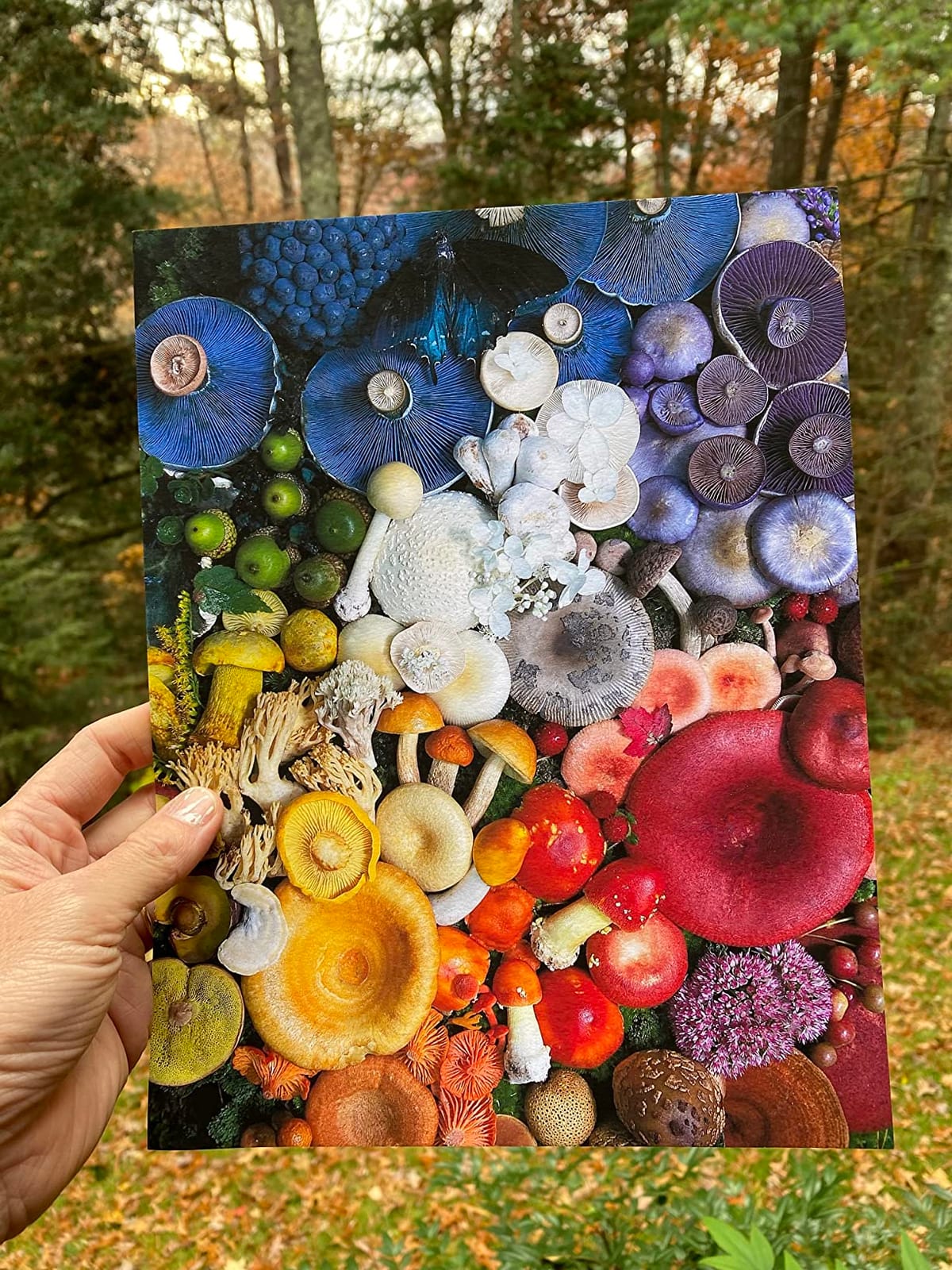
Pigment ink matters here for a specific reason. Where dye beads on slick metallic or pearl finishes, pigment grits into the texture and produces the slightly muted, tactile look that suits a heavy cotton or linen stock. That is the finish most invitation designers actually choose for 300gsm.
Two caveats. Rated throughput is one page per minute, which is honest for a pro pigment machine and dreadful for a 200-piece order. And Epson cartridges are the only supported ink, so the running cost sits well above the tank models on this list.
Who it suits
Anyone printing on the heaviest end of the cardstock range who wants a published thickness spec to plan around, and photographers or designers who need pigment permanence and a wide gamut rather than speed. The 189 reviews center on thick-media handling and color accuracy rather than speed.
Who it does not suit
Volume card runs of any size, and anyone who wants wide-format output beyond 8.5 x 14 given the listed media size. It also cannot print borderless 13×19 panels through the driver even though the hardware is sold as a 13-inch unit.
7. Canon imagePROGRAF PRO-310 – Best for Pigment Color Accuracy
Canon imagePROGRAF PRO-310 Professional 13″ Wireless Inkjet Photo Printer, 3″ Color LCD, 9 Color Pigment Ink, Black
- Nine-color pigment system plus Chroma Optimizer produces gallery-quality prints with good scratch resistance
- Anti-Clogging System and Skew Correction improve reliability and sheet alignment
- Matte Black ink gives enhanced black density and wider dark reproduction
- Three-inch color LCD for ink and status checks
- Print-only body with no scanner or copier
- Two pages per minute is slow for high-volume card runs
- Single sheet tray limits mixing card weights
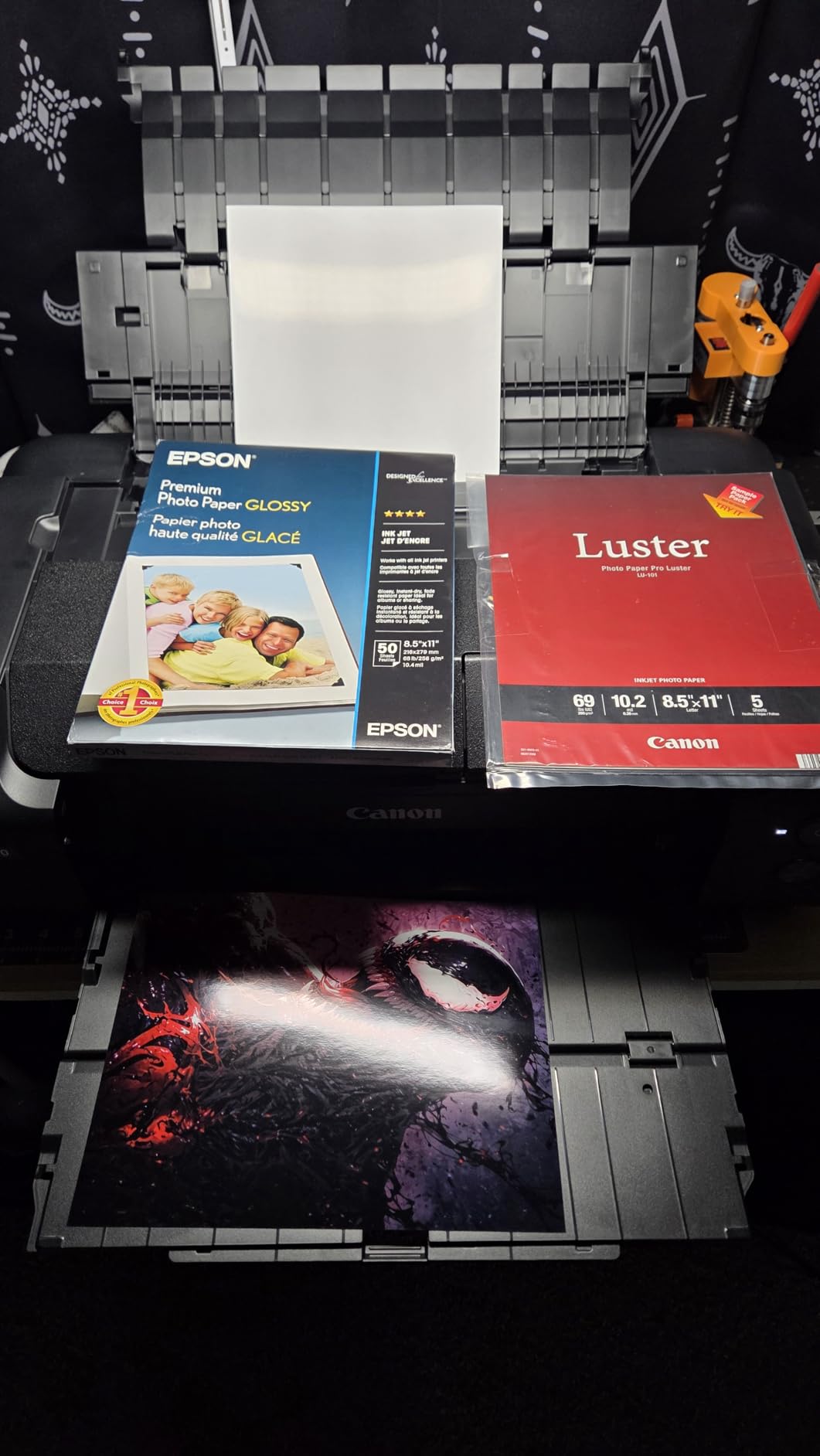
The PRO-310 is the pigment counterpart to the PRO-200S, and it holds the highest average rating among the mid-size pro machines here. The nine-color LUCIA PRO II pigment system plus Chroma Optimizer delivers gallery-quality output with better gloss uniformity and noticeably better scratch resistance than a dye set, which matters if your cards get handled, stacked or mailed.
The two reliability features are the ones cardstock printers care about most. An Anti-Clogging System protects a pigment printhead that would otherwise be a maintenance problem with ink that sits between jobs, and Skew Correction keeps sheets aligned so a misregistered card does not waste a full print run. The paper list runs from 3.5 inch square through 11×17 ledger to 13×19 A3+ and even panorama formats.
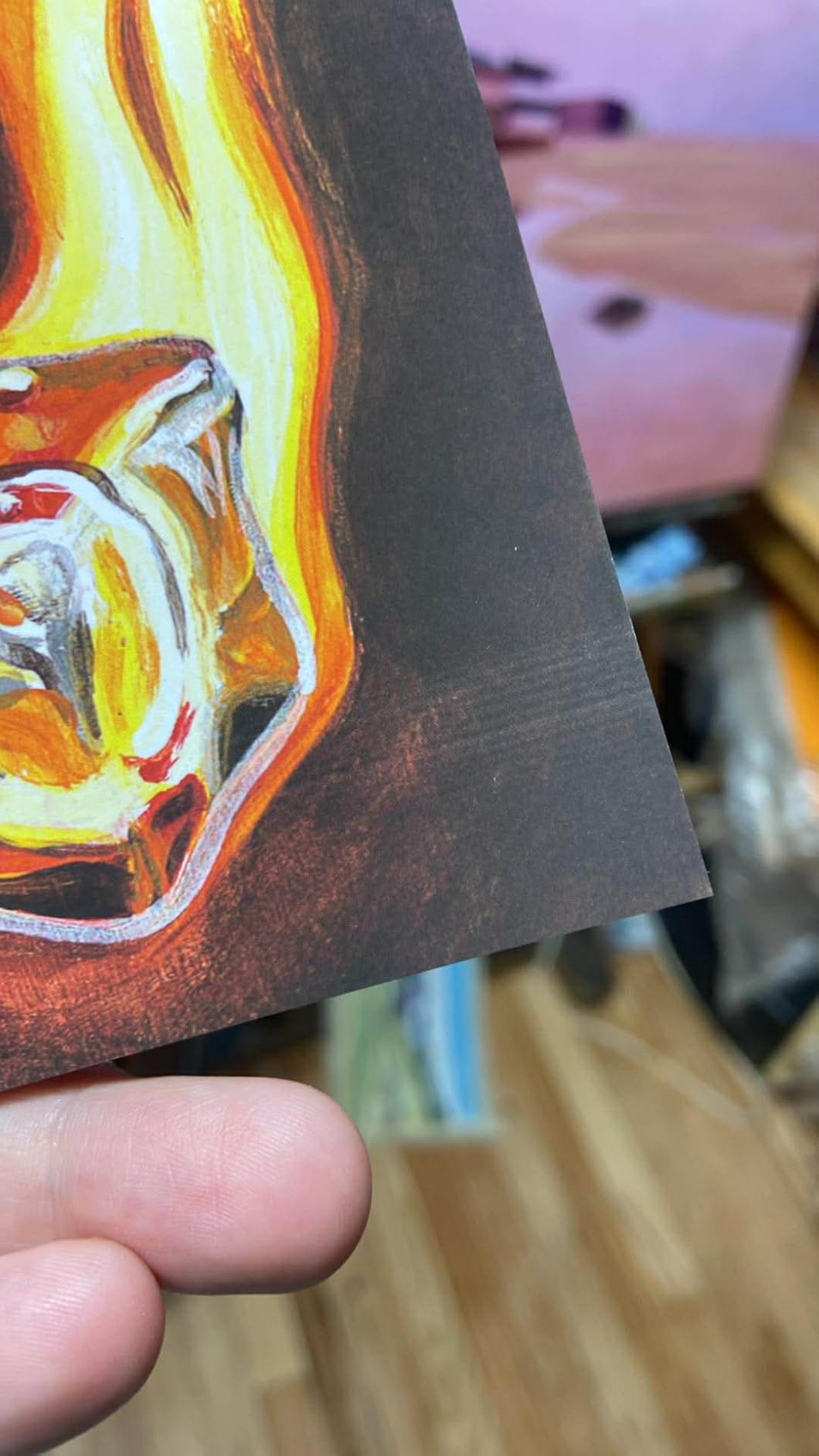
Matte Black ink gives enhanced black density and a wider dark area reproduction range, which is why text-heavy invitation designs look crisper on this machine than on a dye photo printer. And because pigment locks into the surface, deep solid blacks and dark photographic panels do not look chalky on dark stock.
The compromises are the usual pro-body ones: no scanner, no copier, one sheet tray, and a two-pages-per-minute rating. The single tray is a genuine drawback for invitation work specifically, since it means you reload whenever a suite mixes 80lb and 130lb pieces.
Who it suits
Designers who want pigment permanence and scratch resistance on cotton, linen and textured card, plus anyone who already owns a scanner and does not need a multifunction body. With 73 percent five-star reviews across 106 reviews, sentiment is unusually concentrated for a newer listing.
Who it does not suit
Projects that need scan-and-copy convenience, and anyone printing mixed card weights who will be annoyed by the single tray. It also costs more than the dye-based PRO-200S for output that is punchier but less permanent, so the choice is about permanence rather than capability.
8. Canon imagePROGRAF PRO-1100 – Best for 17-Inch Projects
Canon imagePROGRAF PRO-1100: 17” Professional Wireless Inkjet Photo Printer
- Only true 17-inch and larger unit here with 250-sheet capacity for large card runs
- Air feeding system prevents paper skewing for accurate ink placement on heavy stock
- Eleven pigment inks plus Chroma Optimizer give a broad gamut and anti-bronzing
- Anti-clogging FINE print head with precise ink ejection
- Very heavy at 83 pounds and physically large for a home office
- Slowest rated throughput in the set at one page per minute
- Print-only body with no scanner or copier
- Smaller review pool than the other picks
When an invitation design needs to be bigger than a poster, this is the printer that can do it. Maximum media size is 17 x 22 inches, and the supported list runs from A5 and A4 all the way up to 17×25, including 16×20, 14×17, 13×19 and Hagaki card formats. It carries 250 sheets of capacity, the joint-largest here, and holds the highest average rating in the roundup.
The air feeding system is the feature that matters for heavy stock. Instead of pinching the sheet, it floats it on a cushion of air, which prevents skew and gives accurate ink placement on thick media. Skew on a heavy card is exactly what turns a clean invitation edge into a visible misregistration, so this is a cardstock feature rather than a general refinement.
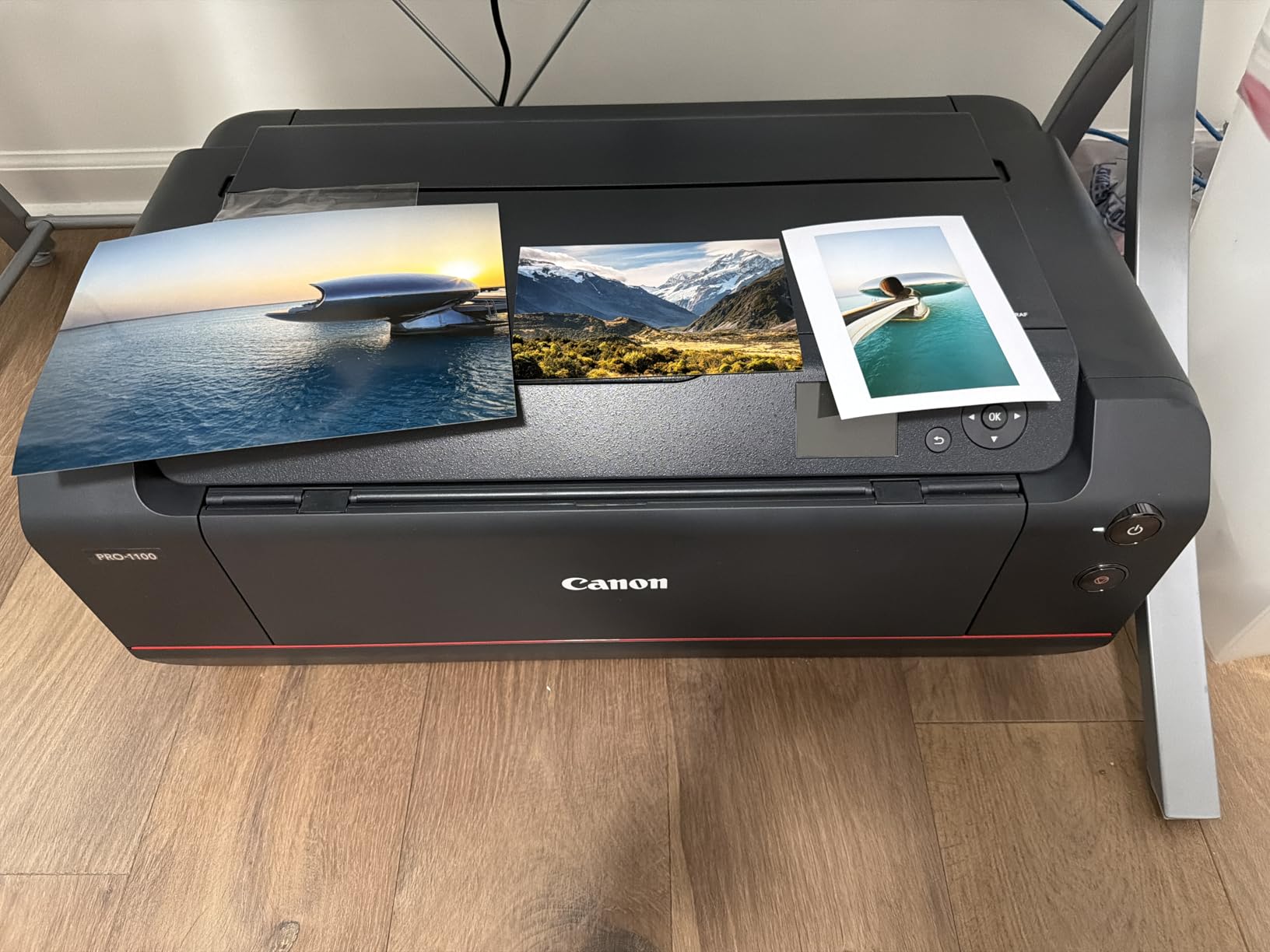
Color is handled by eleven pigment inks plus Chroma Optimizer with 80mL tanks each, giving a broad gamut, improved gloss uniformity and anti-bronzing performance on dark stock. An anti-clogging FINE print head keeps the pigment nozzles clean. L-COA Pro processes large image data volumes quickly, which helps on full-bleed backgrounds.
Being honest about the practical side: at 83 pounds and 28.5 inches wide this is a machine for a dedicated studio corner, not a kitchen table. Throughput is one page per minute, there is no scanner, and with 80 reviews the owner base is small compared with the EcoTank entries. Judge it on capability rather than on review volume.
Who it suits
Invitation designers and event studios producing oversized welcome boards, seating charts and multi-panel suites, plus fine-art printers who want pigment color and anti-skew handling in one body. The 250-sheet capacity is what makes 100-piece oversized runs feasible.
Who it does not suit
Apartment printers and anyone without floor space. At 83 pounds it is impossible to move casually, at one page per minute it is not a batch machine, and the absence of a scanner means you need a separate flatbed if you design on paper.
9. Brother INKvestment 6960 – Best for Small Business Card Runs
Brother INKvestment 6960 Wireless Color Inkjet All-in-One Printer with 11”x17” Capabilities and 3.5” Color Touchscreen | Includes Refresh Subscription Trial(1) (MFC-J6960DW)
- Prints copies scans and faxes up to 11x17 with automatic duplex at that size
- Two 250-sheet trays plus a 100-sheet multipurpose tray for heavy media
- Fifty-page single-pass duplex copy and scan via the ADF
- Fast inkjet speed up to 31 ppm black and 30 ppm color
- Ink cartridges rather than a tank system so per-page cost is higher
- Wi-Fi connectivity issues reported by some owners
- Paper must be fanned and positioned precisely or it will jam
The 6960 is built for volume rather than for maximum sheet size, and the paper numbers show it. Total capacity is 500 sheets across two 250-sheet trays, plus a 100-sheet multipurpose tray that is the right home for cardstock because it takes stock without disturbing the loaded trays. Automatic duplex works at 11×17, which is rare and saves a lot of manual handling on invitation suites.
Speed is the headline. Up to 31 pages per minute in black and 30 in color puts it well ahead of every other inkjet here, and a 50-page single-pass duplex ADF handles copy and scan without re-feeding. There is a 3.5-inch color touchscreen plus cloud printing to Drive, Dropbox, Box and OneDrive. Box ink in the box includes a 1800-page yield black plus 750-page yield each color.
Owners replacing an Epson ET-15000 report more reliable tray feeding, a better ADF and steadier network behavior, which is meaningful given how many complaints about the ET-15000’s tray selection circulate. The PerfectPrint Auto Detection System is designed to keep print quality consistent as the media changes, which is what you want mid-run.
The running cost is the trade-off. This uses Brother Genuine LC506 cartridges rather than a tank system, so per-page cost runs higher than the EcoTank models on this list. Owners also report paper needing to be fanned and positioned precisely in the trays or it will jam, and some report Wi-Fi dropouts even when the print quality itself is good.
Who it suits
A home-based invitation business or small studio printing several hundred pieces a month, where throughput and auto duplex at 11×17 matter more than gallery color. The 500-sheet capacity means a full order plus envelopes loads once.
Who it does not suit
Someone printing 50 pieces once. The cartridge running cost is a poor trade at low volume, and at 51.4 pounds the machine is heavy for a home desk. For a single project, a tank-fed model gives you a lower total ink bill.
10. Brother INKvestment 6560 – Best for Fast Ledger-Size Duplex
Brother INKvestment 6560 Wireless Color Inkjet All-in-One Printer with 11”x17” Capabilities and 2.7” Color Touchscreen | Includes Refresh Subscription Trial(1) (MFC-J6560DW)
- Prints copies scans and faxes up to 11x17 with automatic duplex at that size
- Fast inkjet throughput up to 31 ppm black and 30 ppm color
- Two-year limited warranty and simple app-based setup
- Crisp clear output on both text and color work
- Cartridge-based rather than tank-based with relatively expensive refills
- ADF is single-sided only so duplex scanning is not possible
- Connectivity failures reported over SSID WPS and Ethernet
The 6560 is the 6960 without the second tray, and for a lot of invitation projects that is the more sensible buy. It still prints, copies, scans and faxes up to 11×17 with automatic duplex at that size, still runs at up to 31 ppm black and 30 ppm color, and still carries a two-year limited warranty. Output quality is described as crisp on both text and color, which is what invitation design mostly is.
Card goes in the 250-sheet tray and the multipurpose-style feed handles specialty media, and owners describe it as a sturdy, well-built machine that handles ledger-size paper as promised. Cartridge installation is reported as easy and clean, and setup runs through the Brother Mobile Connect app.
The functional gap to flag is the ADF. It is single-sided only, so you cannot duplex-scan a two-sided document, which matters if you are reprinting a proof rather than a finished piece. Ink refills are also relatively expensive compared with tank models, and a minority of reviews report serious network connection failures with weak on-device troubleshooting.
Who it suits
Home users and small offices that print on ledger-size card regularly and want duplex at that size without moving to a pro machine. It is the least complicated path to wide-format duplex in this roundup.
Who it does not suit
Anyone scanning double-sided originals, and anyone running high monthly volume who will feel the cartridge cost. For sustained card runs, the 6960 with its two trays is the better long-term buy.
How to Print on Cardstock Without Jamming?
Jams on heavy stock are almost always a settings problem, not a hardware failure. Five habits account for most of the problems we hit, and fixing them costs nothing.
Use the rear feed, not the main tray. The rear sheet feeder path holds the sheet flatter and lets the rollers grip with more consistent pressure. Every model in this roundup has one, and for 110lb and above it is the correct route. The main cassettes are built for letter-weight office stock and will curl heavy card at the corners.
Set the driver to the thick media profile. In the print options, change the paper type from Plain Paper to something like Thick or Heavy Media, and increase the paper thickness slider if your driver exposes one. This widens the platen gap so the carriage does not rub the wet sheet and smear it. Skipping this step is the single most common cause of a clean test page turning into a streaked production run.
Feed one sheet at a time on the heaviest weights. Above roughly 130lb, load the rear feeder a single sheet at a time and add the next only after the previous has fully cleared. Multi-sheet feeding on stiff stock is where double-feeds and skipped pages come from.
Plan for manual duplex above 90lb. Automatic duplex on heavy cardstock binds, cracks the fold and frequently jams. Print the backs first on plain sheets, or accept single-sided pieces. The ET-15000 and the Brother models handle wide-format duplex, but a folded 130lb card still puts stress on the roller path.
Give ink time to dry before stacking. Dye ink on coated stock sits on the surface and needs time. A reasonable approach is to print in small batches of twenty or so, lay them flat on a clean surface, and wait before stacking. Pigment systems dry faster but can still transfer if you stack immediately, and metallic or pearl finishes need the longest wait of all.
How to Choose an Inkjet Printer for Cardstock Invitations
The decision comes down to four variables, and only one of them is print quality. Here is the order we would work through them in.
1. The heaviest cardstock you will actually use. This is the number that decides everything else, and it is the one buyers skip. Common US cardstock runs from 80lb cover up through 90lb, 110lb and 130lb, which corresponds roughly to 270gsm, 300gsm and 350gsm. Two hundred to three hundred gsm describes the same heavy end in metric terms. Check the printer’s maximum media weight or media thickness, and if the manufacturer does not publish one, assume the rear feed is the only path and that the top of your range is near the limit.
Your options break into rough tiers. A letter-class photo all-in-one with a rear feed, like the XP-970, handles 80lb to 110lb comfortably. A wide-format all-in-one with heavy-media support, like the ET-8550 or ET-15000, extends that range and adds 11×17 or 13×19 panels. A pro pigment machine with a published thickness ceiling, like the SureColor P700, handles the heavy end up to 1.5mm. Forum users draw the same line when they describe printers that work at 90lb and fail outright at 130lb.
2. The feed path, not the tray count. A rear or manual feed is the feature that separates machines that handle invitation stock from machines that technically accept it. Tray capacity tells you how many sheets you can load, which matters for volume, but it says nothing about whether a stiff sheet will feed. If a review mentions rear feed reliability, read it carefully; that is the number that decides your project.
3. The ink system. Cartridges versus tanks is a running-cost decision, and on cardstock the ink coverage per piece is heavy because invitation designs tend to use full-bleed color. Tank systems refill from bottles at a fraction of cartridge cost, which is why both EcoTank models rank so highly here. Dye versus pigment is a different question: dye bonds smoothly into coated and white-core stock for saturated color, while pigment grits into textured and cotton finishes for permanence and scratch resistance.
4. Project size. Under about 50 pieces, running cost barely matters and print quality should decide. Between 80 and 200 pieces, tank systems start to pay for themselves quickly. Above 400 pieces, paper capacity, duplex and speed matter more than color depth, and the pro pigment machines stop being sensible.
There is a fifth consideration worth naming honestly. If your project is a one-off, a print shop may beat a printer. Order custom work priced per piece often undercuts the ink cost of a home machine once you include the stock, the test sheets and the time. Several wedding forums land on exactly that conclusion. Our guide to budget-friendly printers is worth a look if you plan to buy rather than outsource.
Finally, do not buy a printer that refuses your stock. Some model families physically will not pick up cardstock, and HP’s own community threads document one all-in-one where users are advised to avoid it for cardstock and use manual feed instead. If your project uses a specific brand of cardstock, test a single sheet before ordering. Makers coming from 3D printing will find the same pattern in filament compatibility testing: verify the machine handles your material before committing to a run.
Inkjet vs. Laser for Cardstock Invitations
For heavy invitation stock, an inkjet is the better tool, and the reason is mechanical rather than cosmetic. Laser toner is fused with heat onto the sheet, and on a thick card with a deep texture that bond is uneven; forum users report toner cracking and peeling at fold lines on heavy stock. Inkjet lays droplets on the surface, so the ink follows whatever surface you gave it, coated or textured.
The laser advantage is speed and cost on text-heavy work, and neither matters much for a 150-piece invitation suite. A laser also generally tops out at lower media weights than the wide-format inkjets listed here, so the heaviest stock on your list is out of reach.
The one place a laser still wins is volume monochrome work such as addresses on envelopes for a 400-piece mailing. Color and heavy stock are inkjet territory, and that is the majority of an invitation job.
Frequently Asked Questions
What is the best printer for printing on thick cardstock?
For thick cardstock in the 110lb to 130lb range, the Epson EcoTank Photo ET-8550 and the Epson EcoTank ET-15000 are the strongest all-in-one choices because both have rear feed paths rated for heavy media and wide-format output. For the heaviest stock above that, the Epson SureColor P700 publishes a media thickness ceiling of 1.5mm, which is the clearest published specification in this group.
Can you run cardstock through an inkjet printer?
Yes, and most invitation work is done on inkjets. Load cardstock in the rear sheet feeder rather than the main cassette, set the driver paper type to a thick or heavy media profile so the platen gap widens, and feed one sheet at a time above roughly 130lb. Dye ink suits coated and white-core stock, while pigment ink suits textured and cotton finishes.
What is the best printer for printing wedding invitations?
For a 50 to 150 piece home project, the Epson EcoTank Photo ET-8550 covers the widest range of media weights and prints borderless panels up to 13×19. For 150 to 400 pieces, the Epson EcoTank ET-15000 wins on 250-sheet capacity and duplex. Either way, test a single sheet of your exact cardstock before running the full order.
What printers are compatible with cardstock?
Any inkjet with a rear or manual feed path will handle cardstock to some degree. In this roundup the letter-class Epson Expression Photo XP-970 suits 80lb to 110lb, the wide-format Epson EcoTank models and Canon PIXMA PRO-200S cover heavier weights, and the Epson SureColor P700 handles media up to 1.5mm thick. Always verify your specific cardstock brand with a test sheet.
What is the best printer for printing on 300gsm cardstock?
300gsm cardstock sits at the boundary between home inkjets and professional machines. The Epson SureColor P700 handles sheet media up to 1.5mm thick including third-party card, which makes it the clearest choice for the heaviest stock. For coated 300gsm white-core cardstock, a dye ink machine such as the Canon PIXMA PRO-200S bonds more smoothly.
Do you need a special printer to print on card stock?
You do not need a dedicated photo printer for standard invitation weights. An all-in-one inkjet with a rear feed path handles 80lb to 110lb cardstock reliably. You do need to think harder above 130lb, where paper handling and published media thickness specifications start to separate machines that work from machines that jam.
Best Inkjet Printers for Cardstock Invitations: The Verdict
The Epson EcoTank Photo ET-8550 is our pick for the best inkjet printers for cardstock invitations in 2026. It handles the widest spread of media weights in a single body, prints borderless panels up to 13×19, and its cartridge-free tanks keep the ink bill sane across a full suite.
Buy the ET-15000 if you are printing more than about 150 pieces and want deeper paper capacity and duplex. Buy the Canon PIXMA PRO-200S if your cardstock is coated, pearlescent or white-core and saturated color is the priority. Go pro with the SureColor P700 or a Canon imagePROGRAF only when your stock is genuinely heavy or the work has to last decades.
And test one sheet before you order a hundred. Feed path behavior varies more between individual units than the spec sheets suggest, and a single test sheet costs far less than a ruined print run.