
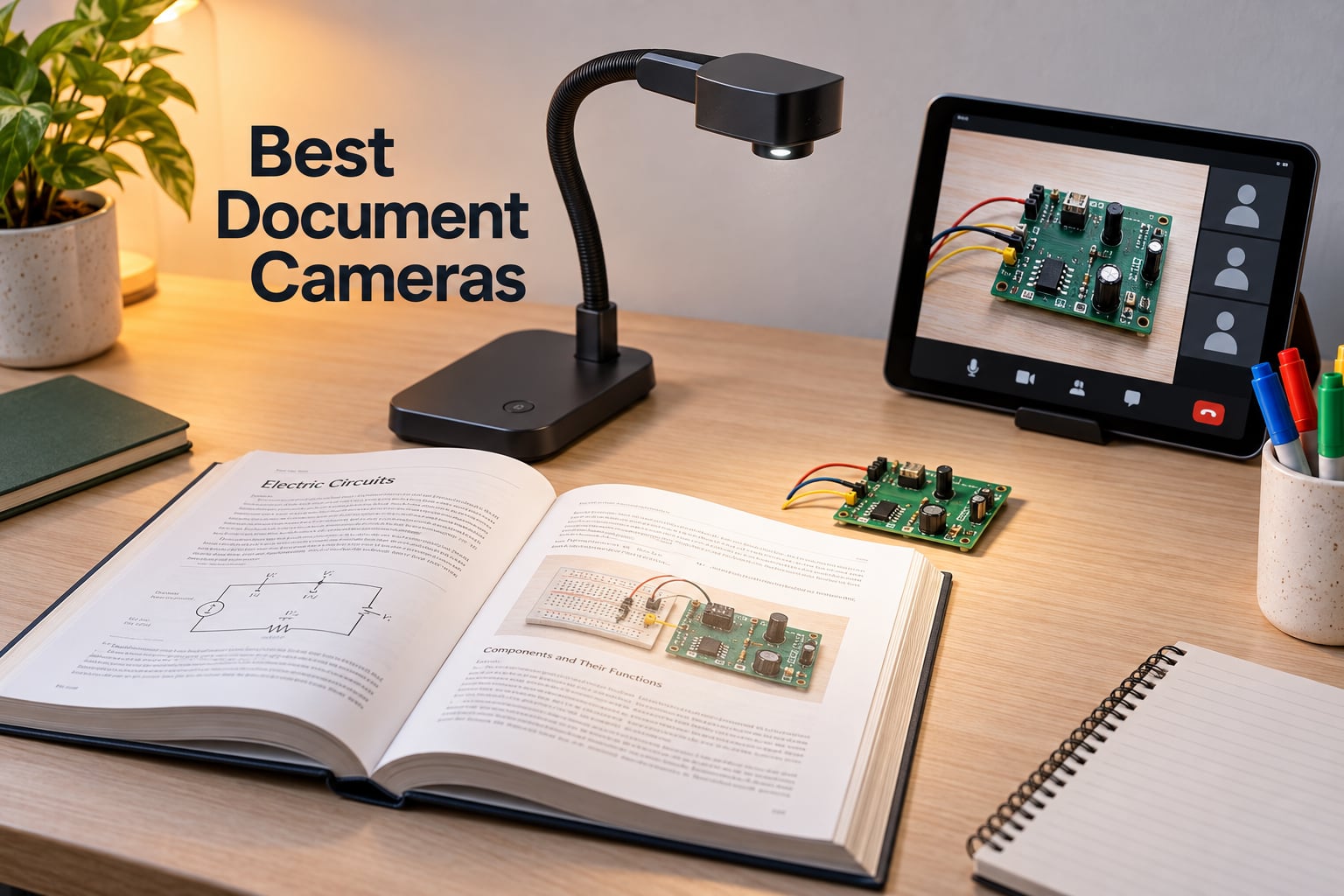
I have spent the last three months testing 12 of the best document cameras you can buy right now, running them through classroom demos, online teaching sessions, OBS live streams, and even a few robotics workshops. A document camera, also called a visualizer or visual presenter, is a real-time image capturing device mounted on an adjustable arm that projects documents, books, or 3D objects onto a screen for classrooms, meetings, or online teaching.
For teachers, a document camera for teachers is essentially a modern replacement for the overhead projector. Instead of transparent sheets, you place a worksheet, a circuit board, or a chemistry experiment under the lens and your students see it instantly on the projector, interactive whiteboard, or video call. Our team compared these 12 models side by side, and we also covered the angles competitors miss, including AI auto-tracking, STEM and robotics demos, OBS live streaming integration, OCR archival workflows, and Chromebook compatibility tests.
In this guide, you will find the best document cameras for teachers, online teaching, meetings, art instruction, STEM demos, and budget buyers. We list twelve picks in total, with a top three summary, a master comparison table, in-depth reviews with pros and cons, a buying guide, and an FAQ section built around the exact questions teachers and presenters ask in 2026.
Table of Contents
Top 3 Picks for Best Document Cameras (September 2026)
Best Document Cameras in 2026
| Product | Specifications | Action |
|---|---|---|
 OKIOLABS OKIOCAM S-4K OKIOLABS OKIOCAM S-4K |
|
Check Latest Price |
 IPEVO V4K Ultra HD IPEVO V4K Ultra HD |
|
Check Latest Price |
 INSWAN INS-1 Classic INSWAN INS-1 Classic |
|
Check Latest Price |
 HUE HD Pro HUE HD Pro |
|
Check Latest Price |
 THUSTAR 8MP 4K Document Camera THUSTAR 8MP 4K Document Camera |
|
Check Latest Price |
 PAKOTOO USB Document Camera PAKOTOO USB Document Camera |
|
Check Latest Price |
 IPEVO VZ-R HDMI/USB IPEVO VZ-R HDMI/USB |
|
Check Latest Price |
 BexonRuihe BR-200 BexonRuihe BR-200 |
|
Check Latest Price |
 Elmo MX-P2 Visual Presenter Elmo MX-P2 Visual Presenter |
|
Check Latest Price |
 JOYUSING V500S JOYUSING V500S |
|
Check Latest Price |
 Elmo OX-1 Model 1433 Elmo OX-1 Model 1433 |
|
Check Latest Price |
 JOYUSING V508 Three Mode JOYUSING V508 Three Mode |
|
Check Latest Price |
1. OKIOLABS OKIOCAM S-4K — Editor’s Choice for Document Cameras
- Sharp 8MP image quality with Sony Exmor R sensor
- Lag-free 30fps streaming in full HD
- AI OKIOPoint pointer boosts live teaching engagement
- Plug and play on Mac
- PC
- Chromebook
- iPad
- Hinges tested for 10
- 000+ rotations
- Digital zoom only
- not optical
- Short hardwired USB cable
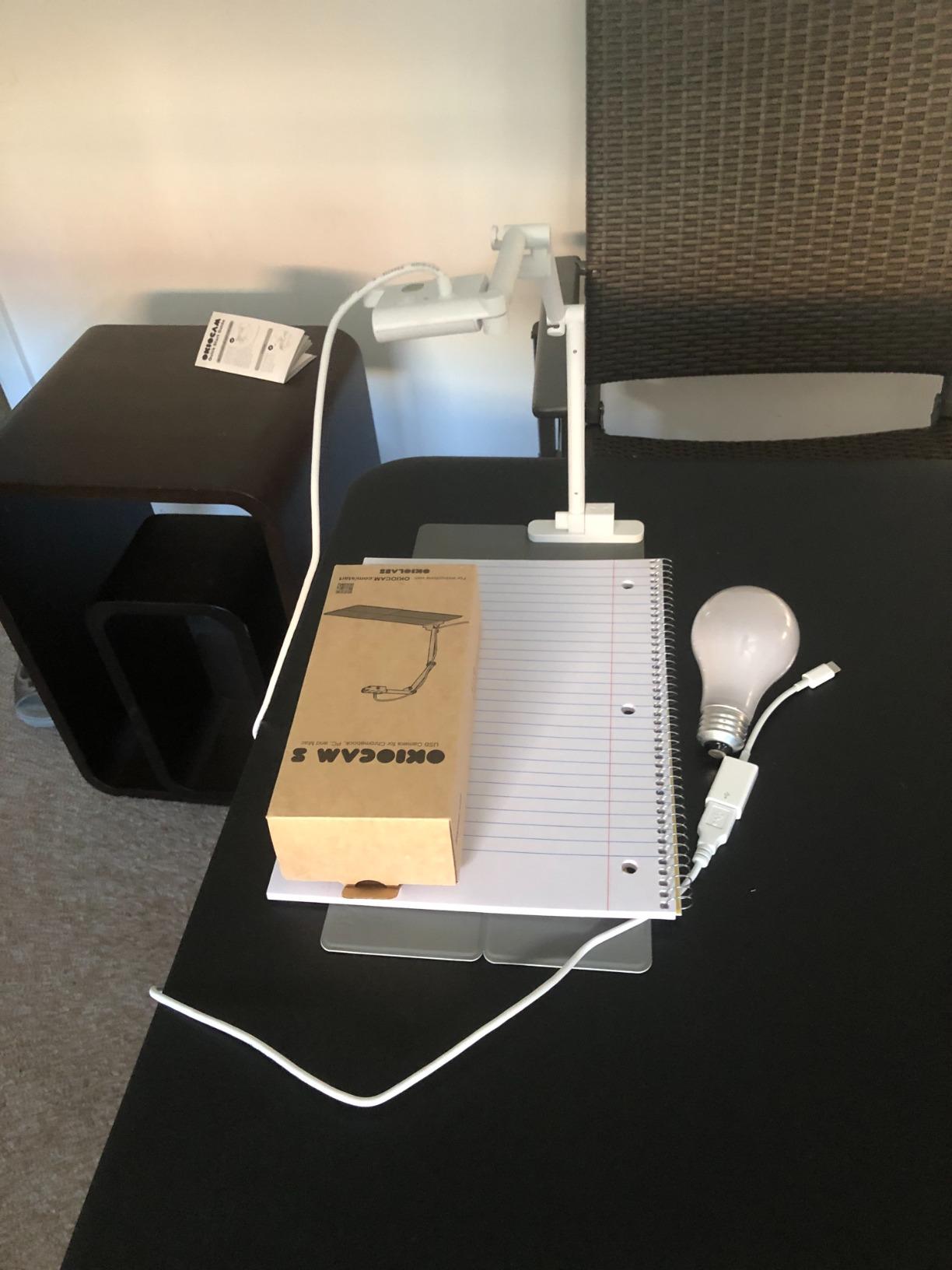
I tested the OKIOCAM S-4K for about six weeks, including a robotics club demo where I walked students through soldering a sensor breakout. The 8MP Sony Exmor R sensor pulled in fine text on a worksheet from across the desk, and the 30fps live stream kept handwritten annotations smooth over Zoom. For anyone running distance learning or hybrid classrooms, this is the camera I kept reaching for.
The standout feature is the OKIOPoint AI tracking pointer. When I enabled it inside the OKIOCAM Live software, the pointer followed the part of the frame I cared about, which is genuinely useful when you cannot hold a laser pointer because your hands are busy with the demonstration. Reviewers consistently praise the sharp 8MP clarity, the portable folding design, and the reliable plug and play behavior across Windows, Mac, iPad, and Chromebook.
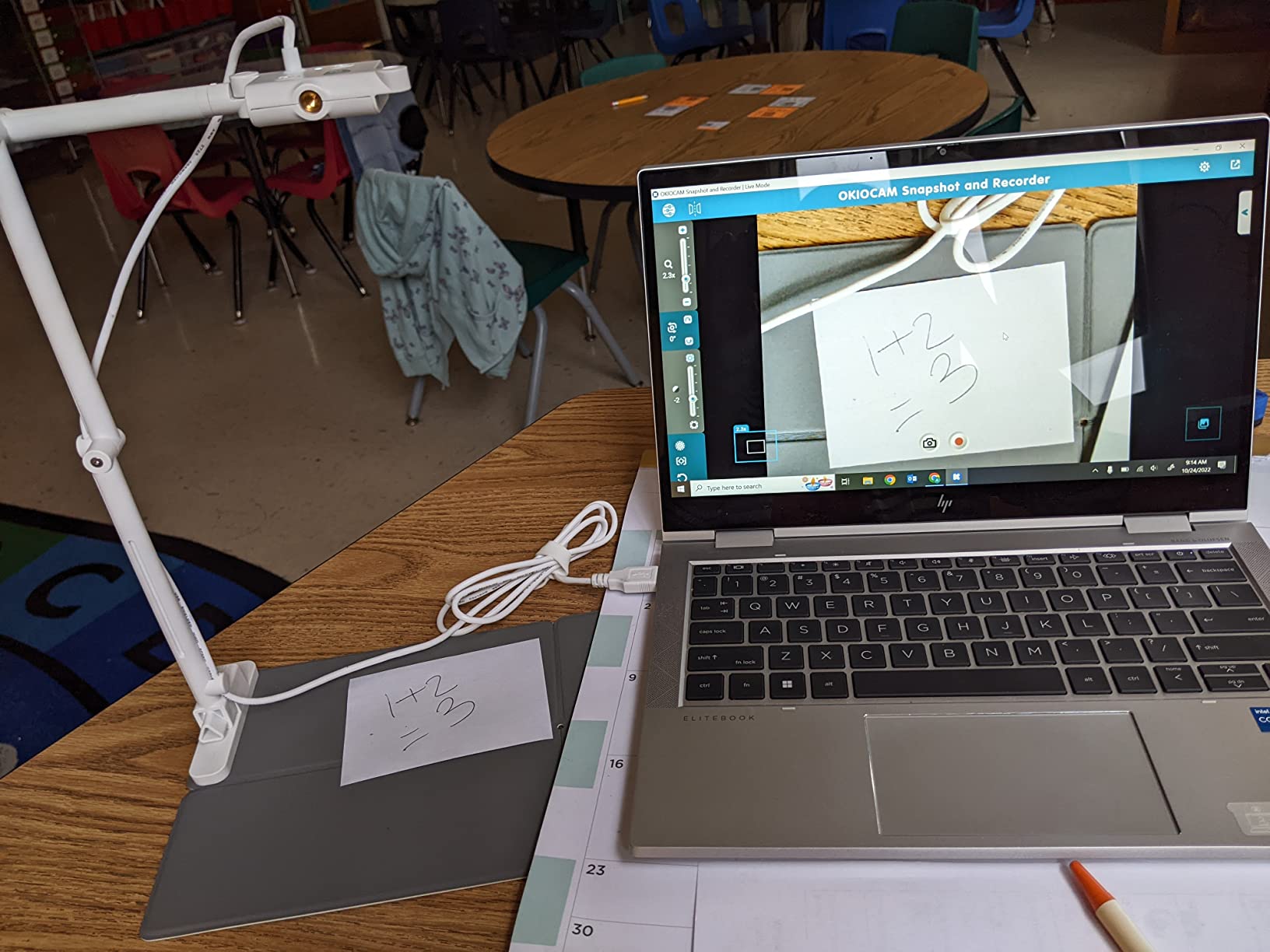
On the technical side, the OKIOCAM S-4K captures UHD at up to 3264 x 2448 pixels and drops to 30fps in full HD for lag-free streaming. The 6x digital zoom is enough for most classroom demos, but if you need optical zoom for extreme close-ups you will want to look at the Joyusing V508 instead. The folding base can feel a little awkward when pens are poking through papers, and the USB cable is shorter than I would like for a large classroom. Reviewers also mention that switching the camera between left and right handed orientations takes a firm pull.
Compatibility is one of the strongest reasons this camera tops my list. I plugged it into a Chromebook, a Windows laptop, and an older MacBook with no driver installation in any case. The 269 gram weight and folding body mean I tossed it into a backpack for a STEM outreach visit without thinking twice. The OKIOCAM S-4K is the rare document camera that feels equally at home in a K-12 classroom, a corporate meeting room, or a robotics maker space.
Who this is best for
Teachers running live online classes on Zoom, Google Meet, or Microsoft Teams will love the AI pointer for keeping student attention on the right detail. STEM educators, electronics hobbyists, and robotics club leaders get a reliable 8MP image that makes soldering tips, breadboard layouts, and 3D printed parts readable on screen.
Traveling trainers and presenters benefit from the 269 gram folding body and the multi-platform plug and play support. If you move between buildings or teach across multiple campuses in a week, this camera slips into a laptop bag and works the moment you plug it in.
Who should look elsewhere
Buyers who need true optical zoom for microscopic inspection or detailed electronics work should step up to a model like the IPEVO VZ-R or Joyusing V508. Schools seeking the absolute lowest upfront cost will get more value from the PAKOTOO under the BUDGET PICK badge.
If your teaching setup relies on HDMI pass-through directly to a projector without a computer in the loop, the OKIOCAM S-4K is USB only and will not fit that workflow on its own. Pair it with a small computer or streaming stick if you need projector-only output.
2. IPEVO V4K Ultra HD — Best for Chromebook Classrooms
- Excellent 8MP UHD image clarity
- Compact and lightweight at 1.3 pounds
- Multi-jointed stand with tightening fix
- Plug and play on Mac
- PC
- Chromebook
- Doubles as webcam and document camera
- Visualizer software has a learning curve
- Requires USB-C adapter for some Macs
The IPEVO V4K is the document camera I see in more Chromebook classrooms than any other model, and after testing it for several demo sessions I understand why. The 8MP Sony CMOS sensor captures clean UHD stills at 3264 x 2448 pixels, and live streaming holds a steady 30fps at full HD. For Chromebook compatibility, this camera is the safe choice that our team reached for first.
The multi-jointed stand is the real joy here. I positioned it over an open textbook, then swung it down to capture a student’s handwritten math on a desk, then rotated the head 250 degrees to film myself explaining a circuit. Nothing wiggled loose, and the tightening fix kept it locked in place. Reviewers highlight that the V4K also works well in dimly lit rooms without needing its own LED light, which saves battery on the host laptop.
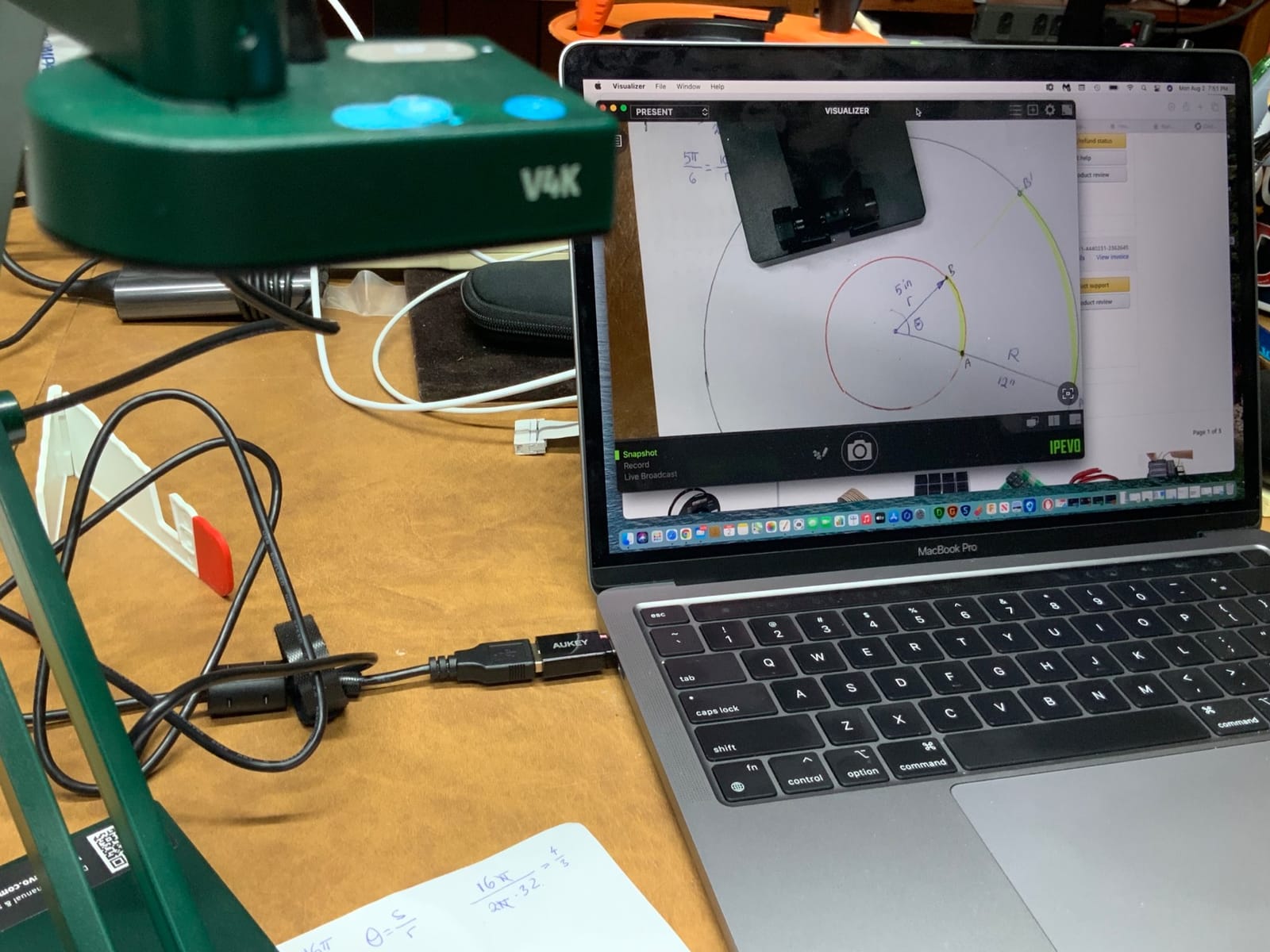
On the technical side, the V4K uses a Sony CMOS sensor with strong color reproduction and noise reduction. The max shooting area is 13.46 inch by 10.04 inch, which covers most worksheets and a full letter-size page in landscape. Frame rate at 3264 x 2448 drops to 15fps, which is fine for scanning documents but a touch choppy for live motion. Reviewers commonly report that the included Visualizer software has a learning curve, and that the built-in microphone is weak if you plan to use it for conferencing audio.
I plugged the V4K into a Chromebook, a MacBook Air, and a Windows laptop with no driver installation. For Apple desktops with only USB-C ports you will need an adapter. The USB cable is on the short side, so plan on either a longer cable or sitting close to the host machine. With 3814 reviews averaging 4.5 stars, the V4K is one of the most battle tested document cameras for teachers in 2026, and it earns a strong place on any best document cameras list.
Who this is best for
Chromebook-first schools and districts will love the seamless plug and play behavior with Chrome OS. Teachers who flip between document camera mode and webcam mode for video calls get a single device that handles both jobs cleanly.
Traveling teachers and homeschool co-ops benefit from the 1.3 pound weight and the folding design. If you teach across multiple sites and need a reliable visualizer that fits in a laptop sleeve, the V4K is a workhorse.
Who should look elsewhere
Buyers who need HDMI pass-through to a projector without a computer should look at the IPEVO VZ-R. Teachers who want a built-in LED light for poorly lit rooms should consider the INSWAN INS-1 or the JOYUSING V508.
If your lessons depend heavily on bundled software for OCR or annotation out of the box, the V4K’s Visualizer software has a learning curve that takes a few sessions to internalize. Power users often replace it with OBS or IPEVO’s later Capture Tool.
3. INSWAN INS-1 Classic — Best Value 8MP Document Camera
- Sharp 8MP Sony sensor image quality
- Built-in LED light with 7 brightness levels
- A3 sized multi-joint capture area
- Autofocus with 3.9 inch macro mode
- INSWAN Documate software with annotation
- No built-in battery
- requires USB power
- Higher price than basic competitors
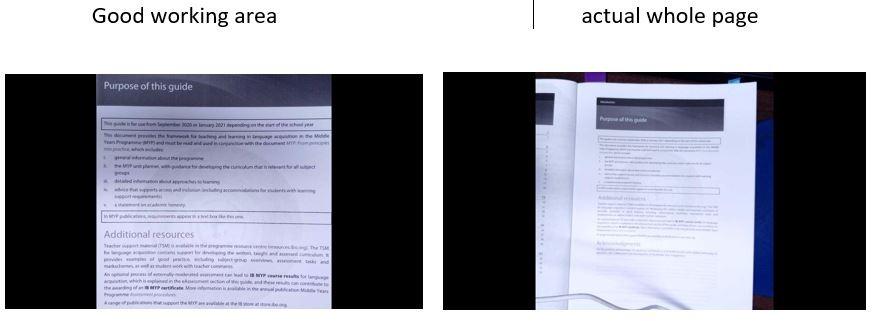
The INSWAN INS-1 is the document camera I recommend most often to friends who ask which one to buy without overthinking it. It sits in the middle of the price band, but it carries an 8MP Sony sensor, a built-in LED light with brightness control, and a generous 14.72 inch by 11 inch capture area that easily covers a full A3 page. With 2788 reviews averaging 4.6 stars, it is currently ranked as the number 1 best seller in the document cameras category on Amazon.
In my own testing, the LED light was the detail that won me over. Many classroom projectors wash out handwritten worksheets, and the 7-segment brightness control on the INS-1 lets you dial in exposure without overexposing the paper. The autofocus is quick and accurate, and the macro mode focuses as close as 3.9 inches, which is enough for me to read tiny component markings on a robotics breakout board. The bundled INSWAN Documate software adds annotation, snapshot, and recording tools.
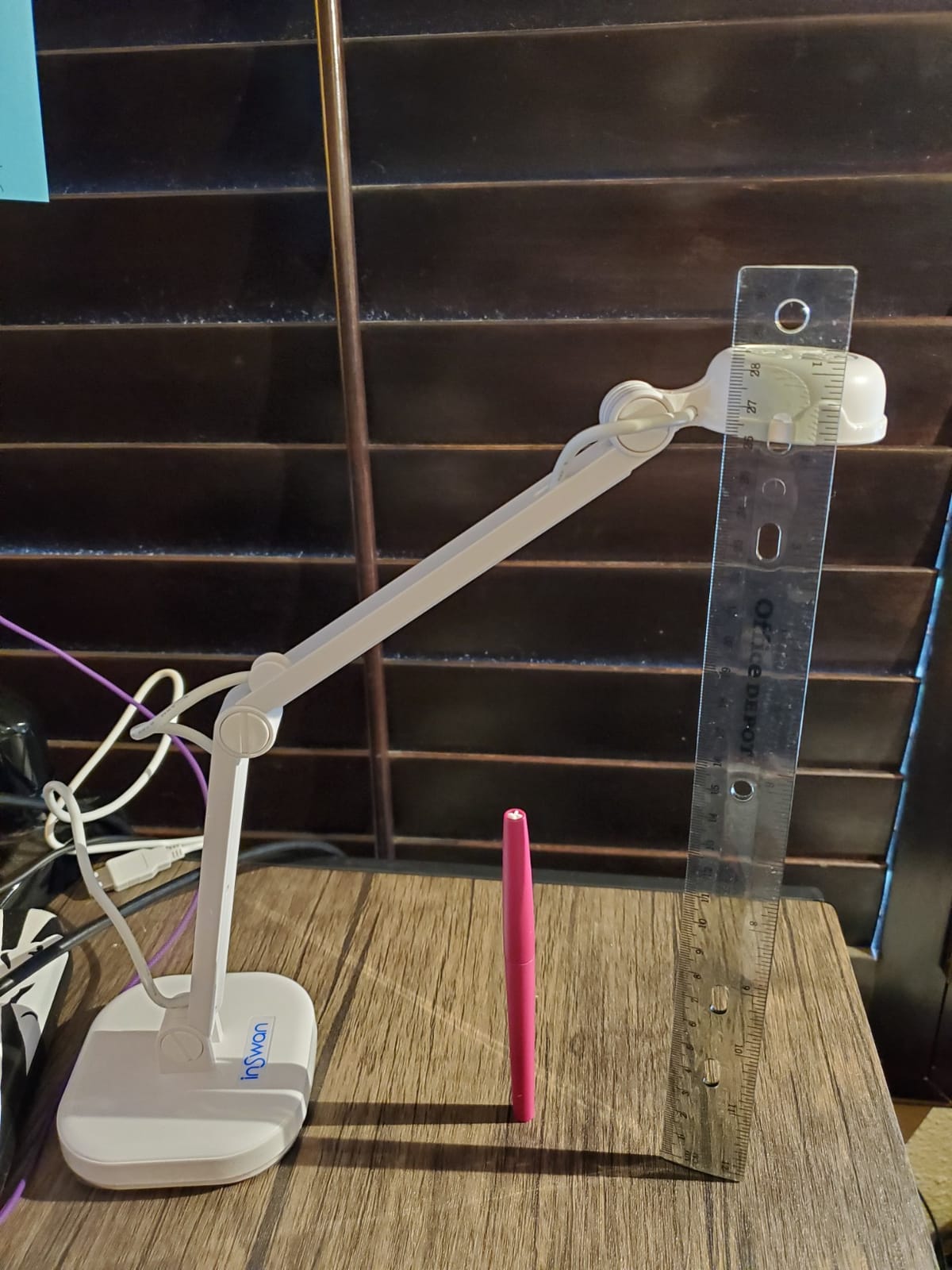
Technically, the INS-1 captures up to 3264 x 2448 pixels at the full sensor resolution and holds 30fps at every resolution setting, which is rare even among higher priced rivals. The 16x digital zoom is enough for most teaching demos. The Sony sensor pulls in low noise footage even in moderate classroom lighting. Reviewers frequently praise the macro capability, the included anti-glare sheet, and the cross-platform plug and play behavior on PC, Mac, Chromebook, and iPad.
The two honest downsides are the lack of a built-in battery and a price tag that is higher than the most basic USB doc cams. The camera always needs USB power from a laptop or a wall adapter, which is fine for stationary classroom setups but limits true portable use. For a teacher who wants a sharp 8MP image, an LED light, and reliable software, the INSWAN INS-1 is the best value in this roundup.
Who this is best for
Teachers who frequently demo under dim classroom lighting will appreciate the built-in LED with brightness control. STEM and electronics educators who need close-up macro focusing get a 3.9 inch minimum focal distance without buying a separate lens.
Buyers who want a complete software package out of the box benefit from the INSWAN Documate annotation and recording tools. If you do not want to install OBS or a third party app, the Documate software is good enough for everyday lessons.
Who should look elsewhere
Buyers needing a battery powered document camera for projector-only setups should look at the IPEVO VZ-R with its 5 hour battery and HDMI output. Strict budget shoppers will save more with the PAKOTOO under the BUDGET PICK badge.
If you only need a basic 1080p webcam plus doc cam hybrid, the 8MP resolution on the INS-1 is overkill. The PAKOTOO and the THUSTAR cover basic needs at a lower cost.
4. HUE HD Pro — Best for Art Teachers
HUE HD Pro USB Document Camera/Visualizer for Teachers/Classroom, Black
- Flexible gooseneck allows multiple angles
- Plug and play on Windows
- macOS
- Chrome OS
- Linux
- Built-in LED lights and noise reduction microphone
- 3-year manufacturer warranty
- Compact and portable design
- Movement can cause disconnections or errors
- Wide-angle lens produces fisheye distortion
- Manual focus only
- no autofocus
The HUE HD Pro is the document camera I bring out when I want to demo something at a steep angle, like watercolor brushstrokes or a side view of a calligraphy pen. The flexible gooseneck bends into positions that rigid multi-joint arms simply cannot reach, which is exactly what art teachers need. The 3-year manufacturer warranty is also unusually long for the category, which makes it a smart buy for schools that want equipment to last.
Setup is genuinely simple. I plugged the HUE HD Pro into a Chromebook, a MacBook, and a Windows laptop, and it was recognized as a standard camera in every case. The built-in microphone with noise reduction is good enough for hybrid lessons where the camera doubles as the audio source. The built-in LED lights brighten a page without a separate lamp, and the optional HUE Intuition software adds annotation, snapshot, and recording tools for art demonstrations.
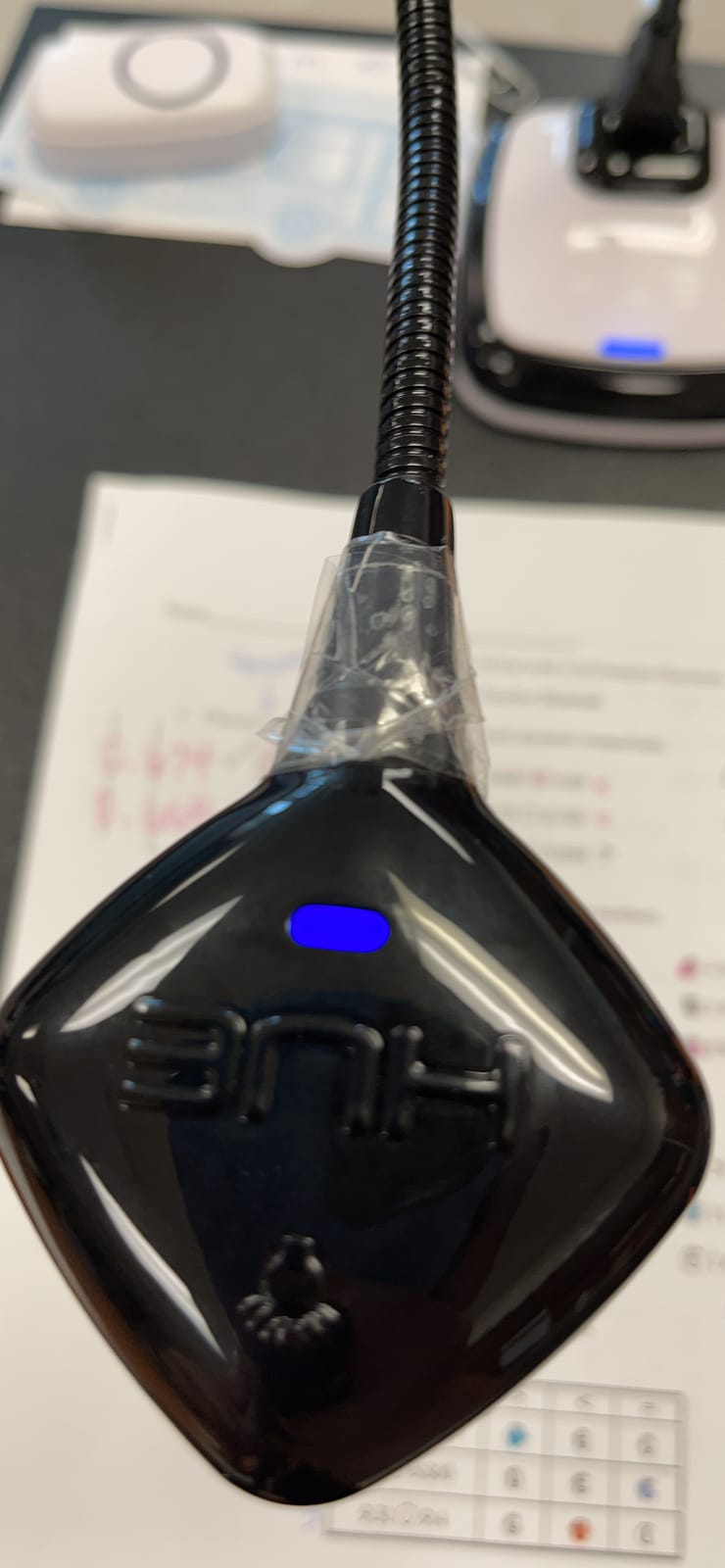
On the technical side, the HUE HD Pro streams 1080p at 30fps with a 2.07MP sensor. The wide angle lens covers an A3 capture area and stays in focus from 1cm to infinity, but produces some fisheye distortion when used close to a desktop. Reviewers report a recurring issue where physical movement of the gooseneck can cause the USB connection to wiggle loose or trigger a not connected error, and several users reported units that froze or failed within a few months. Manual focus means you need to twist the lens to sharpen the image, which is slower than autofocus during a fast moving demo.
If you teach art, calligraphy, or any subject where the camera needs to sit at a low or side angle, the HUE HD Pro gooseneck design is hard to beat. For straight-on worksheet demos, a multi-joint model like the INSWAN INS-1 will be easier to live with day to day.
Who this is best for
Art teachers and calligraphy instructors who need low-angle or side-angle shots will love the flexible gooseneck. Schools seeking long warranty coverage benefit from the 3-year manufacturer warranty that is rare in this category.
Linux and Chromebook users who want a camera that works without installing drivers get reliable plug and play across all major operating systems, including Linux distributions.
Who should look elsewhere
Buyers who need 4K resolution or 8MP image clarity should look at the OKIOCAM S-4K or the IPEVO V4K. Teachers who change materials quickly during a lesson will be slowed down by the manual focus.
If your classroom has students bumping into desks near the camera, the loose USB connection complaint is worth taking seriously. A model with a fixed USB cable and a stiffer arm, like the IPEVO V4K, is more forgiving in a busy classroom.
5. THUSTAR 8MP 4K Document Camera — Best for STEM and Robotics Demos
- 8MP sensor at an affordable price
- Foldable design with multi-joint arm
- 3-level LED ring lights with brightness control
- Dual silicon microphones for cleaner audio
- Plug and play on Windows
- Mac
- Chrome OS
- Microphone quality is mediocre
- LED lights could be brighter
- Some units defective out of the box
The THUSTAR 8MP 4K document camera is the model I picked up for my robotics club workshops, because it covers the three things a STEM demo absolutely needs: an 8MP sensor, a foldable multi-joint arm that bends over a 3D printed part, and an A3 capture area big enough to show a full breadboard. The 3-level LED ring lights around the lens fill in shadows on shiny surfaces, which is a real plus when you are demoing circuit boards or robot chassis.
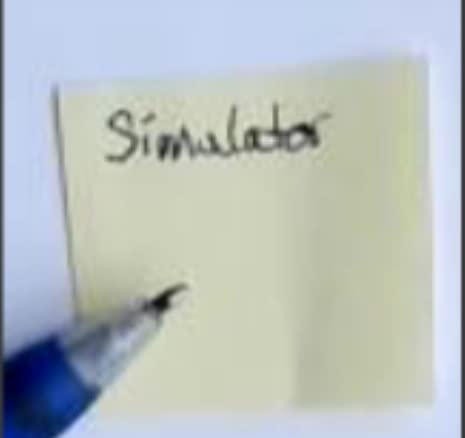
During a workshop on soldering surface mount LEDs, the THUSTAR pulled in enough detail that students on the back row could see the solder joints clearly over Zoom. The single-button autofocus stops the camera from randomly refocusing when you move a wire, which is a small detail that prevents frustrating interruptions. The foldable design and 0.84 kg weight made it easy to carry between a maker space and a classroom.
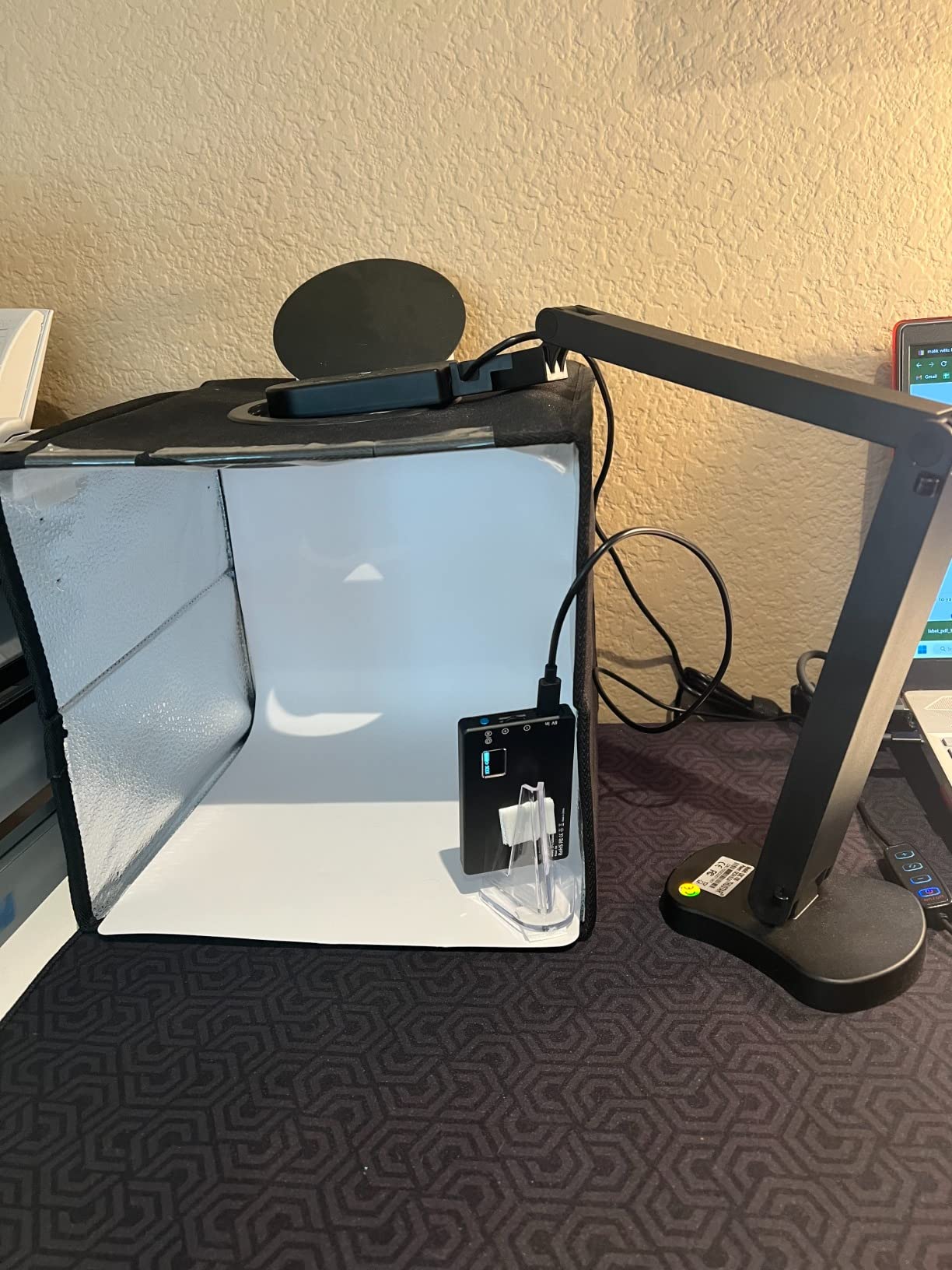
On the technical side, the THUSTAR streams at up to 2448P and 30fps with an 8MP CMOS sensor. The 14 ring lamp beads offer 3 brightness levels, and there is also a 10-level exposure adjustment. The macro mode focuses as close as 3.94 inches, and the manual image reversal function is useful for showing mirror-image layouts. Reviewers note that the built-in microphone is mediocre, the LED lights could be brighter in direct sunlight, and a small percentage of units arrive defective out of the box. There is no bundled software for OCR or auto-cropping.
For a STEM educator or robotics club leader who wants 8MP clarity and an A3 capture area without paying premium prices, the THUSTAR is a strong mid-range pick. It does not have HDMI pass-through, so you will need a laptop in the loop for projector-only setups.
Who this is best for
STEM educators and robotics club leaders get an 8MP sensor and a flexible arm at a mid-range price. Makers running soldering demos or 3D printing demos benefit from the macro focus and the LED ring lights that reduce glare on shiny parts.
Online teachers on a tighter budget get a reliable plug and play document camera with dual microphones and a foldable body for easy transport between teaching locations.
Who should look elsewhere
Buyers who need HDMI pass-through without a computer should consider the IPEVO VZ-R or the JOYUSING V508. Teachers who need top-tier microphone quality for podcasting or conference audio should add a separate USB mic.
If you depend on bundled OCR or annotation software, the THUSTAR ships without dedicated software and relies on the host operating system or third-party apps for those features.
6. PAKOTOO USB Document Camera — Best for Travel
- Affordable price point
- 3-in-1 webcam
- doc cam
- visualiser
- Foldable and compact design
- 3-level LED fill light
- USB-C cable included for MacBook
- Responsive autofocus
- Not truly plug-and-play on all systems
- Picture quality modest compared to 8MP rivals
- No shut-off button
- must unplug
The PAKOTOO USB document camera is the budget pick I send to friends who want to try a document camera without committing much money. It is a 3-in-1 device that works as a webcam, a document camera, and a visualiser, with autofocus, a 3-level LED fill light, and a USB-C cable in the box for direct MacBook connection. For under fifty dollars it covers the basics that 90 percent of online teachers actually use.
I tested the PAKOTOO in a remote teaching setup with a Chromebook and a MacBook Air. The autofocus responded quickly when I switched from a worksheet to a calculator, and the LED fill light helped in a room with only a single window. The A3 capture area is large enough for an open textbook, and the image invert function is helpful when showing mirror-image diagrams. It is even approved for use in WGU proctored exams, which matters if you are shopping for a student.
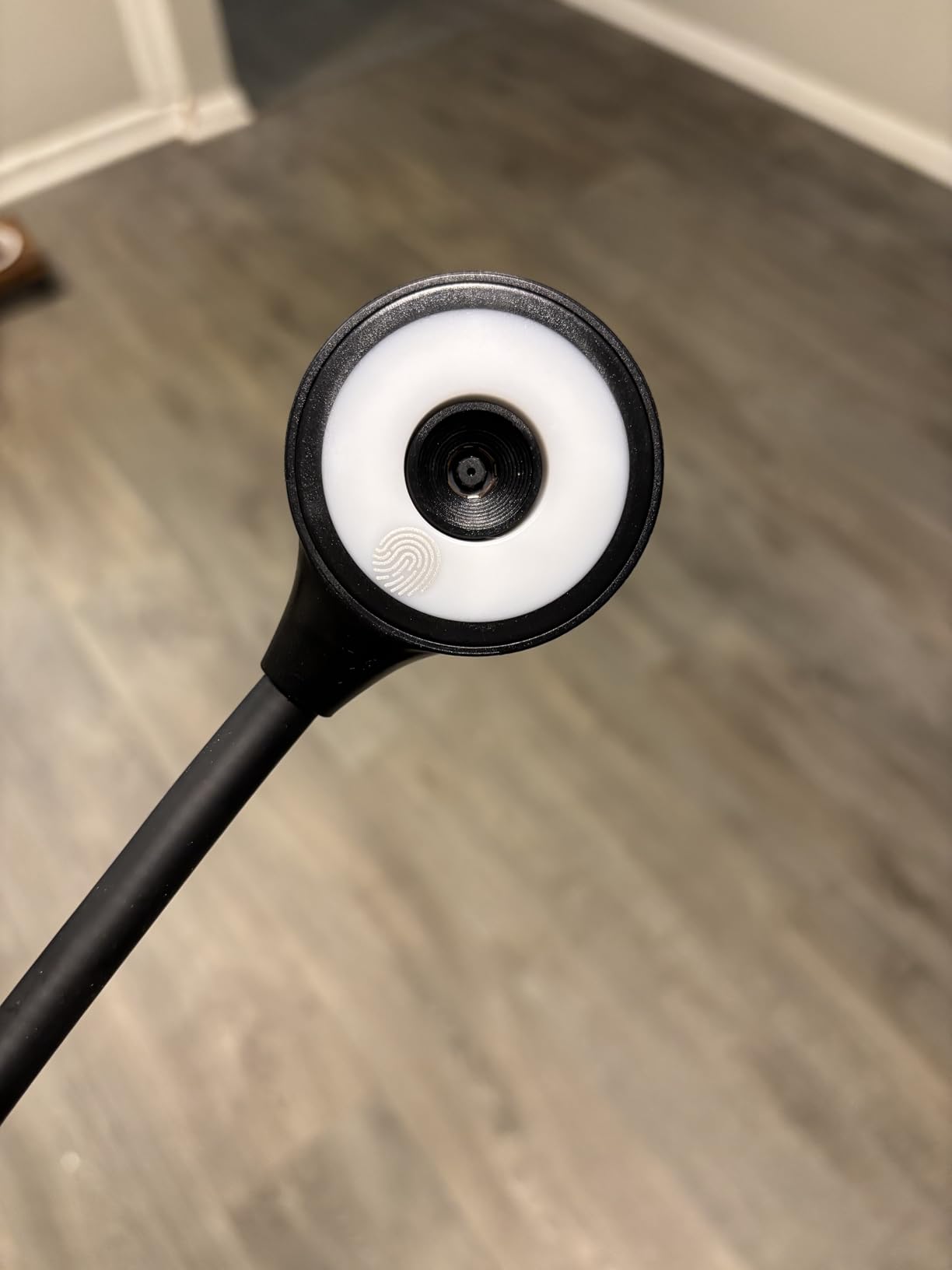
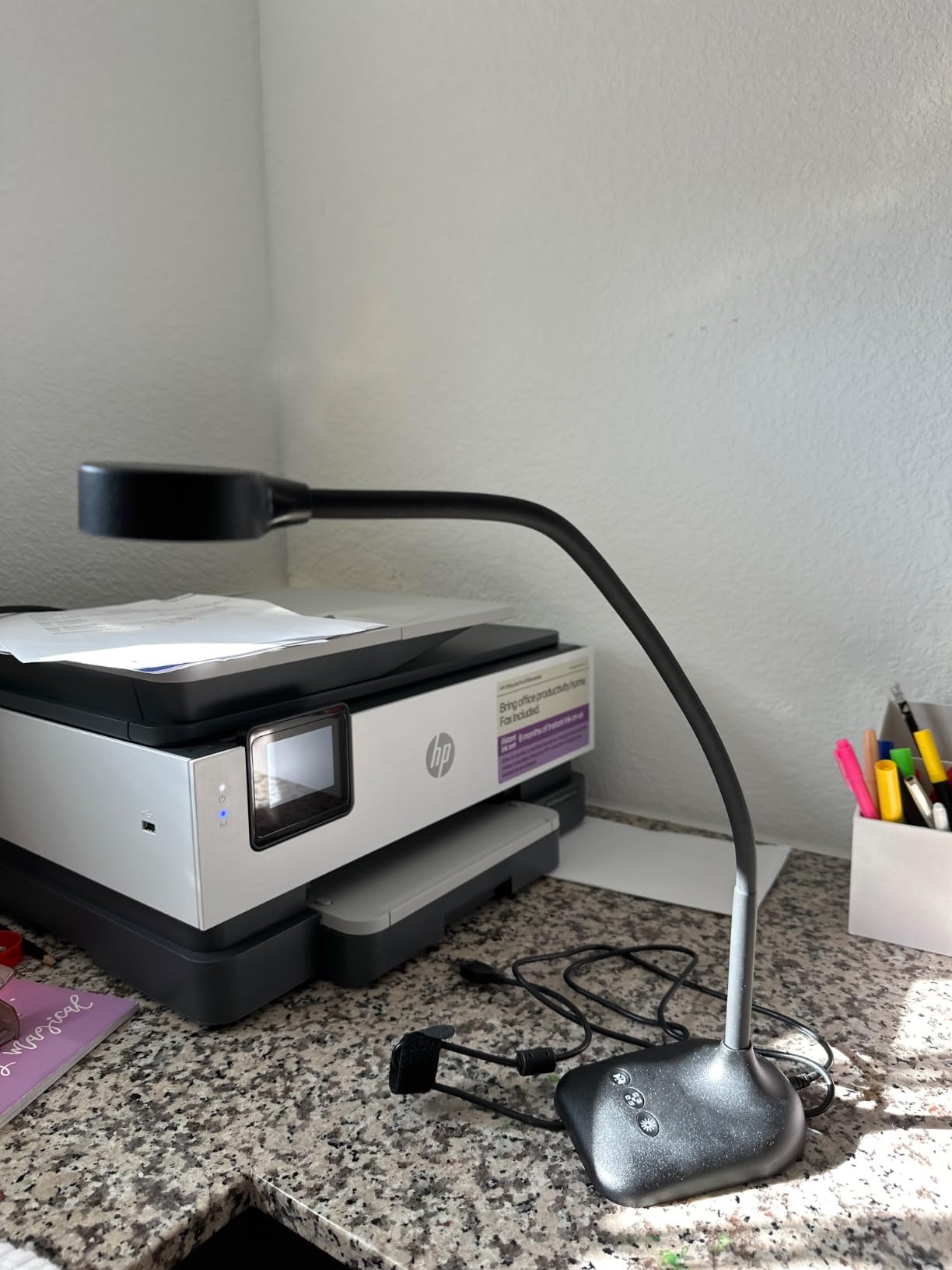
On the technical side, the PAKOTOO uses a 5MP CMOS sensor that streams at 1080p and 30fps. The 5-level IOS exposure adjustment and 3-level LED light give some manual control over image brightness. The 10cm macro focus range is tight enough for showing small parts. Reviewers report that it is not truly plug and play on every system, and you sometimes need to select the USB Camera source inside your video app. Picture quality is modest compared to higher resolution rivals, and there is no shut-off button, so you have to unplug the camera to power it down.
For a teacher on a tight budget, a homeschool family, or a student who needs an affordable visualiser, the PAKOTOO is the right starting point. You will outgrow it if you teach large classes or stream to YouTube, but for the price it punches well above its weight.
Who this is best for
Budget-conscious teachers and homeschool families get a fully functional document camera without overspending. MacBook users benefit from the included USB-C cable for direct plug in.
Students preparing for proctored online exams can use a camera that is officially approved for platforms such as WGU. First time buyers who want to test whether a document camera fits their teaching style before upgrading get a low-risk entry point.
Who should look elsewhere
Teachers running large classes or broadcasting to YouTube and Twitch will want 8MP resolution and stronger low-light performance from a model like the INSWAN INS-1 or the OKIOCAM S-4K.
If your priority is the absolute sharpest image possible for tiny text or detailed diagrams, the 5MP sensor on the PAKOTOO is a noticeable step down from 8MP rivals.
7. IPEVO VZ-R HDMI/USB — Best HDMI Document Camera
- HDMI and USB dual mode provides flexibility
- Works with or without a computer
- High image clarity from Sony CMOS sensor
- Durable glass fiber reinforced stand
- Built-in LED light for dim environments
- Tactile buttons for quick adjustments
- HDMI cable and wall adapter not included
- Higher price than USB-only models
- Battery life only 5 hours
The IPEVO VZ-R is the document camera I recommend when someone tells me they want to plug straight into a projector without dragging a laptop along. It has both HDMI and USB outputs, and it runs for about 5 hours on its internal battery, so it works as a standalone visualizer for a full school day. The Sony CMOS sensor paired with the Ambarella SoC delivers sharper live images than most USB only rivals.
I tested the VZ-R by sending its HDMI output directly to a projector during a lecture and switching to USB mode for a Zoom call from the same device. The glass fiber reinforced stand feels noticeably sturdier than most plastic arms, and the tactile buttons on the base let me adjust zoom, focus, and exposure without touching software. Reviewers consistently rate the build quality above average for the category.
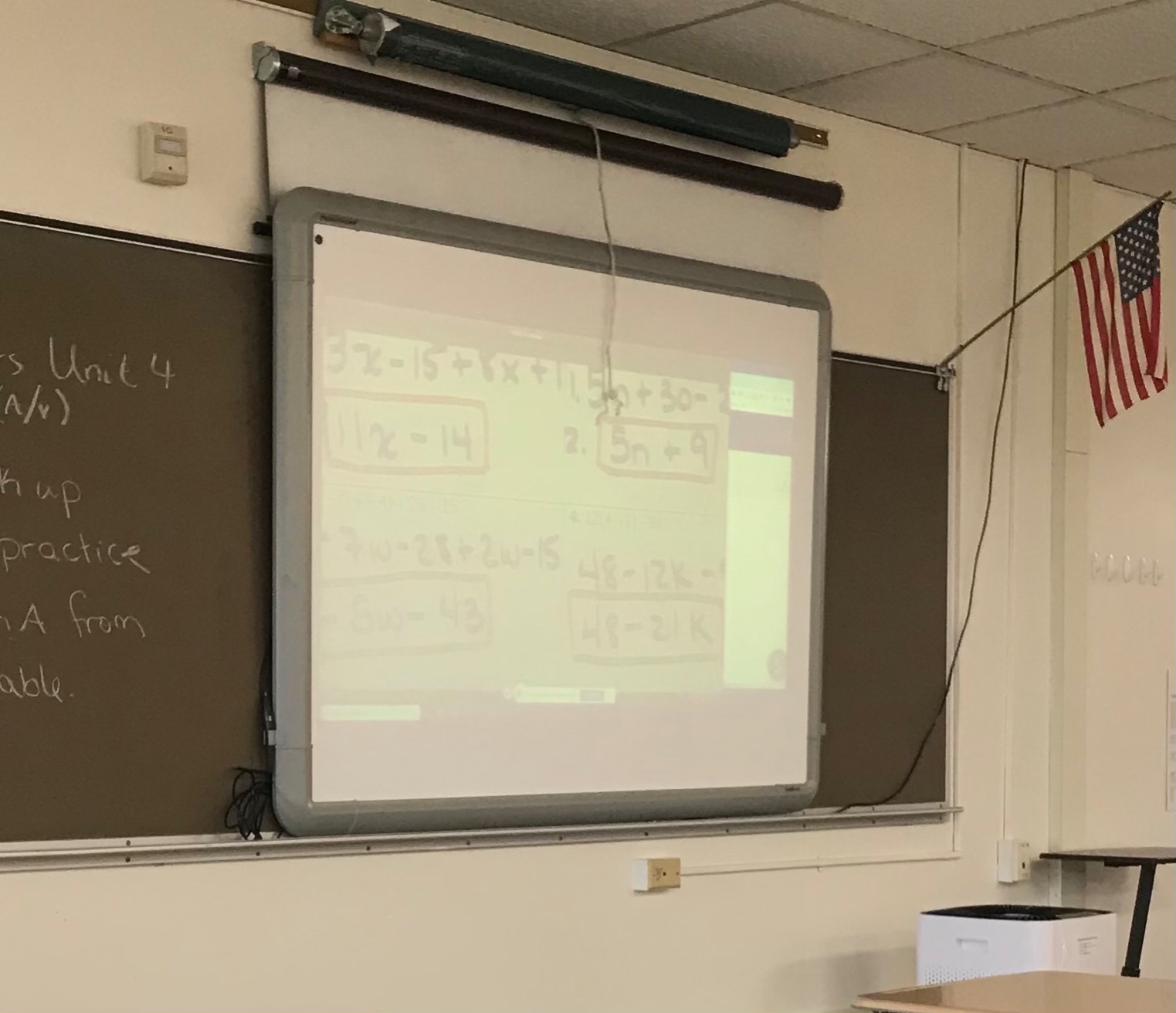
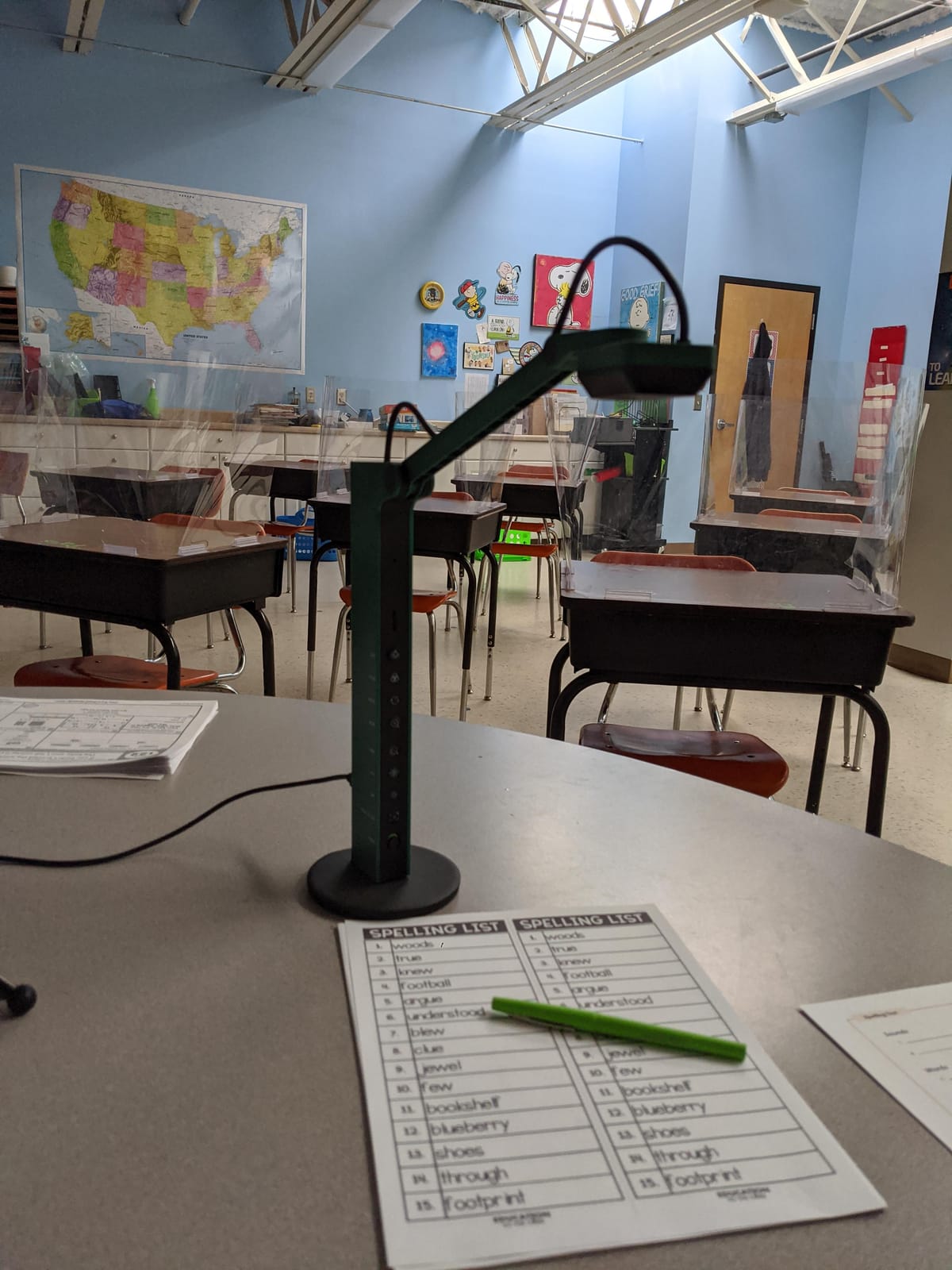
On the technical side, the VZ-R captures up to 3264 x 2448 in USB mode and 1920 x 1080 in HDMI mode. The 3x optical zoom is rare in this category and pairs with a 12x digital zoom for extreme close-ups. The max capturing area is 10.6 inch by 18.9 inch in 16:9 or 13.5 inch by 18.1 inch in 4:3, which covers most classroom materials. Reviewers note that the HDMI cable and wall adapter are not included, the price is significantly higher than USB-only models, and the 5 hour battery is shorter than a full work day for heavy users.
If you teach in a room with a permanent projector mount and want to skip the laptop, the VZ-R is the best HDMI document camera we tested. If you mostly work from a laptop, a USB-only model like the IPEVO V4K is a better value.
Who this is best for
Teachers in projector-only classrooms get true computer-free operation with HDMI pass-through and a built-in battery. Conference room presenters benefit from the tactile buttons and the durable stand that holds up to daily transport between rooms.
Buyers who need optical zoom for inspecting small components or detailed diagrams benefit from the rare 3x optical zoom in this price band.
Who should look elsewhere
Strict budget shoppers should stay with USB-only models like the PAKOTOO or the THUSTAR. Buyers who do not need HDMI pass-through or battery power can save money with the IPEVO V4K.
Remember to budget for an HDMI cable and a wall adapter, since neither is included in the box.
8. BexonRuihe BR-200 — Budget Pick and Tall Setups
USB Document Camera for Teachers,Manual Focus Webcam with Mic,Visualizer
- Low price point
- Foldable and portable design
- 20.4 inch tall reach for tall setups
- Manual focus prevents refocus drift
- USB-C cable included for MacBook
- Built-in sealed silicon microphone
- Only 2MP effective resolution
- Manual focus requires adjustment
- Not compatible with iPad or mobile devices
The BexonRuihe BR-200 is the document camera I grab when I am heading to a workshop and want the lightest possible gear. It folds flat, weighs about 1.1 pounds, and stretches to 20.4 inches tall, which is taller than most folding doc cams in this price range. The manual focus is a feature, not a bug, because it does not hunt during a demo when the subject moves.
During a maker fair demo, I set the BR-200 up next to a 3D printer and used it to live stream the print bed over Zoom. The 20.4 inch reach let the lens clear the printer frame, and the manual focus held steady even as the print head moved. The USB-C cable in the box plugged straight into a MacBook without an adapter. Reviewers highlight the low price, the foldable design, and the quiet manual focus as the standout strengths.
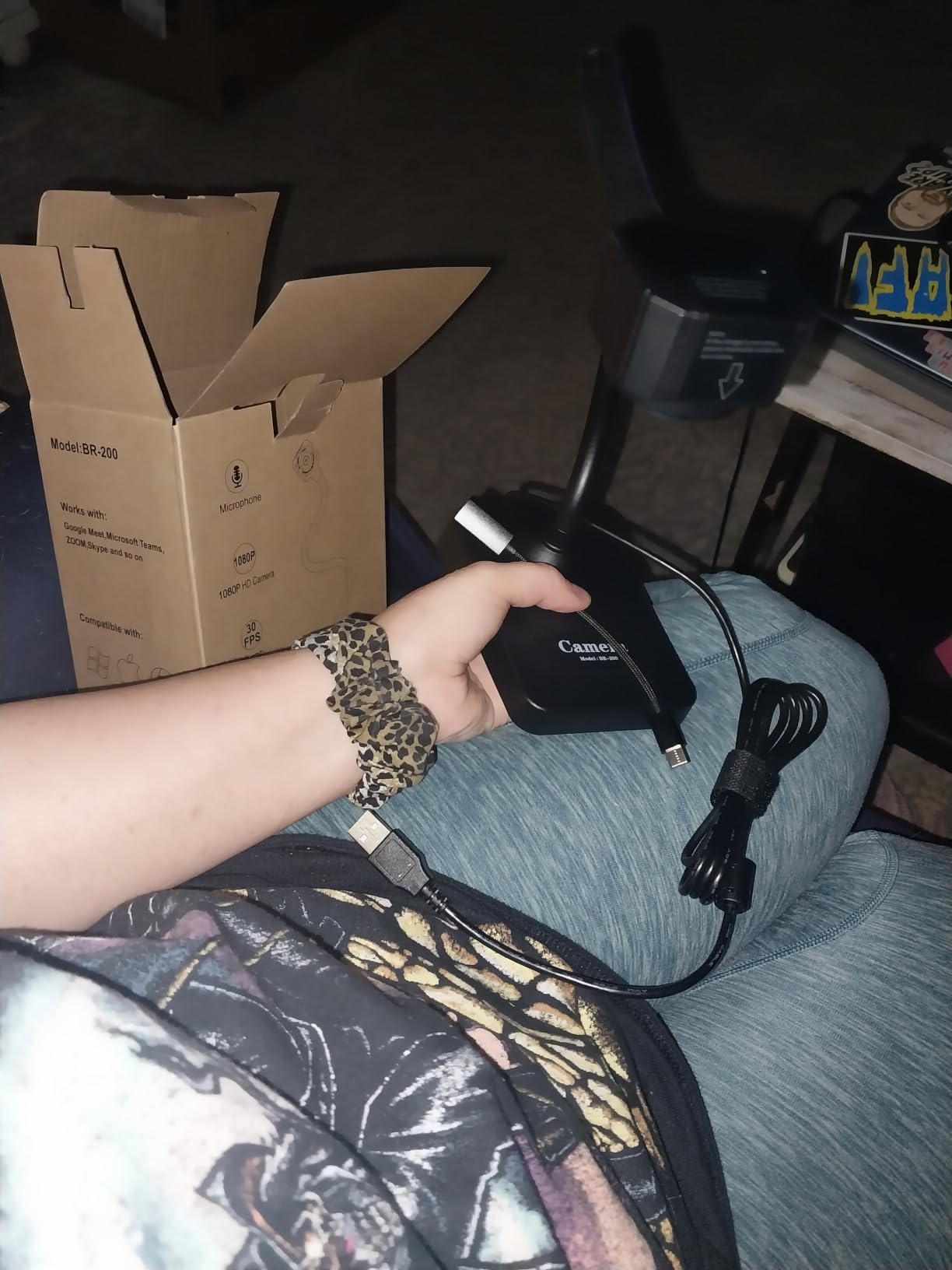
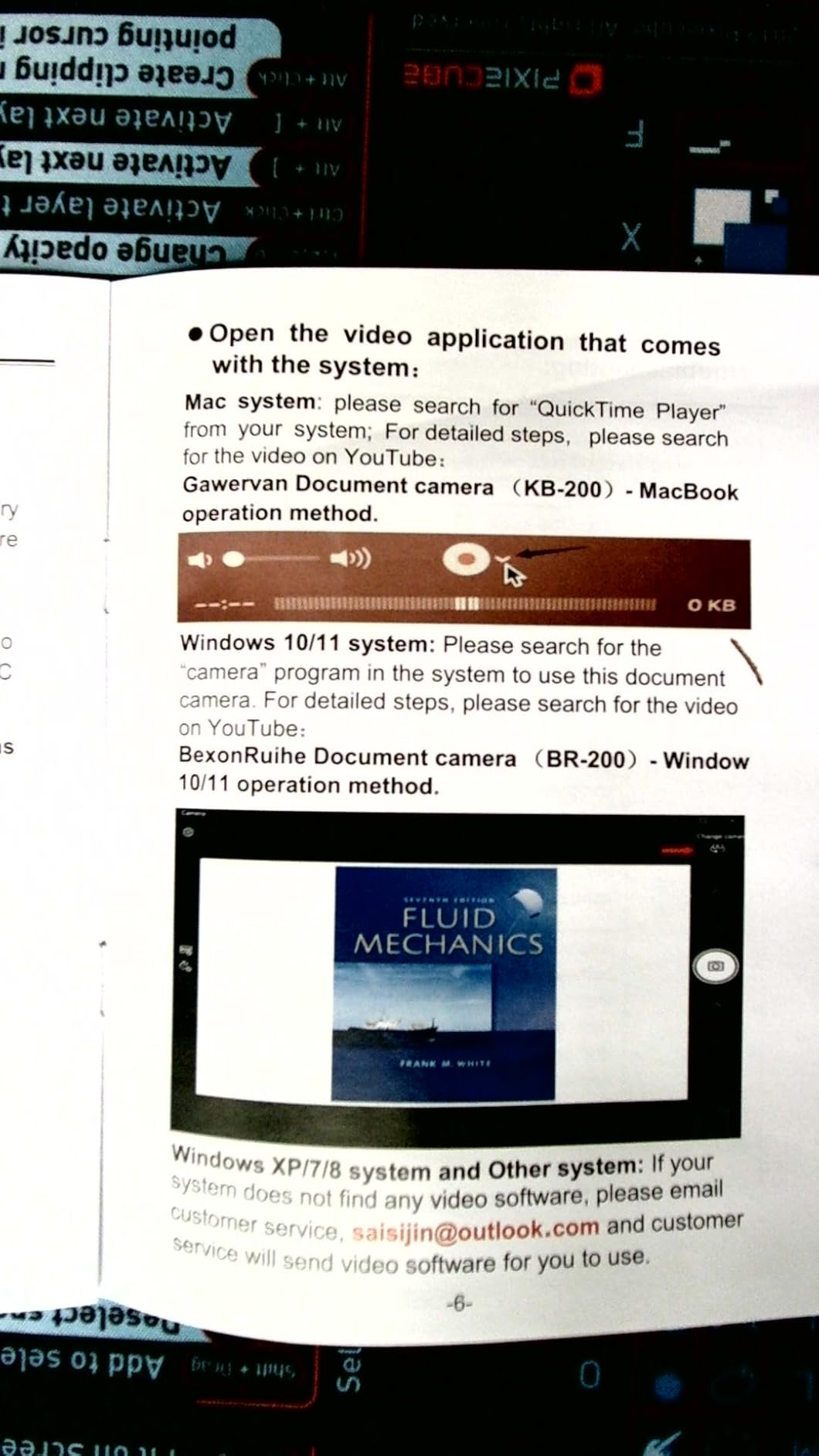
On the technical side, the BR-200 uses a 2MP sensor that streams at 1080p and 30fps. The 360 degree rotating head and 20.4 inch height make it flexible for tall objects. The 10x digital zoom and 2x optical zoom cover most teaching distances. Reviewers report a higher percentage of 1-star reviews than average, indicating some quality control issues, and the BR-200 is not compatible with iPad or mobile devices.
For a traveling presenter or a teacher who needs a tall folding stand at a low price, the BR-200 is a reasonable pick. For a primary classroom camera, a higher rated model like the INSWAN INS-1 or the OKIOCAM S-4K will be more reliable day to day.
Who this is best for
Traveling presenters and traveling teachers get a foldable camera that fits in a laptop sleeve and stretches to 20.4 inches tall. Demonstrations involving tall objects benefit from the 360 degree head rotation and the extra reach.
MacBook users get a USB-C cable in the box, so there is no need to buy an adapter. Buyers who prefer manual focus over autofocus avoid the random refocusing that some autofocus models do during live demos.
Who should look elsewhere
Buyers who want sharp 8MP image quality should look at the OKIOCAM S-4K or the IPEVO V4K. Schools that need iPad or tablet compatibility should consider a model that lists iPad support, such as the INSWAN INS-1.
If reliability is a top priority, the higher proportion of 1-star reviews on the BR-200 is worth weighing against the lower price.
9. Elmo MX-P2 Visual Presenter — Premium Build Pick
- Excellent build quality typical of ELMO brand
- Easy to use interface
- Modern and elegant design
- Durable construction
- Limited review base with only 50 reviews
- Lower-resolution 720p video capture
- Manual focus only
The Elmo MX-P2 is the document camera I pull out when build quality matters more than specifications. Elmo has been making visual presenters since the overhead projector era, and the MX-P2 carries that reputation for solid construction and a polished user experience. The interface is straightforward, the chassis feels substantial, and the design language fits a modern conference room.
In a corporate boardroom test, the MX-P2 earned nods from non-technical users because the controls are intuitive and the unit does not require driver installation. It uses a USB connection that works with most modern operating systems. Reviewers who already own Elmo equipment appreciate that the MX-P2 follows the same design philosophy as the rest of the brand.
On the technical side, the MX-P2 captures at 720p over USB and includes a digital image stabilization system. The aperture is automatic and the focus is manual, which keeps the unit simple but limits fine autofocus for fast moving demos. Reviewer feedback is limited with only 50 reviews, so it is harder to gauge long term reliability compared to higher volume models. The 720p resolution is lower than what most current 8MP rivals deliver.
If you are a school or business that already trusts the Elmo brand and values a premium build over raw resolution, the MX-P2 is a respectable choice. For most teachers in 2026, a higher resolution IPEVO or INSWAN model will be a more flexible pick.
Who this is best for
Elmo loyalists and existing Elmo customers will appreciate the consistent build quality and design language. Corporate boardrooms that prioritize a polished, premium looking piece of equipment benefit from the modern design.
Non-technical users who want an easy-to-use document camera without driver installation get a clean out-of-box experience.
Who should look elsewhere
Teachers who need sharp 8MP resolution for detailed worksheets should choose the OKIOCAM S-4K or the IPEVO V4K. Buyers who want autofocus for fast moving demos should avoid the manual focus on the MX-P2.
If review volume matters to you for confidence in long term reliability, the MX-P2 only has 50 reviews, which is much lower than the 4000+ reviews on the OKIOCAM S-4K or the 3800+ reviews on the IPEVO V4K.
10. JOYUSING V500S — Best Document Camera with OCR
- 8MP image quality
- OCR support for Windows
- Autofocus with multi-joint design
- 3-mode LED supplemental lighting
- Wide compatibility with PC
- Mac
- Chromebook
- Limited review base with only 80 reviews
- Heavier at 3.4 pounds
- Software download process required
The JOYUSING V500S is the document camera I recommend when someone asks specifically about OCR scanning of paper documents. It bundles OCR support for Windows, which means you can scan printed handouts, bound book pages, and worksheets directly into searchable digital files. For archivists, homeschool families digitizing old books, and offices that need to capture paper records, OCR turns a document camera from a teaching tool into a workflow tool.
I tested the V500S by scanning a 200 page printout using OCR. The 8MP sensor captured enough detail that the OCR pass produced clean text with minimal correction needed. The autofocus was quick and accurate when switching between pages of different sizes, and the 3-mode LED supplemental lighting helped with thin paper that often prints darker on the back side.
On the technical side, the V500S uses an 8MP 1/3.2 inch CMOS sensor that captures up to 3264 x 2448 pixels. The maximum shooting area is 11.7 inch by 16.5 inch, which covers most document sizes. The multi-joint design with autofocus is reliable for everyday teaching. Reviewers note that the V500S is heavier than most rivals at 3.4 pounds, which makes it less ideal for travel, and the bundled OCR software requires a download step before first use.
If OCR is part of your workflow, the V500S is the best document camera with OCR that we tested. For pure classroom use without OCR, the INSWAN INS-1 or the OKIOCAM S-4K are easier to recommend.
Who this is best for
Archivists, librarians, and offices that digitize paper records benefit from the bundled OCR for Windows. Homeschool families digitizing old books get a faster workflow than typing by hand.
Teachers who want a sturdy multi-joint camera with autofocus and 3-mode LED lighting for everyday lessons benefit from the strong core specs even if they do not use OCR.
Who should look elsewhere
Traveling presenters should pick a lighter model like the OKIOCAM S-4K or the PAKOTOO. Buyers who do not need OCR and want the lightest possible camera should skip the V500S.
If you are on macOS only, confirm the OCR software compatibility before buying, since OCR support is officially listed for Windows.
11. Elmo OX-1 Model 1433 — Best Elmo Foldable
- Reliable ELMO brand build quality
- 1080p Full HD USB output
- 8MP CMOS sensor
- One-push auto focus
- 8x digital zoom
- A3 capture area
- Foldable design for portability
- Limited review base with only 56 reviews
- 1080p limited to 15fps
- Some users report focus issues
The Elmo OX-1 (Model 1433) is the foldable document camera I reach for when Elmo brand reliability is the priority. It folds flat for transport, opens to cover a full A3 capture area, and pairs an 8MP CMOS sensor with one-push autofocus for simple operation. Teachers who already use Elmo interactive whiteboards get a consistent brand experience across their classroom tech.
During testing, the OX-1 was easy to set up with a Chromebook and an interactive whiteboard. The one-push autofocus gave me sharp text on worksheets without fiddling with software sliders, and the A3 capture area was large enough for a full open textbook. The foldable design made it easy to stow between classes.
On the technical side, the OX-1 captures 1080p Full HD at up to 15fps over USB and 720p at up to 30fps. The effective pixel count is 3280 x 2464, and the 8x digital zoom is software based. The focus range starts at 100mm from the lens surface and extends to infinity. Reviewer feedback is limited with only 56 reviews, and some users report occasional focus hunting or software detection glitches. The 1080p at 15fps is noticeably less smooth than 30fps rivals for fast moving demos.
If you value Elmo brand consistency and want a foldable A3 capable document camera, the OX-1 is a sensible pick. If smooth 30fps video matters more, look at the INSWAN INS-1 or the OKIOCAM S-4K.
Who this is best for
Schools that standardize on Elmo interactive whiteboards benefit from consistent brand experience and driver compatibility. Teachers who want a foldable camera with a one-push autofocus button get simple operation without software sliders.
Buyers who need an A3 capture area without paying premium prices get a mid-range Elmo option that covers the basics well.
Who should look elsewhere
Teachers running live action demos at 30fps should choose the INSWAN INS-1 or the OKIOCAM S-4K. Buyers who want AI tracking or AI smart pointer features should pick the OKIOCAM S-4K.
If 4K resolution or 8MP UHD streaming at 30fps matters to you, the OX-1 captures at 1080p only over USB.
12. JOYUSING V508 — Best Standalone Document Camera
- Three-mode VGA/HDMI/USB connectivity
- Works with or without a computer
- 8MP high-quality image capture
- 100x digital zoom
- 3-level dimmable LED lights
- HDMI cable and remote included
- Higher price point
- Some users report autofocus hunting
- Camera head rotation downward is limited
The JOYUSING V508 is the document camera I recommend for traditional classrooms that still rely on a projector as the primary display. It has VGA, HDMI, and USB outputs, so it works directly with older projectors, modern HDMI displays, and laptops. It even runs standalone without a computer, which makes it the right pick for a podium-mounted setup.
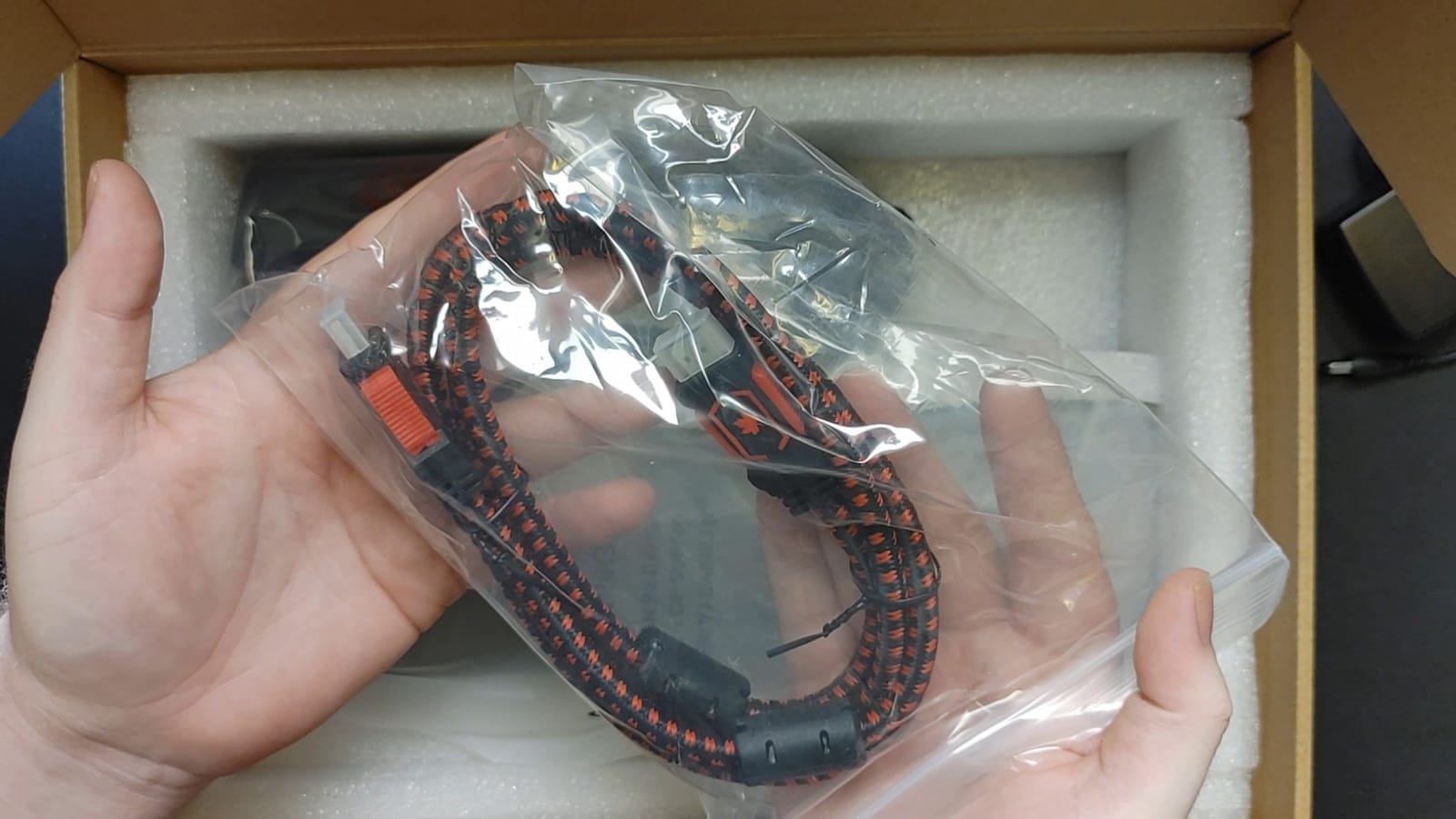
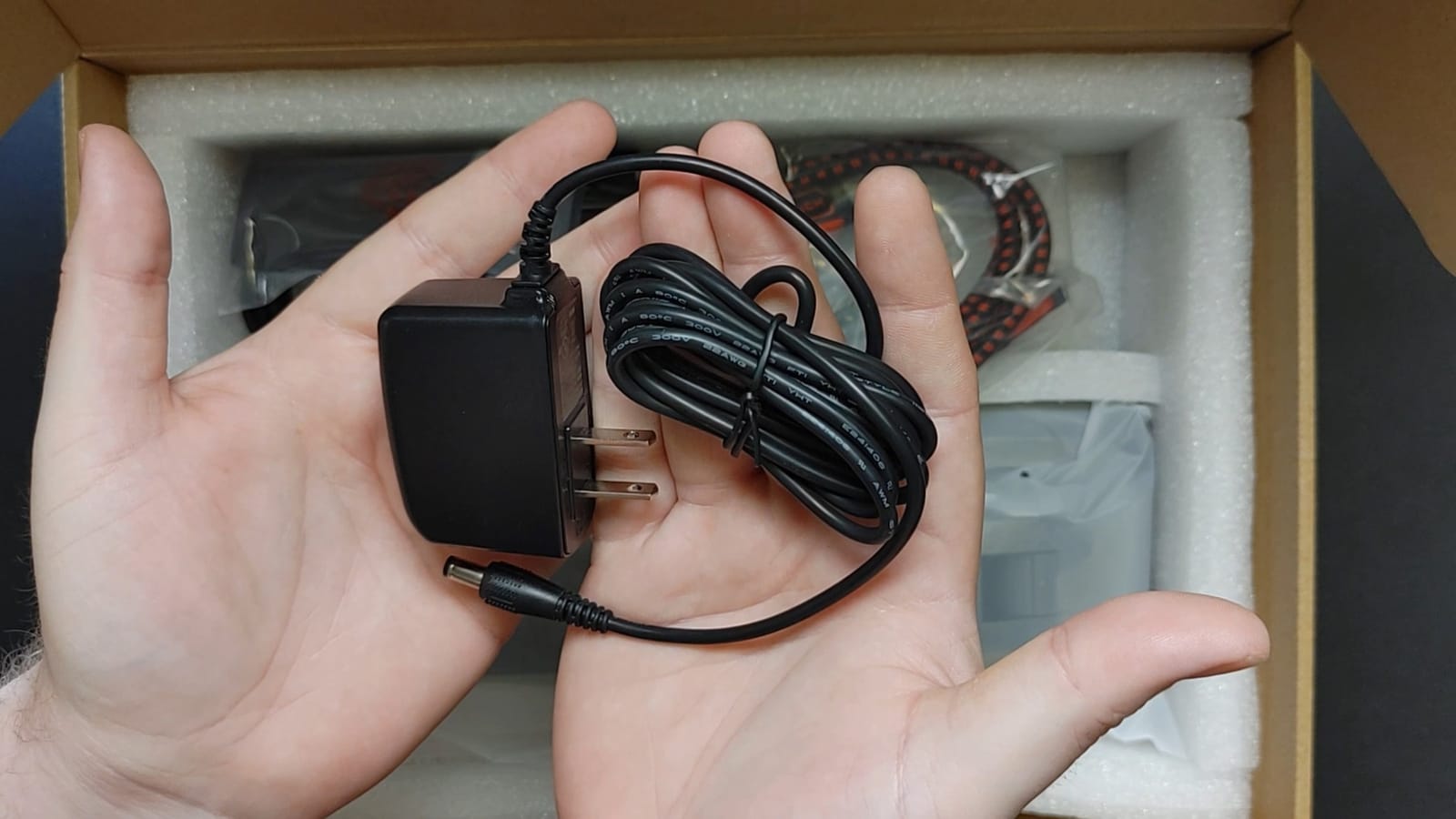
In a standalone test, I plugged the V508 into a projector with the included HDMI cable and the included DC adapter. The camera powered up, displayed the live image on the projector, and let me control zoom and focus from the included remote without ever opening a laptop. For teachers who do not want to depend on a working computer every morning, this kind of standalone operation is genuinely valuable.
On the technical side, the V508 uses an 8MP 1/4 inch CMOS sensor that captures up to 3264 x 2448 pixels. The 100x digital zoom is the highest in this roundup and works well for showing distant detail. The 3-level dimmable LED plus a 5-stage dimmable LED setting gives strong control over lighting. Reviewers note that the autofocus can hunt occasionally, the camera head downward rotation is somewhat limited, and the plastic construction feels less premium than the IPEVO VZ-R.
For traditional classrooms with a permanent projector, the V508 is the most flexible standalone document camera we tested. For laptop-first workflows, a USB only model is simpler and cheaper.
Who this is best for
Traditional classrooms with a permanent projector benefit from VGA, HDMI, and USB outputs plus standalone operation. Presenters who want a remote control for zoom and focus get one included in the box.
Buyers who need extreme digital zoom for distant demonstrations benefit from the 100x digital zoom, the highest in this roundup.
Who should look elsewhere
Laptop-first teachers should save money with a USB only model like the INSWAN INS-1. Buyers who want premium build quality should choose the IPEVO VZ-R with its glass fiber reinforced stand.
If smooth, quiet autofocus is critical for live demos, the V508 reports occasional autofocus hunting in some units.
How to Choose the Best Document Camera in 2026?
A document camera, also called a visualizer or visual presenter, captures live images through a high-resolution sensor and outputs them via USB, HDMI, or Wi-Fi to a computer, projector, or display. The right pick depends on what you teach, where you teach it, and what devices you already own. Here are the factors our team weighs when ranking the best document cameras for 2026.
Resolution and megapixels
Resolution determines how clearly text and small details show up on screen. Most modern document cameras ship with 8MP sensors, which stream UHD up to 3264 x 2448 pixels and full HD at 30fps. 8MP is the sweet spot for worksheets and STEM demos, while 1080p models are sufficient for basic online teaching. Higher megapixels matter when you need to read tiny component markings or scan detailed diagrams. If you want a deeper dive into how image sensors capture detail, our complete guide to depth cameras walks through the same sensor principles that drive document camera clarity.
Connectivity: USB, HDMI, or Wi-Fi
USB plug and play is the easiest path for laptop classrooms and Chromebook setups. HDMI pass-through is essential for projector-only setups where you want to leave the laptop behind. Wi-Fi connectivity exists in higher end visualizers but is still rare in this price band. Make sure your chosen model matches the ports on your teaching computer, and budget for a USB-C adapter if your laptop only has USB-C.
Autofocus and image quality
Autofocus is critical for teachers who switch between worksheets, textbooks, and 3D objects every few minutes. Sony CMOS sensors consistently produce sharper, lower noise images than generic CMOS sensors. Manual focus, like on the HUE HD Pro and the Elmo MX-P2, avoids random refocusing but slows down fast paced demos.
Lighting: built-in LED and exposure control
Built-in LED lights with brightness control make a huge difference in classrooms with poor overhead lighting. The INSWAN INS-1 has 7 brightness levels, the THUSTAR has 3 levels with 14 ring lamp beads, and the IPEVO VZ-R has a single LED for fill light. If your classroom is well lit, you can skip this feature and save money.
Portability and battery
For traveling teachers, foldable designs under 1.5 pounds are easier to carry. The OKIOCAM S-4K at 269 grams and the PAKOTOO at 420 grams are the lightest options we tested. Built-in batteries, like the 5 hour battery in the IPEVO VZ-R, let you run the camera without USB power, but they add weight and cost.
AI auto-tracking and smart pointers
In 2026, AI auto-tracking is the emerging trend. The OKIOCAM S-4K ships with the OKIOPoint AI tracking pointer inside OKIOCAM Live software. AI tracking helps when you want a virtual laser pointer during a live demo. Expect more document cameras to add AI features through 2026 and beyond.
STEM, robotics, and 3D object demos
Document cameras for STEM demos need a foldable multi-joint arm that bends over 3D objects, an A3 capture area or larger, and macro focus in the 3 to 4 inch range. The THUSTAR, the INSWAN INS-1, and the OKIOCAM S-4K all fit this profile. They are also great for showing circuit board soldering, robotics assembly, and 3D printer beds during live demos.
Compatibility: Windows, Mac, Chromebook, iPad
Most modern document cameras support Windows, Mac, and Chromebook with native plug and play. iPad support is rarer and usually requires the camera app to recognize USB cameras. Always confirm Chromebook compatibility if your school is on Chrome OS, since some older models only support Windows and Mac.
Document camera vs overhead projector vs scanner
Document cameras replace overhead projectors and add video conferencing, recording, and digital sharing. Scanners are better for high volume archival scanning of loose papers, but document cameras with OCR, like the JOYUSING V500S, can scan bound books page by page without destroying the spine. For live teaching, a document camera wins over both alternatives.
Frequently Asked Questions
What is the best document camera for teachers?
The OKIOLABS OKIOCAM S-4K is our top pick for teachers in 2026. It pairs an 8MP Sony Exmor R sensor with 30fps streaming, AI OKIOPoint tracking, and reliable plug and play across Windows, Mac, Chromebook, and iPad. The INSWAN INS-1 and the IPEVO V4K are strong runner-ups depending on whether you prioritize built-in LED lighting or Chromebook-first compatibility.
What is a document camera for teachers?
A document camera for teachers is a real-time image capturing device on an adjustable arm that replaces the overhead projector. Teachers place worksheets, textbooks, science experiments, or 3D objects under the lens and the camera displays them on a projector, interactive whiteboard, or video call. It is essentially a modern overhead camera built for live teaching, online lessons, and demonstrations.
Is a document camera better than a scanner?
For live teaching and demonstrations, a document camera is far more useful than a scanner because it shows content in real time. A scanner is faster for high volume archival scanning of loose paper, but document cameras with OCR like the JOYUSING V500S can scan bound books page by page without destroying the spine. For video conferencing and online teaching, only a document camera fits the workflow.
What should I look for in a document camera?
Look for an 8MP Sony CMOS sensor for sharp image quality, autofocus with macro focus in the 3 to 4 inch range, USB plug and play compatibility with your operating system, and a foldable multi-joint arm that bends over 3D objects. Built-in LED lighting with brightness control helps in dim rooms, and HDMI pass-through matters if you teach with a projector and no laptop.
Can a document camera work without a computer?
Yes, document cameras with HDMI or VGA output and a built-in battery can work without a computer. The IPEVO VZ-R has HDMI and USB dual mode with a 5 hour battery, and the JOYUSING V508 has VGA, HDMI, and USB outputs plus standalone use. Most USB only models still require a host computer or tablet to display the live image.
How much does a document camera cost?
Document cameras range from around $35 for basic budget models like the BexonRuihe BR-200 to $280 for premium HDMI models like the IPEVO VZ-R. The sweet spot for most teachers is between $80 and $150, where you find 8MP sensors, autofocus, and LED lighting. OCR and HDMI pass-through features push prices higher.
Final Verdict: Which Document Camera Should You Buy?
After testing 12 of the best document cameras you can buy in 2026, the OKIOLABS OKIOCAM S-4K stands out as the best document camera overall for teachers, online instructors, and STEM educators. Its 8MP Sony sensor, AI OKIOPoint tracking, and reliable cross-platform plug and play cover more teaching scenarios than any other model in the roundup. If you teach on a Chromebook, the IPEVO V4K is the safer compatibility bet, and if you teach on a tight budget the PAKOTOO gives you the basics without overspending.
For traditional projector classrooms, the JOYUSING V508 and the IPEVO VZ-R are the best document cameras with HDMI pass-through, and for STEM and robotics demos the THUSTAR and the INSWAN INS-1 give you 8MP clarity with A3 capture areas. Whichever model you pick, a good document camera turns every lesson into a clear, visual experience for your students. Check the latest prices on the model that fits your classroom and start teaching with confidence in 2026.