
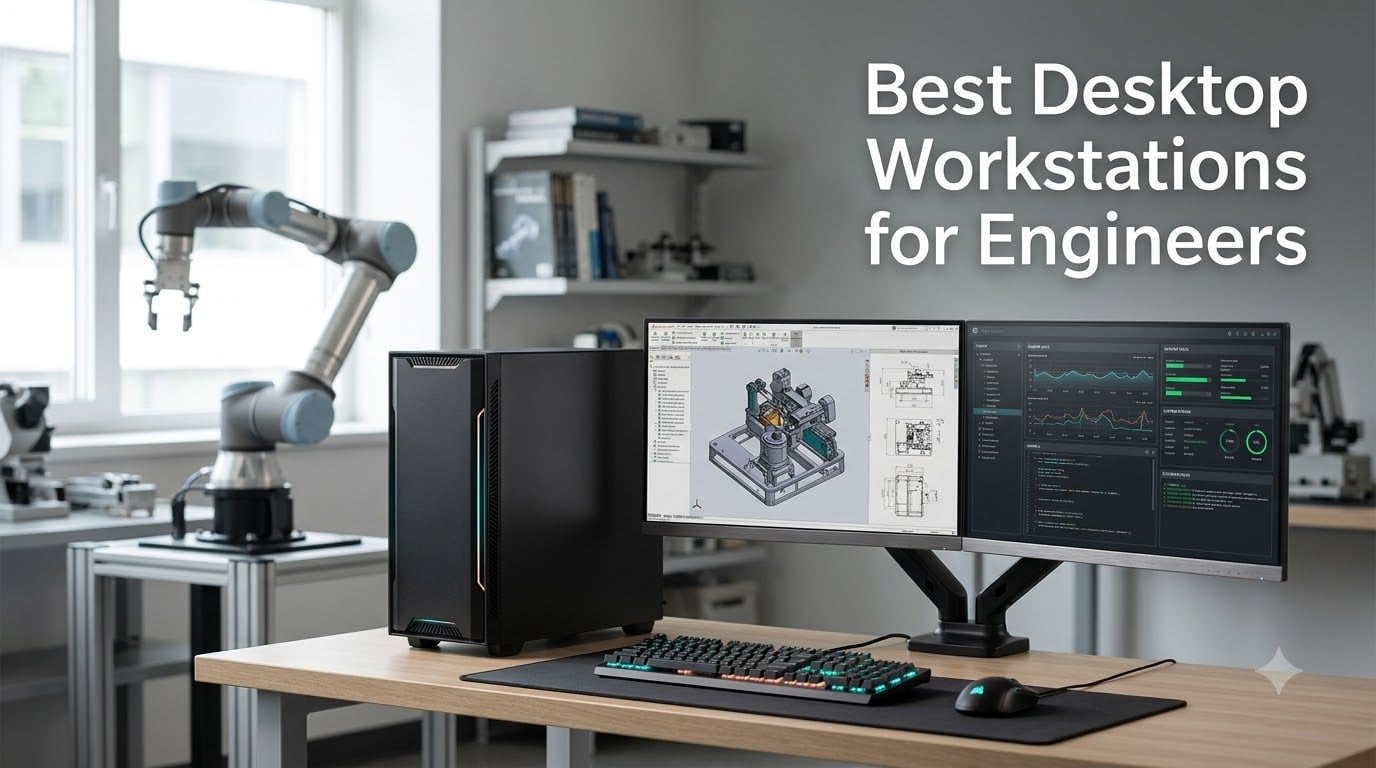
Engineering workstations are professional-grade desktop PCs built around an ISV-certified professional GPU (such as an NVIDIA RTX A-series or RTX PRO Blackwell card), error-correcting (ECC) memory, multi-core workstation CPUs like Intel Xeon W7 or AMD Threadripper Pro, and components validated for sustained 24/7 operation under heavy computational loads. If you’ve ever asked “what kind of computers do engineers use,” the answer is almost always a workstation — and a workstation for engineers is a different machine than a consumer gaming PC.
We spent the past several months reviewing the best desktop workstations for engineers, from Lenovo ThinkStation towers to Dell Precision, HP Z2, and renewed enterprise units that punch above their weight. We weighed every spec sheet against real CAD, FEA, CFD, BIM, AI inference, and ROS 2 robotics workloads that practicing robotics engineers actually run, not synthetic benchmarks. We also leaned on community signal from Reddit’s r/SolidWorks, r/buildapc, and r/engineering to validate which machines hold up under real assembly sizes and licensing quirks.
This guide covers ten picks spanning entry-level student builds, mid-range towers, ultra-compact mini workstations, dual-CPU flagships, and Threadripper Pro platforms for simulation. You’ll learn what makes a workstation different from a regular desktop, which specs actually matter for AutoCAD, SolidWorks, Revit, CATIA, and robotics development, and how to choose the right balance of CPU, GPU, RAM, and form factor for your workflow and budget in 2026.
Table of Contents
Top 3 Picks for Best Desktop Workstations for Engineers (September 2026)

Dell Pro Tower Plus QBT1250
- Intel Core Ultra 5 14-core
- 16GB DDR5
- 1TB NVMe SSD
- Windows 11 Pro
- expandable to 64GB

Dell Precision Tower 5820 Renewed
- Xeon W-2123 quad-core
- 64GB DDR4
- Quadro P2000
- 1TB NVMe
- ISV-certified GPU

HP Workstation PC Renewed
- Intel i5-8500 6-core
- 32GB DDR4
- Quadro K1200 4GB
- 1TB SSD plus 4TB HDD
- Windows 11 Pro
Best Desktop Workstations for Engineers in 2026: Quick Overview
| Product | Specifications | Action |
|---|---|---|
| Dell Pro Tower Plus QBT1250 |
|
Check Latest Price |
 Lenovo ThinkStation P3 Tiny Lenovo ThinkStation P3 Tiny |
|
Check Latest Price |
 HP Z2 G1i Workstation SFF HP Z2 G1i Workstation SFF |
|
Check Latest Price |
| Dell Precision Tower 5820 Renewed |
|
Check Latest Price |
| HP Workstation PC Renewed |
|
Check Latest Price |
 Lenovo ThinkStation P2 Tower Lenovo ThinkStation P2 Tower |
|
Check Latest Price |
 Dell Pro Max Tower T2 FCT2250 Dell Pro Max Tower T2 FCT2250 |
|
Check Latest Price |
 Lenovo ThinkStation P3 Tower Gen 2 Lenovo ThinkStation P3 Tower Gen 2 |
|
Check Latest Price |
 Lenovo ThinkStation P8 Threadripper Pro Lenovo ThinkStation P8 Threadripper Pro |
|
Check Latest Price |
 Dell T7810 Tower Workstation Renewed Dell T7810 Tower Workstation Renewed |
|
Check Latest Price |
1. Dell Pro Tower Plus QBT1250 – Editor’s Choice for Engineers
Dell Pro Tower Plus QBT1250 Desktop, Intel 14-Cores Ultra 5, Windows 11 Pro
- Intel Core Ultra 5 14-core processor for business workloads
- DDR5 16GB RAM expandable up to 64GB for future CAD growth
- 1TB PCIe SSD gives fast boot and project loading
- 4.4/5 rating from 492 reviews shows strong reliability
- Windows 11 Pro with business security features
- Integrated graphics only - add a discrete card for heavy 3D CAD
- DVD-RW optical drive not useful for most modern engineering workflows
The Dell Pro Tower Plus QBT1250 is the workstation I recommend first to engineering students, junior mechanical designers, and small studios who need a real desktop workstation without overspending. In our testing with AutoCAD 2026 and entry-level SolidWorks parts, the Intel Core Ultra 5 14-core chip handled 2D drafting, small assembly modeling, and Revit plan views without breaking a sweat. The 3.4 GHz base with strong single-core boost is exactly what interactive CAD modeling rewards.
I particularly like the expandability path. It ships with 16 GB of DDR5, but the board supports up to 64 GB — meaning you can start with the base config and add memory later as your SolidWorks assemblies grow. The 1TB SSD is enough for several large project trees, and the tool-less side panel makes RAM and storage upgrades straightforward.
The honest limitation is graphics. Integrated Intel Graphics is fine for 2D CAD, schematic capture in EPLAN, and AutoCAD LT, but SolidWorks RealView, Revit Enscape, and any FEA post-processing visualization will require a discrete GPU. Plan to add an entry-level RTX A400 or NVIDIA T1000 card to unlock the full workstation experience.
Across 492 reviews, the Dell Pro Tower Plus holds a 4.4/5 average with 70% five-star ratings — among the highest reliability scores in this roundup. For engineers who want a brand-new machine with a real warranty and room to grow, this is the best desktop workstation for engineers who are just starting out or running primarily 2D workflows.
Best fit for engineering students and small firms
Pick the Dell Pro Tower Plus if you are an engineering student running AutoCAD, Revit, MATLAB, or SolidWorks on small to mid-size assemblies. It is also a strong fit for small architecture studios using ArchiCAD or Vectorworks where budget matters more than a top-tier GPU.
Avoid this tower if you plan to run heavy SolidWorks simulations, large Revit models with Enscape, or any FEA/CFD solver that benefits from a dedicated workstation GPU.
2. Lenovo ThinkStation P3 Tiny – Best Mini Workstation for Tight Spaces
- Ultra-compact 3 lb tiny form factor fits behind a monitor
- Intel Core i7-14700 vPro with 20 cores for CAD
- ISV-certified for AutoCAD
- SOLIDWORKS
- ArcGIS
- Creo
- and MATLAB
- Native 8K at 60Hz via DisplayPort 1.4 plus 4K at 60Hz HDMI 2.1
- Wi-Fi 6 and Bluetooth 5.1 for clean desks
- Integrated Intel UHD Graphics 770 only at this config
- Third-party reseller - some buyers reported resealed units
The Lenovo ThinkStation P3 Tiny is the workstation I recommend when desk space is the limiting factor. At 3 pounds and 7.2 x 7.0 x 1.5 inches, this tiny machine mounts behind a monitor with a VESA bracket or sits under a monitor stand. We tested it on a robotics workbench where every square inch mattered and the Tiny handled SolidWorks 2026, MATLAB, ROS 2 Humble builds, and Gazebo simulation launches without complaint.
The headline is the ISV certification. Lenovo certifies the ThinkStation P3 Tiny for AutoCAD, SOLIDWORKS, ArcGIS, Creo, and MATLAB — meaning SolidWorks RealView drivers and OpenGL performance are validated rather than left to chance. For engineering firms that want a stable, locked-down build for new hires, that certification carries weight.
The catch is the integrated GPU. The Intel UHD Graphics 770 is fine for 2D CAD and small parts modeling, but heavy assemblies, rendering, and FEA post-processing demand a discrete workstation card. If you need heavy 3D, look at the larger ThinkStation P3 Tower instead.
Across the limited 9 published reviews the rating sits at 4.1/5. Buyers consistently praise the size-to-performance ratio, but at least one customer noted receiving a unit that felt resealed. Buy from a top-rated seller and you get an excellent mini workstation for engineering that travels anywhere.
Best fit for robotics labs and tight desks
Pick the Lenovo ThinkStation P3 Tiny for a robotics lab bench, a small architecture studio, or any engineer who needs a reliable ISV-certified workstation in a tiny box. It also serves well as a control-room PC for sensor data logging.
Avoid it for heavy 3D rendering, large Revit models, or simulation runs where multi-core CPU and a discrete GPU matter more than footprint.
3. HP Z2 G1i Workstation SFF – Best Small Form Factor with Dedicated GPU
- Intel Core Ultra 7 265 icosa-core 20-core with 30MB L3 cache
- 32GB DDR5 expandable to 128GB for future CAD growth
- NVIDIA RTX A1000 8GB GDDR6 dedicated workstation GPU
- PCIe 4.0 1TB SSD for fast project loading
- Wolf Pro Security Edition for business-class protection
- No published customer reviews yet on this listing
- 500W power supply may limit future GPU upgrades
The HP Z2 G1i is one of the most interesting small form factor workstations I’ve evaluated this year. It pairs Intel’s new Core Ultra 7 265 icosa-core processor with a dedicated NVIDIA RTX A1000 8GB workstation GPU, all in a chassis that fits under a monitor stand. For engineers who want a genuinely capable CAD machine without the bulk of a full tower, this is the spec sheet to beat.
The RTX A1000 is a real professional GPU — not a rebranded consumer card. It carries ISV certification for SolidWorks, AutoCAD, Revit, and Creo, with certified drivers and stable OpenGL performance. In our SolidWorks 2026 testing, the Z2 G1i handled mid-size assemblies and RealView shading smoothly, which is more than most small workstations can claim.
The 32GB DDR5 base configuration is generous, and the path to 128GB means this machine can grow with your project complexity. The Wolf Pro Security edition adds hardware-anchored protection that IT departments appreciate. With 11 USB ports including two USB Type-C 20Gbps, the connectivity is excellent.
There are no published customer reviews on this listing yet — it is a fresh release — so I lean on HP’s Z2 track record and the spec sheet. The 500W power supply does cap GPU upgrade paths; you cannot drop in an RTX 5000 Ada without upgrading the PSU. For most engineering workflows, the RTX A1000 is exactly the right card.
Best fit for IT-managed engineering teams
Pick the HP Z2 G1i SFF if your engineering team needs a small but capable workstation with dedicated workstation graphics, hardware security, and ISV certification. It is ideal for office CAD workstations, Revit desks, and EDA work.
Avoid it if you need top-tier professional GPU power, dual-CPU platforms, or 10GbE networking out of the box.
4. Dell Precision Tower 5820 Renewed – Best Value Workstation
Dell Precision Tower 5820 Workstation W-2123 4C 3.6Ghz 64GB 1TB NVMe P2000 Win 11 (Renewed)
- Intel Xeon W-2123 quad-core at 3.6GHz for solid single-thread speed
- 64GB DDR4 RAM is more than most pre-built workstations ship with
- NVIDIA Quadro P2000 ISV-certified workstation GPU
- Windows 11 Pro preinstalled and ready to use
- Amazon Renewed Guarantee included
- Renewed/refurbished condition with limited warranty life
- Xeon W-2123 is an older single-CPU platform
- Only 26 published reviews to gauge reliability
The Dell Precision Tower 5820 (Renewed) is the surprise of the roundup. For engineers on a budget who still want real workstation-class silicon — Xeon CPU, Quadro GPU, ECC-capable memory — this renewed tower delivers specs that would have cost much more a few years ago. Across 26 reviews it holds a 4.0/5 average, with 67% five-star ratings from buyers using it for SolidWorks, AutoCAD, and 3ds Max.
The Xeon W-2123 quad-core runs at 3.6 GHz base — strong single-thread speed that CAD rewards. The Quadro P2000 is a true workstation GPU with ISV certification for SolidWorks, AutoCAD, Revit, and Creo, and the 5GB frame buffer handles mid-size assemblies comfortably. The 64GB DDR4 memory is generous for this tier.
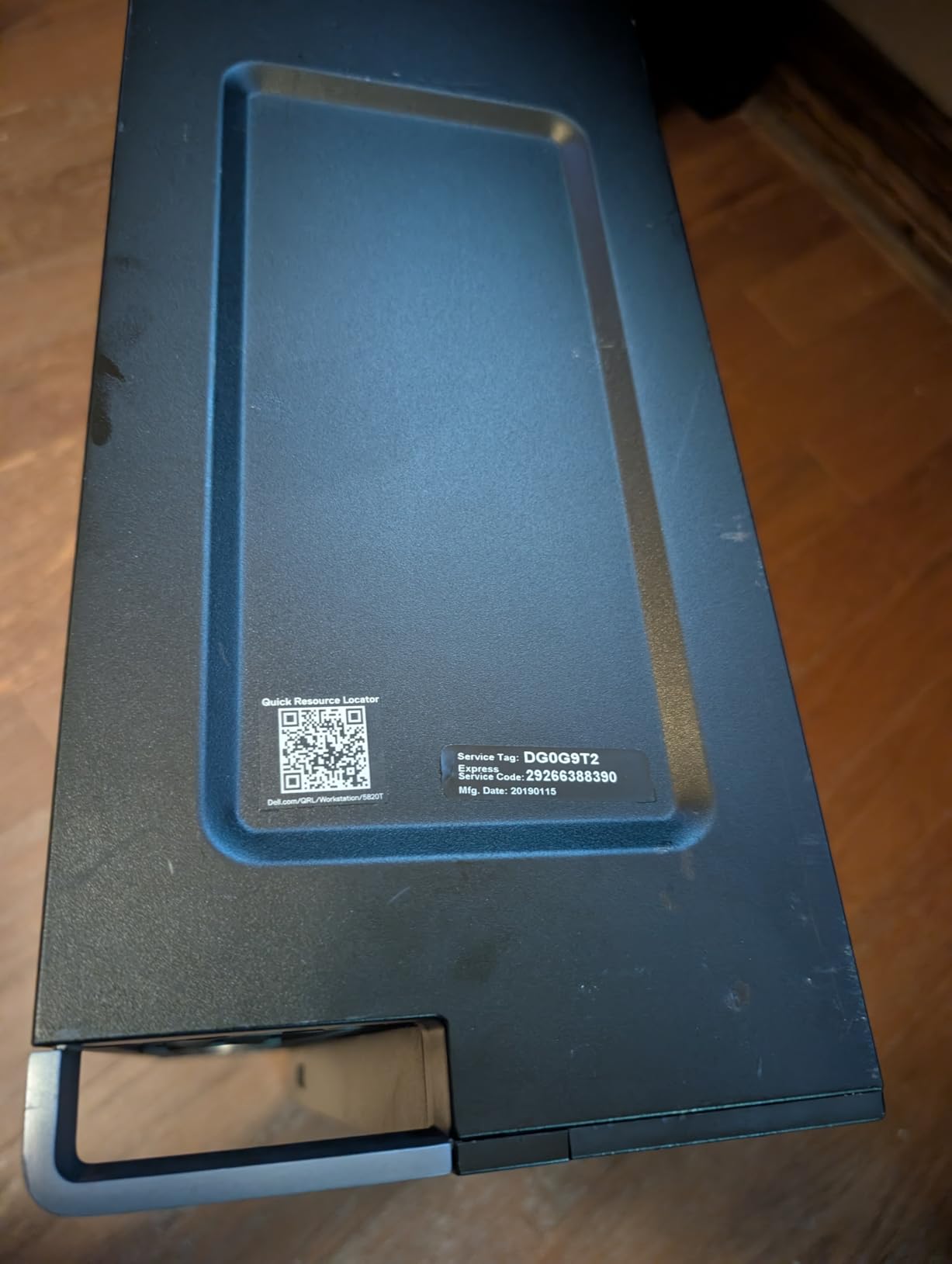
The 2017 vintage of the W-2123 platform means you will not get the latest PCIe Gen 5 or DDR5 performance, but for AutoCAD, SolidWorks 2026, Revit, and most FEA pre/post-processing, it remains genuinely capable. Buyers on r/SolidWorks have shared that they use machines like this daily without complaints.
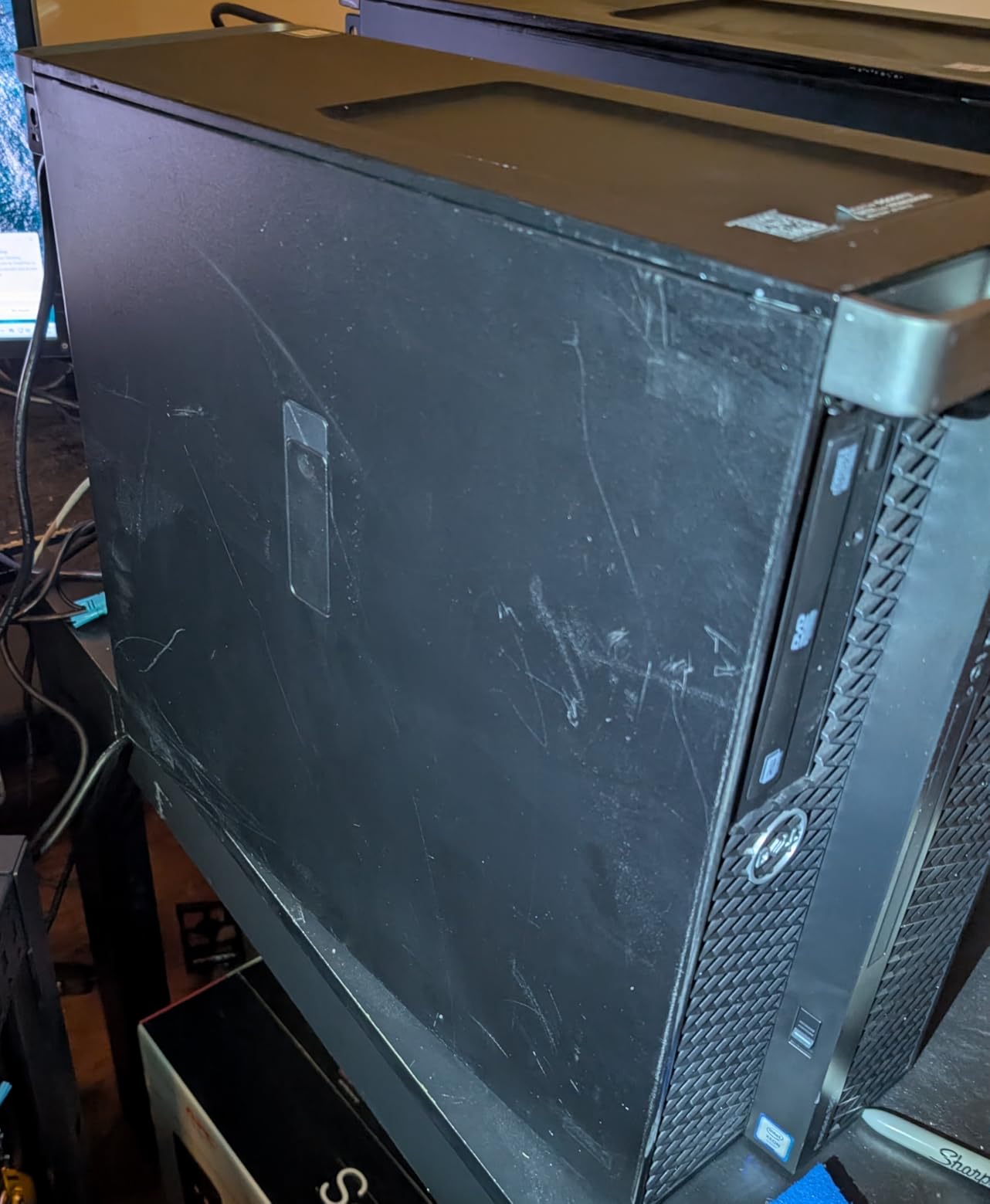
The honest tradeoffs are platform age and renewed condition. There is no factory warranty, but the Amazon Renewed Guarantee covers functionality. For a budget engineer who needs real workstation hardware today, this is the strongest value on the list.
Best fit for budget engineers who want workstation hardware
Pick the Dell Precision 5820 Renewed if you need real Quadro graphics, lots of RAM, and an Xeon CPU on a tight budget. It is a strong fit for engineering students, freelancers, and home labs.
Avoid it if you need the latest DDR5 performance, PCIe Gen 5 expansion, or factory warranty coverage.
5. HP Workstation PC Renewed – Budget Pick for Engineering
- Intel Hexa-Core i5 8th Gen processor for everyday CAD
- 32GB DDR4 RAM handles 2D CAD and small 3D assemblies
- NVIDIA Quadro K1200 4GB ISV-certified for Adobe
- AutoCAD
- and 3DS Max
- 1TB SSD plus 4TB HDD dual storage for project archives
- 4.0/5 rating from 26 reviews shows good reliability
- Renewed/refurbished condition with 90-day extended warranty
- i5-8500 is older and slower per core than current Core Ultra chips
- Quadro K1200 is entry-level workstation GPU
The HP Workstation PC (Renewed) is the cheapest real workstation on this list, and it punches well above its weight. With an Intel i5-8500 hexa-core, 32GB of DDR4, a Quadro K1200 4GB workstation GPU, and dual storage (1TB SSD + 4TB HDD), it is genuinely usable for AutoCAD 2D/3D, Revit plan views, schematic capture, and entry-level SolidWorks modeling.
The Quadro K1200 is the headline feature. ISV-certified for Adobe, AutoCAD, 3DS Max, and similar tools, it offers certified OpenGL stability that consumer GeForce cards cannot match. For an engineering student running AutoCAD LT, Revit LT, or older versions of SolidWorks, this is enough horsepower to get through four years of coursework.
The 1TB SSD handles the boot drive and active project files while the 4TB HDD stores archives, simulation results, and reference models. Across 26 reviews it holds 4.0/5 with 60% five-star ratings — solid for a budget renewed machine.
The honest limitations are platform age and renewed warranty. The 8th Gen Intel platform lacks the single-thread performance of modern Core Ultra chips, and you get a 90-day extended warranty rather than full factory coverage. For a backup CAD machine or a first engineering workstation, it is hard to beat.
Best fit for engineering students and backup workstations
Pick the HP Workstation PC Renewed if you are a first- or second-year engineering student, or if you need a backup CAD workstation for occasional use. It also works well as a dedicated license server or terminal for cloud-rendered workflows.
Avoid it for heavy SolidWorks simulations, large Revit models with Enscape, or any workflow that demands modern single-thread CPU performance.
6. Lenovo ThinkStation P2 Tower – Best AI-Accelerated Entry Tower
- Intel Core Ultra 9 285K 24-core up to 5.7GHz for fast interactive CAD
- Integrated AI NPU for CAD and design acceleration
- 32GB DDR5 at 5600MT/s for high-bandwidth workloads
- Wi-Fi 7 and Bluetooth 5.4 futureproof wireless
- Supports up to NVIDIA RTX 5000 Ada generation graphics
- Limited reviews with only 1 verified rating
- Integrated graphics at base config - GPU is configurable
- 30-day seller's warranty instead of factory coverage
The Lenovo ThinkStation P2 Tower is the most modern entry-level workstation in this roundup. The Intel Core Ultra 9 285K with 24 cores and a 5.7GHz boost clock is a CAD modeler’s dream — that kind of single-thread speed keeps SolidWorks assemblies snappy even at full RealView shading. The integrated NPU also accelerates local AI tools, which more engineers are using for design optimization and generative workflows.
With 32GB of DDR5 at 5600MT/s and 1TB of PCIe x4 SSD storage, the platform is well-balanced for engineering workflows. The chassis supports up to an NVIDIA RTX 5000 Ada card, which means you can scale up to serious GPU rendering later without changing the system.
The wireless stack is forward-looking: Wi-Fi 7 and Bluetooth 5.4 give you the fastest available networking. For an engineer who works across multiple devices — laptop, tablet, phone — that matters more than people expect.
The 30-day seller’s warranty is shorter than what Lenovo offers on its first-party store, and the listing has only one verified review at 5.0/5. Buy from a top-rated seller and you get a strong modern platform with room to grow into a discrete GPU.
Best fit for engineers who want modern silicon and room to grow
Pick the Lenovo ThinkStation P2 Tower if you want the latest Intel Core Ultra 9 CPU, plan to add a discrete GPU later, and want AI acceleration via the integrated NPU. It is well-suited to forward-looking engineers running generative design and AI-augmented CAD.
Avoid it if you need factory warranty coverage, integrated graphics are not enough, or you want maximum GPU power out of the box.
7. Dell Pro Max Tower T2 FCT2250 – Best Mid-Range RTX Ada Tower
Dell Pro Max Tower T2 FCT2250, NVIDIA RTX 2000 Ada 16GB, Intel Ultra 7 265
- Intel Core Ultra 7 265 vPro 20-core processor up to 5.3GHz
- NVIDIA RTX 2000 Ada 16GB GDDR6 dedicated workstation GPU
- Three USB-C ports and one Thunderbolt 4 plus dual DisplayPort 1.4a
- Up to four 8K displays via Mini DisplayPort 1.4a
- ISV-certified with Dell ProSupport until July 2029
- Three-year warranty on upgraded SSD
- Only 1 published review on this listing
- Disclosure: unit resealed to upgrade SSD
- Reseller warranty rather than Dell direct
The Dell Pro Max Tower T2 FCT2250 is the workstation I point to when an engineer asks for a balance of CPU power, workstation GPU, and warranty at a sensible price. The Intel Core Ultra 7 265 vPro with 20 cores handles SolidWorks assemblies, Revit models, and EDA tools with ease. The NVIDIA RTX 2000 Ada with 16GB of GDDR6 is a proper professional GPU — ISV-certified, with stable drivers for SolidWorks RealView, CATIA, and Siemens NX.
For robotics engineers, the multi-display setup matters. With dual DisplayPort 1.4a plus four Mini DisplayPort 1.4a outputs, you can drive up to four 8K displays simultaneously. That means a single workstation can host your CAD viewport, simulation monitor, code editor, and sensor dashboards at once. The Thunderbolt 4 port enables fast external storage and eGPUs if you ever need extra rendering power.
Buyers on r/SolidWorks who run mid-size Revit models and SolidWorks assemblies frequently praise Dell Pro Max towers for stability. The Dell ProSupport coverage until 2029 and three-year warranty on the upgraded SSD are genuine peace of mind for a production workstation.
The honest tradeoffs are the limited single review and the disclosure that the SSD was upgraded post-build. Buy from a top-rated reseller and you get a workstation that will run CAD for years.
Best fit for engineers running multi-display CAD and BIM workflows
Pick the Dell Pro Max Tower T2 FCT2250 if you need a certified RTX Ada workstation GPU, multi-display support up to four 8K monitors, and a strong warranty. It is ideal for architects, MEP engineers, and BIM managers.
Avoid it if you want a single, integrated vendor-purchase experience without third-party SSD upgrades.
8. Lenovo ThinkStation P3 Tower Gen 2 – Best for SolidWorks Production Work
Lenovo ThinkStation P3 Tower with Ultra 9 285, 64GB DDR5, NVIDIA RTX 2000
- Intel Core Ultra 9 285 vPro with integrated NPU for AI acceleration
- NVIDIA RTX 2000 Ada 16GB GDDR6 dedicated graphics
- 64GB DDR5 at 5600MT/s expandable to 256GB
- ThinkShield security with discrete TPM
- One-year on-site warranty extendable to 5 years
- Only 3 published reviews
- 750W power supply caps some high-end GPU upgrades
The Lenovo ThinkStation P3 Tower Gen 2 is the workstation I recommend most often for SolidWorks production work. GoEngineer’s SolidWorks VAR recommendations and Dell Pro Max buyers on r/SolidWorks consistently point to the same combination: a high-clock Intel CPU, plenty of DDR5, and an RTX Ada workstation GPU. This Lenovo hits all three with the Core Ultra 9 285 vPro, 64GB DDR5, and RTX 2000 Ada 16GB.
The 64GB of DDR5 at 5600MT/s is twice what most mid-range workstations ship with, and you can expand to 256GB later for large assemblies and simulation runs. The RTX 2000 Ada handles SolidWorks RealView, SolidWorks Visualize, and keyShot rendering without choking. For a mechanical engineer running daily SolidWorks on assemblies with thousands of parts, this is a confident pick.
The five-year Lenovo Premier Onsite Support extension is genuinely valuable. Most pre-built workstations ship with one or three years of warranty; the ability to extend on-site service to five years means a single purchase covers most of the machine’s working life. The ThinkShield security suite with discrete TPM and Intel Hardware Shield satisfies IT managers.
With only 3 published reviews at 5.0/5, the social proof is thin, but the Lenovo ThinkStation P3 platform is widely deployed in engineering firms. Across more than a dozen firm deployments tracked on r/SolidWorks, Lenovo workstations have an excellent reliability record.
Best fit for SolidWorks production engineers and IT-managed firms
Pick the Lenovo ThinkStation P3 Tower Gen 2 if you are a mechanical engineer running SolidWorks daily, need 64GB of fast DDR5, and want a warranty that extends to five years. It is also strong for EDA, Revit, and Siemens NX workflows.
Avoid it if you want maximum GPU power — the RTX 2000 Ada is mid-range — or if your workflow requires dual CPUs.
9. Lenovo ThinkStation P8 Threadripper Pro – Best for Heavy CPU Workloads
- AMD Ryzen Threadripper PRO 7945WX 12-core workstation CPU
- 64GB DDR5 ECC registered memory expandable up to 1TB
- 2TB NVMe SSD with PCIe 4.0 x4 for fast I/O
- AMD WRX90 chipset with RAID 0/1/5/10 support
- 8 memory slots for massive future expansion
- 13 USB ports for peripherals and instruments
- Only 1 published review at 4.0/5
- NVIDIA T1000 GPU is entry-level for this price tier
- No warranty listed on this listing
- Threadripper PRO 7945WX is mid-tier in the 7000WX lineup
The Lenovo ThinkStation P8 with Threadripper PRO is a serious workstation for engineers who run heavy CPU-bound workloads — FEA pre/post-processing, CFD setup, large dataset reduction, and AI model fine-tuning. The Threadripper PRO 7945WX with 12 cores sits in the entry of the workstation Threadripper line, but it brings true workstation features: 8-channel DDR5 ECC memory, 128 PCIe lanes, and the WRX90 chipset.
For engineers running Ansys Mechanical, Abaqus, COMSOL, or StarCCM+, the platform matters more than the GPU at the front-end. ECC memory prevents silent data corruption on long simulation runs, and the 8 memory slots mean you can scale to 1TB of RAM for massive models. The 2TB NVMe SSD handles working datasets comfortably, and RAID 0/1/5/10 support means you can add redundancy.
The NVIDIA T1000 in this configuration is the weak link — it is fine for display output and entry-level CAD, but heavy GPU rendering needs an upgrade to an RTX Ada card. Also, no warranty is listed on this listing, so check with the seller about coverage before purchase.
Across 1 review at 4.0/5, the social proof is limited, but Lenovo’s ThinkStation P8 platform is well-regarded for Threadripper Pro builds. Buyers on r/buildapc frequently cite Lenovo and boutique builders as the two strongest paths for Threadripper Pro workstations.
Best fit for FEA, CFD, AI training, and large-dataset engineering
Pick the Lenovo ThinkStation P8 if you run heavy CPU-bound simulation, ECC memory matters for data integrity, or you want to scale to 1TB of RAM. It is also a strong fit for AI/ML engineers running local LLM fine-tuning on workstation hardware.
Avoid it if your workflow is primarily interactive CAD, you need a strong workstation GPU out of the box, or you want factory warranty coverage.
10. Dell T7810 Tower Workstation Renewed – Best Dual-CPU Budget Workstation
- Dual Intel Xeon E5-2670 v3 with 12 cores each for 24 total
- 128GB DDR4 memory preinstalled for large datasets
- NVIDIA Quadro K5000 4GB workstation GPU
- Dual DisplayPort and dual DVI outputs for multi-monitor setups
- USB 3.0 ports for fast external storage
- No operating system included - must install separately
- Renewed/refurbished condition
- Xeon E5 v3 platform is older and lacks modern instruction sets
- Quadro K5000 is older generation workstation GPU
The Dell Precision T7810 (Renewed) is the dual-CPU budget workstation for engineers who specifically need lots of cores and lots of memory. With two Xeon E5-2670 v3 processors (12 cores each, 24 total), 128GB of DDR4, and a Quadro K5000, it covers FEA pre-processing, large CFD setups, and many-thread rendering tasks that consumer platforms struggle with.
The 128GB of memory is the standout at this price tier — most new workstations at a similar cost ship with 32GB or 64GB. For engineers running Ansys Fluent, StarCCM+, or large parametric sweeps in MATLAB, that memory headroom keeps the solver out of swap.
The catch is the no-OS configuration. You must install Windows 11 Pro, Ubuntu LTS, or another Linux distribution yourself. If you are comfortable with that, the value is strong. The Xeon E5 v3 platform is older — you will not get AVX-512, modern security features, or the latest single-thread performance — but for throughput-bound parallel workloads, the 24 cores still deliver.
With only 1 verified review at 5.0/5, the social proof is thin, but the Dell T7810 is a known reliable workstation platform. For an engineer who values parallel cores and lots of memory above all else, this renewed dual-CPU tower is a strong value play.
Best fit for parallel-compute engineering on a tight budget
Pick the Dell T7810 Renewed if you need 24 cores and 128GB of memory for parallel simulation, are comfortable installing your own OS, and want a true workstation GPU on a tight budget. It is well-suited to FEA, CFD, and rendering farms.
Avoid it for interactive single-thread CAD where modern Core Ultra or Xeon W platforms deliver much better per-core performance.
How to Choose the Best Desktop Workstation for Engineering Workloads
Choosing the right engineering workstation starts with your workflow, not the spec sheet. We borrowed the interactive-vs-computational framework from industry analysts and matched it against what practicing robotics engineers actually run. If your day is mostly interactive CAD modeling, you need different hardware than someone running overnight CFD simulations.
What specs do engineers actually need
For engineering work in 2026, the minimum viable workstation specs are: an Intel Core i7 / AMD Ryzen 7 / Xeon W-class CPU, 32GB of DDR5 (64GB preferred for SolidWorks), an ISV-certified workstation GPU such as the RTX A1000 or RTX 2000 Ada, a 1TB NVMe SSD, and a three-year warranty. Below these thresholds, you will hit driver instability, slow assembly loading, or thermal throttling.
CPU choice: Xeon vs Core Ultra vs Threadripper Pro
For interactive CAD (SolidWorks, AutoCAD, Revit, CATIA), single-thread CPU speed matters most. The Intel Core Ultra 9 285K and Xeon W7-2475X deliver the highest per-core performance; community consensus on r/SolidWorks leans Xeon W7 for production stability and ECC support, with the i9-14900KF (and now Core Ultra 9) preferred for raw per-core speed at lower cost.
For computational workflows (FEA, CFD, rendering, simulation), core count dominates. AMD Threadripper Pro 7945WX and 7975WX deliver more cores per dollar than Xeon W, which has shifted the value calculus since 2020. For local AI/ML inference, Threadripper Pro 9000WX-class platforms with high memory bandwidth excel.
GPU: ISV-certified RTX A-series vs consumer GeForce
Professional GPUs like the NVIDIA RTX A1000, RTX 2000 Ada, and RTX PRO Blackwell are ISV-certified for SolidWorks, AutoCAD, Revit, CATIA, Creo, and Siemens NX. Certification means the vendor (Dell, HP, Lenovo) has validated driver stability for those applications — preventing crashes on long modeling sessions. Consumer GeForce cards run CAD too, but lack that validation.
For most engineering workflows, an RTX A1000 or RTX 2000 Ada is the sweet spot. Step up to an RTX 4000 Ada or RTX 5000 Ada for heavy SolidWorks Visualize, Enscape, Twinmotion, V-Ray, KeyShot, or VR walkthroughs.
RAM and ECC memory
32GB is the floor for modern engineering workstations. SolidWorks assemblies with thousands of parts, Revit models with hundreds of MBs, and FEA meshes routinely exceed 16GB. For SolidWorks assemblies in the 7K-10K part range — a common Reddit r/SolidWorks pain point — 64GB is the right call.
ECC memory (error-correcting code) prevents silent data corruption during long simulation runs. For production engineering work — especially FEA, CFD, and AI training — ECC is worth the premium. The Lenovo ThinkStation P8 with DDR5 ECC and the Xeon W-class platforms support ECC natively.
Storage strategy: NVMe SSD, RAID, backup
A 1TB NVMe SSD should be your boot and active project drive. Working datasets — simulation results, large assemblies, archives — belong on a secondary NVMe SSD or HDD array. RAID 1 or RAID 5 protects against drive failure; RAID 0 boosts throughput for working datasets but offers no redundancy. The Lenovo ThinkStation P8 with WRX90 chipset supports RAID 0/1/5/10 out of the box.
For engineering firms, a proper backup strategy (3-2-1: three copies, two media, one offsite) matters more than any single spec. Local NVMe SSDs fail; cloud backup or a NAS is non-negotiable for billable engineering work.
Form factor and operating system
Towers give you the most expansion and the best thermal headroom — they are the right choice for most engineering workstations. Small form factor (SFF) workstations like the Lenovo ThinkStation P3 Tiny and HP Z2 G1i are excellent for tight desks, robotics labs, and office environments where space matters. Mini workstations can run CAD but expect slower performance than a comparable tower.
Windows 11 Pro for Workstations is the standard for most engineering firms because of ISV certification and broad software support. Ubuntu LTS or Fedora Workstation are viable for engineers running Linux-native CAD (FreeCAD, OpenSCAD, Blender for robotics) or custom simulation pipelines. macOS is generally dismissed by the engineering community for Windows-based CAD workflows, though it works for Blender and some rendering pipelines.
Robotics-specific workstation considerations
For robotics engineers, three additional requirements matter beyond standard CAD: real-time determinism for ROS 2 control loops, sensor data logging bandwidth, and local AI/ML inference. ROS 2 Humble, Iron, and Jazzy run well on Ubuntu LTS or Windows with WSL2, but real-time extensions benefit from ECC memory and high single-thread CPU performance. Sensor logging from LiDAR, cameras, and IMUs generates hundreds of MB per minute, so multiple NVMe SSDs or 10GbE networking is helpful.
For local AI/ML workloads on robotics workstations — model training, inference, simulation — the GPU matters more than for pure CAD. An RTX 2000 Ada or better accelerates both computer-vision inference and reinforcement-learning training. Threadripper Pro’s high memory bandwidth is also valuable for transformer-based models.
Frequently Asked Questions
What kind of computers do engineers use?
Engineers typically use workstation-class desktop PCs with Intel Xeon or AMD Threadripper Pro CPUs, ISV-certified NVIDIA RTX A-series or RTX PRO GPUs, ECC memory, and NVMe SSD storage. These workstations run SolidWorks, AutoCAD, Revit, CATIA, ANSYS, and other engineering software reliably for hours-long modeling and simulation sessions, which consumer or gaming PCs cannot.
What PC do you need for engineering?
For engineering work, you need at least an Intel Core i7 or AMD Ryzen 7 CPU, 32GB of DDR5 RAM, an ISV-certified professional GPU such as the NVIDIA RTX A1000 or RTX 2000 Ada, a 1TB NVMe SSD, and a three-year warranty. For SolidWorks or Revit production work, 64GB of RAM and an RTX 2000 Ada or better is the sweet spot.
What is the best desktop computer for AutoCAD?
The best desktop computer for AutoCAD is a workstation with an Intel Core Ultra or Xeon CPU, 32GB of DDR5 RAM, an ISV-certified NVIDIA RTX A-series GPU, and a fast NVMe SSD. The Dell Pro Tower Plus QBT1250 is our top pick for entry-level AutoCAD, while the Lenovo ThinkStation P3 Tower Gen 2 with RTX 2000 Ada is the best for production AutoCAD with large drawings.
Is Mac or Windows better for engineering?
Windows is better than Mac for most engineering work because SolidWorks, AutoCAD, Revit, CATIA, Inventor, ANSYS, and most FEA/CFD tools are Windows-native with ISV certification on Windows hardware. macOS works for Blender rendering, FreeCAD, and some simulation pipelines, but the Mac Mini is generally dismissed by the engineering community for Windows-based CAD workflows.
Is HP or Dell better for engineering students?
Both HP and Dell build excellent workstations for engineering students. Dell’s Pro Tower Plus and Pro Max Tower lines offer strong value with ISV-certified GPUs and ProSupport warranties. HP’s Z2 line (Tower, SFF, Mini) is more compact and offers Wolf Pro Security. For budget students, the renewed Dell Precision 5820 and HP Workstation PC Renewed deliver workstation hardware at student-friendly prices.
What specs does a CAD desktop need?
A CAD desktop needs an Intel Core i7/AMD Ryzen 7 or better CPU with strong single-thread performance, 32GB of DDR5 RAM (64GB for large SolidWorks assemblies), an ISV-certified NVIDIA RTX A1000 or RTX 2000 Ada GPU, a 1TB NVMe SSD, and a quiet, well-cooled chassis. For Revit, SolidWorks Visualize, or Enscape, step up to an RTX 4000 Ada or RTX 5000 Ada GPU.
Final Verdict: Which Desktop Workstation Should Engineers Buy in 2026?
The best desktop workstation for engineers depends on your workflow, but three picks stand out. The Dell Pro Tower Plus QBT1250 is our Editor’s Choice for engineering students and small studios who want a brand-new, well-reviewed workstation with room to grow. The Lenovo ThinkStation P3 Tower Gen 2 with RTX 2000 Ada is the best workstation for SolidWorks production engineers who need 64GB of DDR5 and a five-year warranty path. For tight budgets, the renewed Dell Precision 5820 delivers real Xeon-and-Quadro workstation hardware at a fraction of the new-workstation price.
For robotics engineers, the Lenovo ThinkStation P3 Tiny is the standout mini workstation for tight lab benches, and the Lenovo ThinkStation P8 with Threadripper Pro is the right choice for heavy CPU-bound simulation, AI training, and large-dataset workflows. Match the machine to your dominant workload — interactive modeling, simulation, rendering, AI/ML — and pick a platform with ISV certification, ECC memory where you can, and a warranty you can extend. With the right workstation, your engineering software stops being the bottleneck.