
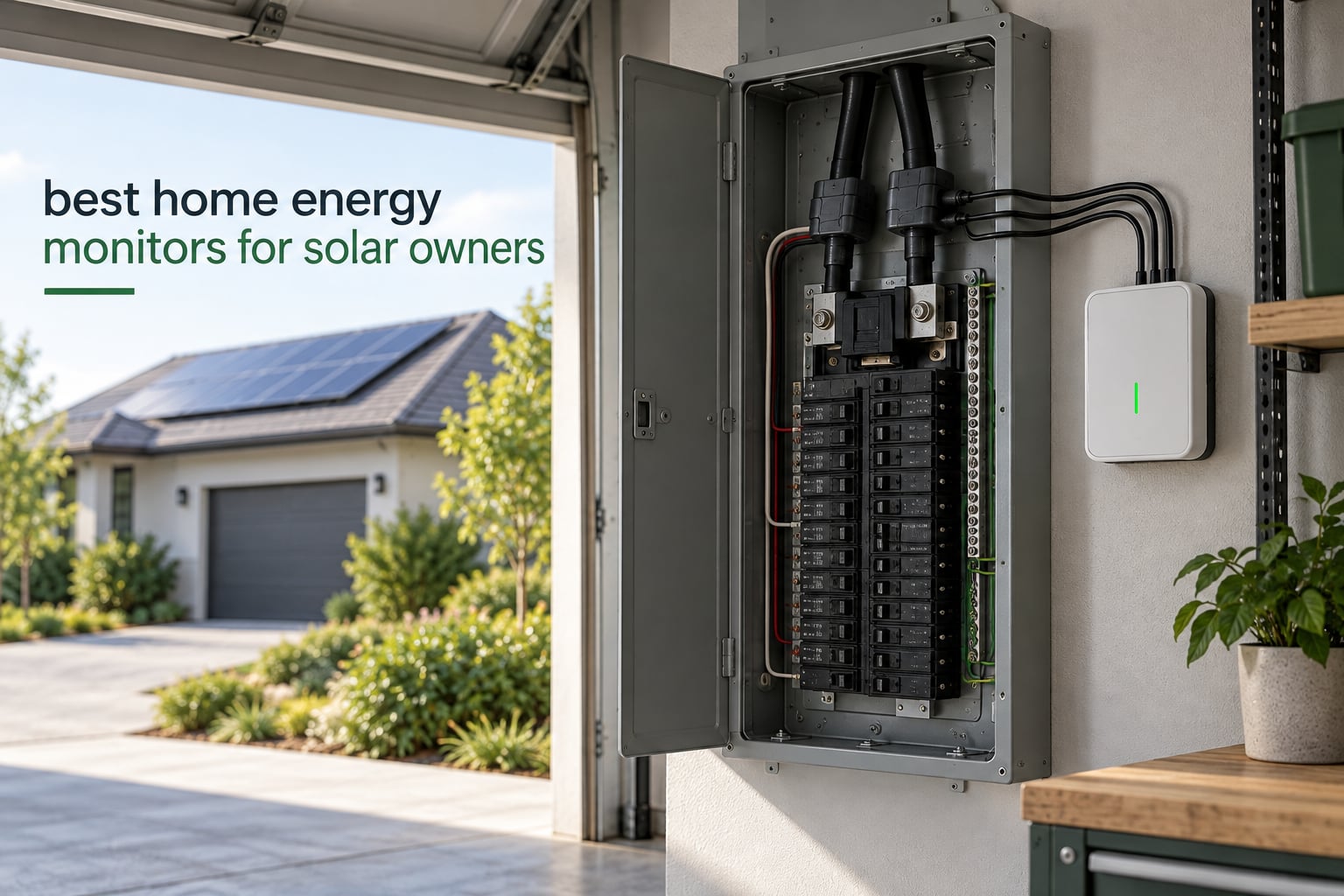
Short answer: the Shelly Pro 3EM is the best home energy monitor for solar owners in 2026, because it measures two-way flow per phase at 1% accuracy, includes three 120A current transformers, and runs over Wi-Fi and LAN with no hub and no subscription. If you want per-circuit detail instead, the Emporia Vue 3 covers 16 branch circuits with UL Listed hardware.
A solar array changes what an energy monitor has to do. Without solar, a monitor only has to answer one question: how much am I using? With solar, it has to answer four. How much did the panels make, how much did the house use, how much left the property, and how much of the production landed on site instead of going to the grid. That fourth number, self-consumption, is the one most solar households are actually buying a monitor to see.
Plugs and smart sockets will not get you there. They measure one circuit at a time, and they cannot see the grid connection at all, so they cannot tell you whether you are exporting or importing. A panel-mounted monitor with CT clamps around your mains and your PV feed is the only practical way to watch net metering in real time, and it is also the only way to automate against surplus solar.
We spent weeks reading spec sheets, manufacturer documentation, and owner reports across r/SolarDIY, r/homeassistant, and the DIY solar forums before writing this, and we checked every figure against the product data rather than a marketing page. Nothing here is hands-on lab testing. If you are still deciding between hardware, the [8 Best Solar Generators Tested and Reviewed](https://www.smashingrobotics.com/best-solar-generators/) guide covers off-grid power, which is a different problem from monitoring a grid-tied array.
Table of Contents
Top 3 Home Energy Monitors for Solar Owners (September 2026)
These three cover the three most common solar household profiles: a three-phase or split-phase panel that needs per-phase accuracy, a homeowner who wants to see every individual circuit, and a Home Assistant user who refuses to send data to someone else’s server.

Shelly Pro 3EM
- 1% accuracy per phase
- 3 x 120A CTs included
- Wi-Fi and LAN with no hub
- Two-way consumption per phase

Emporia Vue 3
- 16 branch circuit sensors
- UL Listed hardware
- Solar and net metering
- Time-of-use and peak demand

Meross 18-Circuit Monitor
- Local-only data
- no subscription
- 18 monitored channels
- Solar surplus triggers appliances
All 10 Home Energy Monitors for Solar Compared in 2026
Every monitor below measures current in real time and reports bidirectional flow, which is the minimum a solar owner needs. The differences show up in sensor count, accuracy class, protocol support, and how much of the data stays on your own network. Ratings and review counts are copied from the product listings, and the strongest combination of both belongs to the Shelly Pro 3EM.
| Product | Specifications | Action |
|---|---|---|
| Shelly Pro 3EM 120A 3-Phase |
|
Check Latest Price |
| Emporia Vue 3 16-Circuit |
|
Check Latest Price |
| Meross 18-Circuit Monitor |
|
Check Latest Price |
 IAMMETER WEM3080T 150A IAMMETER WEM3080T 150A |
|
Check Latest Price |
 Siemens Inhab INHEM1216 Siemens Inhab INHEM1216 |
|
Check Latest Price |
 IAMMETER WEM3050T IAMMETER WEM3050T |
|
Check Latest Price |
 Aeotec Home Energy Meter 8 Aeotec Home Energy Meter 8 |
|
Check Latest Price |
 Blindsmart WiFi Energy Monitor Blindsmart WiFi Energy Monitor |
|
Check Latest Price |
 Leviton LWHEM-2R Leviton LWHEM-2R |
|
Check Latest Price |
 IAMMETER WEM3080-150A IAMMETER WEM3080-150A |
|
Check Latest Price |
1. Shelly Pro 3EM Review: The Best Home Energy Monitor for Solar Overall
- 1% active energy measurement accuracy across three phases
- Calculates two-way consumption per phase so solar production and house load stay separated
- Three 120A current transformers in the box
- Works over Wi-Fi and LAN with no hub required
- Doubles as a Bluetooth gateway for other devices
- DIN rail mounting means working inside the consumer unit
- Shelly Smart Control app is needed for configuration and history
The Shelly Pro 3EM is a 62 g DIN-rail meter that reports watts, amps, voltage, and cumulative energy for three phases at once. The figure that matters for solar is 1% active energy accuracy, which is tighter than the plus or minus 2% typical of clamp-panel kits, and it is a stated spec rather than a claim from us.
What separates it from the rest of this list is the two-way calculation. The meter works out produced and used energy per phase independently, so on a split-phase or three-phase system you can see which phase is exporting and which is importing instead of getting one blended number. Three 120A current transformers come in the box, which removes the most common reason a kit arrives incomplete.
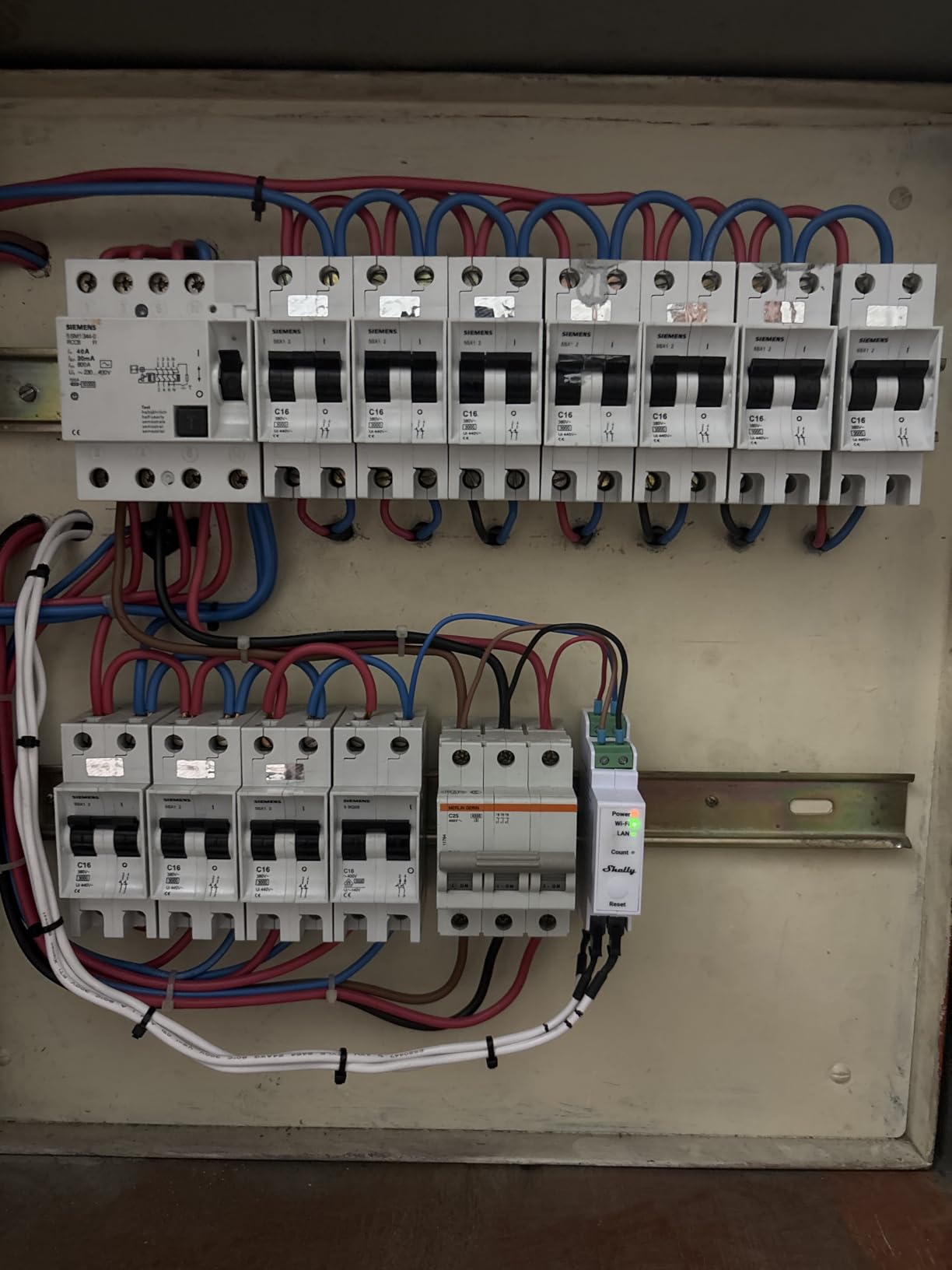
Owners consistently highlight that setup needs no hub and no separate bridge. It talks to your router over 2.4 GHz Wi-Fi or wired LAN, and the same box acts as a Bluetooth gateway so nearby Shelly devices can join the network. Review sentiment is unusually consistent: 84% of ratings sit at five stars, with another 10% at four.
The trade-off is physical. DIN rail mounting means the meter body goes inside the consumer unit, not on a kitchen wall, and the monitoring software lives in the Shelly Smart Control app. If your panel has no DIN rail space, or you want breaker-by-breaker detail, this is the wrong shape of device.
Is the Shelly Pro 3EM accurate enough to trust against your utility bill?
With a 1% stated accuracy, it sits comfortably inside the band where owner reports of matching the utility meter hold up. That is the single trust signal that matters most on solar forums, where a device that reads consistently high erodes confidence in every other number on the dashboard.
It also keeps 60 days of generation history locally, so you can compare a cloudy week against a clear one without a cloud account in the loop. For battery owners, the per-phase view shows charge and discharge separately from grid import and export, which is the breakdown you need when a hybrid inverter is also in the circuit.
Who should skip the Pro 3EM?
Skip it if you want to know what the dryer, the induction range, or the EV charger is drawing right now. It measures conductors, not appliances, so you get phase-level truth without circuit-level attribution.
Also skip it if your panel is a simple single-phase 2-wire setup and you want the cheapest path to net metering data. A single-phase DIN meter with a 150A split-core clamp does the same job on a single-phase home, and you can read our [10 Best Portable Solar Panels Tested and Ranked](https://www.smashingrobotics.com/best-portable-solar-panels/) guide if your array is small enough that export is rare.
2. Emporia Vue 3 Review: Best for Seeing Every Circuit
- UL Listed for US and Canadian electrical safety standards
- Supports single-phase
- split-phase 2-wire
- 3-wire
- and 3-phase 4-wire Wye
- Sensors accurate to plus or minus 2%
- Time-of-use
- peak demand
- and excess solar automation
- Integrates cleanly with Home Assistant
- App interface is dated and graphs lack pinch and zoom
- Cannot merge two-leg loads such as a 240V dryer into one channel reading
- 16 CTs can clutter a crowded breaker panel
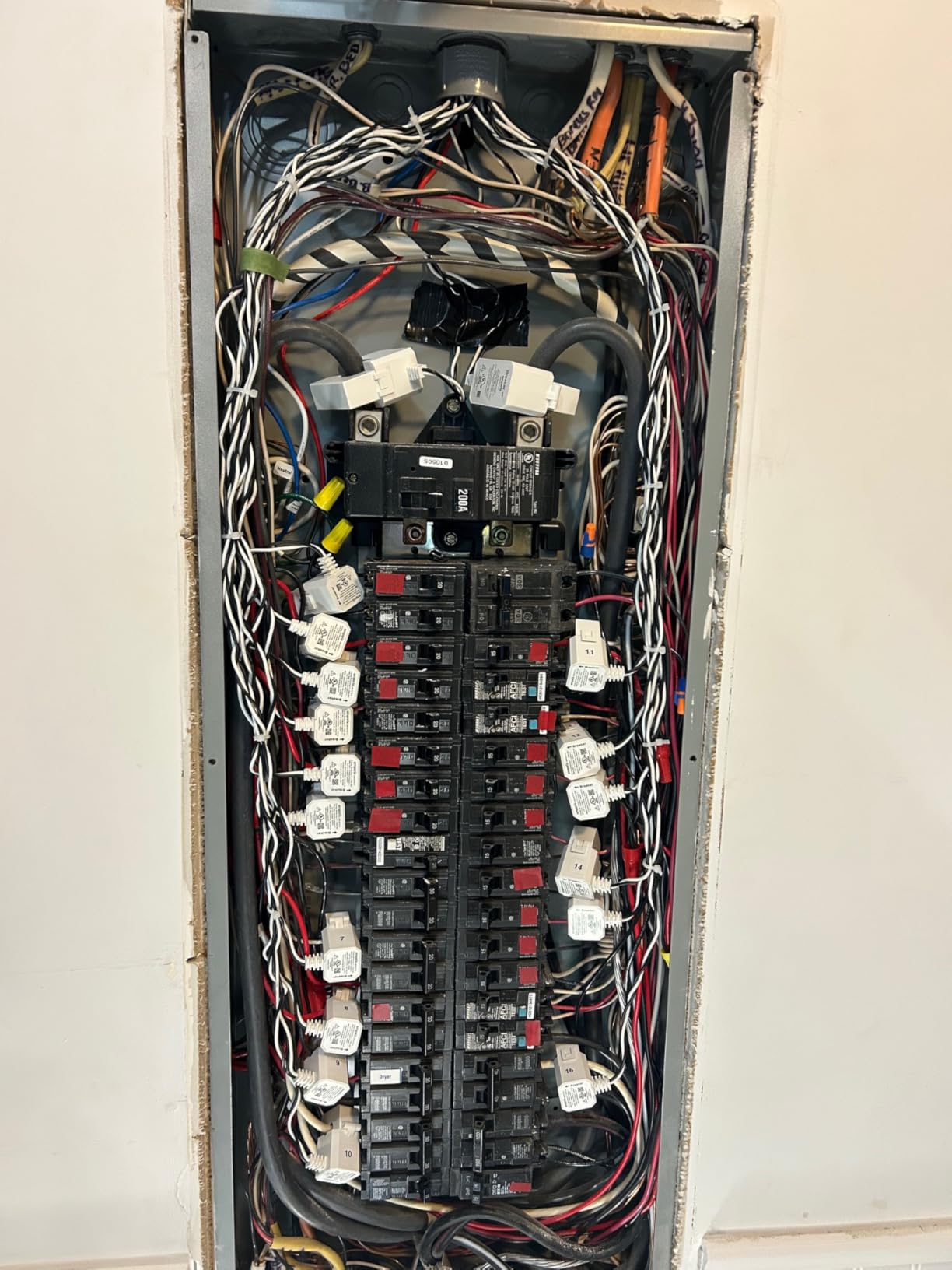
The Emporia Vue 3 is the circuit-level option. It is built around sixteen 50A branch sensors and 200A main sensors, and it covers more panel types than almost anything else here: single-phase, single-split phase 2-wire, 3-wire, and 3-phase 4-wire Wye on TN/TT neutral systems. Delta configurations are out of scope.
For solar owners that coverage matters, because the PV feed often lands on a different conductor than the utility feed. Clamp both and the app subtracts one from the other to show generation, usage, and net export. Three-phase 4-wire Wye setups need one extra 200A sensor sold separately, which is worth knowing before you buy the base kit.
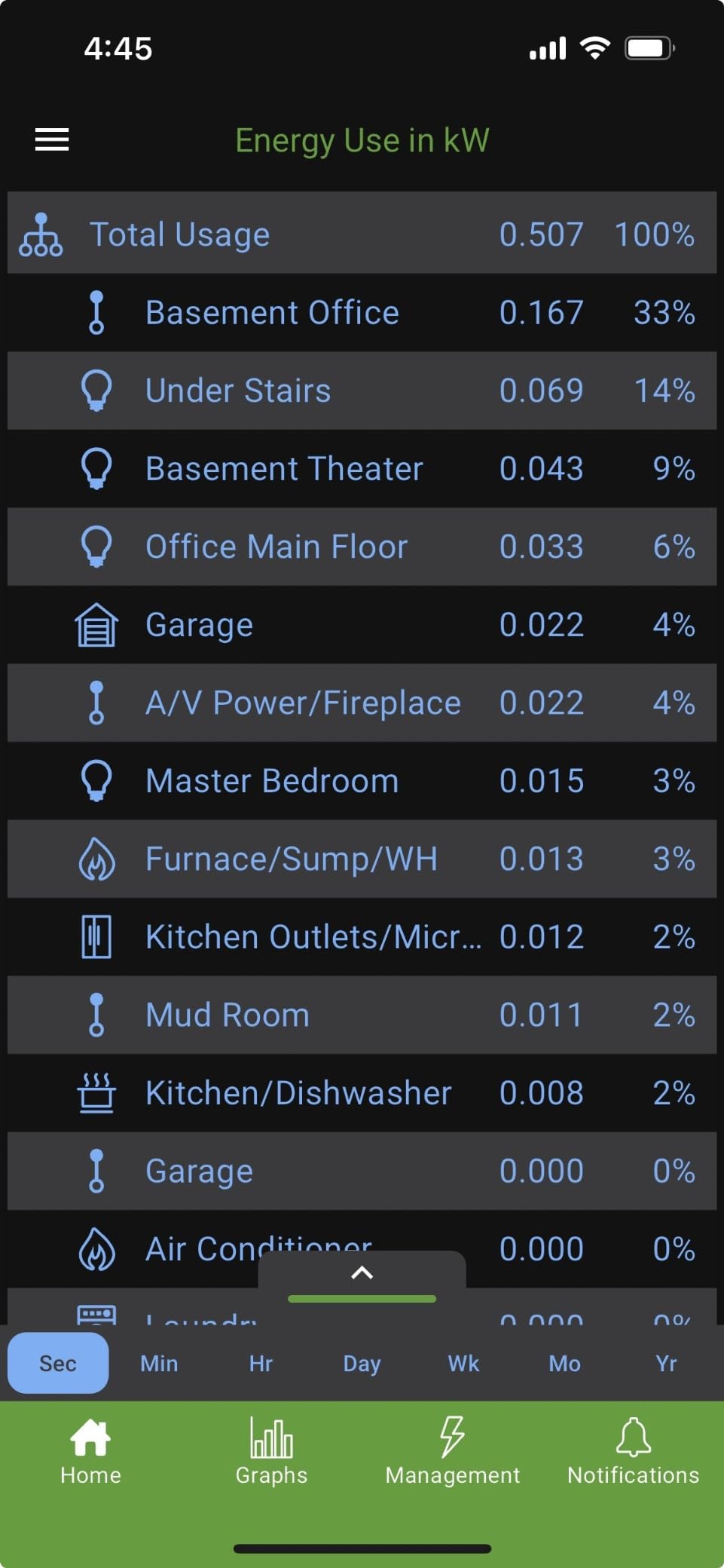
Data resolution is generous: 1-second readings for three hours while the app is open, 1-minute data for seven days, and hourly history kept indefinitely, exportable at 1-minute and 1-hour resolution. That retention shape suits time-of-use and peak demand work better than a device that only keeps a rolling window.
Forum sentiment is warm on accuracy and less so on polish. Owners on r/EmporiaEnergy repeatedly cite matching the utility meter closely and praising DIY install, while the recurring gripes are the dated app, swipe-heavy history navigation, and the inability to combine a 240V dryer’s two legs into a single channel reading. If you own an older Vue generation, note that earlier parts are connector-incompatible with Vue 3, a mismatch secondhand sellers rarely flag.
Do you need the 16-circuit kit or does the base Vue work?
For solar alone, the base kit with main sensors is enough to see production, consumption, and export. The branch sensors earn their cost when you want to know whether the EV charger or the heat pump is running on surplus or on grid import.
Count your actual loads before buying extra sensors. A typical 2,000 sq ft home with a fridge, washer, dryer, range, HVAC, water heater, and EV charger lands around eight to ten channels of real interest, not sixteen. Unused channels are just clutter in the panel and noise in the app.
Who should skip the Vue 3?
Skip it if app experience is a top-three criterion for you, or if your panel is already packed. Sixteen CTs plus a harness in a full 200A panel is a tight fit, and owners with older panels report the wiring as the hardest part of the job.
Skip it if you plan to run everything locally with no vendor server involved. The Vue does integrate with Home Assistant, but the Meross and IAMMETER options below keep data on your network by default instead of by configuration.
3. Meross 18-Circuit Energy Monitor Review: Best for Home Assistant Users
- Local-only data with no cloud dependency and no subscription
- Native Home Assistant integration with Open API and Web Control
- 18 channels of coverage from one unit
- CT direction can be inverted in software without moving clamps
- App serves the whole Meross product line and feels clunky
- Limited to 10 aggregated channels with basic graphing
- Branch sensors cover phase A or phase B but not both in a split-phase panel
The Meross EM16 is built around one idea: your energy data should never have to leave your house to be useful. It is ETL certified to the UL 61010 testing standard, carries two 200A main sensors plus sixteen 60A branch sensors, and stores up to five years of data with no subscription attached to any of it.
That five-year retention matters more than it first appears. Most vendor clouds keep a year or two of history at best, and a solar owner comparing year two against year one on the same weather is often told the older data is gone. Local-first hardware sidesteps that entirely.
Solar surplus detection is the headline feature, and it is the one that turns a monitor into an automation tool. The app can watch for surplus generation and trigger an EV charger or water heater rather than exporting that power at a low export rate. Accuracy on power, voltage, current, and power factor is within plus or minus 2%.
What does local-only data actually change for a solar owner?
It changes where your history lives. With a native Home Assistant integration plus Open API and Web Control, automations read from the device on your LAN, so a vendor outage or shutdown does not leave you with a blank dashboard and no recourse.
r/homeassistant users building dashboards from Emporia, Shelly, and IAMMETER feeds consistently prefer local MQTT over vendor clouds for exactly this reason. Meross is the option on this list where that is the default rather than a project.
Where does the Meross fall short?
The app is shared across the entire Meross catalog, so the energy experience is a sidebar in a general smart home app rather than a purpose-built dashboard. Graphing is basic and there are no what-if scenarios for planning an EV charge against tomorrow’s forecast.
On a large split-phase panel, the branch sensors cover phase A or phase B but not both, which can leave a side of the panel unmonitored at circuit level. Reviewers also want a stronger WiFi signal at the panel than a typical router provides, since the metal door is a real obstacle.
4. IAMMETER WEM3080T Review: Best for Three-Phase Solar
- Single bi-directional meter covers grid import
- grid export
- and solar production
- Works with Home Assistant
- openHAB
- Node-RED
- ioBroker
- and PVoutput through Modbus TCP/RTU and an open API
- Generates hourly
- daily
- and monthly billing reports
- Solar PV income and consumption reporting
- DIN rail three-phase form factor assumes a panel with room for a meter module
- Cloud-dependent features sit behind the vendor app for less technical users
The WEM3080T is a three-phase bi-directional DIN rail meter built for split-phase systems, using a 150A split-core current transformer configuration. It monitors grid import, grid export, and solar production in real time from one device, then produces hourly, daily, and monthly billing reports you can hold against your utility statement.
Where it separates is protocol access. Modbus TCP/RTU plus an open API means it drops into Home Assistant, openHAB, Node-RED, ioBroker, and even PVoutput for system-level production logging. If you already run a local automation stack, this is a meter that speaks your language rather than a locked dashboard.
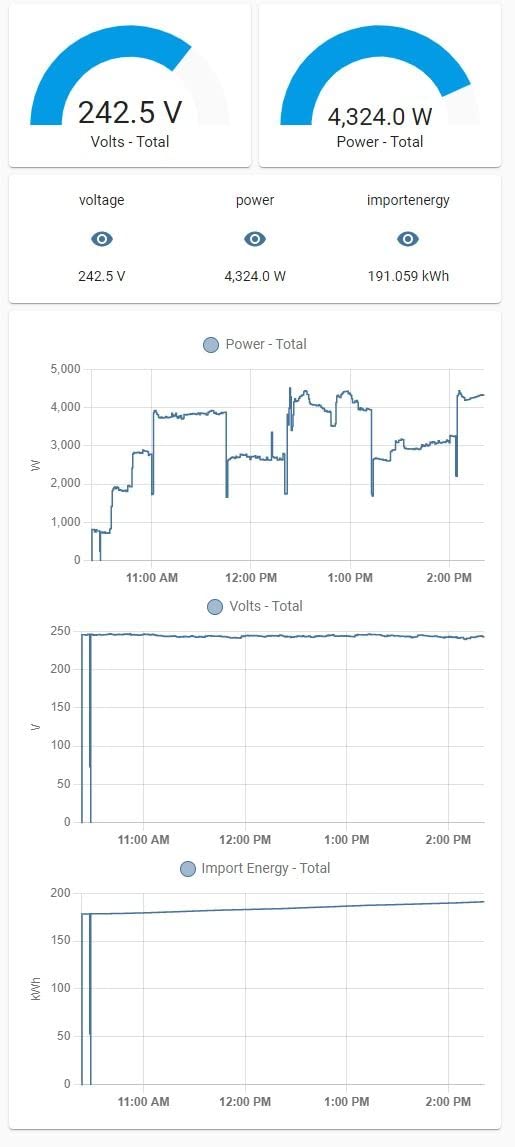
The physical unit is small at 3.55 x 2.8 x 2.26 inches and 1.59 pounds, which helps in a crowded panel. The reporting format is genuinely useful for solar payback work, since the PV income and consumption report shows what you generated against what you actually used on site.
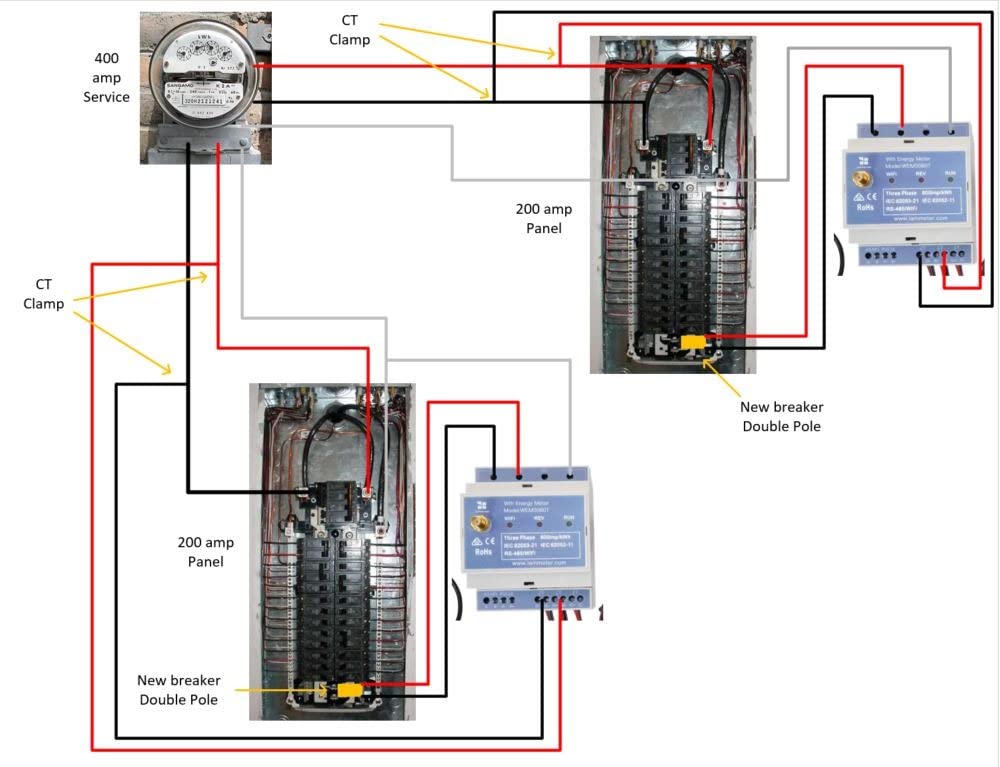
Owner feedback is technical and positive, with 73% of ratings at five stars across a 72-review base. The reservation that comes up most is physical: a DIN rail three-phase module needs real estate in the panel, and owners with tightly packed load centers report that footprint as the deciding factor. Basic history viewing sits behind the vendor cloud, so plan on using the open API if you want everything local.
Is this a revenue grade meter for utility credit claims?
It is certified to UL alongside CE and FCC, which covers the safety and accuracy question for residential use. It is not the same category as a utility revenue grade meter that a utility will accept for settlement, so do not expect it to substitute for one in an interconnect dispute.
For checking your own export credit locally, the hourly and monthly billing reports are the right tool. Compare a month of WEM3080T export figures against your invoice and any gap is far easier to explain when you have hourly resolution rather than a single monthly number.
When does a three-phase DIN meter beat a clamp kit?
When you have three conductors to watch. A clamp kit sized for a single-phase panel does not extend to a three-phase Wye system without extra sensors, whereas this meter treats all three phases natively and reports them per phase.
It also wins on footprint. One module replaces a main sensor plus a branch harness, and the wiring is a short CT run instead of sixteen leads dressed through the panel.
5. Siemens Inhab Energy Monitor Review: Best for Excess Solar Automation
SIEMENS Inhab Smart Home Energy Monitor with 16-50Amp Circuit Level Sensors and 2-200Amp Main Sensors for Real Time Electricity Monitoring and Metering
- Measures each circuit directly at the panel instead of inferring device draw
- Logs data down to 1-second resolution with 15-minute demand tracking
- Time of Use
- Peak Demand
- and Excess Solar management
- Net metering with load shedding of compatible EV chargers
- UL Listed and CE marked in the US and Canada
- No Home Assistant integration
- which pushes some automation users to other brands
- Square-cornered 50A CTs are hard to clip and saturate above roughly 70A
- CSV-only data export with occasional spurious high reading spikes
The Siemens Inhab INHEM1216 pairs two 200A main sensors with sixteen 50A circuit sensors and logs down to 1-second resolution. It is UL Listed and CE marked for the US and Canada, which is the certification most people in this category argue matters, since the hardware sits inside a live panel.
The feature that earns it a place in a solar roundup is Excess Solar Management alongside Time of Use and Peak Demand Management. Net metering figures feed load shedding for compatible EV chargers and smart devices, so surplus generation can start the car instead of being exported. One owner reports net metering numbers that matched a utility bill exactly.
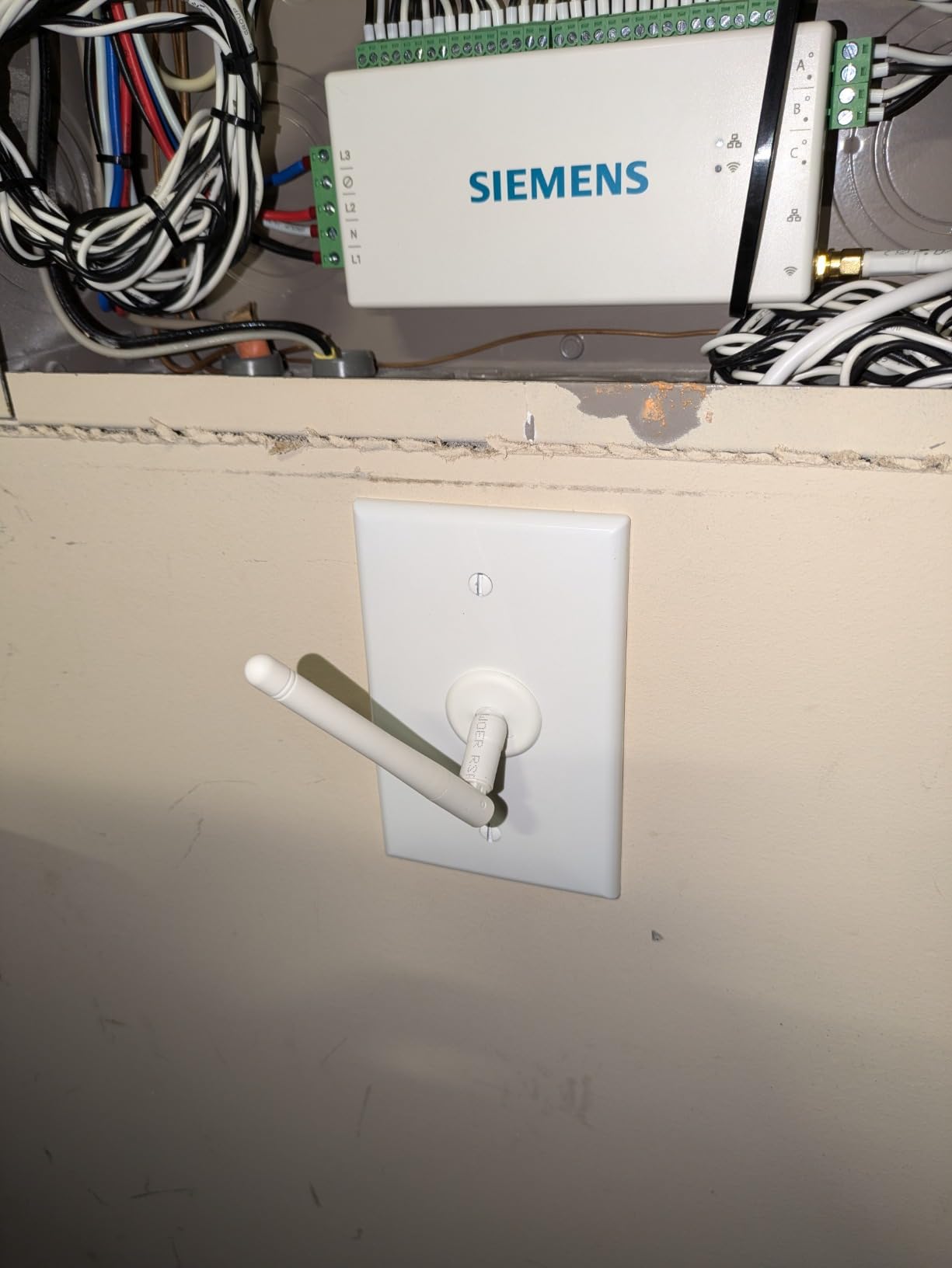
Two practical details reward attention. An Ethernet jack sits alongside WiFi, which makes fixed installations genuinely plug and play instead of a signal negotiation with a metal panel door. And the CT leads can be trimmed, which reduces the cable clutter that makes 16-sensor kits hard to live with.
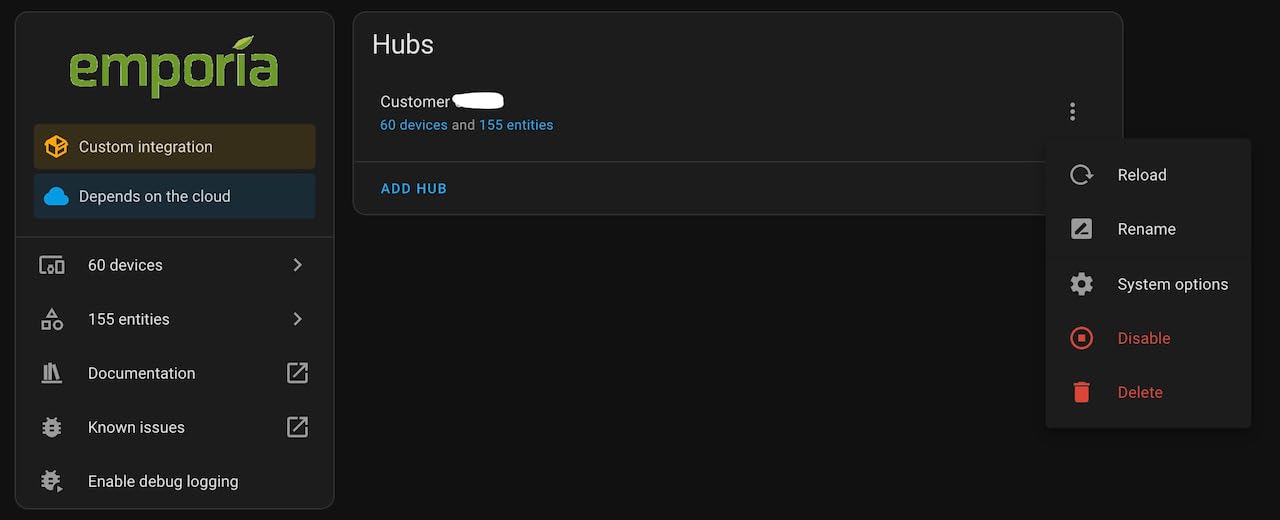
Two drawbacks come up repeatedly. There is no Home Assistant integration, and owners who have automated their whole home on a local platform describe that as the dealbreaker. Separately, the square-cornered 50A CTs are physically hard to clip around tight conductors and reviewers report they saturate above roughly 70A, which matters if you put one on a main HVAC or range circuit.
Who does the 1-second logging actually help?
Anyone chasing peak demand or fast-changing loads rather than monthly totals. 1-second data with 15-minute demand tracking captures the shape of a spike, which is the difference between seeing that your demand charge went up and knowing which circuit caused it.
It is less useful if you only check monthly numbers. Most people reading this dashboard once a week would get the same answer from 1-minute data, so the resolution is a bonus for EV and heat pump households rather than a reason to buy on its own.
Is the Siemens worth it without smart home integration?
If you want a self-contained app with solar automation and no interest in local platforms, yes. Excess solar load shedding and UL Listed hardware are a solid combination that the entry-level and mid-range kits do not offer together.
If Home Assistant or MQTT is part of your life, the missing integration removes most of the appeal, and the local-API options later in this list serve you better. Also budget for a plan B on CT sizing, since the 50A sensors have a stated ceiling well below a 100A branch.
6. IAMMETER WEM3050T Review: Best Single-Phase Solar Value
IAMMETER WEM3050T WiFi Energy Meter, Smart Home Energy Monitor for Solar & Power Monitoring, Real-Time Electricity Usage, Compatible with Alexa (Multi-Phase Support)
- 4.7 rating with the cleanest rating distribution in this group
- Works without a separate gateway once on WiFi
- Optional open API keeps Home Assistant and MQTT users off the vendor cloud
- Advanced features are optional and need some setup knowledge
- Cloud portal is needed for basic history viewing
The WEM3050T covers split-phase 120/240V as well as single-phase and three-phase systems, and it tracks grid import, grid export, consumption, and solar self-consumption. It connects directly to 2.4 GHz home WiFi with no additional gateway, then serves free iOS, Android apps, and a web portal.
Self-consumption is named explicitly in the feature set rather than buried in a chart, which is the number a solar owner is actually chasing. When you know what share of production landed on site, you know whether shifting the water heater to midday would cut export or whether you are already self-supplying.
Owner ratings sit at 4.7 with 80% of reviews at five stars and no one-star ratings at all, the cleanest distribution in this group. Reviewers describe accurate readings with a short learning curve and value in getting solar and grid data from one unit rather than bolting two devices together.
Is a two-channel meter enough for a solar household?
For net metering, yes. One channel for the grid connection and one for the PV feed is the minimum useful pairing, and this unit handles both directions in a single body with no gateway in the chain.
What you give up is attribution. There is no branch-level detail here, so you will see a midday export total but not whether that came from the dryer or the water heater. Most solar households decide that is an acceptable trade.
What does the optional open API cost you in effort?
Configuration knowledge, mostly. The open API, Home Assistant, Node-RED, and MQTT paths are all available, but they are optional extras that take setup rather than being ready on first boot.
Basic history viewing sits in the cloud portal, so if staying off vendor servers is a hard requirement, pair this with the local-first Meross instead. If it is a preference, the open API route is a weekend project and well documented.
7. Aeotec Home Energy Meter 8 Review: Best for Z-Wave Homes
- Z-Wave 800 series Long Range with S2 and AES-128 encryption
- Long-range Z-Wave reached a remote meter base where WiFi could not
- Plus or minus 0.5% measurement accuracy
- Reports grid consumption and solar export to a Z-Wave hub for load diversion
- Requires a Z-Wave gateway and a dedicated breaker for panel power
- One buyer could not pair it with SmartThings despite the listing claim
- Home Assistant users need careful param reading to separate phase-independent from summed values
This is the only Z-Wave option in the group, and for a household already running SmartThings or a Z-Wave mesh it fills a real gap. It is built around two 200A split-core clamp-on sensors, supports up to two phases or split phases of mains power, and measures surplus solar production alongside consumption.
Two numbers stand out. The stated measurement accuracy is plus or minus 0.5% over an 80V to 150V, 0A to 200A measuring range, tighter than most clamp kits here. And Z-Wave 800 series Long Range reaches up to 984 feet with S2 and AES-128 encryption, which is why one owner paired it with a meter base about 50 yards from the house where WiFi could not reach.
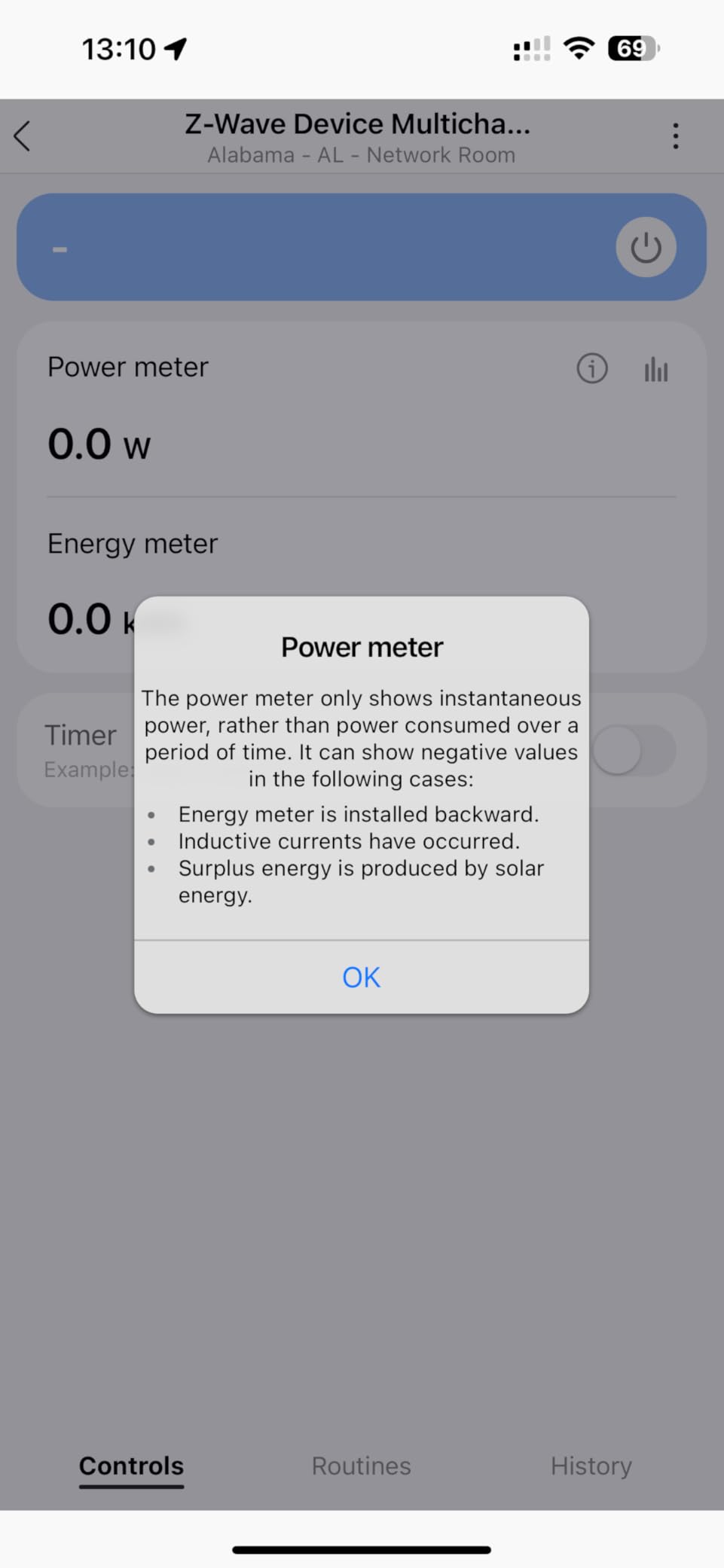
Solar owners use the export report to drive load diversion through the hub, so surplus can start a compatible device instead of flowing out to the grid. Owners also report that adding the meter improved overall Z-Wave network reliability as a side effect, since it re-transmits as a powered node.
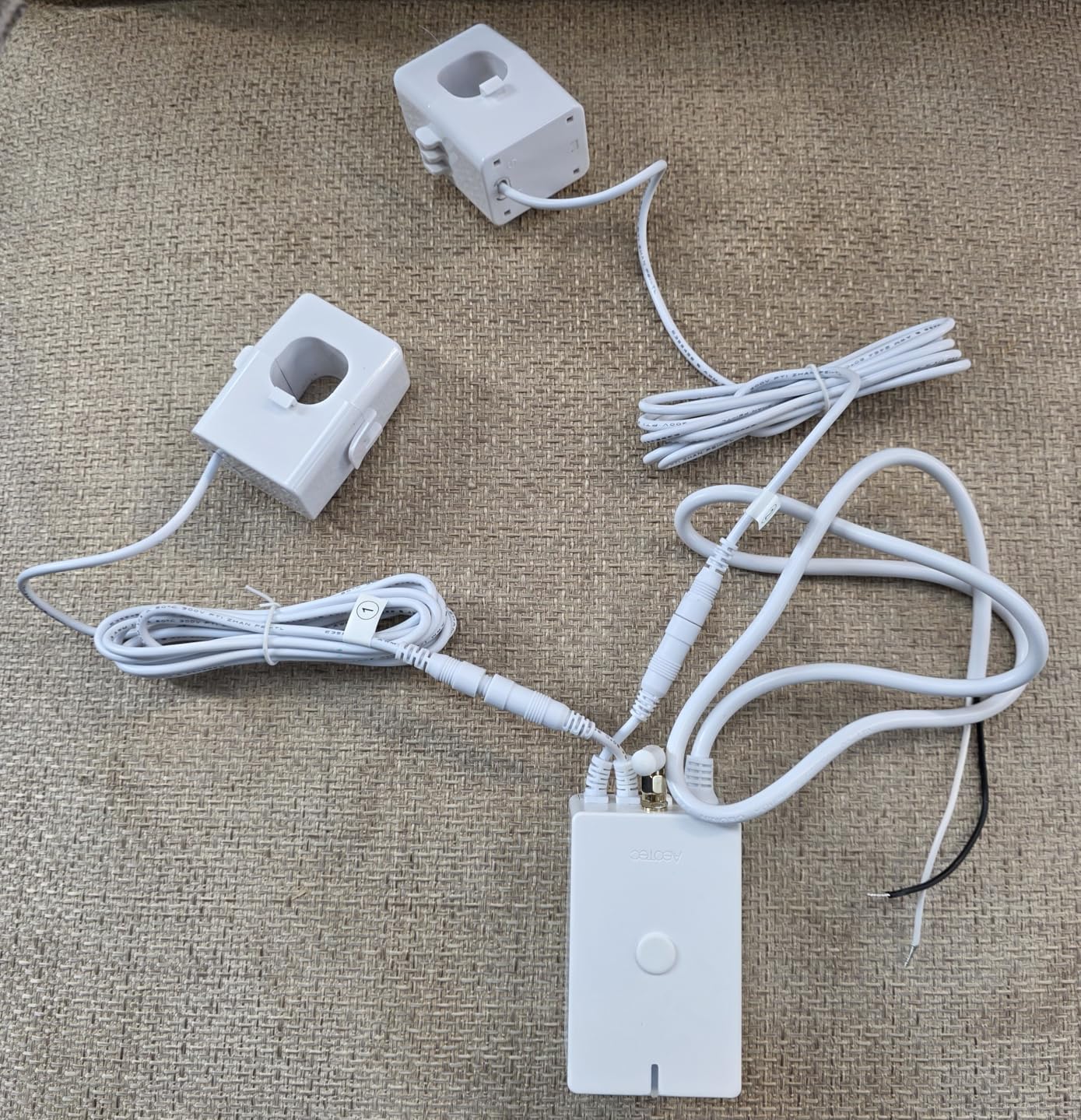
The caveats are real. It needs a Z-Wave gateway and a dedicated breaker for panel power, which puts it out of reach for anyone starting a mesh from nothing. At 24 reviews the base is thin, with 71% five stars but a notable 14% one-star share, and the single biggest complaint is a buyer who could not pair it with SmartThings despite the listing claim and could not get it resolved. In Home Assistant, params need careful reading to tell phase-independent values from summed ones.
When is Z-Wave worth choosing over Wi-Fi?
When the panel is not near your router, or when you already own a Z-Wave mesh. Long Range is the deciding feature: 984 feet of theoretical reach in a metal box that blocks 2.4 GHz signals is a genuine problem this solves and the Wi-Fi options cannot.
It also wins if you want mesh resilience for anything else, since every powered Z-Wave node strengthens the network for your sensors, locks, and lighting.
Who should avoid the Aeotec?
Anyone without an existing Z-Wave ecosystem. You are buying into a protocol for the whole house based on one energy monitor, and the setup adds a gateway, a hub, and a panel breaker.
Also weigh the review base. At 24 reviews with a 14% one-star share driven by a pairing failure, there is less community evidence that the failure modes are rare. If solar accuracy is your primary concern, a monitor with a larger review history is the safer baseline.
8. Blindsmart WiFi Home Energy Monitor Review: Budget Pick for Solar
- Entry-level monitoring with accuracy reported to Class 1
- Compact split-core CTs and pluggable terminals simplify installation
- Bi-directional tracking separates grid export from household use
- Supports HEMS with Dynamic Load Balancing and zero grid export mode
- Printed instructions point to a support site that does not resolve
- Some units failed to connect over WiFi or Bluetooth
- Smart Life free tier limits full functionality
The Blindsmart unit is a two-channel monitor for households that want net metering visibility without a full panel harness. It uses two 120A compact split-core current transformers with pluggable terminals, handles single-phase 3-wire configurations, and reports Class 1 bi-directional measurement for solar and battery storage systems.
Plug-and-play is the pitch and mostly the reality. Setup runs through the Smart Life app on 2.4 GHz WiFi, and the plugs-in terminals mean you are not splicing wire. For a rental or a first-time solar owner who wants to check whether export is even happening, that is a sensible starting point.
The feature set goes beyond basic monitoring. HEMS support includes Dynamic Load Balancing and a zero grid export mode, so surplus solar can be directed to loads rather than exported. Real-time voltage, current, power, and cumulative energy reporting are all present, along with custom alerts and automation scenes.
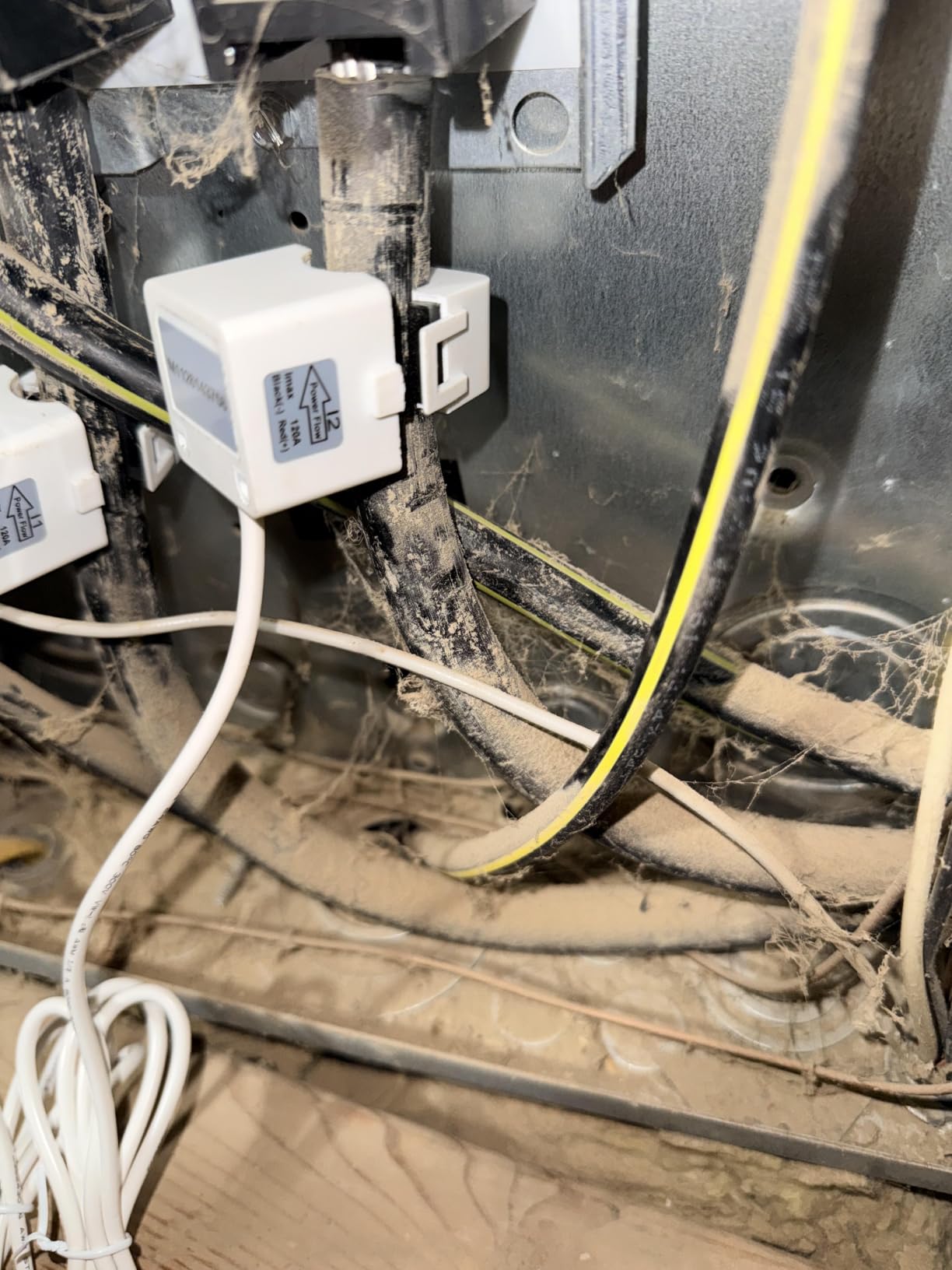
Now the honest part. Reviewers report accurate readings that match inverter production, but also the widest rating spread in this group: 62% five stars against 11% one-star. The recurring negatives are documentation quality, since printed instructions point to a support site that does not resolve, pairing failures over WiFi and Bluetooth, and Smart Life free tier limits on full functionality. One reviewer also notes the app shows L1 and L2 as positive on the main screen while the data tab shows L1 as negative, which causes confusion if you are trying to verify direction.
Is this accurate enough to check solar production?
For a yes or no answer, yes. Owners report production figures that line up with inverter readings, and Class 1 accuracy is a reasonable target for a two-channel device.
For anything finer, be careful. Two channels cannot separate the PV feed from a specific branch circuit, so any mismatch with your utility bill is hard to diagnose. Treat it as a screening tool and move up to a multi-circuit kit if the numbers do not add up.
Who should buy the budget option and who should skip it?
Buy it if you are renting, testing whether solar monitoring is worth it to you, or you have a battery system you want a second opinion on. Two channels and a compact install is a reasonable way to learn what you actually want to see.
Skip it if you plan to lean on the data. Cloud app limitations, unresolved documentation, and a sign convention that changes between screens will all become frustrating the moment you try to reconcile monthly totals against a bill. The gap between this and the mid-range picks above is a few hours of your time and a lot of frustration.
9. Leviton LWHEM-2R Review: Best for Leviton Smart Panel Owners
Leviton LWHEM-2R Whole Home Energy Monitor With One Pair Of CTs – Make Your Load Center Smart – View Whole Home Energy Usage In My Leviton App
- Remotely checks and switches smart breakers from the My Leviton app
- Shows which power sources are feeding the home
- useful for solar and backup systems
- Estimates monthly electric bill cost in the app
- Automatic load shedding preserves essential circuits during backup power
- No Home Assistant integration
- which several buyers called the dealbreaker
- 2nd Gen software makes you total breakers manually instead of showing whole-panel totals
- Frequent reboots and factory resets reported
The Leviton LWHEM-2R includes one pair of current transformers and is built to sit inside a Leviton load center with 2nd Gen smart breakers. That pairing is the entire proposition. It monitors whole home consumption and production in real time over WiFi, with over-the-air firmware updates, and it shows which power sources are feeding the home, which is genuinely useful when solar and a backup system are both involved.
What it adds over a plain monitor is control. It remotely checks and switches 2nd Gen Smart Circuit Breakers and schedules their activity, and with an Automatic Transfer Switch it sheds nonessential smart breakers to preserve essential circuits during backup power. The My Leviton app also pulls in Decora Smart WiFi lighting and Evr-Green EV chargers.
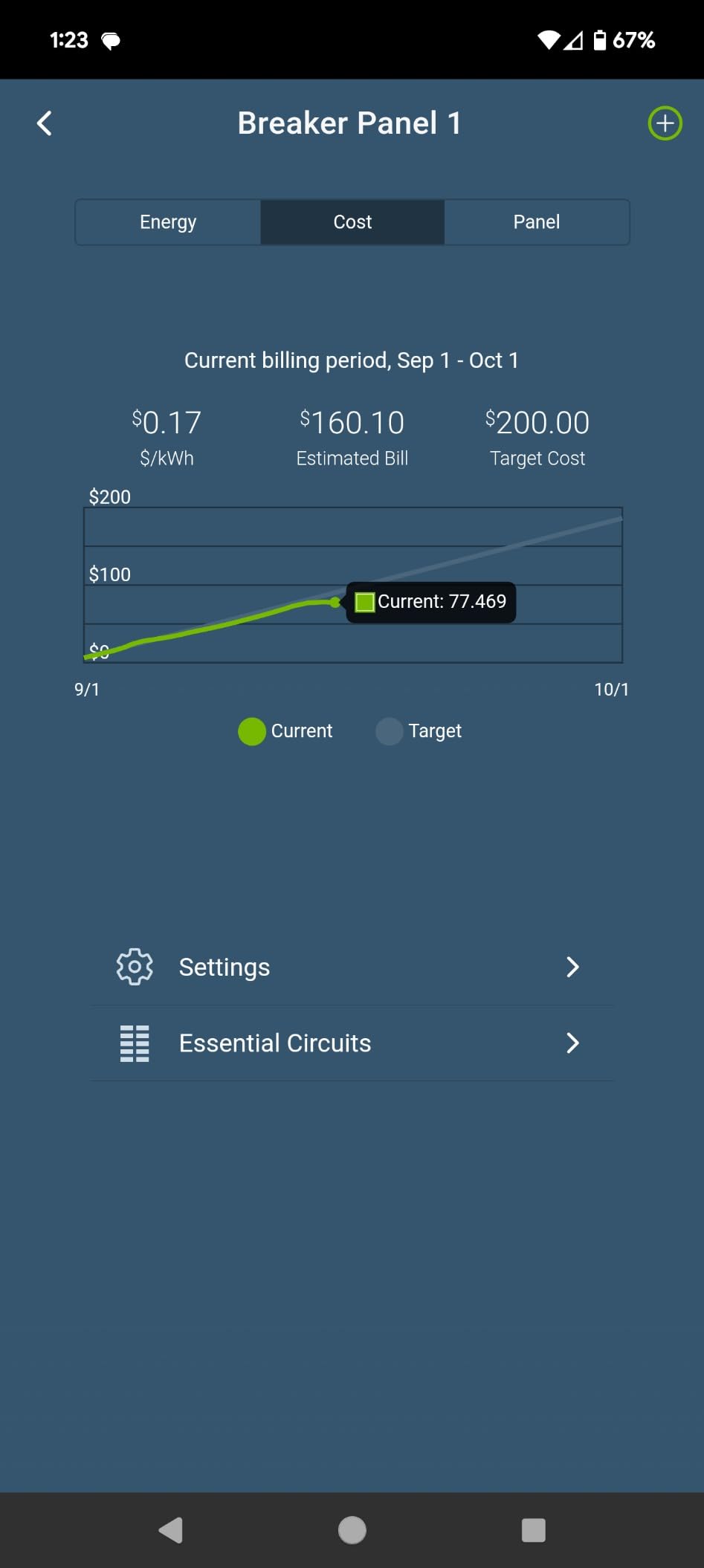
When production stops and the grid takes over mid-afternoon, knowing which source is feeding the home separates a normal cloudy interval from an inverter fault without opening an app on the inverter.
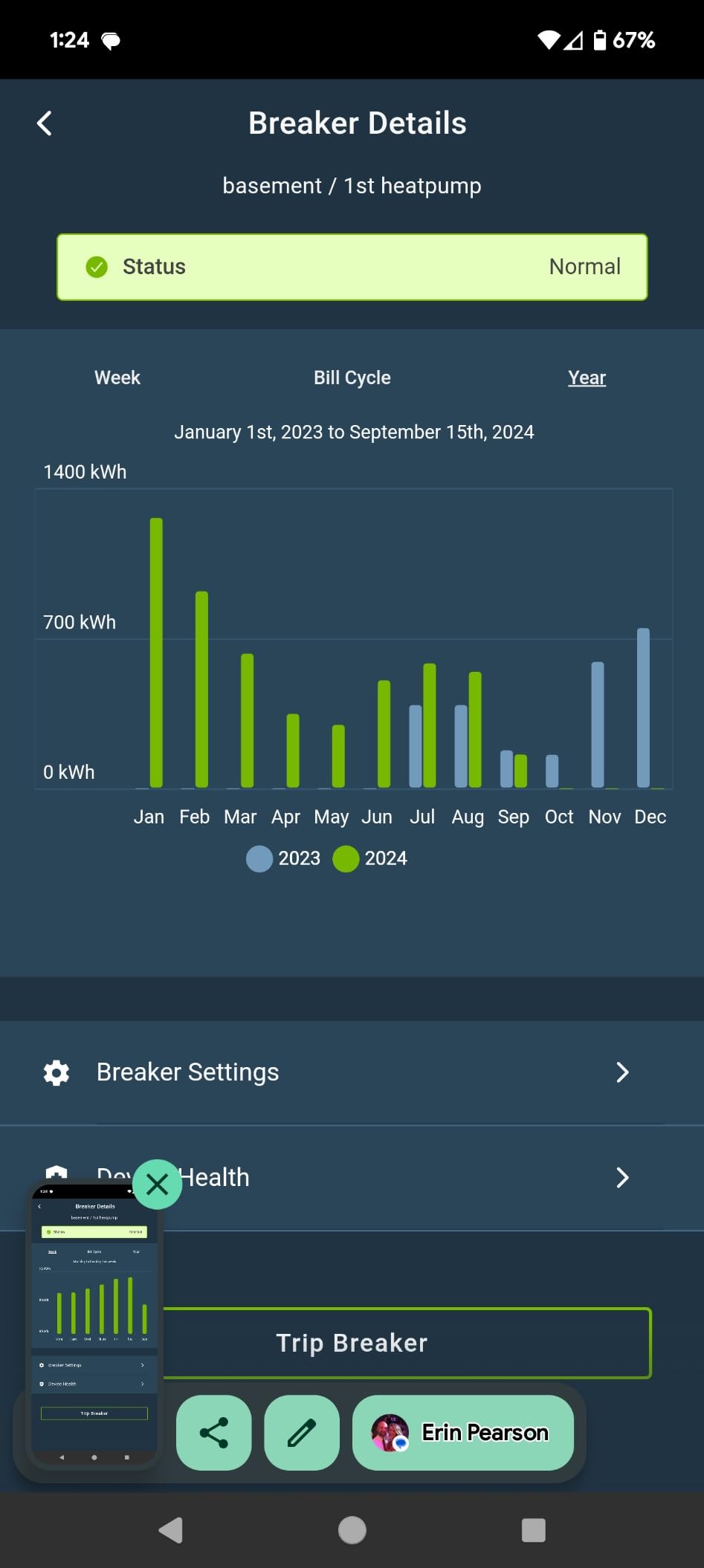
The 23-review base is sharply divided, at 59% five stars and 10% one-star, and the reasons are clear. There is no Home Assistant integration, which several buyers named as the dealbreaker. 2nd Gen software makes you review each breaker and total them yourself rather than showing whole-panel totals, some users report frequent reboots and factory resets with the app confusing a CT for a smart breaker, and one owner needed a costly electrician visit to restore Bluetooth pairing. Some also describe the reported data as unreliable for month-to-month comparison.
Does the Leviton deliver breaker-level detail for solar?
Only inside its own ecosystem. It needs a Leviton load center with 2nd Gen smart breakers to produce breaker-level detail, so a standard panel gives you whole home consumption and production and nothing finer.
If your panel is already a Leviton 2nd Gen load center, that constraint disappears and the monitor becomes a natural extension. If it is not, you are buying a monitor for a panel you do not have.
Who should pass on the LWHEM-2R?
Pass if you want independent data. No Home Assistant integration, manual breaker totals, and reported reliability issues make this a poor choice for anyone cross-checking their numbers against a utility bill.
Pass if your main goal is optimizing solar consumption. Leviton can shed load, but it will not run zero-export automation against surplus generation the way the Siemens and Meross units do. It manages what is connected more than what is being produced.
10. IAMMETER WEM3080-150A Review: Best Single-Phase DIY Install
- Single-phase bi-directional meter measuring grid-to-home and home-to-grid in one device
- Open API and Modbus TCP/RTU for Home Assistant
- Node-RED
- openHAB
- and ioBroker
- MQTT queryable at up to 1 second intervals
- Works with Alexa alongside the vendor cloud and app
- Offline mode still attempts to reach external servers unless domains are blocked manually
- No printed instructions
- setup is QR code only
- Clamp direction and AC polarity both need care
The WEM3080-150A is the simplest way to get true bidirectional flow out of a single-phase panel. It uses a 150A split-core current transformer with DIN rail mounting and measures grid-to-home and home-to-grid in one device, so you can see import and export as separate figures rather than one net number that only tells you the direction after the fact.
Solar PV production and self-consumption visualization come standard. It works with Alexa alongside the vendor cloud and mobile app, and it runs in a -20 to +60 degrees C range, which covers a garage or utility room in most climates.
For technical users the protocol support is the main draw. Open API and Modbus TCP/RTU connect it to Home Assistant, Node-RED, openHAB, and ioBroker, and MQTT is queryable at intervals down to one second. Owner sentiment on accuracy is strong, with readings verified against professional meters and utility bills.
How private is the local Home Assistant integration?
Close, with one caveat. Owners report running local Home Assistant integration with no external servers required, which is exactly what you want. The recurring complaint is that offline mode still attempts to reach external servers unless you block the domains manually.
So if privacy is non-negotiable, plan to add the domain blocks on your router as part of setup. A few minutes of work removes the last external call and makes the local story complete.
What makes installation trickier than it looks?
Two things: documentation and antenna placement. There are no printed instructions, so setup is QR code only, and reviewers say clamp direction and AC polarity both need care to get correct readings before you trust the numbers.
The antenna wants to be mounted on the outside of the panel to hold signal, which is a small step people skip and then wonder why pairing fails. A 9.3 ounce unit and one CT make this one of the lighter installs in the group, which helps if you are working in a tight panel with the cover off.
How to Install CT Clamps So Your Solar Numbers Are Right
Most solar monitoring complaints trace back to one of two clamps being on the wrong conductor. The fix takes about an hour and no wire cutting, because split-core CTs clip around existing conductors rather than threading them.
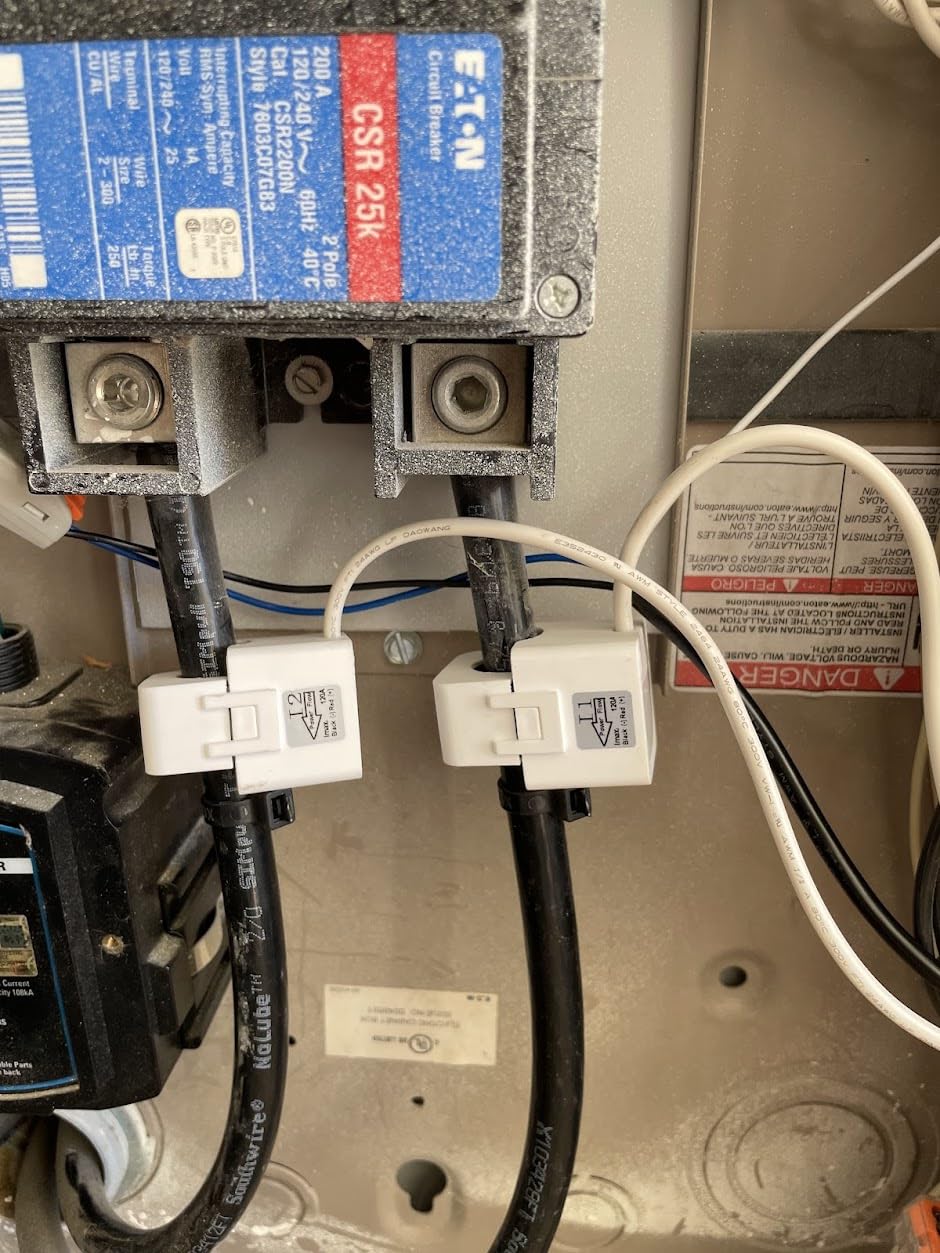
Step 1: Identify the mains feed. The two hot conductors leaving the main breaker carry everything the house draws from the grid. This is the grid import and export point, and clamping both legs is what gives you bidirectional flow.
Step 2: Identify the PV feed. On most grid-tied installs this is a dedicated breaker or a backfed breaker fed from a conduit running toward the inverter. Clamp the two conductors on that circuit and you have generation measured separately from consumption.
Step 3: Get the orientation right. Power flows toward the load. A clamp facing the wrong way reads negative, which is how you get an impossible number like an export total larger than generation. Some monitors let you invert direction in software instead of re-seating the clamp, which is worth checking before you start.
Step 4: Pair and label in the app. Give each channel a name before you start recording. Six weeks of unlabeled data is six weeks of guessing, and channel identity is what makes the per-circuit views useful later.
Step 5: Verify against a known quantity. Turn on the dishwasher for a full cycle and check the number moves. Then compare one full day of grid import against your inverter’s production figure. If they are wildly different, the clamp placement is wrong, not the monitor.
Why Your Monitor Total May Not Match Your Electric Bill
Solar owners hit a wall when their dashboard and their invoice disagree, and it is the fastest way to lose faith in a device. In our reading of owner reports, the cause is nearly always installation or utility-side timing rather than a faulty meter.
Clamp orientation is first. An inverted CT produces negative readings that skew every downstream total, and the symptom owners describe is a balance that stays unusually high or shows green when the house is running on solar. The Emporia documentation maintains a dedicated help article on exactly this balance and utility mismatch pattern, which tells you how common it is.
Service type is second. A 2-wire panel has no neutral at the equipment ground, and a 3-wire panel does. Several monitors in this list support 2-wire, 3-wire, and split-phase, but not all at once, so a setup that assumes a neutral on a panel that does not have one will never balance correctly.
Utility billing timing is third, and it is not a fault at all. Utilities typically read your meter at a fixed time, not at midnight, so a month shown on your invoice covers an odd window. Compare like for like by aligning your monitor’s export total to the utility read date rather than the calendar month.
Finally, add up everything behind the meter. Vacuums, pool pumps, and well pumps running while nobody is home can account for a real gap between your monitor and an estimate. A plug-level logger on those circuits for a week settles the question quickly.
How to Choose a Home Energy Monitor for Solar
Start with panel type, not features. Confirm whether you have single-phase 2-wire, single-phase 3-wire, split-phase, or 3-phase 4-wire Wye. Not every monitor covers all four, and a mismatch is the most common reason a kit gets returned. Three-phase Wye on the Emporia Vue 3 also needs an extra 200A sensor.
Decide how many channels you actually need. Two channels, mains and PV feed, handle net metering. Sixteen channels tell you which appliance is running. A 2,000 sq ft home with a fridge, washer, dryer, range, HVAC, water heater, and EV charger has about eight to ten channels of real interest, so a full 16-sensor kit often includes more than you will use.
Check accuracy claims against your tolerance. Specs here range from plus or minus 0.5% on the Aeotec to plus or minus 2% on the clamp kits. Any of them is fine for behavior, but if you intend to reconcile against a utility bill every month, tighter is better. Class 1 and 1% ratings are the ones to filter on.
Decide about the cloud before you buy. Subscription fees are a dealbreaker for multi-year ownership, and most monitors here charge none. Data location matters just as much: local-only options such as the Meross, and API-accessible meters such as the IAMMETER units, keep history on your network, while cloud portals cap retention and can disappear with a vendor.
Check ecosystem compatibility. Home Assistant, MQTT, open API, and Modbus TCP/RTU support all show up in this category, but not evenly. If you run a local automation stack, the Meross and both IAMMETER models are the ones with a documented local path. The Siemens and Leviton options have no Home Assistant integration, which buyers in both cases called the dealbreaker.
Look for bidirectional measurement. This is non-negotiable for solar. Bidirectional monitoring means the device counts reverse flow, so you can separate export from import. A monitor that only measures one direction cannot answer whether you are self-supplying, which is the entire point of adding it.
Think about automation, then verify it. Zero feed-in mode, dynamic load balancing, and solar surplus triggers let you run the water heater or EV charger on midday production instead of exporting it. The Meross, Siemens, and Blindsmart all advertise this. Confirm which loads you want to control before choosing, since it is the main reason to pay more.
Budget for the install realistically. A two-channel clamp install is a comfortable DIY afternoon for a handy homeowner. A 16-sensor harness in a full panel is a longer job, and anything on a 3-phase Wye or a panel with no DIN rail space is worth discussing with an electrician. UL Listed or ETL certified hardware matters here because the device lives in a live panel.
Which Monitor Fits Your Situation
New grid-tied install with a modern three-phase or split-phase panel: the Shelly Pro 3EM, for 1% accuracy and per-phase two-way data with no hub.
Battery storage or a hybrid inverter added later: the Shelly Pro 3EM again, since per-phase produced and used figures separate what the array made from what the battery moved. The Blindsmart unit also names battery storage systems in its bi-directional feature set if you want a second opinion on a smaller system.
EV charger owner watching surplus: the Siemens Inhab, for Excess Solar Management and load shedding, or the Meross EM16, for solar surplus triggers in a local-first app.
Home Assistant user who will not use a vendor cloud: the Meross 18-Circuit Monitor, with local-only data, Open API, and Web Control.
Renting out a home with solar: the Blindsmart two-channel unit, where pluggable terminals and a compact install are worth more than channel count. Handing a tenant a monitor also means handing over account access, so a device with a local owner-controlled dashboard is easier to manage than one bound to a personal cloud login.
Z-Wave or SmartThings household, or a panel far from the router: the Aeotec Home Energy Meter 8, for Long Range reach and 200A clamp capacity.
Already running a Leviton 2nd Gen load center: the LWHEM-2R, and only then.
Frequently Asked Questions
What is the best solar monitoring system?
The Shelly Pro 3EM is the strongest all-round choice because it measures two-way flow per phase at 1% accuracy and includes three 120A current transformers. It runs over Wi-Fi and LAN with no hub. If you need per-circuit detail rather than per-phase data, the Emporia Vue 3 covers 16 branch circuits with UL Listed hardware.
How do I monitor my own solar panels?
Clamp a CT around the two hot conductors on your PV feed breaker and another pair on the two hot mains conductors leaving the main breaker. Power flows toward the load, so face each clamp the right way or the reading goes negative. Then label the channels in the app and confirm the numbers move when a large appliance runs.
Do I need an energy monitor if I have solar?
You need one if you want to know what share of your production you use yourself rather than export, and if you want to run loads like an EV charger or water heater on surplus generation. If you already have inverter production data and a fixed export rate, the added value is behavioral change you can act on rather than a second production number.
Can an energy monitor show solar export?
Only if it supports bidirectional monitoring, which means it counts reverse current through the mains clamp. Every monitor in this guide does, because measuring export is the whole point for a solar household. Two channels, one on the mains and one on the PV feed, are the minimum to separate import, export, and generation.
What are the key differences between the Emporia Vue and Sense home energy monitors?
The Emporia Vue measures circuits directly with CT clamps, so readings are known immediately and solar and net metering are supported across single-phase, split-phase, and 3-phase Wye panels. Sense infers device draw from two mains sensors using pattern recognition, which can be slow to learn and cannot switch to dedicated-circuit monitoring when solar is present. Sense is not in this guide for that reason.
Is a subscription required for solar energy monitoring?
Several options in this guide run without a subscription attached, and the Meross EM16 is the clearest example, keeping up to five years of data locally with no cloud account. Others rely on the vendor cloud for basic history viewing, so check what the app does on a free tier before you commit, since shared platforms sometimes limit full functionality.
The Best Home Energy Monitor for Solar Owners
For most solar households in 2026, the Shelly Pro 3EM is the home energy monitor to buy. One percent accuracy, three included 120A current transformers, per-phase two-way measurement, no hub, and no subscription cover everything a grid-tied system needs to track production, consumption, and export in one place.
Buy the Emporia Vue 3 instead if you want to know which circuit is using your surplus solar, the Meross EM16 if your data has to stay on your own network, the Siemens Inhab if you want an EV charger started automatically by excess generation, and the IAMMETER WEM3080-150A if you run Home Assistant or Node-RED and want one meter that speaks Modbus.
Whatever you choose, clamp the mains and the PV feed, get the direction right, and check your first full day against the inverter’s production figure. That single hour of setup is what separates a dashboard you trust from one you stop opening. If you are also sizing the array itself, our [10 Best Portable Monitors Genuine Reviews](https://www.smashingrobotics.com/best-portable-monitors/) roundup covers display hardware for off-grid setups.