
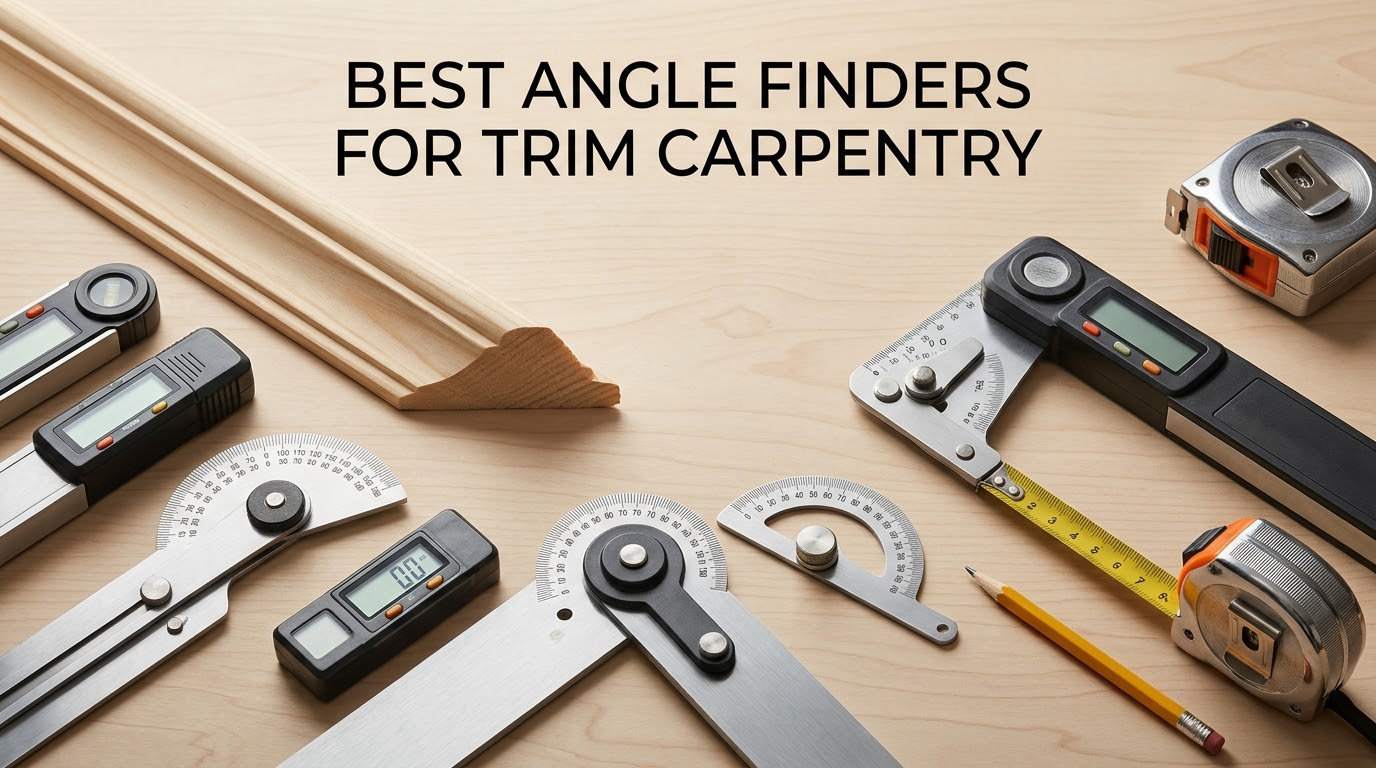
Trim joints are the most visible thing in a finished room. A baseboard miter that is off by one degree leaves a gap you can spot from across the room, and crown molding that opens up at an inside corner undoes an entire afternoon of careful work.
That is why the right angle finder matters more for trim carpentry than for almost any other job. A finish carpenter needs to know the true corner angle before the molding touches the saw, not after the first cut fails. The good news for 2026 is that the tooling in this category has matured, and a handful of options cover everything from a fifty-dollar apartment redecorate to a full-house finish carpentry package.
We spent weeks with the twelve angle finders below, comparing them on the three things that actually change your results: whether they read the true corner angle, whether they hold that reading while you walk it to the saw, and whether they stay accurate after a month of knocks and dust. This guide covers the best angle finders for trim carpentry in 2026, including a workflow section on halving the corner angle, an answer to the crown molding spring angle question that confuses almost everyone, and a sixty-second accuracy test you can run the day a new gauge arrives.
Table of Contents
Top 3 Angle Finder Picks for Trim Carpentry (October 2026)

Klein Tools 935DAG Digital Gauge
- Magnetic base for saw blades
- Auto-rotating display
- 0-90 and 0-180 degree range
LEXIVON LX-230 Aluminum Protractor
- Dual miter and single cut scales
- Anodized aluminum body
- No batteries

GemRed 82305 Digital Angle Finder
- Ruler plus protractor design
- Locking screw holds angle
- Plus or minus 0.3 degrees
Readers who want the short version should start with the Klein 935DAG. It is the one we trust for saw setup and rough framing angles, and its magnetic base lets it stick to a miter saw blade while you adjust the bevel.
If you cut crown for a living, the LEXIVON LX-230 earns its slot for a different reason: its dual miter-cut and single-cut scales remove the arithmetic that causes most crown errors. For a rental-grade setup or a first bathroom, the GemRed 82305 covers the essentials with a locking screw and no learning curve.
All 12 Angle Finders for Trim Carpentry Compared in 2026
| Product | Specifications | Action |
|---|---|---|
| Klein Tools 935DAG Digital Angle Gauge |
|
Check Latest Price |
| LEXIVON LX-230 Aluminum Miter Saw Protractor |
|
Check Latest Price |
| GemRed 82305 Digital Angle Finder |
|
Check Latest Price |
 Starrett 505P-7 Miter Protractor Starrett 505P-7 Miter Protractor |
|
Check Latest Price |
 General Tools 822 Digital Angle Finder General Tools 822 Digital Angle Finder |
|
Check Latest Price |
 Saker 7 Inch Aluminum Protractor Saker 7 Inch Aluminum Protractor |
|
Check Latest Price |
 Neoteck 16 Inch Digital Angle Finder Neoteck 16 Inch Digital Angle Finder |
|
Check Latest Price |
 General Tools Square Head Protractor General Tools Square Head Protractor |
|
Check Latest Price |
 TBVHOMM 7 Inch Digital Angle Finder TBVHOMM 7 Inch Digital Angle Finder |
|
Check Latest Price |
 Milescraft 8402 Angle Finder Milescraft 8402 Angle Finder |
|
Check Latest Price |
 Milescraft Trim45 Trim Aid Milescraft Trim45 Trim Aid |
|
Check Latest Price |
 LUVRD 505P-7 Style Miter Protractor LUVRD 505P-7 Style Miter Protractor |
|
Check Latest Price |
How to Use an Angle Finder for Trim: Halve the Corner Angle
The single most useful thing an angle finder does is tell you the corner angle, not the miter angle. Those are two different numbers, and confusing them is the most common cause of bad trim joints. Measure the corner, then halve it for each individual cut.
How to measure a corner without fooling yourself
Seat the base of the tool flat against the first surface, press the arm or fence into the second surface, and read the number. The reading only counts if the molding is held the way it will actually sit against the wall, which is the correction finish carpenters on r/Carpentry repeat more than any other: a reading taken with the molding cocked at the wrong angle is a wrong reading, no matter how accurate the tool is.
Take the reading twice and average it if the two numbers differ. A wall that reads 89.4 on one pass and 90.1 on the next is telling you something about the surface, not about the gauge.
How to halve the corner angle for inside and outside miters
Divide the corner angle by two and each cut piece gets the same number. If a corner reads 92 degrees, both halves of an outside miter get 46 degrees, and both halves of the inside miter get 46 degrees as well, but the inside pieces sit on the opposite side of the saw.
For a square corner that means 45 degrees on every piece, which is why a straight 45 works on a perfect room and fails on almost every real one. Experienced carpenters on r/Carpentry also recommend cutting the outside miter a couple of degrees steeper than measured, to absorb saw kerf and hand-fit error on visible trim.
Why 31.6 degrees keeps coming up with crown molding
The 31.6 degree figure is not your corner angle. It is the spring angle of standard crown molding, which is why a cop or a compound cut on a 90 degree wall produces a mitre that opens up. To get crown to close on a square inside corner you set the saw to 45 degrees and tilt the piece to the profile spring angle, and the tooling that makes this painless is a gauge that reads to 0.1 degrees rather than a half-degree increment.
A digital angle gauge with data hold is the practical answer here, because you can set the bevel, hold the number, and walk it to the saw without losing it.
The 60-second accuracy self-test for a new gauge
Lay the tool flat, open the arm to exactly 90 degrees against a machinist square or a known-good combination square, and confirm it reads 90.0. Then close it fully and confirm it reads 0.0. Two checks, under a minute, and you know whether the tool you just bought belongs on a visible wall.
A buyer on r/HomeImprovement reported calibrating a digital angle finder against the saw and landing within 0.1 degrees on both bevels and miters in about twenty minutes. That measure, calibrate, then cut sequence is the standard workflow, and it takes far less time than recutting a room of crown.
1. Klein Tools 935DAG Digital Electronic Level and Angle Gauge – Best Overall Angle Finder
- Accurate digital readout replaces eyeballing bevel scales
- Magnet holds on saw blades and conduit without slip
- Auto-rotating display reads in low light
- V-groove edges align on pipe
- Compact and light
- Zero function only accepts a reference near 0
- Strong magnet can bang against a blade
- Small display in dim conditions
This is the gauge that lives in our saw table. It weighs 3.5 ounces, measures 2.36 by 2.2 inches, and reads to a wide 0 to 90 and 0 to 180 degree range that also handles conduit springback. With more than 16k reviews behind it, the accuracy complaints you will find are about features rather than measurement.
For trim specifically, the magnetic base is the reason to buy it. You can stick it to a miter saw blade and read the bevel while both hands are on the saw, and you can swing it to a wall or a conduit run without holding anything.
The auto-rotating reverse contrast display flips when the tool is upside down, which sounds minor until you are reading a ceiling angle from a ladder. Owners use it to transfer wall angles onto matching boards and to check knife sharpening angles, and the readout stays consistent across those jobs.
Two limitations are worth knowing before you buy. The zero function only accepts a reference angle close to zero, so it cannot be set to an arbitrary reference angle, and the magnet is strong enough that it can bang the tool against a blade if you are careless.
When the Klein 935DAG is the right call
Reach for it when you are setting bevels, checking saw accuracy, or transferring an angle onto stock rather than reading a wall corner. It is also the best pocket option here, small enough to stay on you through a whole trim day.
Finish carpenters who mostly miter crown against a wall corner will still want a miter protractor alongside it, because the dual scales do the bisecting math for you and the digital gauge does not.
When to pick something else
It is not the tool for reading a tight inside corner where a ruler-shaped body will not fit, and the coin cell battery means you should keep a spare on hand. If you have very poor eyesight, the small screen is worth checking before you commit.
2. LEXIVON LX-230 Aluminum Miter Saw Protractor – Best for Crown Molding
LEXIVON Aluminum Miter Saw Protractor | 7-Inch Rust Proof Angle Finder Featuring Precision Laser Engraved Scales (LX-230)
- Crisp laser engraved scales transfer angles repeatably
- CNC machined aluminum resists bending
- Dual scales remove crown guesswork
- Teflon O-ring swivel reads inside and outside corners
- No batteries
- Learning curve until you read the bisected scale
- Swivel can feel stiff and the tension screw may loosen over time
- Included pouch has a weak snap
This is the tool we hand to someone learning crown. The LX-230 carries two laser engraved scales, one for miter cuts and one for single cuts, and that pairing is what removes the mental arithmetic behind most crown errors. You find the corner angle, read the scale that already bisects it, and set the saw to that number.
The body is 1/4 inch thick anodized aluminum, CNC machined, and backed by a lifetime limited warranty. Finish carpenters consistently report tight, clean joints once they master the tool, and they praise the aluminum construction far more often than anything else about it.
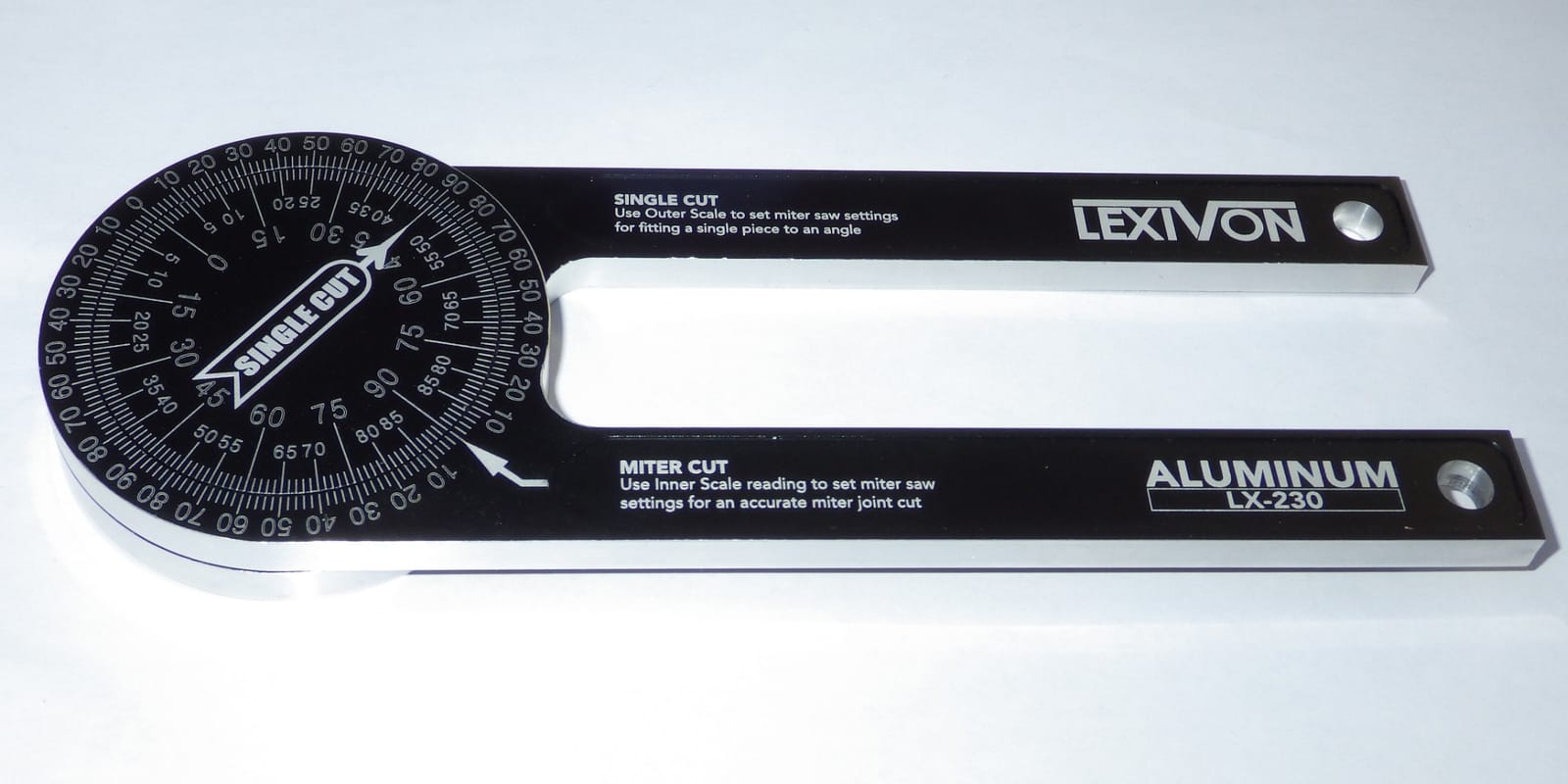
Inside the body, a Teflon O-ring mechanism lets the arm swivel smoothly against a corner, which matters when you are working in an inside corner with limited hand room. Nothing about this tool can fail electronically, and there is no battery to die in an unheated job house in February.
The honest drawbacks are physical. The swivel can feel stiff on a new unit, and the tension adjustment screw may need attention after a season of use. The storage pouch included in the box has a weak snap, so keep it in a tool bag instead.
Who this suits
Choose the LX-230 if you cut crown or casing regularly and want the least arithmetic in your day. It is also the pick for anyone who works in cold or unheated spaces where a battery gauge is a liability.
It doubles as a general layout protractor, which is how most carpenters end up using it once the miter work is done.
Where it falls short
It cannot give you a numeric reading, so if you like a number you can type into a saw or record in a notebook, you will want a digital gauge as well. Beginners should budget an hour with the manual, because reading the bisected scale correctly takes practice.
3. GemRed 82305 Digital Angle Finder Protractor – Best Value
GemRed 82305 Digital Angle Finder Protractor Stainless Steel 7inch 200mm
- Ruler plus protractor works on inside and outside corners
- Stainless steel feels durable in daily shop use
- Users verify readings within 0.1 to 0.2 degrees
- Locking screw holds the angle during transfer
- Spare battery included
- No backlight
- hard to read in low light
- No reverse flip for upside down reading
- Does not remember zero after auto power off
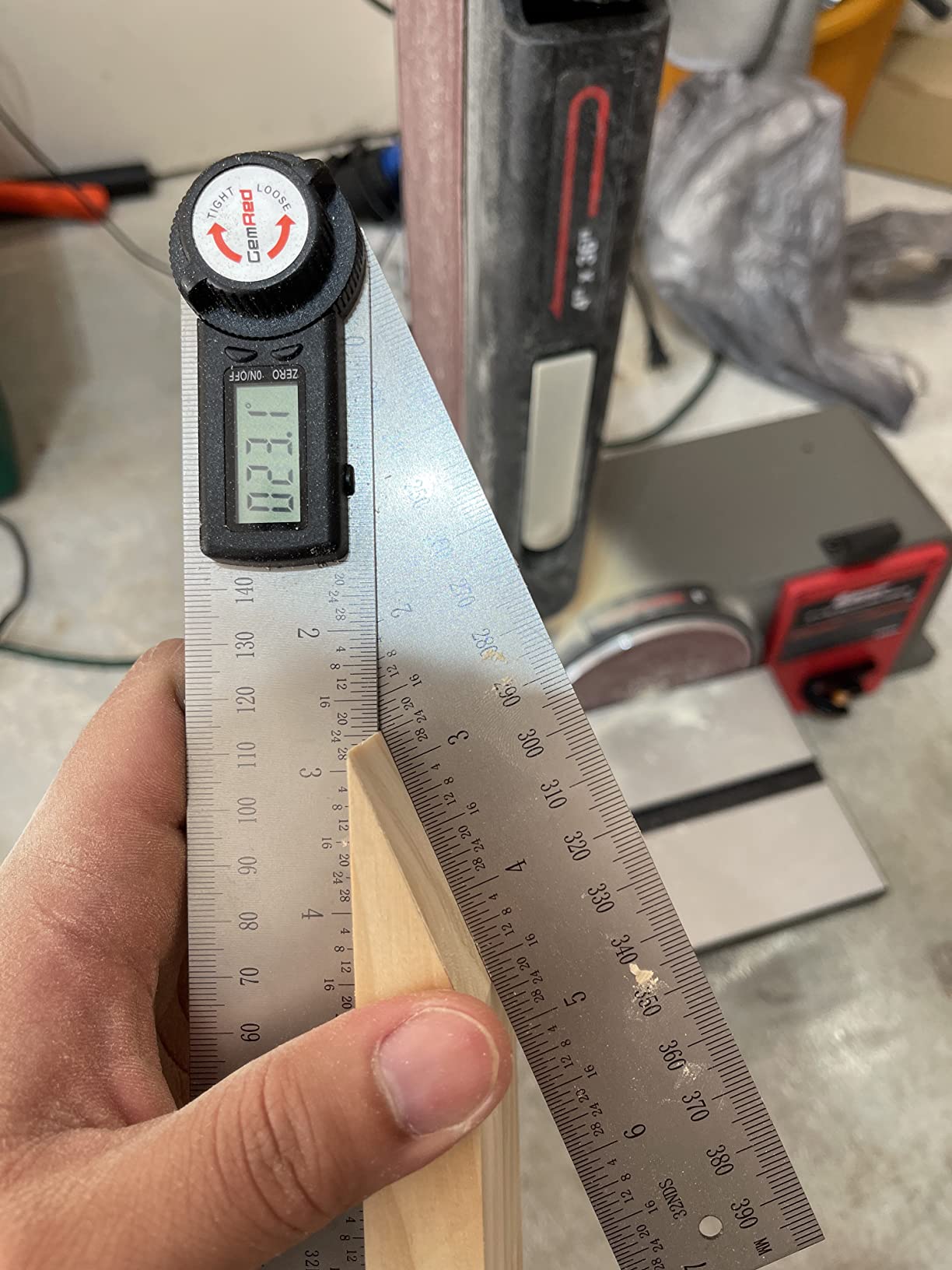
The GemRed 82305 is a 7 inch stainless steel ruler and protractor in one body, with a stated accuracy of plus or minus 0.3 degrees. Users who checked it report real-world readings inside 0.1 to 0.2 degrees, and one trim carpenter credits it with straightforward baseboard miters across 1,200 square feet.
It is the strongest argument in this roundup for a stainless steel digital gauge at an entry-level weight. The central lock screw holds the angle while you carry it to the saw, which is the single most common failure point in cheaper tools.
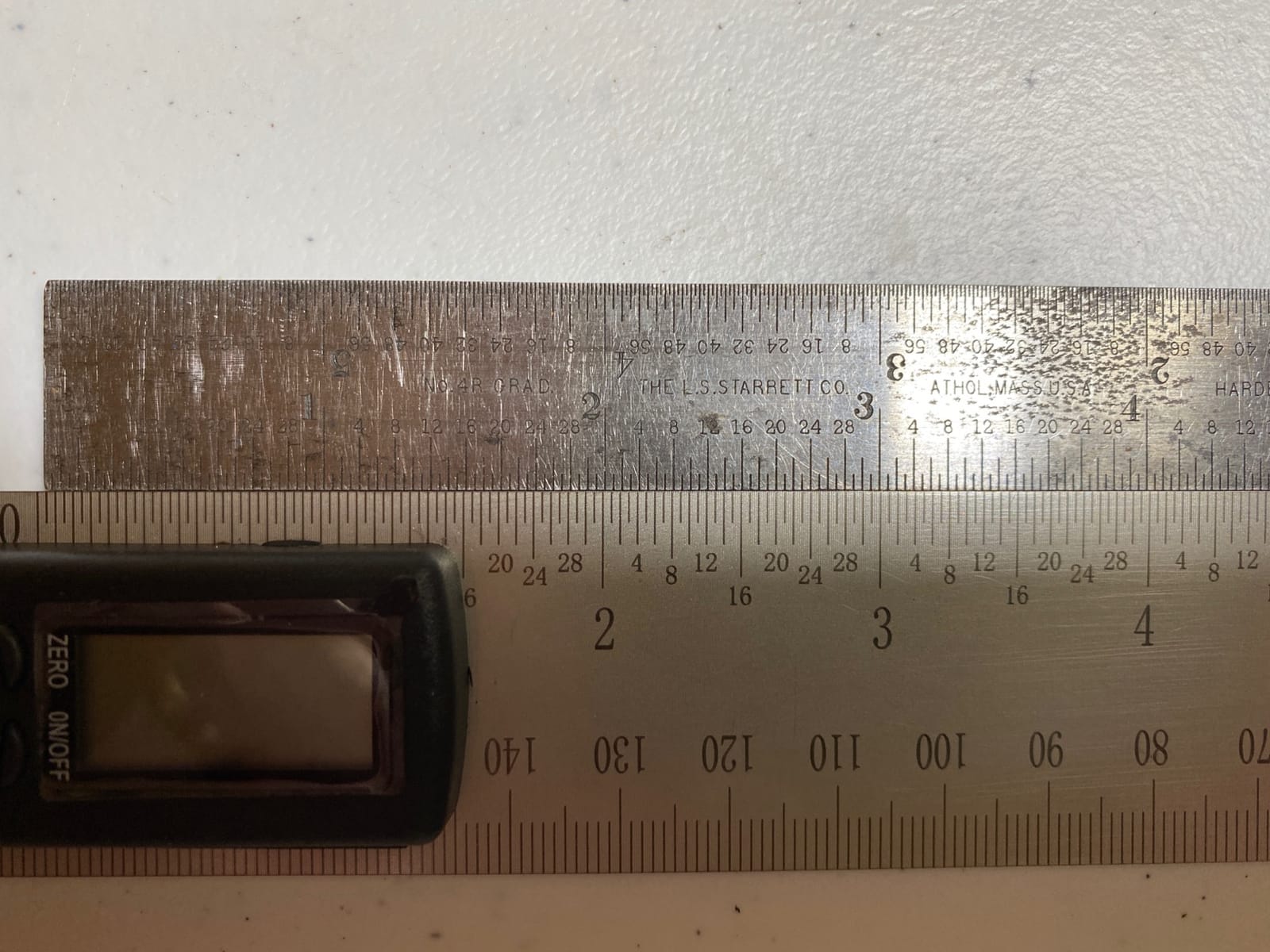
The laser etched stainless scales stay legible long after printed plastic markings have faded, and the tool weighs 7.4 ounces, so it disappears into a pocket. When folded it is about 7.5 inches, and it extends to 400mm total, which lets it span a wide baseboard corner in one placement.
What it does not do is light up. There is no backlit display and no reverse flip function, so reading it upside down at a ceiling corner means rotating your head. The display also forgets its zero reference after the auto power-off, which annoys anyone who takes intermittent readings.
Where it fits
This is the gauge to buy for baseboard and casing in a house where the corners are not perfectly square. The ruler body reaches across the corner in a way a pocket gauge cannot, and the lock means the reading survives the walk to the saw.
For a first trim job, or a rental where tools get dropped, it is a sensible place to start.
Where it does not
Dim basements and evening work are its weak spot, and a gauge that forgets its zero is frustrating on a slow day of layout. The stainless edges are sharp out of the box, so deburr them before handling.
4. Starrett 505P-7 ProSite Miter Protractor – Best for Professional Shops
- Time proven ProSite design trusted in pro shops
- Separate miter cut and single cut scales
- Reads correctly upside down or reversed
- Narrow body fits tight corners
- Plastic body flexes compared with aluminum rivals
- 1/32 inch graduations are hard to read without magnification
- No digital readout
The Starrett 505P-7 is the default miter protractor in a lot of professional shops, and on LumberJocks veteran trim carpenters name it as the job-proven analog option that doubles for general trim miter work. It is mechanical, needs no battery, and has been in service since long before digital gauges were common.
Two laser engraved scales cover miter cut and single cut, and the tool reads correctly whether it is placed upside down or backward. That orientation flexibility is why it survives contact with a tight corner where a square-head protractor will not fit.
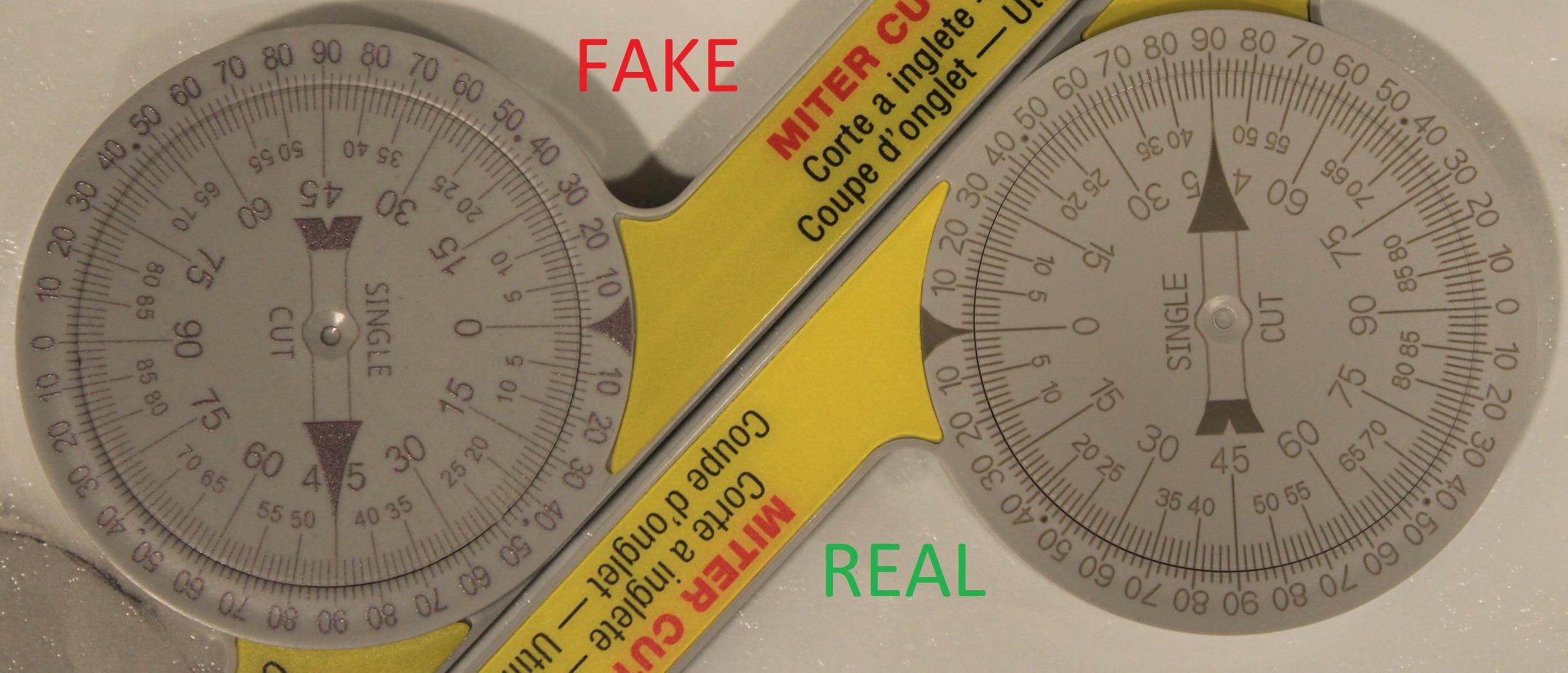
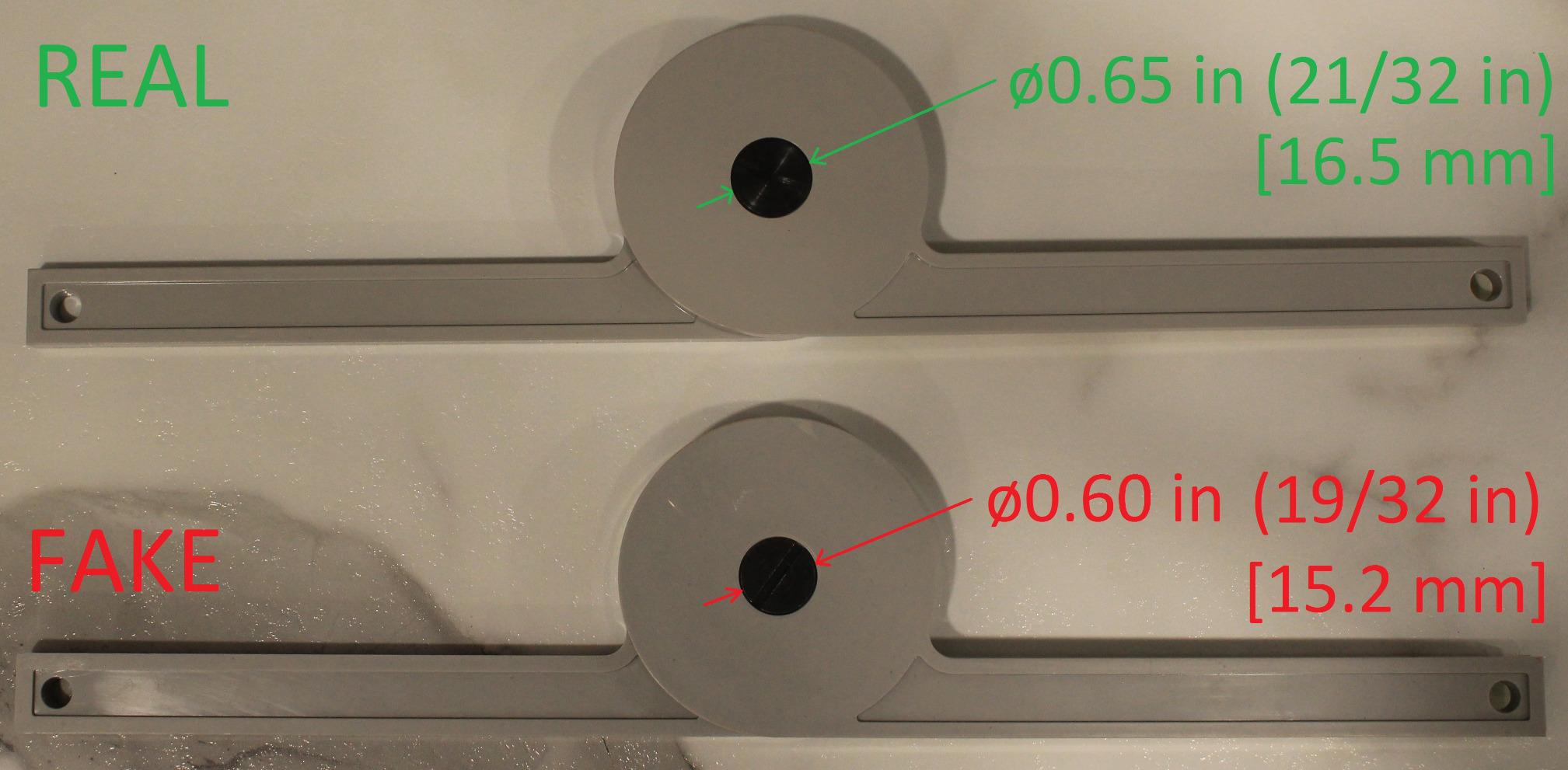
At 3.72 by 2.13 inches and 3.53 ounces, it goes in a pocket and comes out for every corner. The narrow profile is genuinely useful in the tight inside corner behind a return, and the engraved scale never needs a battery to reset.
The tradeoff is rigidity and legibility. The plastic body flexes under pressure compared with machined aluminum rivals, and the 1/32 inch graduations are hard to read without magnification or good light. There is no numeric readout, so transferring the angle means reading and remembering an engraved mark.
Why pros keep it
It cannot fail in a way that costs you a job. No calibration, no battery, no firmware, and a scale that is etched rather than printed. For crews running the same two angles across a whole development, that predictability is worth more than precision on paper.
It is also the natural companion to a digital gauge: read the wall corner digitally, set the saw to the number, and use the Starrett to confirm the saw is where you think it is.
Where it will frustrate you
Fine graduations in low light, and plastic that is softer than the molding you are measuring. If you are chasing tenths of a degree on a compound crown cut, an aluminum or digital tool is the better primary instrument.
5. General Tools 822 Digital Angle Finder Ruler – Best Digital Gauge for Baseboard
General Tools Digital Angle Finder Ruler #822 – 5″ Stainless Steel Woodworking Protractor Tool with Large LCD Display
- Reads to 0.1 degrees and checks out against a machinist square
- Large LCD is easy to read at any angle
- Stainless steel with a solid smooth hinge
- Locking knob secures odd angles for transfer
- Reverse and zero functions cover inside and outside work
- No on and off switch
- times out and the battery must be slid out
- Battery contact can fatigue with use
- 5 inch arms are wide for small work
The General Tools 822 reads to 0.1 degrees over a full 360 degree range, which makes it the most precise digital gauge in this roundup on paper. Users who calibrated it against a machinist square and a straight edge report it checking out, and woodworkers treat it as a genuine upgrade over an analog protractor.
For baseboard work the 5 inch stainless arms are the deciding factor. They span a corner in one placement, and the center check notch lets you seat the ruler exactly where you want the reading taken rather than eyeballing the midpoint.
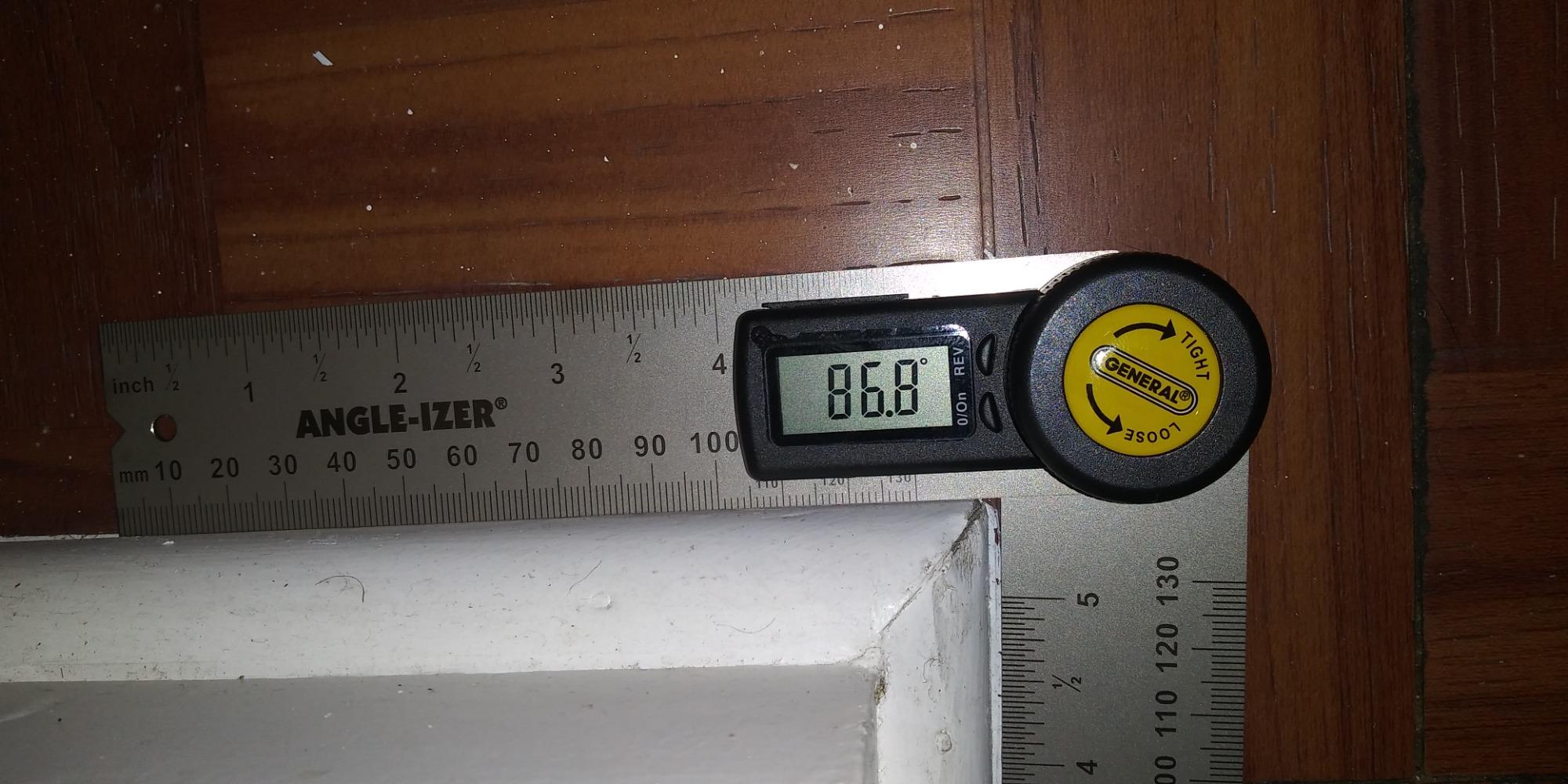
The large LCD is readable at any angle, which matters for anyone whose eyes are not what they were. A locking knob holds an odd angle while you transfer to a miter saw fence or tilt a table saw, and the reverse angle function plus zero function cover inside, outside and relative measurements.
Its most repeated flaw is the absence of a real on and off switch. The tool powers off on a timer, and the only way to kill it instantly is to slide the coin cell out, which is a habit nobody enjoys. One reviewer had a battery terminal fail after about eight hours of use.
Best fit for baseboard layouts
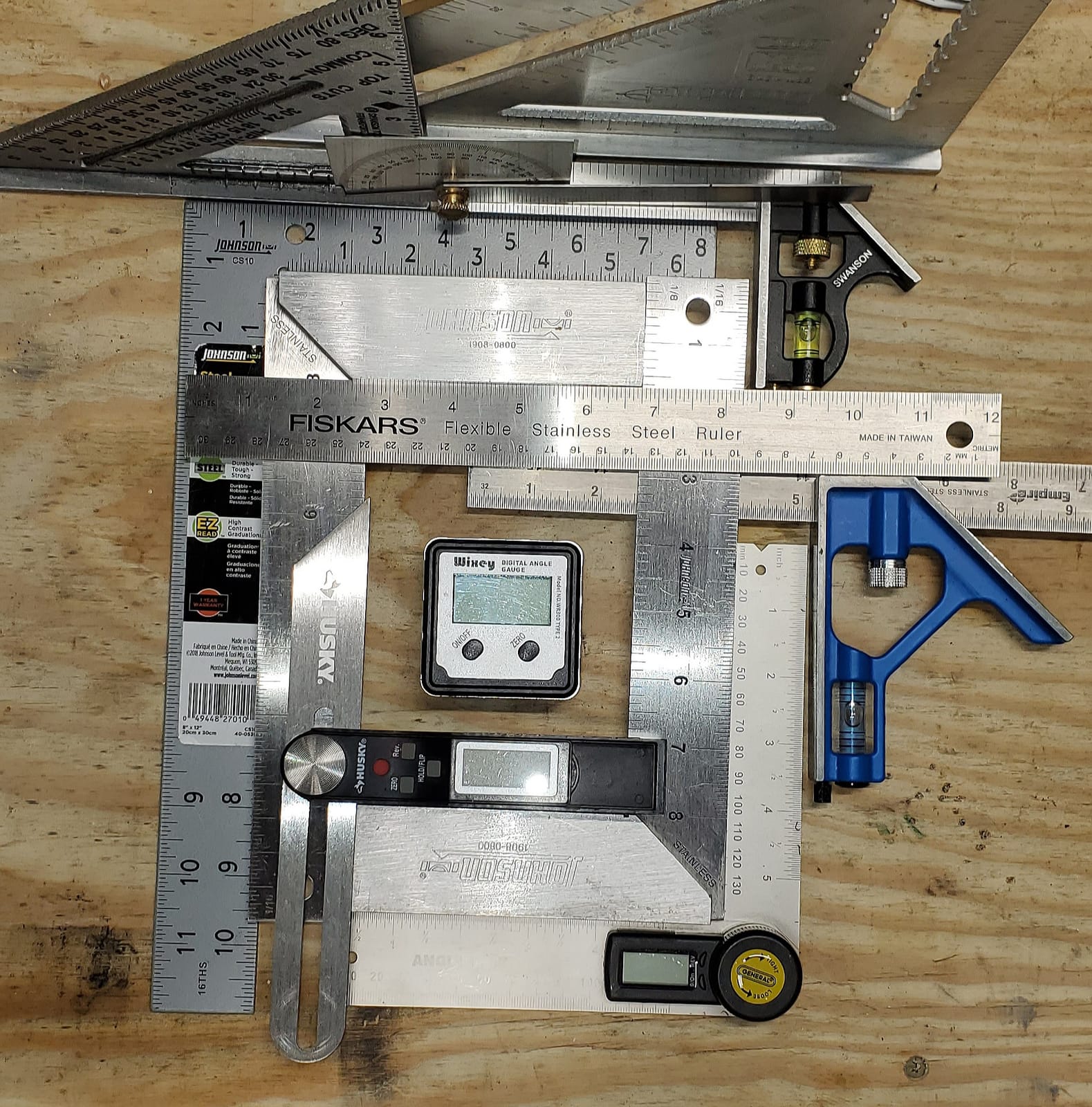
Pick the 822 if you are laying out a lot of baseboard in rooms that are out of square. The 0.1 degree resolution and the locking knob are what let you set a fence once and run a whole wall of consistent joints.
It also works as a general layout rule, since the stainless arms carry inch graduations alongside the angle readout.
Where it is the wrong tool
The wide arms make it awkward for small work such as picture frames or model trim, and the timed power-off is genuinely irritating on a slow layout day. Carry a spare coin cell, because the battery compartment is the part most likely to disappoint you.
6. Saker 7 Inch Aluminum Miter Saw Protractor – Best Lightweight Aluminum
Saker Miter Saw Protractor 7-Inch Aluminum Protractor Angle Finder Black
- Accurate enough for molding and trim work
- O-shaped body reads inside and outside corners smoothly
- Lightweight corrosion resistant aluminum
- Quick to pick up once you have handled it
- Scale numbers hard to trace back to lines in dim light
- Limited instructions for compound miter angles
- Arrives in a minimal bubble mailer with no case
- Typos in the instruction sheet
The Saker takes the same basic approach as the LEXIVON, an O-ring swiveling body in machined aluminum with laser engraved scales, but at 6.3 ounces it is noticeably easier to carry between rooms all day. Finish carpenters use it to transfer wall and corner angles straight to the saw fence.
Its accuracy is rated highly for the class, and the corrosion and wear resistance of the aluminum body means it can live in a truck bed or a damp basement without complaint.
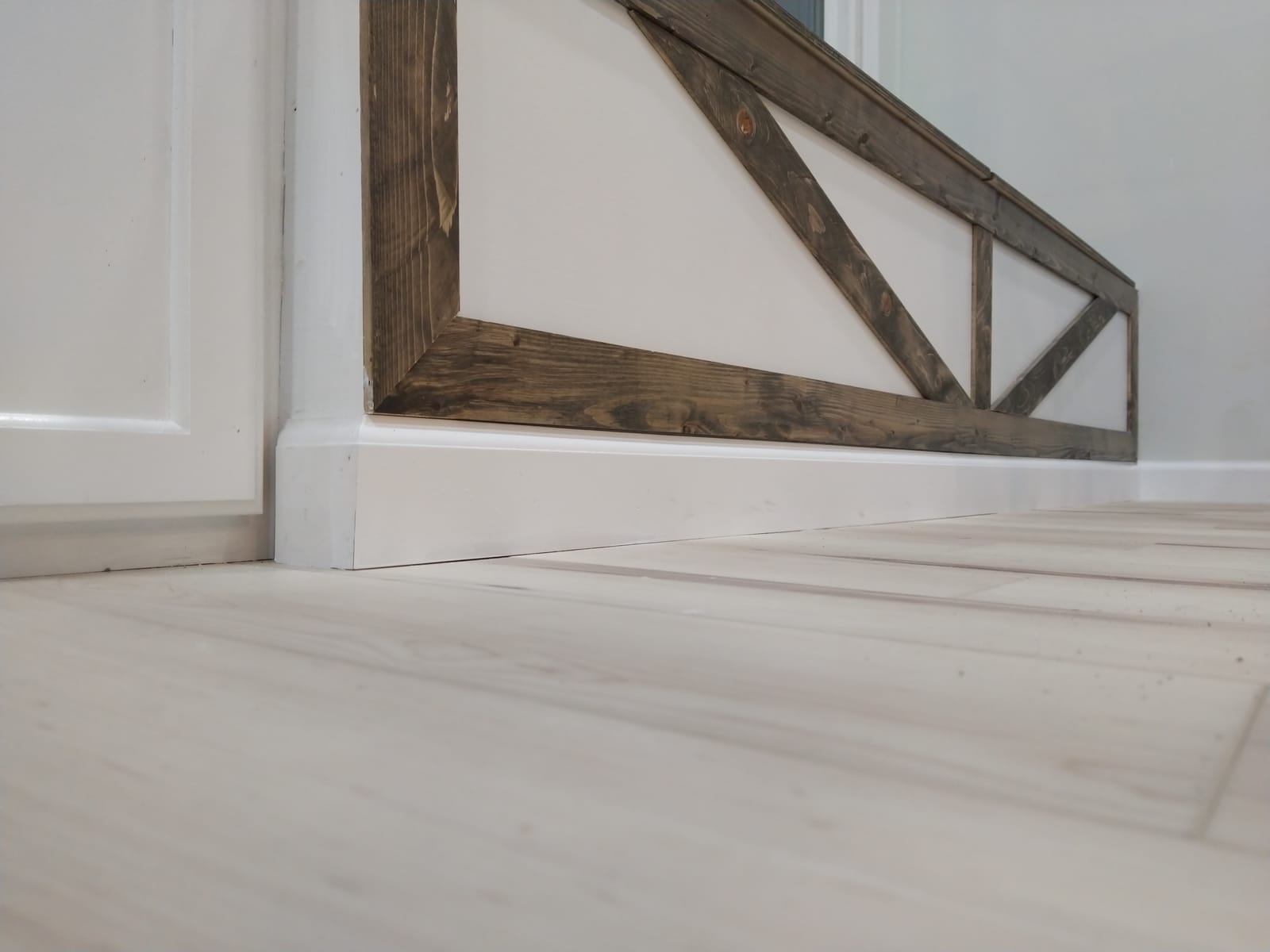
The O-shaped body design is what makes it read both inside and outside corners smoothly, since the pivot sits at the point where the two surfaces meet. Once you have handled it once, the one-handed pickup is genuinely fast.
Documentation is the weak point. The instructions barely cover compound miter angles, and the shipped sheet contains a typo, which is a fair signal of the proofreading. Scale numbers can also be hard to trace back to their lines in dim conditions.
Who should buy it
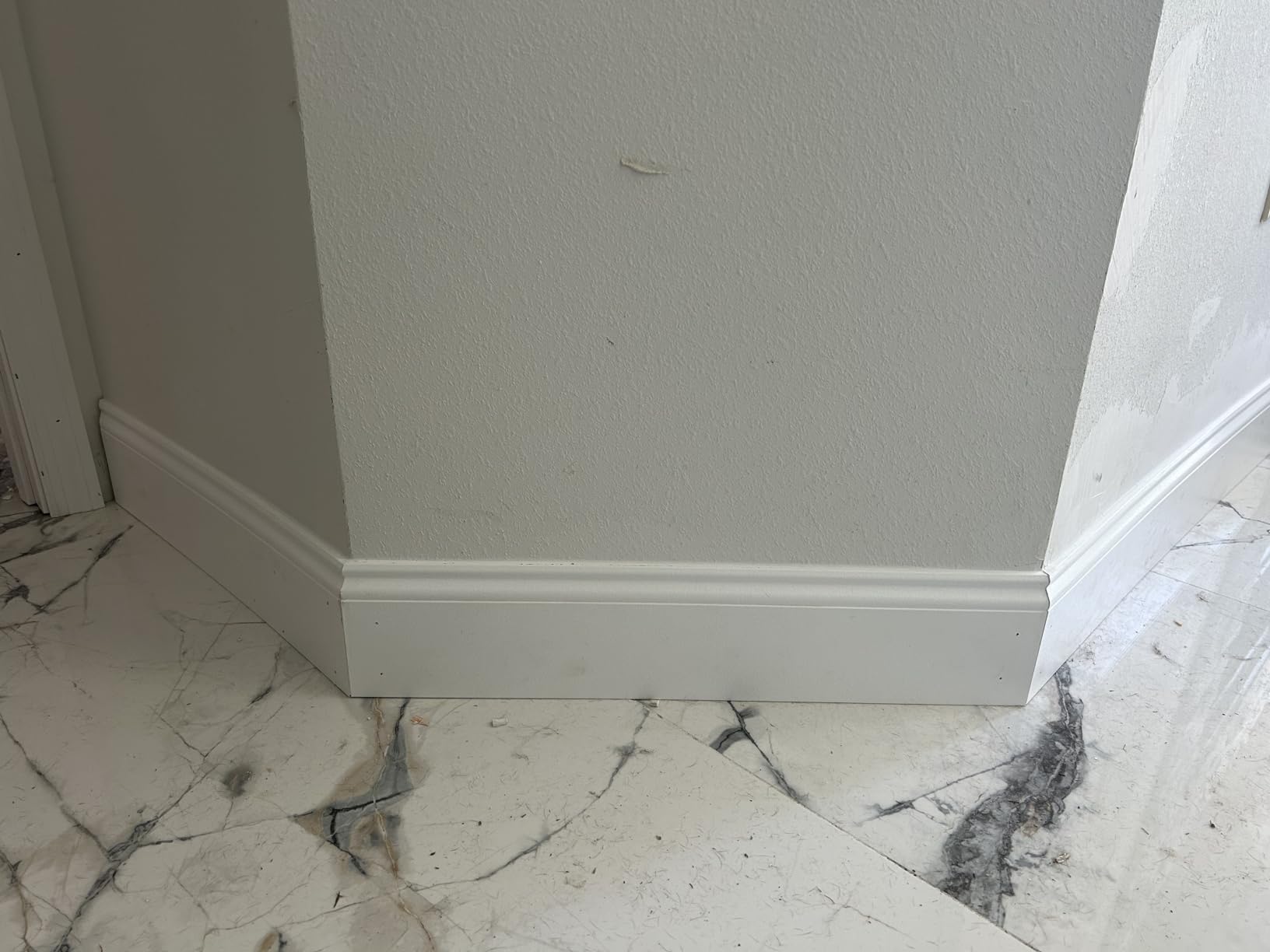
It suits a finish carpenter working in a house all day who wants a rigid aluminum tool that does not add to the weight in their pouch. If you prefer the LX-230 scale layout and can live with slightly better documentation, that is the same class of tool.
The absence of a case is a small annoyance, so plan on keeping it in a bag where it will not get knocked.
Where it falls behind
Compound crown work is under-served by the instructions, and in poor light the engraved numerals will slow you down. If you cut a lot of crown, look for the dual miter and single cut scales instead.
7. Neoteck 16 Inch Digital Angle Finder – Best Long Reach and Low Light
Neoteck 16 inch Digital Angle Finder 225°Aluminum Protractor LCD Backlight
- Backlit LCD readable in low light shops
- 16 inch reach spans large workpieces and framing
- 0-225 degree range covers obtuse cuts
- Bubble levels help with calibration
- Portable bag included
- Plus or minus 0.5 degrees is looser than most digital rivals
- Knob only tightens or loosens
- HOLD button retains the reading
- Bubble levels give no numeric reading
- Heaviest and bulkiest option here
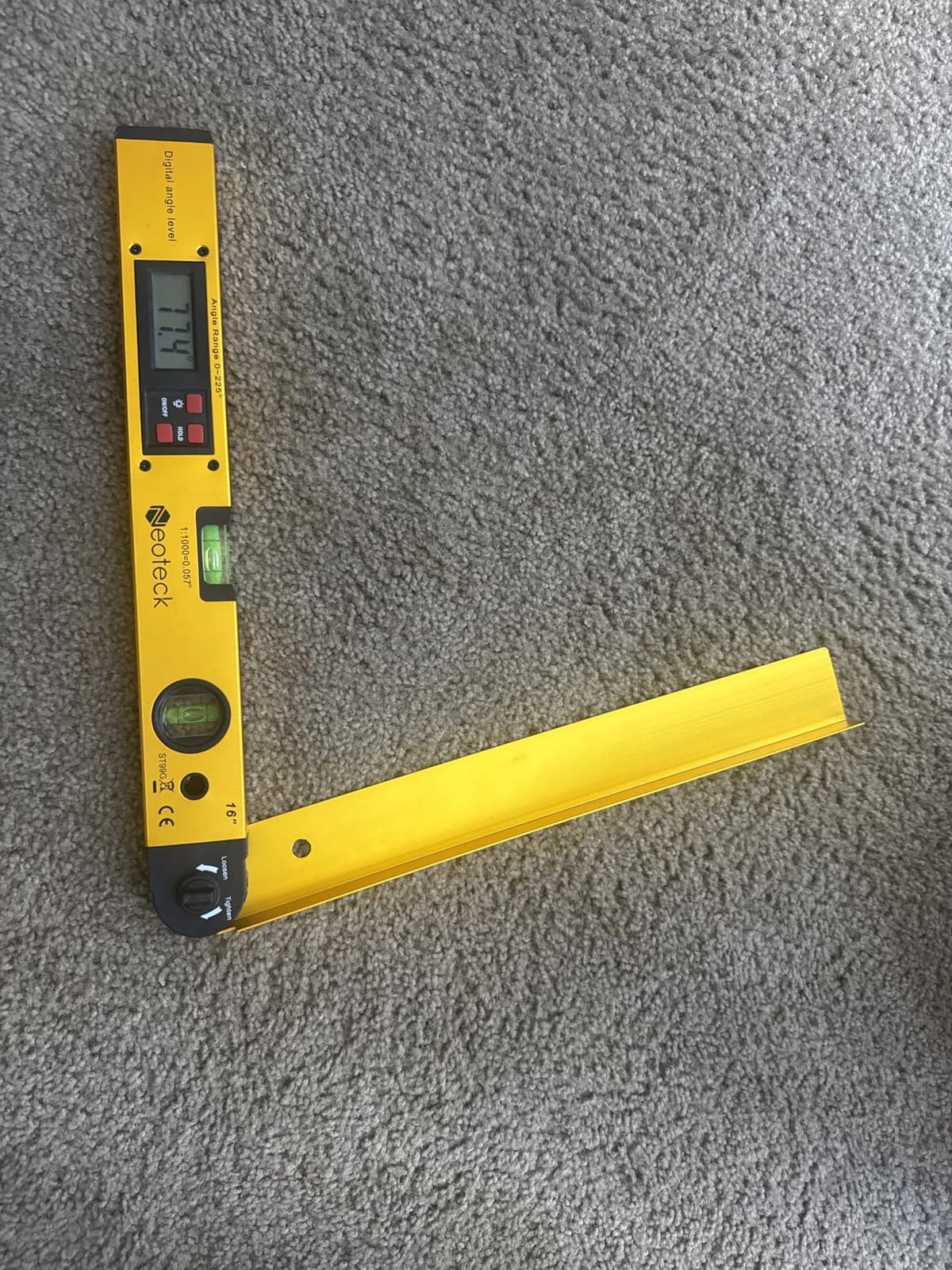
The Neoteck is the one to reach for when the corner is bigger than your arm span. Its 16 inch arms reach into large workpieces, framing and long runs, and its 0 to 225 degree range covers obtuse cuts that a 180 degree gauge cannot report.
The backlit LED display is the feature that earns its keep. Basements, unlit rooms and early mornings are exactly when you are laying out trim, and a lit screen removes the single most common frustration with digital angle finders.
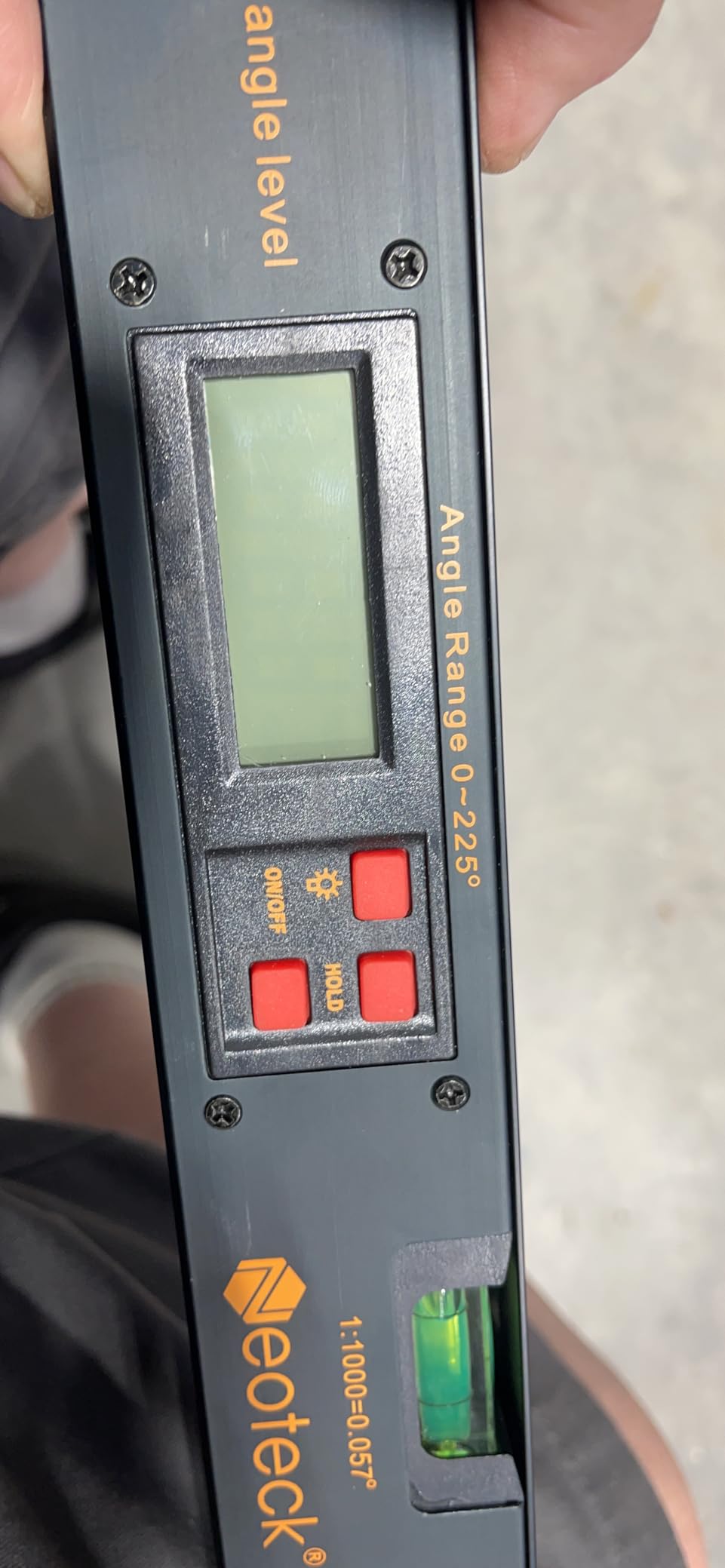
A dedicated red hold button freezes the reading so you can walk it to the saw, and horizontal and vertical bubble levels help you check that the body is seated properly before you trust the number.
Precision is the issue here. At plus or minus 0.5 degrees it is looser than most sub-0.3-degree digital gauges, which is more than half a degree of slop on a visible joint. The knob only loosens and tightens, so first-time users often assume the hold button does more than it does.
When the long reach helps
Frame work, wide returns, and long casing runs benefit from the reach. It is also the pick if you regularly work somewhere too dark for an unlit display, since the backlight is a genuine safety improvement rather than a luxury.
For a first home workshop, a 16 inch tool that arrives with a bag is easy to justify.
When it will not
Do not make it your primary fine trim gauge. Half a degree of tolerance and a 1.21 pound package weight make it a job site reach tool, not a precision instrument, and the bubble levels are for calibration judgment only.
8. General Tools Square Head Protractor – Best Analog Layout Tool
General Tools Square Head Protractor & Angle Finder for Carpentry & Framing
- Analog and battery-free
- so it never fails on site
- Square head anchors the tool flat for scribing
- Knurled thumb nut locks the arm quickly
- Users report precision comparable to a machinist protractor
- Metal outlasts the plastic tools it replaced
- Scale numbers are small
- especially for older users
- Locking bolt needs a hex key
- Some units arrive with a scale off by about 1 degree
- Fine graduation lines invite misreading
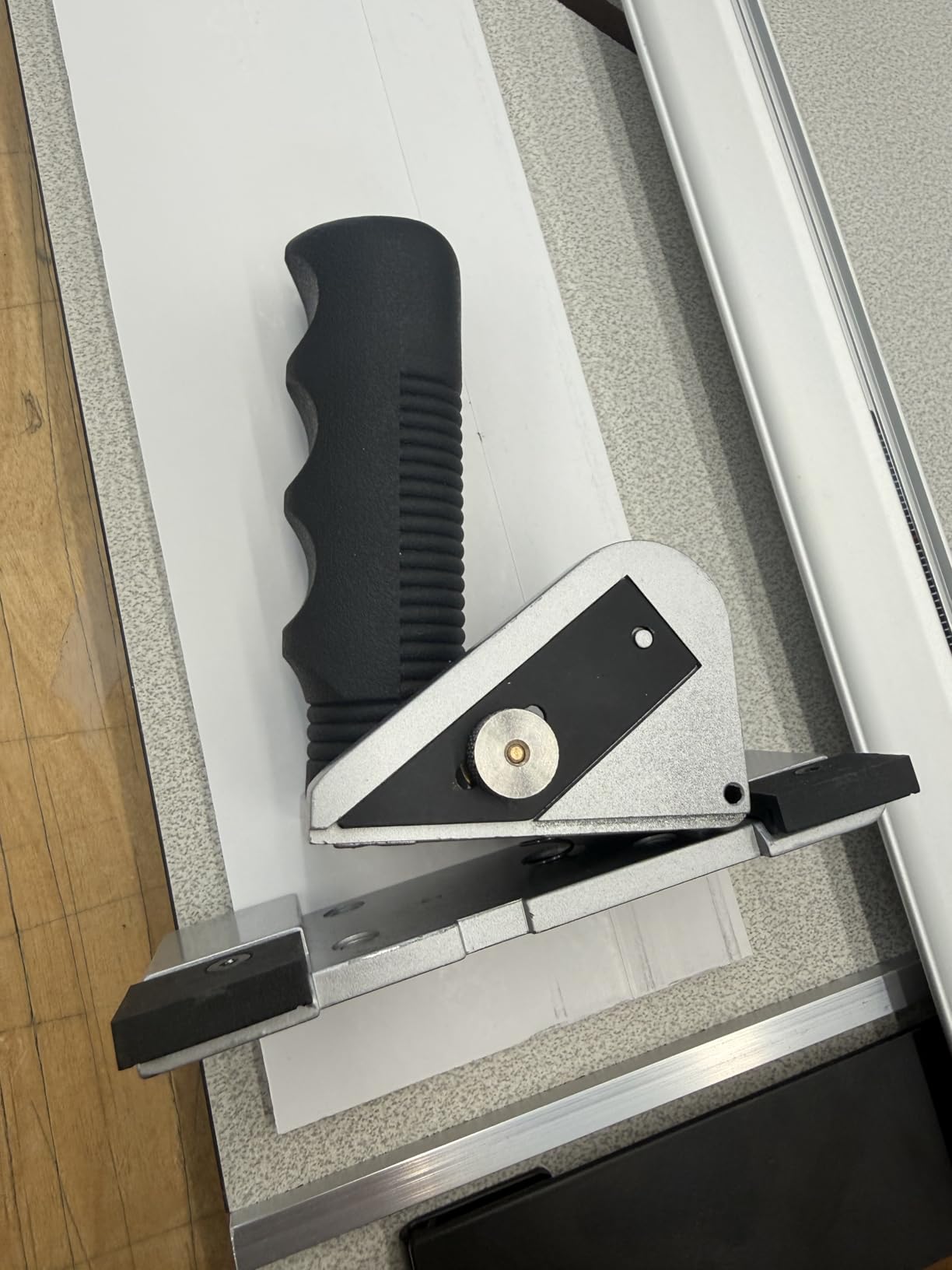
When you need to lay out an angle on stock rather than read a corner, this square head protractor is hard to beat. The 3-3/8 by 2 inch head anchors flat against a surface, and the 6 inch stainless arm swings out and locks with a knurled thumb nut while you draw.
It is analog, mechanical, and completely battery-free, which is a real advantage on a framing site or in a cold shop. One owner running a press brake found it as precise as a far costlier machinist protractor, and the metal body outlasts plastic alternatives.
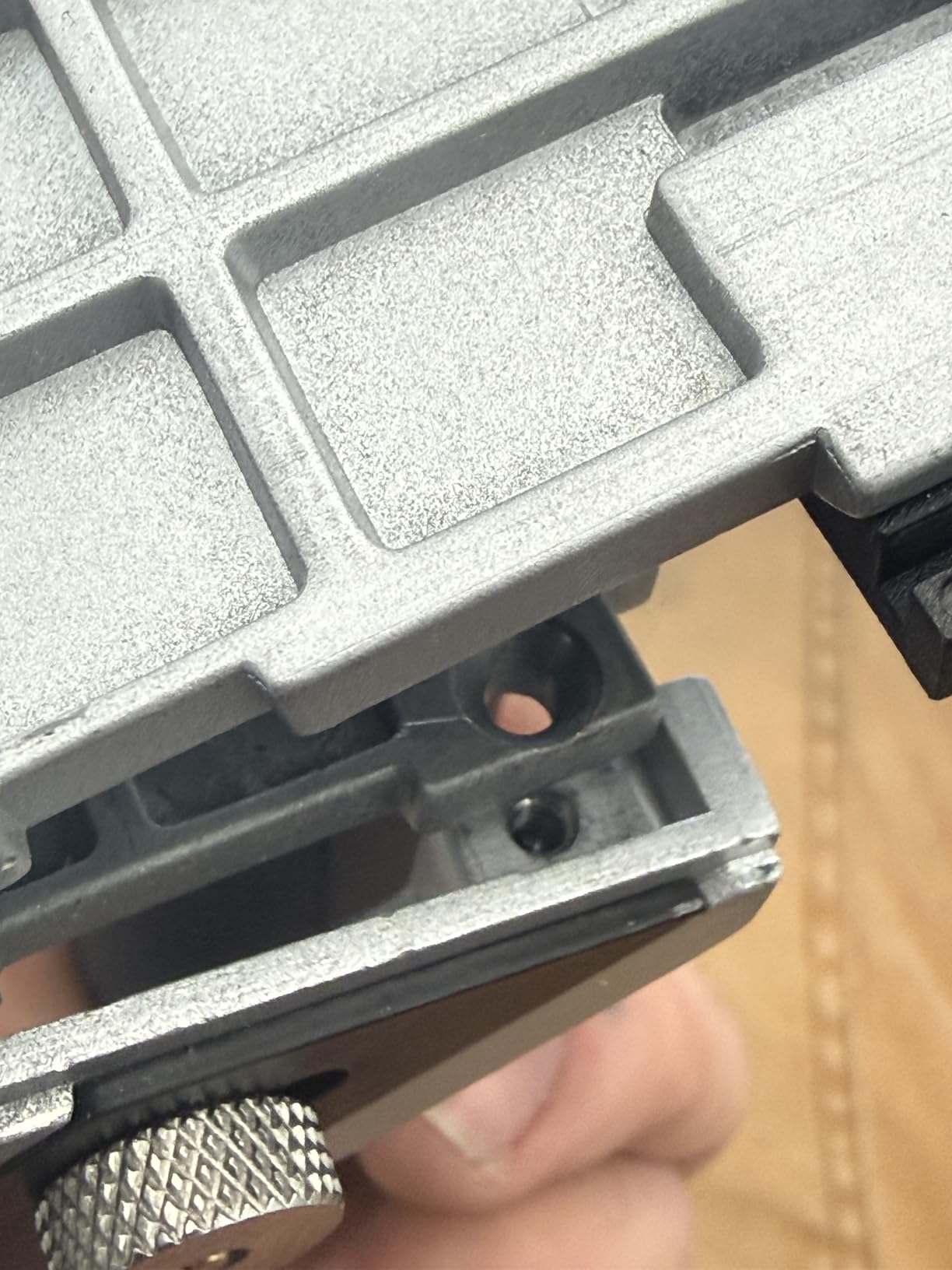
The semi-circle scale reads forward and reverse across 0 to 180 degrees, so it works the same way whether you are scribing a bevel or setting a miter. At 2.24 ounces it is light enough to carry without thinking about it.
Two things to check. The scale numerals are small and hard on older eyes, and the locking bolt is an Allen-style fastener that needs a hex key rather than a thumbscrew, so do not lose it on site. A small number of buyers report units arriving with a scale off by about a degree, so run the 90 degree check before trusting it.
When an analog tool wins
Reach for it when you are scribing angles onto thin stock, transferring a bevel, or working anywhere a battery is a liability. It is also a good backup instrument to confirm what a digital gauge told you.
Framing and general furniture layout are its natural territory, and the square head gives you a stable reference the first time you place it.
When it is the wrong pick
It will not fit into a tight inside corner, and the small scale makes it a poor companion for crown work on a dim job site. If you need a number rather than a line, this is the wrong instrument.
9. TBVHOMM 7 Inch Digital Angle Finder – Budget Digital Pick
- Wide 0-999.9 degree range for very little money
- REV function reads the display upside down
- Two batteries included so it is usable immediately
- Locking knob plus hold makes transfer simple
- ABS plastic body can flex in a corner
- Accuracy of plus or minus 0.3 degrees trails the best gauges
- Unbranded
- so long term support is less certain
- Higher share of one star ratings than premium rivals
The TBVHOMM is the value entry into digital angle finders: a 7 inch ruler and digital protractor body, plus or minus 0.3 degrees accuracy, 0.1 degree resolution, and a 0 to 999.9 degree range. Owners like getting a full readout for very little money, especially with the ruler built in.
Feature-wise it punches above its weight. A long press on the REV button flips the display for upside-down reading, the locking knob holds any angle, and the HOLD button freezes the reading for the walk to the saw.
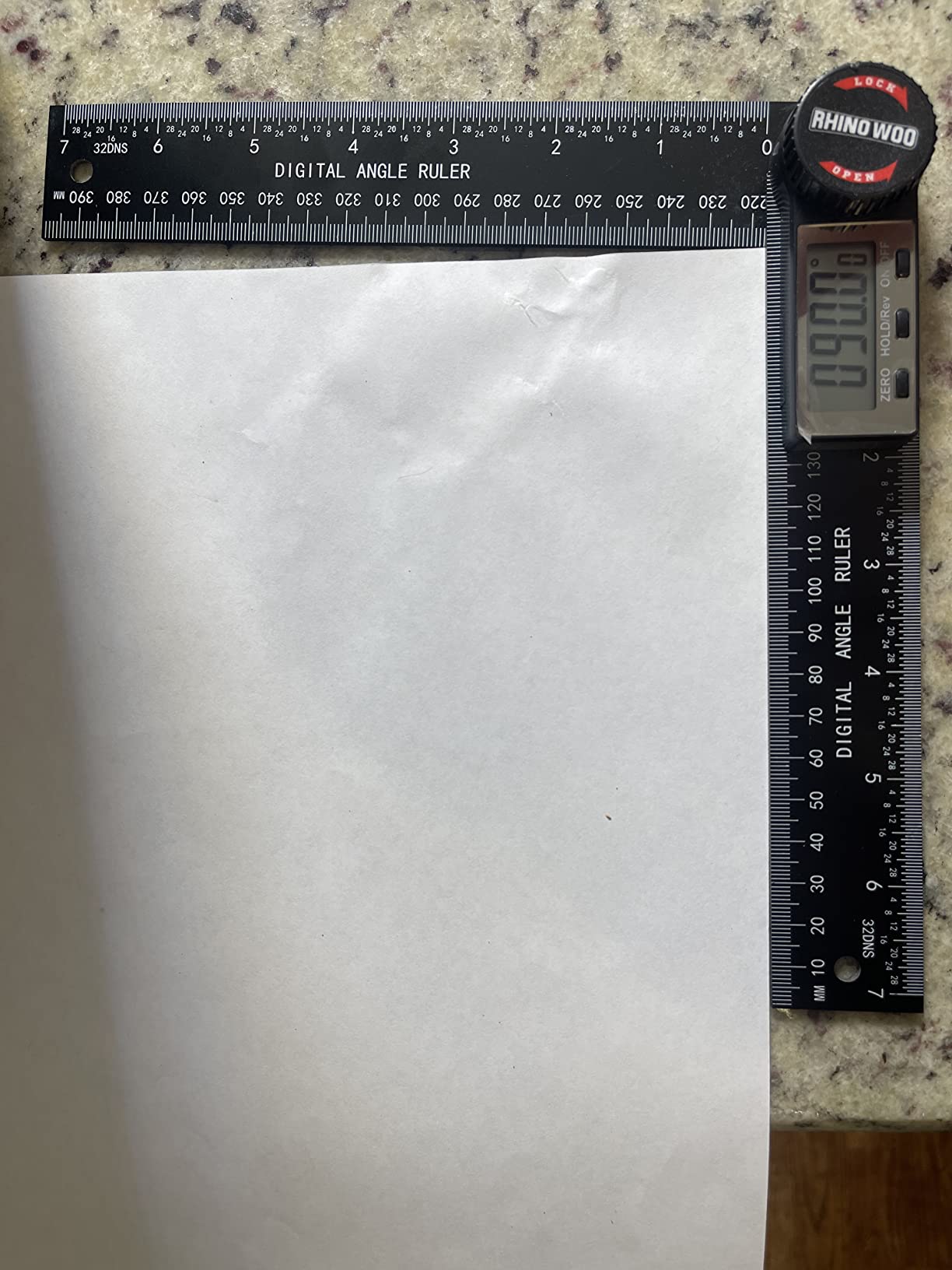
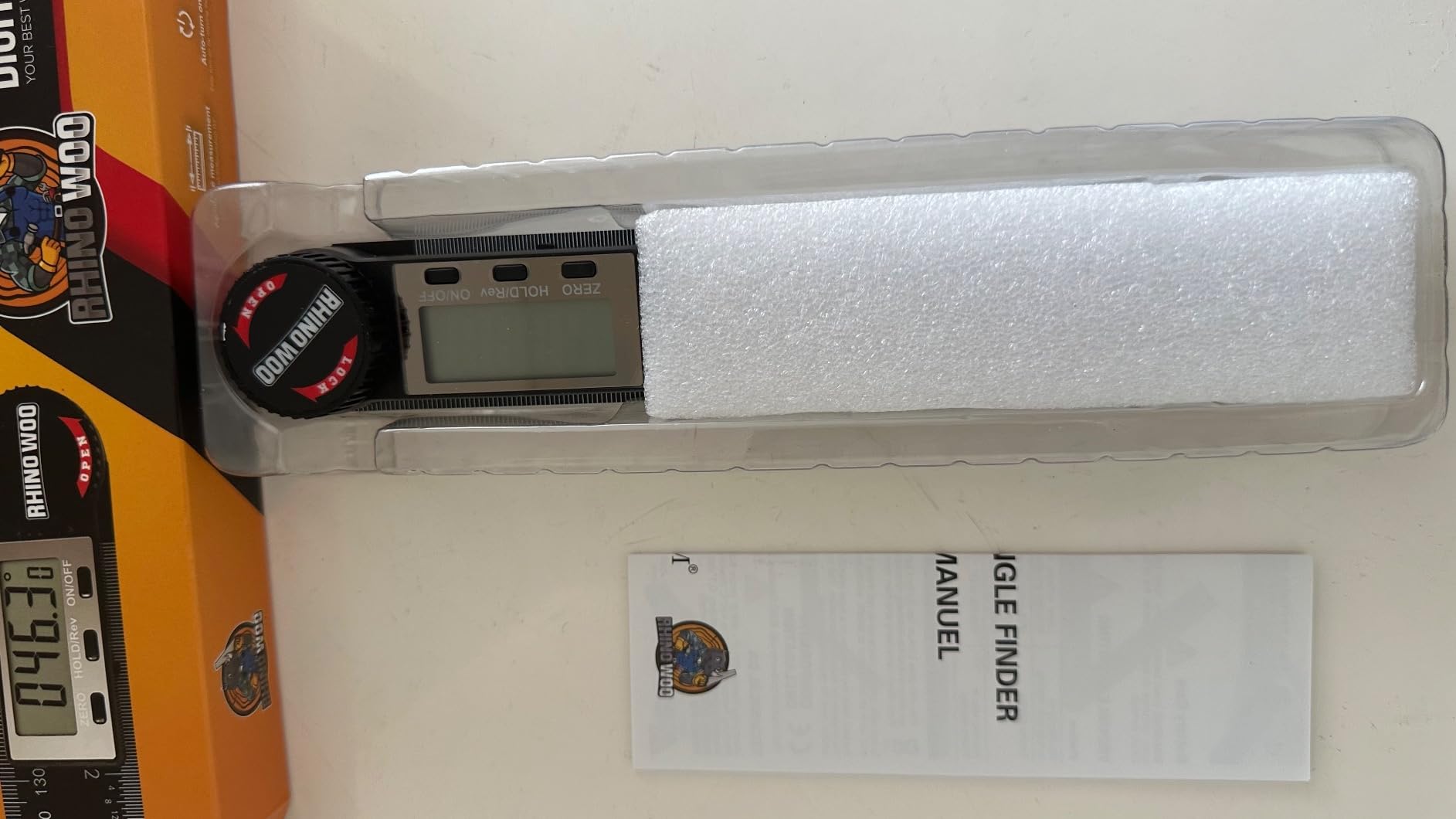
Two CR2032 cells are included in the box, one installed and one spare, so the tool is usable the moment it arrives. The mm and inch scales on the high-contrast ruler handle layout and angle work in one body, and buyers use it for table saw blade checks and miter saw accuracy checks.
The body is enhanced ABS rather than metal, and it can flex if you squeeze it in a corner, which introduces error exactly when you cannot see it. The rating spread is also wider than the premium picks, with a higher share of one-star reviews, and the brand carries less long term support than an established maker.
Who it suits
It is a sensible first digital gauge for a homeowner or a student, and the wide range plus ruler covers a surprising amount of layout work. The REV function matters more than it sounds on ceiling corners and inside miters.
Treat it as a measuring tool, not a precision instrument, and check it against a square before visible trim.
Where to spend a little more
If the money is there, a stainless steel body removes the flex problem, and a manufacturer with a US support operation removes the warranty worry. Both upgrades are real, not cosmetic, for work that has to close.
10. Milescraft 8402 Angle Finder – Best Angle Transfer Jig
Milescraft 8402 Angle Finder – Transfer Angles from Walls & Corners to Miter Saw. Physical Reference Jig for Crown Molding and Trim Work. Inside or Outside Corners.
- Wide flat edges sit square to a wall and are easy to level
- Bisecting blade sets the saw to exactly half with no arithmetic
- No battery and no calibration
- Retractable edge guides double as a layout aid
- Transfers the angle rather than reading a number
- Latch can let the jig shift if bumped
- Not usable for compound crown cuts on its own
- Degree graduations are poor
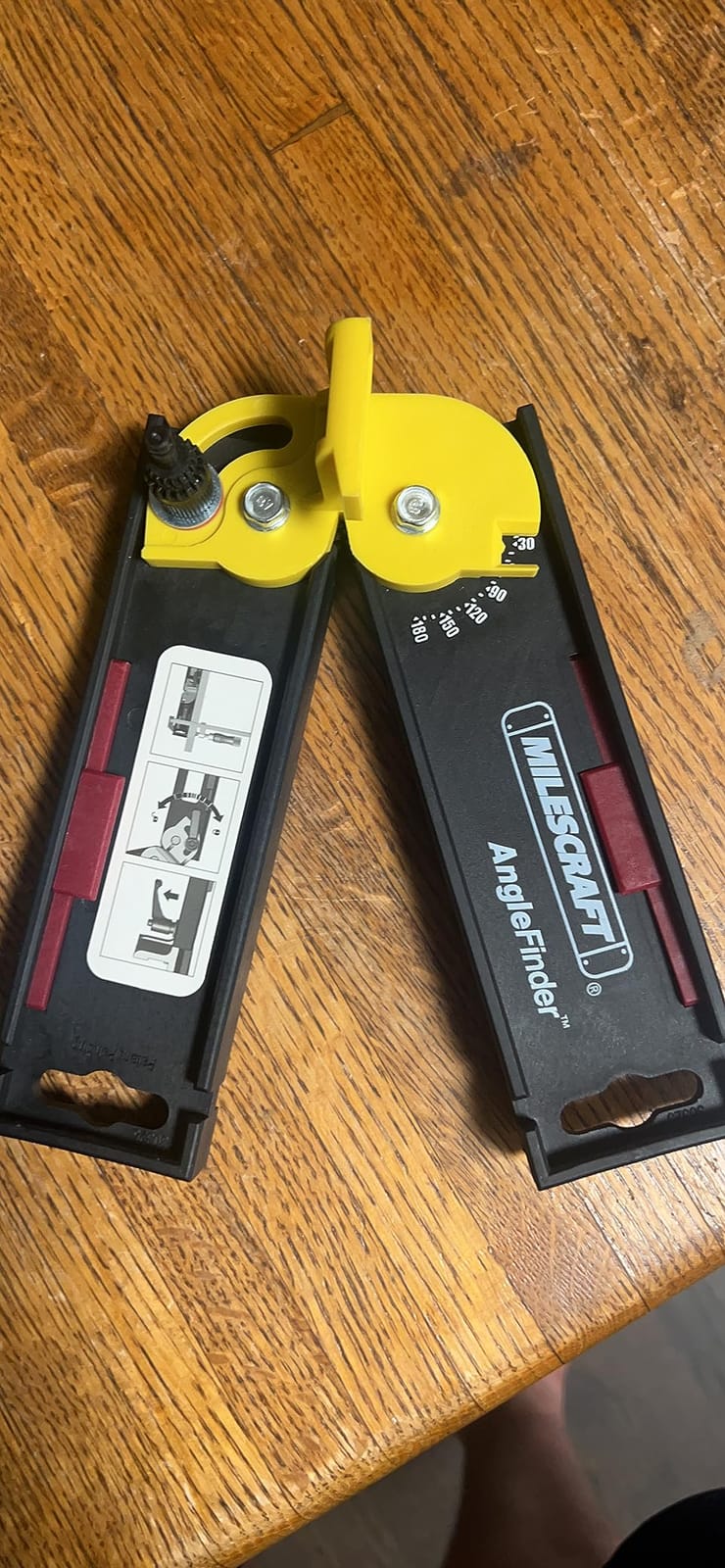
The Milescraft 8402 is not a measuring tool, and that is the point. You set it into the corner, lock it, and lay the jig on your miter saw fence. The bisecting blade is already at half the corner angle, so the saw gets set without any division or reading of a number.
Trim carpenters like it for exactly that reason, and owners who already own a digital gauge still keep it because the wide flat edges sit more square against a wall than a thin-bladed digital finder can manage.
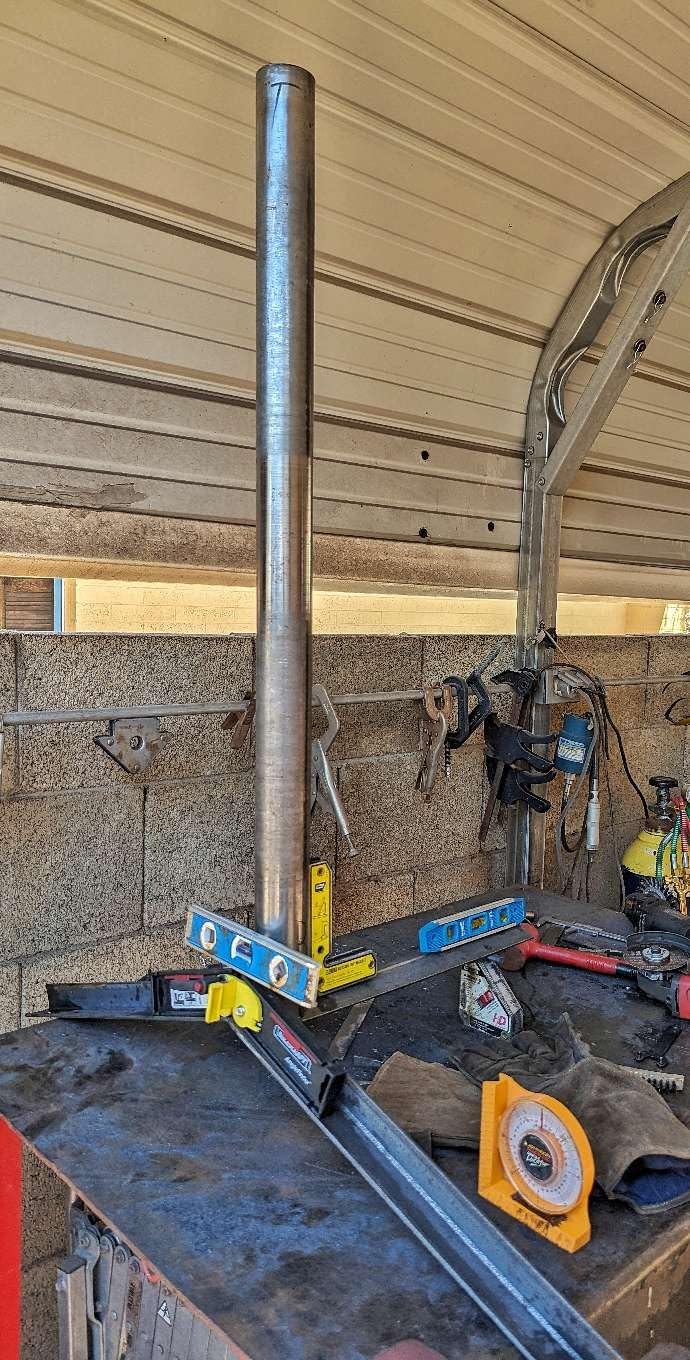
It is battery-free, has nothing to calibrate, and the retractable edge guides assist layout, so it is a good companion for scribing odd shapes and for framing, where the notches hold bar clamps upright.
Manage expectations on purchase. It transfers and replicates angles rather than reporting a numeric value, and that surprises some buyers. The latch can let the jig shift out of alignment if it is bumped, so tighten the top nut before you walk to the saw, and the degree graduations on it are poor. It cannot handle a compound crown cut on its own.
When a transfer jig beats a gauge
It wins when you already know the corner is close to square, when you are working one-handed in a tight space, and when you would rather not read a number at all. It is also the fastest way to demonstrate the halve-the-angle rule to someone learning the trade.
Pairing it with a digital gauge is a very reasonable setup: measure once, then use the jig as your physical reminder of the number.
When you need a real instrument
Any time you have to record an angle, check the saw against a number, or cut compound crown, you need something that reads degrees. Do not try to use the graduations on this jig for that purpose.
11. Milescraft Trim45 Trim Carpentry Aid – Best Trim Marking Aid
Milescraft 8401 Trim 45 Trim Carpentry Aid – Trim Gauge, Trim Miter Aid
- Marks trim length and the 45 degree miter in a single placement
- Adjustable reveal covers most standard trim practice
- Tape slots and magnets free up both hands
- Removes tape measure fumbling when sizing casement trim
- Fixed at 45 degrees
- so no non-45 compound or obtuse angles
- Light duty plastic compared with metal carpentry aids
- Layout aid only
- not a general angle measuring instrument
The Trim45 is the one entry in this roundup that is not an angle finder at all, and it earns its place by attacking the other half of trim layout. It marks the trim length and the 45 degree miter angle on the stock in one pass, which removes the stop-start measuring that slows down casement work.
The reveal adjusts from 1/8 inch to 1/2 inch in 1/8 inch increments, which covers most standard trim practice, and the tape measure slots plus rare earth magnets let you measure a jamb opening one-handed.
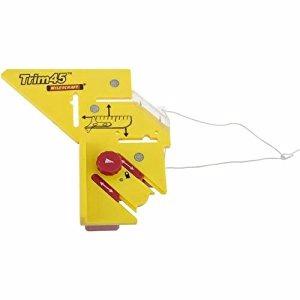
Its 4.64 ounce plastic body is light duty next to the metal carpentry aids, and the reveal mechanism needs a light touch. Buyers rate it well within its narrow remit, and the 4.3 average mostly reflects that remit rather than a defect.
The limit is obvious and worth stating plainly. It is fixed at a 45 degree miter, so it cannot handle a non-45 compound cut or an obtuse corner, and it is a layout and marking aid rather than a general angle measuring instrument. If your room is out of square, it will quietly give you a wrong answer.
Who it suits
It is built for door and window casement trim, where the miter is nearly always 45 degrees and the reveal is a known dimension. A trim carpenter laying out a hallway of casements will finish that job noticeably faster with it.
It is also a good teaching aid, because it makes the miter mark visible on the stock rather than living in your head.
Where it stops
Anything involving crown, obtuse corners, or out-of-square walls is outside what it can do. Use a gauge for the angle and this for the length, and you will never be misled by it.
12. LUVRD 505P-7 Style Miter Protractor – Best Replacement for the Starrett 505P-7
- Direct drop-in replacement for the Starrett 505P-7 many carpenters own
- Folds down and locks with one hand
- Re-zeroable at any angle with reverse readout
- Legs double as an inch ruler for layout
- Springy plastic arms produce roughly 2 degrees of slop in a tight corner
- Scale numbers are hard to read
- One reviewer found a misprint on the scale between 45 and 60 degrees
- Lower accuracy than machined aluminum protractors
The LUVRD is a direct replacement for the Starrett 505P-7, the miter protractor that a great many carpenters already own and have already lost or damaged. If you know how to read that tool, you know how to read this one, and the price is a fraction of the original.
It folds down and locks with one hand, it can be re-zeroed at any angle, it switches to reverse angle readings, and the legs carry inch graduations for layout. Home finish carpenters report a noticeable improvement in joint fit after switching to it.
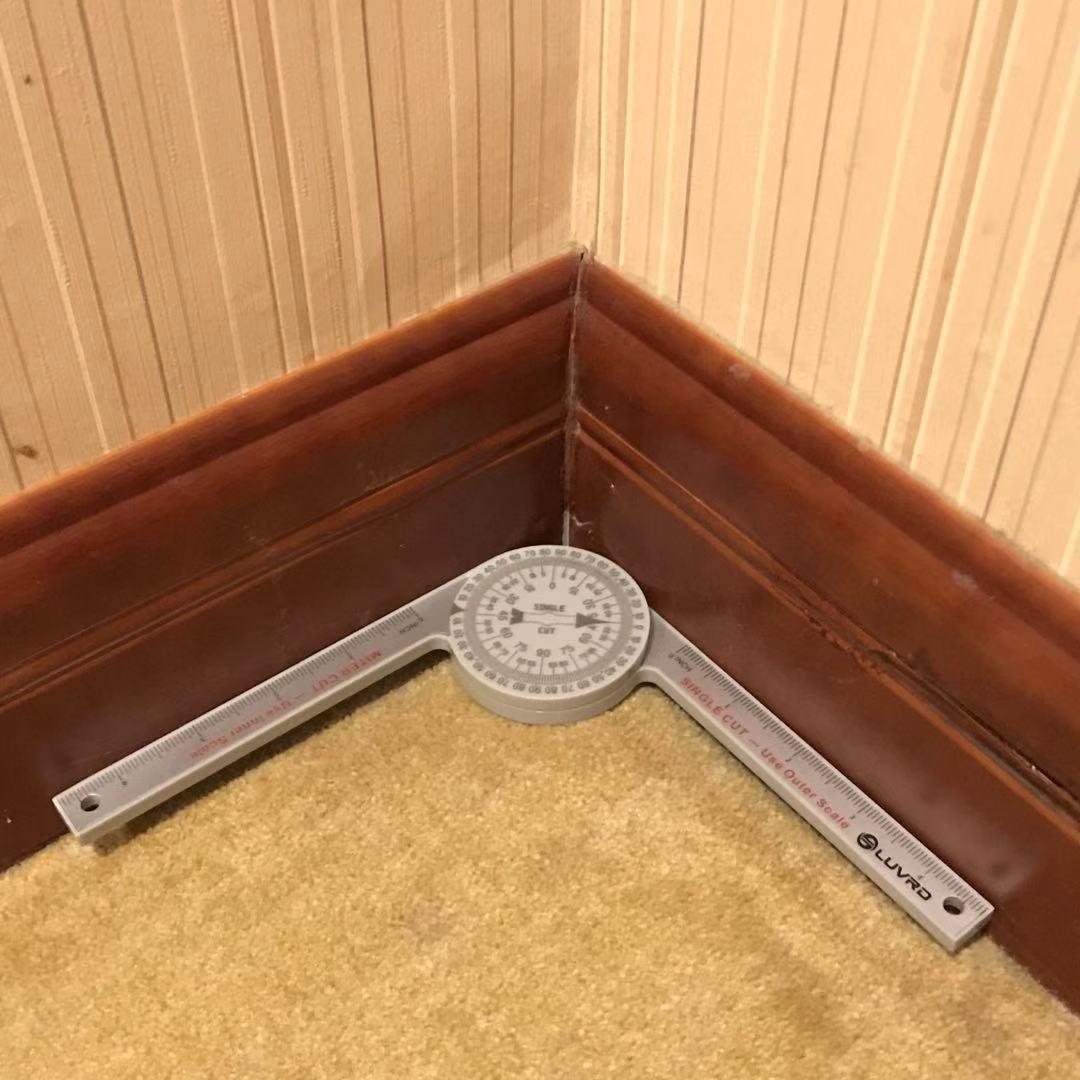
The body is described as scratch resistant ABS, which is tougher than PVC, and the collapsible design makes it easy to carry and store in a small tool bag.
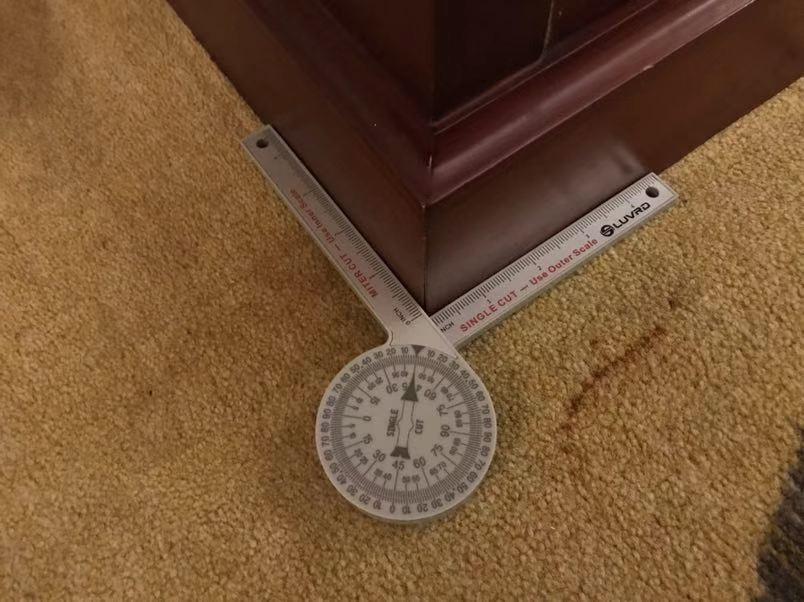
The problem is flex, and it is measurable. One reviewer measured roughly 2 degrees of slop at the hub in a tight corner and called it unusable for baseboard inside corners. The scale numbers are also hard to read, and one reviewer reported a misprint between 45 and 60 degrees, so verify the scale against a square before visible work.
When it is the sensible buy
Buy it if you already know the 505P-7 layout and want a cheap spare, or if you are building out a crew kit and need several copies. The one-handed fold and the ruler legs make it a good portable backup for a saw table.
It also works as a teaching stand-in, since the layout matches the tool an experienced carpenter already trusts.
When it will hurt your joints
Plastic flex at the hub is the whole ballgame. In a tight inside corner, where the molding pushes hardest, the slop shows up directly in the joint. For repeated baseboard work choose machined aluminum or a stainless digital gauge instead.
How to Choose an Angle Finder for Finish Trim?
Start by deciding whether you need a number or a physical angle. If you are recording readings, setting a saw from a figure, or checking the saw later, you want a digital gauge. If you want a physical reference you can lay on the fence, an aluminum miter protractor or a transfer jig is faster and cannot lose a reading.
Digital, analog or mechanical
Digital gives you resolution and a hold function, at the cost of a battery and a small screen. Analog and mechanical miter protractors give you a scale and a bisected angle with nothing that can fail. Sliding T-bevels and plain protractors remain the cheap, sufficient route for most trim work, and forum users on Sawmill Creek describe them as the go-to when an angle gauge is not within reach.
The practical rule: use a digital gauge when accuracy to a tenth of a degree matters, and use an aluminum miter protractor when speed and reliability matter more than the decimal.
Digital gauge versus magnetic gauge
The most asked comparison in this category is the Wixey-style pocket digital gauge against the Klein 935DAG, and the honest answer is that they do different jobs. The Wixey format is a folding ruler and protractor that reads a wall corner, while the Klein is a compact magnetic gauge that reads a blade, a pipe, or a reference surface. Among the picks here, the folding ruler gauges are the GemRed 82305 and the General Tools 822, and the magnetic gauge is the Klein.
For baseboard against an out-of-square wall, pick the ruler format. For saw setup, pipe work, and pocket carry, pick the magnetic gauge. Many finish carpenters own both and the two together cost less than a single specialty instrument.
Angle finder or angle grinder
These are unrelated tools that share a word, so it is worth a sentence. An angle finder measures; it never cuts. If you are also looking at powered tools for shaping or grinding, our guides to the best angle grinders, the best angle grinders for concrete cutting, and the best cordless angle grinders under 200 cover that side of the shop.
For trim carpentry specifically, you will only reach for a grinder to back-bevel or cope a joint, and that is a tool decision for a different article.
What to check before the first cut
Run the 90 degree and zero check on arrival, and if the gauge has a zero or relative mode, calibrate it against a known-good square before you trust it on visible trim. Confirm the display is readable in the darkest part of your work area, and confirm it holds a reading long enough for you to walk to the saw.
Finally, check the build. Flex in a plastic body introduces error exactly where the molding presses hardest, which is the tight inside corner. Metal-bodied tools are worth the upgrade for repeated baseboard and crown work.
Frequently Asked Questions
How to find angles when doing trim?
Seat the base of the angle finder flat against the first surface, press the arm or fence into the second surface, and read the angle. Hold the molding the way it will sit against the wall, take the reading twice to confirm it, then halve the corner angle for each individual miter cut.
What tool do carpenters use to find angles?
Finish carpenters use three main tools: a digital angle gauge for a numeric reading with a hold function, a mechanical miter protractor with miter cut and single cut scales that bisects the angle for you, and a sliding T-bevel when the angle is transferred directly off the molding. A miter saw protractor or an angle transfer jig works well for copying a wall corner.
What is the best angle finder tool for baseboards?
For baseboard work the best format is a folding ruler and digital protractor with a locking knob, because the ruler arms span the corner in one placement and the lock holds the reading while you walk to the saw. The General Tools 822 and the GemRed 82305 both fit that brief, and the 822 reads to 0.1 degrees.
Why 31.6 degrees for crown molding?
The 31.6 degree figure is the spring angle of standard crown molding, not a corner angle. It is why a square 45 degree miter opens up on a 90 degree wall. Crown is set at 45 degrees miter and tilted to the profile spring angle, so a gauge that reads to 0.1 degrees with a hold function is worth having.
What is the best trim angle finder?
The best all-round trim angle finder in our testing is the Klein Tools 935DAG digital gauge, which reads to a wide 0 to 180 degree range and has a magnetic base that sticks to a saw blade. For crown specifically, the LEXIVON LX-230 aluminum protractor is stronger, because its dual miter cut and single cut scales remove the halving arithmetic.
What tool is best for cutting baseboard angles?
Use a digital angle gauge or a miter protractor to measure the corner, then a sliding T-bevel to transfer the halved angle onto the molding itself. A miter saw protractor with two engraved scales is the quickest option if the corner is near square, since it hands you the divided angle directly.
What is the most accurate digital angle gauge?
Among digital gauges, the General Tools 822 reads to 0.1 degrees across a full 360 degree range, and users who checked it against a machinist square and a straight edge found it accurate. The Klein 935DAG is the most trusted by review volume, and the GemRed 82305 is a solid metal-bodied step down at plus or minus 0.3 degrees.
Are digital angle finders worth it?
Yes, when you need a number you can record or check the saw against later. A digital gauge with a hold function prevents the most common failure, which is losing the reading on the walk to the saw. If you only ever cut near-square corners, a mechanical miter protractor is faster and cannot fail.
Final Verdict on the Best Angle Finders for Trim Carpentry
The Klein Tools 935DAG is our overall pick for 2026 because it does the widest range of jobs well, holds its calibration, and sticks to the saw blade when you need both hands. For crown specifically, the LEXIVON LX-230 is the better instrument, since its dual scales hand you the halved angle with no arithmetic. For baseboard on out-of-square walls, the General Tools 822 gives you the most precise digital reading at 0.1 degrees, and the Starrett 505P-7 remains the mechanical shop default that never fails.
Whichever one you choose, run the 60 second accuracy check the day it arrives, hold the molding the way it will sit on the wall, and remember to halve the corner angle for every individual cut. That last habit is worth more than any feature on any of these twelve tools.