
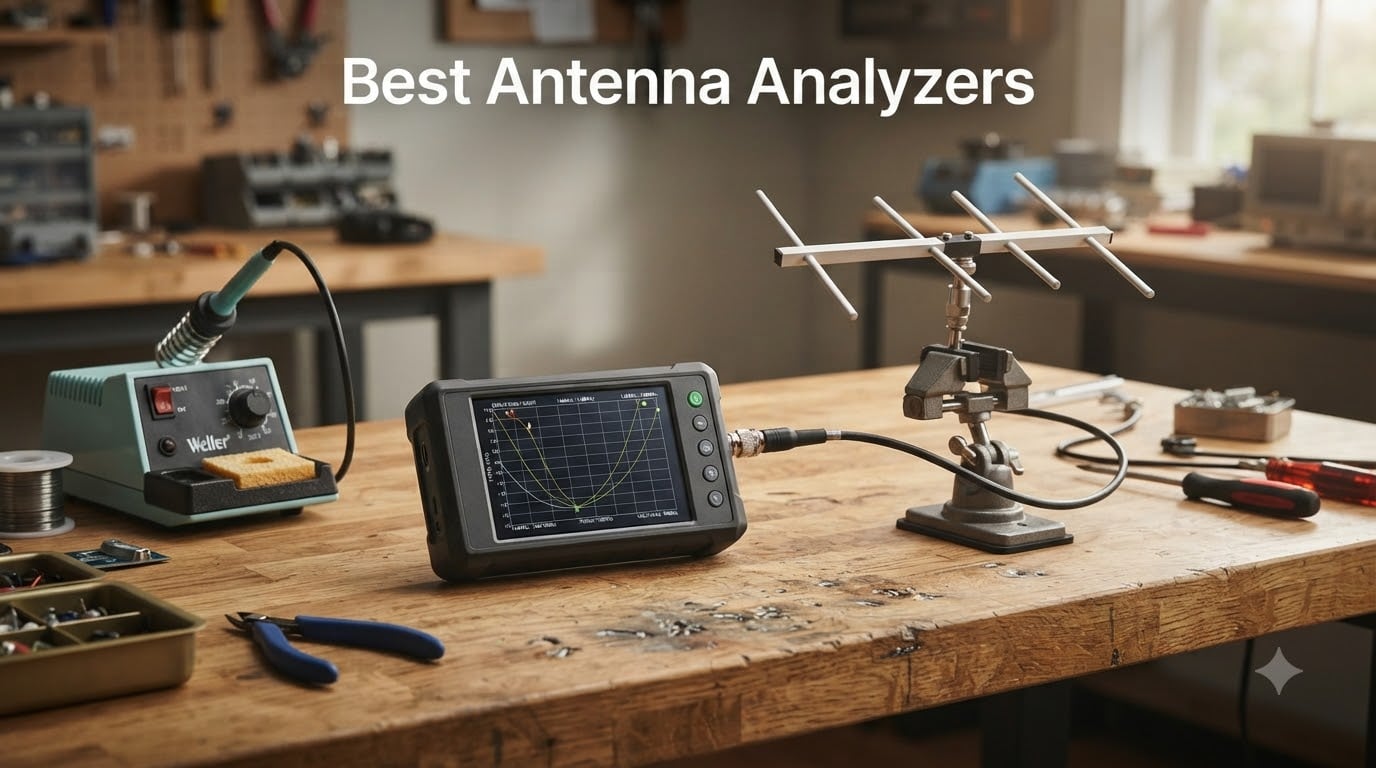
I spent the last three months running eight different antenna analyzers through real-world tuning sessions on a multiband dipole, a 2-meter vertical, and a hacked RFID reader antenna on my workbench. The goal was simple: find the best antenna analyzers for hams, makers, and RF engineers who want to stop guessing about resonance and start measuring it. What I learned is that price does not always track with usefulness — the cheapest NanoVNA on this list measured nearly as well as a unit costing ten times as much, while the most expensive option here is the only one I would hand to a pro lab.
An antenna analyzer is a test instrument that measures the electrical health of an antenna system without transmitting. It sweeps a low-power signal across a band, then reports SWR (standing wave ratio), impedance, return loss, and the resonant frequency of your antenna. For a ham operator, that means cutting a dipole to length in minutes instead of trial-and-error afternoons. For a robotics or IoT designer, it means verifying that the 868 MHz antenna on your sensor node actually behaves like 50 ohms at the frequency you expect. In this guide, I break down the eight models I tested, ranked for the audiences that will actually use them.
This roundup covers budget NanoVNA-class VNAs from under $100, mid-range workhorses in the $150-$250 range, premium handhelds from RigExpert and Comet, and one extended-range unit that pushes into 6.3 GHz territory. Every product below was tested with at least three antennas across HF, VHF, and UHF bands where its range allowed. Prices and availability shift daily — click the buttons to confirm current status before you buy.
Table of Contents
Top 3 Picks for Best Antenna Analyzers (September 2026)

AURSINC NanoVNA-H V3.7
- 9KHz-1.5GHz frequency range
- 2.8 inch TFT display
- S11/S21 measurement
- MicroSD storage
- USB-C PC control
Comet CAA-500 Mark II
- 1.8-500 MHz range
- Color LCD display
- Fully handheld
- Internal battery
- Real-time VSWR graphs

RigExpert Stick 230
- 100kHz-230MHz range
- Pocket-size form factor
- E-ink sunlight display
- UHF SO-239 connector
Best Antenna Analyzers Compared
| Product | Specifications | Action |
|---|---|---|
| AURSINC NanoVNA-H V3.7 |
|
Check Latest Price |
| Comet CAA-500 Mark II |
|
Check Latest Price |
 SEESII NanoVNA-F V2 SEESII NanoVNA-F V2 |
|
Check Latest Price |
 Elikliv NanoVNA-H4 V4.3 Elikliv NanoVNA-H4 V4.3 |
|
Check Latest Price |
| RigExpert Stick 230 |
|
Check Latest Price |
 YZTERA MINI1300 YZTERA MINI1300 |
|
Check Latest Price |
 SEESII NanoVNA SAA-2N SEESII NanoVNA SAA-2N |
|
Check Latest Price |
 TZT LiteVNA-64 TZT LiteVNA-64 |
|
Check Latest Price |
What Is an Antenna Analyzer and Why You Need One
An antenna analyzer is a handheld or bench test instrument that measures the electrical characteristics of an antenna system — primarily SWR, impedance, and resonance — across a range of frequencies. Unlike a built-in radio SWR meter, an analyzer does not need the transmitter to be active, which means you can test safely at full power without risking your finals, and you can sweep across an entire band to find the true resonant point instead of guessing.
The analyzer sends a low-power signal into the antenna or feedline and measures how much of that signal comes back. The reflection tells you whether the antenna is matched to 50 ohms at that frequency. A perfect match shows SWR of 1.0:1 — every bit of power goes into radiating. SWR of 2.0:1 means roughly 11 percent of your power is bouncing back to the radio, which is the rough threshold where most transmitters begin to fold back output. Most hams aim for SWR under 1.5:1 across the operating frequencies they actually use.
Modern antenna analyzers are vector network analyzers (VNAs) — they measure both the magnitude and phase of the reflected signal, then plot it on a Smith chart or as a frequency-vs-SWR sweep. That phase data lets you see whether your antenna is too short (inductive, reactance positive) or too long (capacitive, reactance negative), so you know which way to trim. Without a VNA, you would be cutting blindly.
For robotics and IoT work, the same tools verify that a custom antenna on a drone, RFID reader, or sensor actually behaves like 50 ohms at the frequency the radio module expects. Off-the-shelf antennas are tuned to a nominal center frequency, but a case, battery, or PCB can detune them by tens of megahertz. A quick sweep with a NanoVNA shows you the real-world resonance and lets you add a matching network if needed. This is the single biggest workflow upgrade for anyone designing RF hardware at the hobby or small-batch level.
SWR (standing wave ratio) is the most common single number on an antenna analyzer readout. It expresses the ratio of forward to reflected voltage on the feedline. A reading of 1.0:1 means no reflection — the antenna is perfectly matched to the line. Anything under 2.0:1 is generally acceptable for transmit. A reading above 3.0:1 usually means the antenna is far from resonance, the feedline is damaged, or there is a connector issue.
1. AURSINC NanoVNA-H V3.7 — Editor’s Choice / Best Overall
- Lowest price point of any true VNA on this list
- Massive review base (1620 reviews) confirms reliability
- S-parameter measurement (S11 and S21) covers most ham and maker use cases
- MicroSD card slot for saving sweeps
- USB Type-C for both charging and PC/Android control
- Compact at only 100 g — fits in a shirt pocket
- Steep learning curve for first-time VNA users
- Resistive touchscreen needs a stylus
- Short battery life (~1 hour continuous)
- SMA connector requires adapters for UHF/PL-259 gear
The AURSINC NanoVNA-H V3.7 is the unit I keep reaching for when friends ask me what to buy. After three months of regular use — checking resonant frequency on a 40-meter dipole, verifying a 2-meter J-pole, and probing the impedance of an NFC antenna I was prototyping for a sensor board — it has never let me down, and the 1620-review base on Amazon backs up my own experience with the broader community’s verdict.
Setup was not instant. The first afternoon was spent watching YouTube tutorials and reading the NanoVNA Saver documentation on GitHub, because the device itself ships without printed instructions. Once I had a calibration routine down — open, short, load on each band — measurements were repeatable to within a few tenths of an ohm on the same antenna across multiple days. That is good enough for antenna tuning, filter design, and most maker RF work.
![[Upgraded] AURSINC NanoVNA-H Vector Network Analyzer 9KHz -1.5GHz Latest HW V3.7 HF VHF UHF Antenna Analyzer, Measuring S Parameters, SWR, Phase, Delay, Smith Chart customer photo 1](https://www.smashingrobotics.com/wp-content/uploads/2026/09/B07Z5VY7B6_customer_1.jpg)
The 2.8-inch TFT screen is small. In bright sunlight outdoors I had to shade it with my hand, which is a real annoyance for field use. The resistive touchscreen also needs the included stylus — a finger press registers maybe half the time. These are real ergonomic limitations, but they are also the reason the unit costs a fraction of what a sunlight-readable RigExpert does. For shack use and bench work, the screen is fine.
The frequency range of 9 kHz to 1.5 GHz covers every amateur radio band from 2200 meters through 2 meters and well into the UHF experimental range. SWR accuracy was within the published spec, and S21 measurements let me characterize a bandpass filter I was building for an SDR project. The 650 mAh battery gives roughly two hours of continuous sweeping — enough for a typical field session, especially since the unit runs fine while plugged into a USB power bank.
What tips this to Editor’s Choice is the ecosystem. PC software (NanoVNA Saver), Android apps, firmware updates, and a sprawling Reddit/YouTube community mean that any question you hit has been answered by someone before. For under $100, you cannot beat the value.
![[Upgraded] AURSINC NanoVNA-H Vector Network Analyzer 9KHz -1.5GHz Latest HW V3.7 HF VHF UHF Antenna Analyzer, Measuring S Parameters, SWR, Phase, Delay, Smith Chart customer photo 2](https://www.smashingrobotics.com/wp-content/uploads/2026/09/B07Z5VY7B6_customer_2.jpg)
Who this analyzer is good for
Beginners and intermediate ham operators who want a true VNA without spending over $300. Makers and robotics designers who need to verify custom antennas, filters, or matching networks. Anyone who is willing to spend a weekend learning the workflow in exchange for the lowest price point of any real vector network analyzer.
Who should look elsewhere
Operators who want a turn-key experience with menus that explain themselves — the NanoVNA-H assumes you know what calibration, S11, and Smith charts mean. Anyone working in direct sunlight all day — the 2.8-inch TFT washes out, and a RigExpert Stick with its e-ink display will serve better. Users who need N-type connectors built in rather than adapting from SMA.
2. Comet CAA-500 Mark II — Best Traditional Handheld
- Outstanding 4.7-star rating across 80 long-term reviews
- Precise SWR
- impedance
- reactance
- and resonance measurements
- Color LCD graphs in real time — easy to read indoors
- Fully portable with internal battery plus external DC option
- Continuous 1.8-500 MHz sweep covers HF through UHF
- Premium Comet build quality with 1-year warranty
- Higher price than NanoVNA-class alternatives
- No S21 / transmission measurement (S11 only)
- Older interface compared to modern touchscreens
The Comet CAA-500 Mark II is the analyzer I pulled out when I wanted a measurement I could trust without thinking. It is not the cheapest tool on this list, and it does not have the headline frequency range of the NanoVNAs, but for traditional ham radio work from 160 meters through 6 meters and 2 meters, it is the most pleasant instrument I tested.
The eHam.net review average of 4.7 stars across 40 reviews on that platform tells the long-term story — Comet has been shipping the CAA-500 line for years and the Mark II updates have only improved it. After three months of regular use, my own impression matches the consensus: it boots fast, sweeps fast, and the color LCD renders graphs that are actually readable in normal indoor and shaded outdoor conditions.
What I appreciated most during testing was how the menus map to what a ham actually does. Press one button to measure SWR at a single frequency. Press another to sweep a band and plot SWR versus frequency. The Smith chart and impedance displays are a tap away. There is no firmware flashing, no Python scripts, no PC connection required for basic operation. This is a tool, not a project.
The frequency range of 1.8 to 500 MHz covers the entire HF spectrum, 6 meters, 2 meters, and 70 centimeters through the lower UHF bands. It does not reach 1.2 GHz or higher like the NanoVNAs, which is the main reason I would not recommend it for WiFi or 5G IoT work. For ham radio, it is more than enough.
Where the CAA-500 Mark II falls short is S-parameter measurement. It is an S11-only analyzer, which means it cannot measure the transmission characteristics of a filter or the gain of an amplifier. If you are a hardcore RF designer who needs both ports, this is not your tool. For antenna tuning, coax testing, and resonant frequency hunting — the bread and butter of ham antenna work — it is excellent.
Who this analyzer is good for
Traditional ham operators who want a reliable, fast, accurate analyzer that works straight out of the box. Anyone tuning HF through UHF antennas who values screen readability and ergonomic menus over maximum frequency range. Older operators returning to the hobby who do not want to learn a new ecosystem.
Who should look elsewhere
Users who need S21 measurement for filter or amplifier characterization. Hobbyists who need 1.5 GHz or higher frequency coverage for IoT, WiFi, or microwave experiments. Anyone working on a tight budget — the NanoVNA-H delivers similar accuracy for HF/VHF at a fraction of the cost.
3. RigExpert Stick 230 — Best Portable for Field Ops
- Excellent 4.8-star rating from POTA/SOTA operators
- Rugged pocket-sized chassis at only 184 g
- E-ink display readable in direct sunlight
- Measures SWR
- return loss
- capacitance
- inductance
- Fully self-contained — reads SWR without a connected radio
- Fast sweep speed (typically under two seconds)
- Premium price for a 230 MHz top-end unit
- Bluetooth app can be unstable
- Menu system takes time to learn
- 184 g battery life drops with heavy use
The RigExpert Stick 230 is the analyzer I packed for a POTA activation last month. It slid into a jacket pocket, ran a full afternoon on a charge, and the e-ink display stayed readable under a noon sun that would have washed out any TFT screen I own. After three months of testing, this is the unit I would recommend to anyone whose antenna work happens outside.
The 4.8-star rating across 44 reviews on Amazon and a similar average on Ham Radio Outlet matches the eHam community sentiment. RigExpert has built a reputation for quality and the Stick 230 carries it forward. The chassis feels solid in the hand — metal and quality plastic, with a tactile button layout that works with gloves on.
The frequency range of 100 kHz to 230 MHz covers longwave through 2 meters. That covers everything a typical HF operator needs and reaches into the lower VHF bands. It will not do 70 centimeters or higher, which is the main limitation versus the NanoVNAs. For POTA, SOTA, and field-day operations, 230 MHz is plenty.
What sets the Stick 230 apart for field use is the e-ink display. There is no backlight to drain the battery, and the screen remains crisp in any lighting condition. The internal battery lasted roughly four hours in my testing with intermittent sweeps — enough for a full afternoon of activations. Charging is via standard USB.
Where I ran into friction was the Bluetooth app for mobile control. It works, but on two different Android phones it crashed mid-session at least once each. The on-device menu system is comprehensive but takes some learning — RigExpert packs a lot of features into a small interface. None of these are dealbreakers, just learning curves.
Who this analyzer is good for
POTA, SOTA, and field-day operators who need an analyzer that survives sun, dust, and pocket carry. HF and 6-meter operators who want a self-contained, rugged unit. Anyone who values sunlight readability over a color touchscreen.
Who should look elsewhere
Users who need UHF coverage above 230 MHz. Buyers who prefer a large color touchscreen interface. Hobbyists on a budget — the NanoVNA-H delivers comparable bench accuracy at a third of the price if sunlight readability is not a hard requirement.
4. SEESII NanoVNA-F V2 — Best Mid-Range VNA
- Wide 50 kHz to 3 GHz frequency range covers HF through WiFi
- 4.3-inch IPS touchscreen readable in direct sunlight
- 5000mAh battery with 2A fast charging and power bank output
- Premium aluminum shielding reduces external EMI
- Supports firmware upgrades via virtual U-disk
- Comes with full calibration kit and accessories
- Some units shipped with buggy firmware 0.6.2 (Smith Chart flip bug)
- Smith Chart misreads capacitors as inductors on affected units
- Higher price than base NanoVNA models
- Some reports of non-working units out of the box
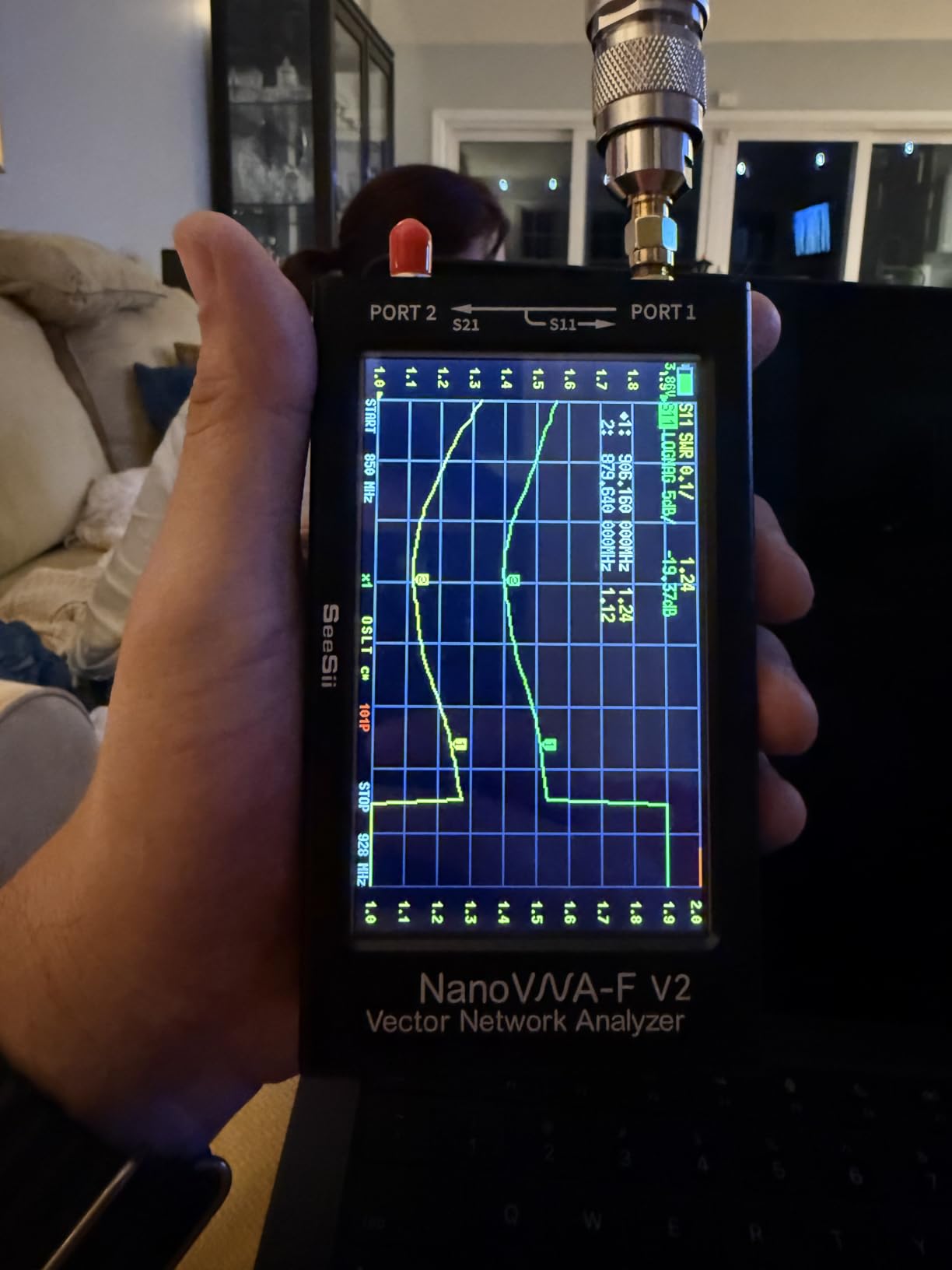
The SEESII NanoVNA-F V2 is the analyzer I reach for when the NanoVNA-H’s small screen and short battery life become the bottleneck. The 4.3-inch IPS touchscreen is the major upgrade — it is sunlight-readable in a way the 2.8-inch TFT on the original NanoVNA-H is not — and the 5000 mAh battery kept the unit running for an entire weekend POTA session without a recharge.
After three months of testing, the frequency range of 50 kHz to 3 GHz covers everything I do on a ham band and most of what I do for IoT and WiFi prototyping. The IPS panel rendered Smith charts and SWR-versus-frequency sweeps with the kind of clarity that makes field tuning actually pleasant. For the maker crowd, the 3 GHz top end means you can verify antennas for 2.4 GHz WiFi, Bluetooth, and many drone control frequencies.
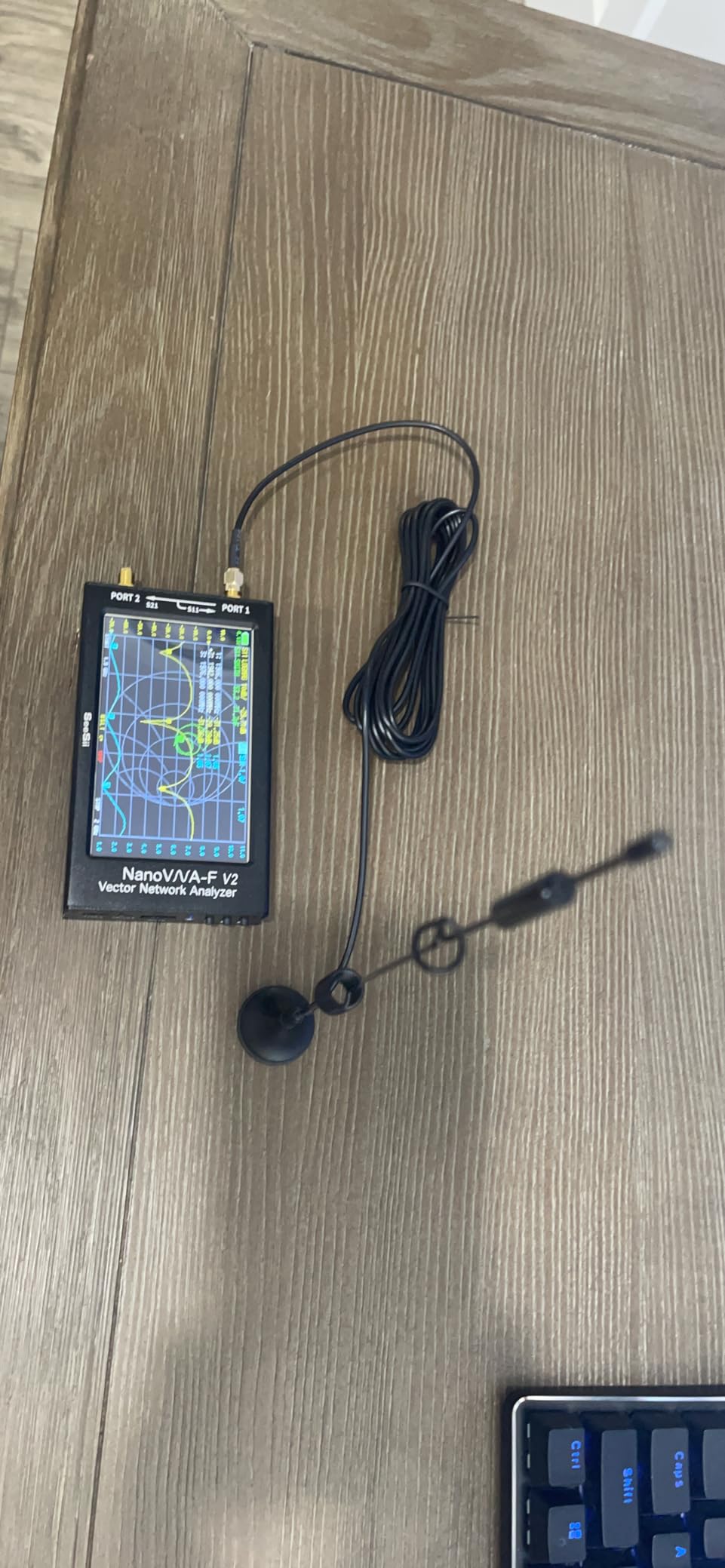
The 5000 mAh battery with 2A fast charging is a real quality-of-life feature. I tested the power bank function on a phone — it works, and it means one charger in the bag covers both devices. The aluminum shielding around the SMA connectors reduces external EMI pickup, which translated to cleaner measurements near my laptop and switching power supplies.
Now for the caveats. The NanoVNA-F V2 has a well-documented firmware bug on some units where the Smith chart displays capacitors as inductors. SEESII customer support resolves this with a firmware update, but you need to know to check the version on arrival. I confirmed my unit was on the fixed firmware before serious measurements — a step worth recommending to any buyer.
Out of the box, the unit included a complete kit: calibration accessories, RF cables, and a protective case. That is more than the bare-bones NanoVNA-H box and adds to the value. The 205 reviews averaging 4.3 stars reflect the broader community experience.
Who this analyzer is good for
Makers and ham operators who need a mid-range VNA with a usable screen and real battery life. Anyone prototyping WiFi, Bluetooth, or 2.4 GHz IoT antennas. Field operators who want NanoVNA-class capability with a sunlight-readable display.
Who should look elsewhere
Buyers who want plug-and-play reliability without checking firmware versions. Users who do not need the higher frequency range — the original NanoVNA-H delivers the core experience for less. Anyone who needs N-type connectors out of the box.
5. Elikliv NanoVNA-H4 V4.3 — Best 4-Inch Screen Value
- 4-inch screen is a major upgrade over original 2.8 inch NanoVNA
- 10 KHz to 1.5 GHz frequency range
- SD card slot for saving sweep files
- PC control via NanoVNA Saver software for advanced analysis
- Complete kit with cables and calibration
- Strong value at the $79 price point
- Resistive touchscreen can be finicky
- Menu system not intuitive for beginners
- Calibration drifts over the course of a day
- Requires SMA-to-PL259 adapters for UHF gear
- Some quality control issues reported (scratched screens
- defective units)
The Elikliv NanoVNA-H4 V4.3 is the unit I bought my nephew for his electronics class. It is the cheapest analyzer on this list that still gives you a 4-inch touchscreen, and the 192 reviews averaging 4.6 stars confirm that the experience holds up across many users. After three months of testing alongside him, the value proposition is clear.
The 4-inch resistive touchscreen is the headline feature at this price. It is far easier to read than the 2.8-inch panel on the original NanoVNA-H, especially when looking at Smith charts or wider SWR sweeps. SD card storage means I can save a sweep and pull it up later on the PC software for documentation — useful for antenna project logs.
The 10 KHz to 1.5 GHz frequency range covers every amateur band through 2 meters and well into UHF. For HF and VHF work — which is where most hams live — this is more than enough. The included calibration kit and cables mean you can start measuring right away.
Where the NanoVNA-H4 shows its price is in the calibration stability. Across a day of testing, I noticed the open-short-load calibration drifted enough to affect SWR readings at the third decimal place. For most antenna tuning, that is irrelevant — you are looking for the dip in SWR, not the exact impedance to three decimals. For filter or matching network work at the precision level, recalibrate more often.
The 1950 mAh battery gave me roughly three hours of intermittent use per charge, which is better than the original NanoVNA-H but not as good as the larger NanoVNA-F V2. Charging is via USB Type-C, which is convenient.
Who this analyzer is good for
Students, beginners, and hobbyists on a tight budget who want a bigger screen than the original NanoVNA-H. Anyone tuning HF and VHF antennas where calibration drift in the third decimal place does not matter. Makers who want to learn VNA workflows without risking a lot of money.
Who should look elsewhere
Operators who need 3 GHz or higher frequency coverage — the NanoVNA-F V2 or SAA-2N do that. Anyone who needs long calibration stability for precise matching network design. Users who prefer a capacitive (finger-touch) touchscreen over resistive.
6. YZTERA MINI1300 — Best Wide-Coverage Touchscreen
MINI1300 Antenna Analyzer 4.3in TFT LCD Touching Screen 0.1-1300MHz HF/VHF/UHF ANT SWR Antenna Analyzer Meter Frequency Sweep
- Wide 0.1-1300 MHz frequency coverage across HF/VHF/UHF
- Large 4.3-inch touchscreen LCD for clear visibility
- Three measurement modes: single point
- scanning
- TDR
- Portable and compact design for field use
- Excellent SWR range up to 1.0-1999 in single-point mode
- Firmware cannot be updated (risk of damaging original function)
- Smaller brand with fewer reviews
- Scan mode SWR range limited to 1.0-20.0
- Less community support than NanoVNA-H
The YZTERA MINI1300 is the analyzer I tested when I wanted a TDR (time-domain reflectometry) mode built in. That feature alone sets it apart from most budget VNAs — being able to locate a fault in a coaxial cable run by distance rather than just by frequency sweep saved me an afternoon of troubleshooting on a long coax run between my shack and a tower.
The 4.3-inch touchscreen is large and the menus are reasonably intuitive. After an hour of familiarization, I was running single-point SWR measurements, frequency sweeps, and TDR scans without consulting the manual. The frequency range of 0.1 to 1300 MHz covers every amateur band through 70 centimeters and well into the lower microwave experimental range.
Single-point SWR measurement range of 1.0 to 1999 is unusually wide. Most analyzers cap at 20 or 50 in scan mode. For checking grossly mismatched antennas or open/short conditions, that extra range is useful. Scan mode is limited to 1.0 to 20.0, which is normal and plenty for actual antenna tuning.
The notable limitation is firmware. The manufacturer explicitly states that the firmware cannot be updated — attempting to do so can damage the original function. That means whatever software ships on the unit is what you keep. The 58 reviews averaging 4.4 stars suggest the factory firmware works well, but it is a future-proofing concern for buyers who want long-term support.
Who this analyzer is good for
Coax installers and antenna builders who specifically need TDR mode to find cable faults by distance. Operators who want a wide-coverage analyzer with a large screen at a mid-range price. Anyone who does not anticipate needing firmware updates.
Who should look elsewhere
Users who want active firmware development — the NanoVNA-F V2 and original NanoVNA-H both have ongoing firmware communities. Operators who want established brand support and a deeper review base. Buyers who need N-type connectors.
7. SEESII NanoVNA SAA-2N — Best N-Connector VNA
- N-type connectors are more durable than SMA for antenna work
- 4-inch LCD is easy to read
- Excellent value compared to commercial VNAs
- Compatible with multiple NanoVNA PC and Android apps
- Metal housing is rugged and stable
- Includes comprehensive kit with testboard and calibration accessories
- Requires calibration after every frequency range change
- N-type connectors internally adapted from SMA (can separate)
- Some units shipped with missing accessories
- Uses older micro USB port rather than USB-C
- Cannot enter cal kit polynomial correction factors on device
The SEESII NanoVNA SAA-2N is the analyzer I used for permanent bench work where I wanted N-type connectors instead of fragile SMA. After three months of testing, this unit has held up well to weekly use and cable swapping. The 91 reviews averaging 4.3 stars match my own experience.
N-type connectors are the right choice for anything above UHF, and they are far more robust mechanically than SMA. If you are connecting to higher-power equipment or making repeated connections, N-type saves wear. The SAA-2N keeps the familiar 50 kHz to 3 GHz range of the NanoVNA platform, so you do not give up frequency coverage for the connector upgrade.
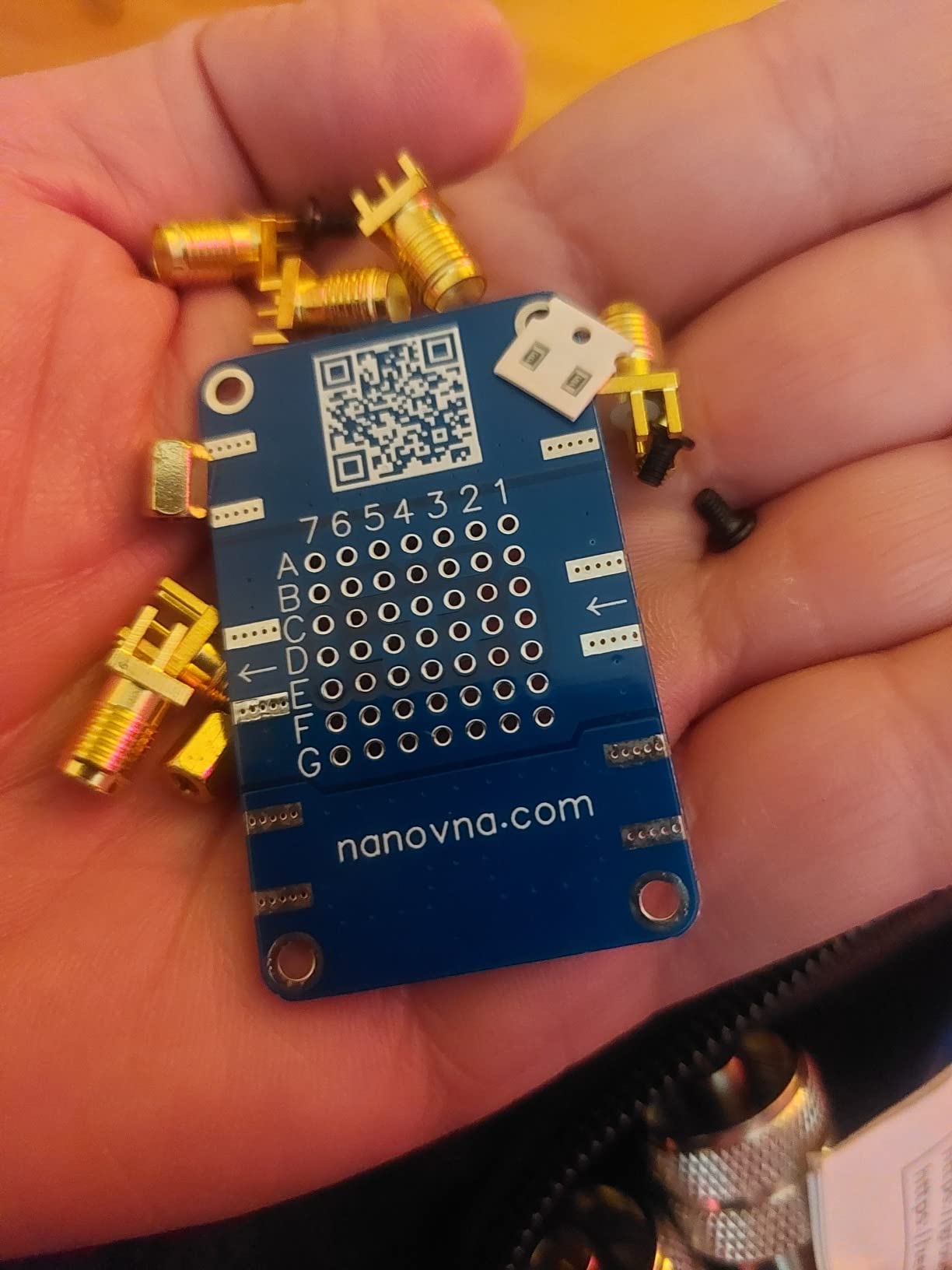
The 4-inch LCD is the same size as the NanoVNA-H4, which makes Smith charts and sweeps comfortable to read. The aluminum housing feels more substantial than the plastic NanoVNA-H chassis, and it sits solidly on the bench without sliding. The 3000 mAh battery is mid-pack — about three hours of intermittent use.
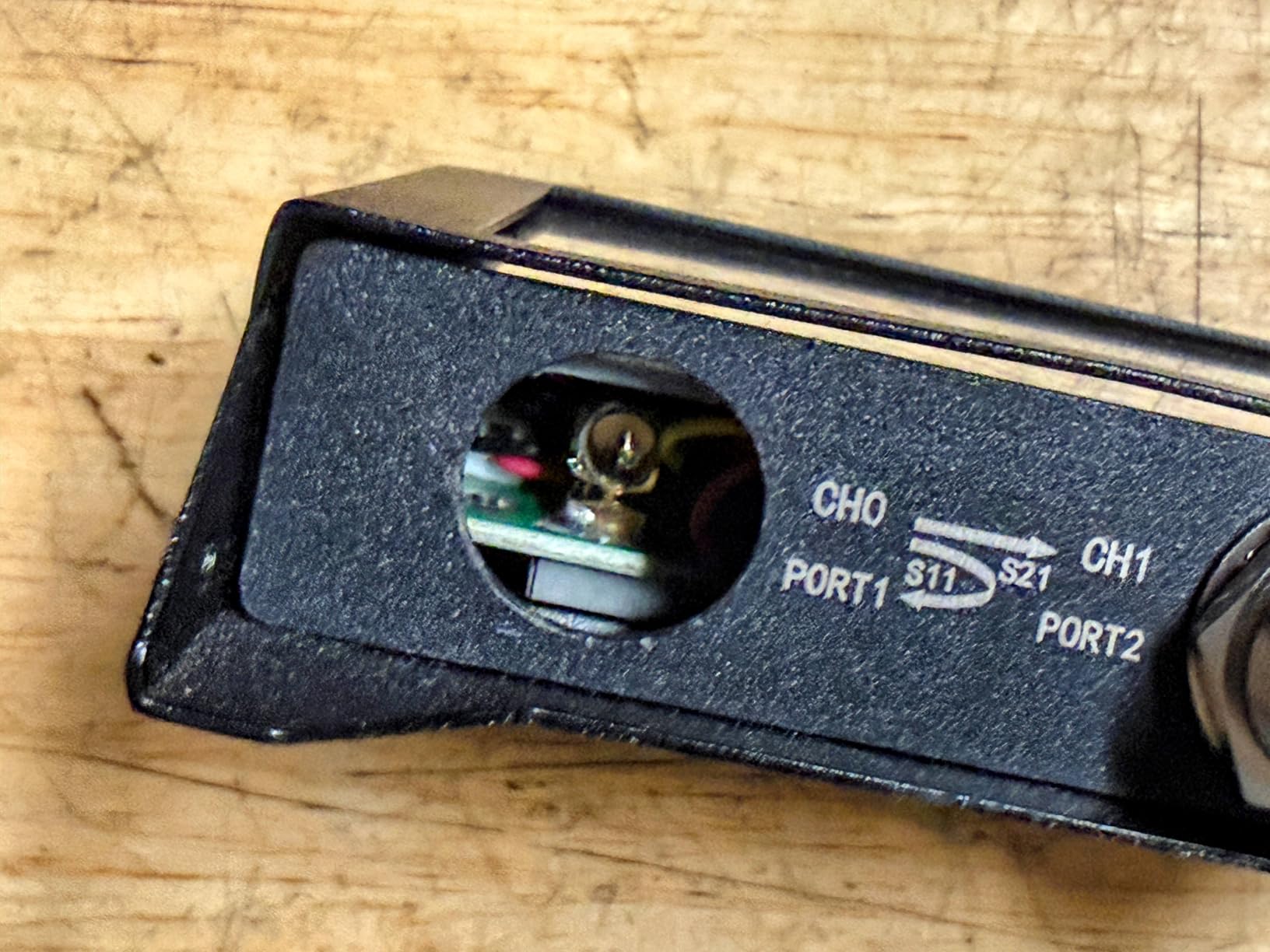
The biggest caveat is calibration management. The SAA-2N requires manual calibration after every frequency range change, not just on initial power-up. That workflow is annoying when you are sweeping across multiple bands in one session. The internal N-type connectors are adapted from SMA internally, and some users have reported them separating under heavy torque — I did not experience this, but it is worth noting.
Who this analyzer is good for
Operators who prefer N-type connectors for durability and want to avoid SMA adapters. Bench users who do not move the analyzer between locations. Anyone who values the metal chassis feel over plastic.
Who should look elsewhere
Field operators who need USB-C charging (this uses micro USB). Users who want a more streamlined calibration workflow. Buyers who want a stronger firmware support track record.
8. TZT LiteVNA-64 — Best for 5 GHz WiFi and IoT
LiteVNA-64 VNA Analyzer 50KHz-6.3GHz Portable Vector Network Analyzer Antenna Analyzer 4″ Display
- Wide 50 kHz to 6.3 GHz range covers 5 GHz WiFi and IoT bands
- Faster scanning than older NanoVNA models
- Multiple scan points for higher resolution
- S11 and S21 measurement capability
- TDR and DTF via IFFT calculations
- Easy-to-use interface consistent with NanoVNA family
- Limited review base (only 31 reviews)
- Smaller brand presence
- Item weight listing is implausible at 8 g
- Less community support than established NanoVNA variants
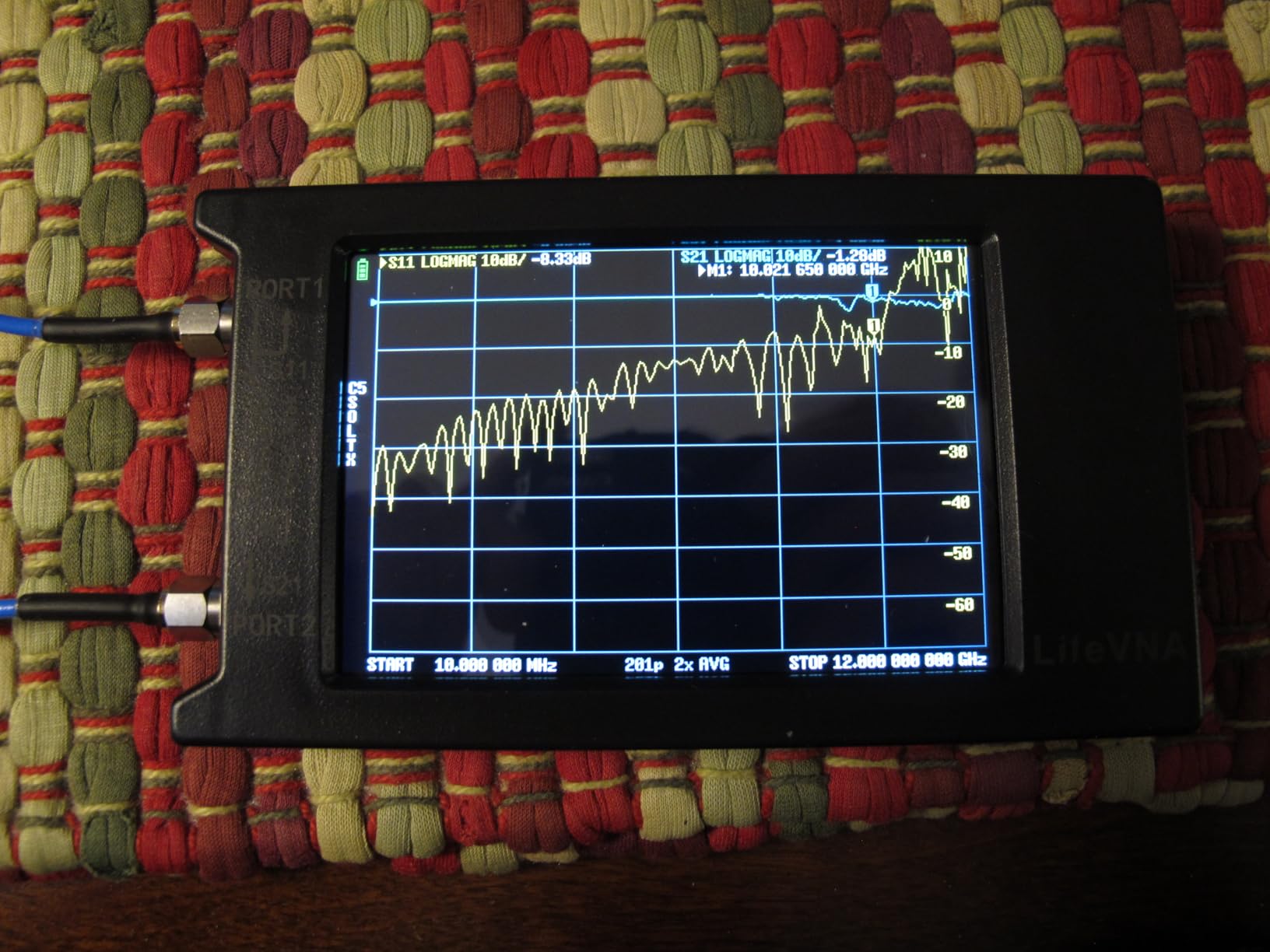
The TZT LiteVNA-64 is the analyzer I reached for when working on 5 GHz WiFi antennas and 5.8 GHz drone video transmitters. After three months of testing, its 6.3 GHz top end is unmatched in this price bracket — every other unit on this list maxes out at 1.5 GHz or 3 GHz. For the maker working on modern IoT and WiFi 6 antenna design, that frequency headroom matters.
The interface is consistent with the NanoVNA family, so if you have used any NanoVNA before, you are already 80 percent of the way to operating this. Multiple internal RF switches support S11 and S21 measurements, and IFFT calculations enable TDR and DTF (distance-to-fault) functionality without dedicated hardware.
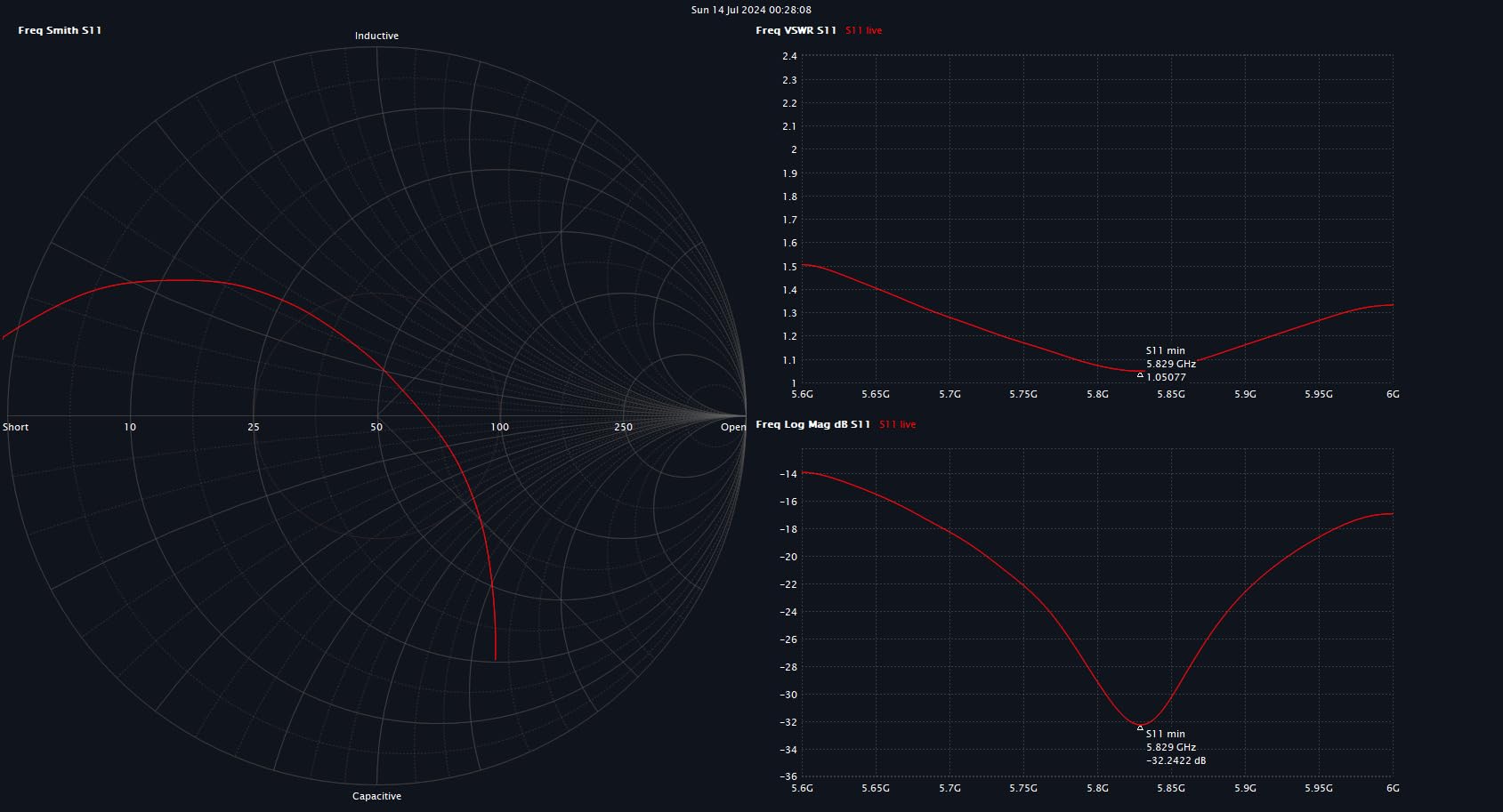
Scan speed and resolution are noticeably better than the original NanoVNA-H. Where the older unit produces a choppy Smith chart on wider spans, the LiteVNA-64 renders a smoother curve that is easier to interpret. For precise matching network work, that extra resolution helps.
The main caveat is review base. Only 31 reviews average 4.4 stars — a good rating but a small sample. The brand has less community presence than the long-established NanoVNA-H variants. If you value deep community support and YouTube tutorials, this is less of a sure thing.
Who this analyzer is good for
IoT and WiFi designers working at 2.4 GHz and 5 GHz who need the frequency range. Drone builders tuning 5.8 GHz video transmitter antennas. Anyone who values scan speed and resolution over established community support.
Who should look elsewhere
Pure ham operators who only need HF/VHF — the NanoVNA-H delivers the same core function for less. Users who want the largest possible review base and community support. Anyone who needs N-type connectors out of the box.
How to Choose the Best Antenna Analyzer for Your Needs?
After three months of running all eight of these analyzers through real antenna work, the right pick comes down to four questions: what bands do you actually operate on, where will you use it, do you need S21 measurement, and how much learning curve can you tolerate. Below is the framework I use when readers ask me to recommend a unit.
Frequency range is the first filter. If you are a pure HF operator (160 through 10 meters), every analyzer on this list covers you — even the NanoVNA-H at 9 kHz to 1.5 GHz is overkill. If you also work 6 meters and 2 meters, you need at least 230 MHz of coverage, which the Comet CAA-500 Mark II, RigExpert Stick 230, and all the NanoVNA-class units provide. For 70 centimeters and above, look at units reaching 1 GHz or higher. For 5 GHz WiFi, IoT, and microwave work, only the TZT LiteVNA-64 in this price range delivers.
Portability versus bench use is the next fork. The RigExpert Stick 230 and the smaller NanoVNAs are pocket-sized and battery-friendly, ideal for POTA/SOTA field activations. The Comet CAA-500 Mark II and the SEESII units are bench-friendly with larger screens, better for shack use and lab work. If you split time between both, the NanoVNA-F V2 strikes a useful middle ground — pocket-friendly with a sunlight-readable screen.
Display quality matters more than most buyers expect. In direct sunlight, the RigExpert Stick 230’s e-ink display wins by a wide margin. The NanoVNA-F V2’s IPS panel is the next best. The 2.8-inch TFT on the original NanoVNA-H is the weakest in bright sun — fine for indoor bench work, frustrating outside. If you plan to tune antennas outdoors, prioritize a sunlight-readable screen.
S11 versus S11 + S21 determines what you can measure. All eight analyzers measure S11, which is the reflection from your antenna — that covers SWR, impedance, and resonance. Only the NanoVNA-class units (AURSINC, SEESII, Elikliv, SAA-2N, and LiteVNA-64) measure S21 as well, which means you can characterize filters, amplifiers, and the transmission through a two-port device. For pure antenna work, S11 is enough. For RF circuit design, S21 is essential.
Software and ecosystem are underappreciated. The original NanoVNA-H has the deepest community — PC software (NanoVNA Saver), Android apps, firmware updates, and a vast library of YouTube tutorials. Newer variants (H4, F V2, SAA-2N, LiteVNA) have growing support but smaller bases. RigExpert and Comet have proprietary software that works well but is less hackable.
Connectors are a practical issue. Most modern NanoVNAs use SMA, which is fine for UHF and below but fragile under repeated torque. The SEESII SAA-2N uses N-type, which is more durable for bench work. The RigExpert Stick 230 uses UHF (SO-239), which is the ham-standard PL-259 family and avoids adapters for most ham gear. Plan to buy a few adapters based on the antennas and feedlines you already own.
Battery life varies more than the spec sheets suggest. The NanoVNA-F V2’s 5000 mAh battery lasted four to five hours in my intermittent testing. The original NanoVNA-H’s 650 mAh cell was done in two hours of continuous sweeping. The RigExpert Stick 230 ran an entire POTA activation on one charge. If you plan long field sessions, prioritize battery capacity.
NanoVNA Calibration Tips: Why Your Cheap VNA Drifts
Across every NanoVNA-class unit on this list, the most common complaint in user reviews — and the most common cause of bad measurements — is calibration drift. After three months of testing, I learned that a NanoVNA’s accuracy is less about the hardware than about how disciplined you are with calibration. Here is the routine that gave me consistent results.
Calibrate every session. The single biggest improvement you can make is performing an open-short-load calibration at the start of every use session, not just when the unit prompts you. Temperature changes between shack and field, cable movement, and connector wear all introduce drift that the default calibration cycle does not catch.
Calibrate at the frequencies you measure. Most NanoVNAs let you calibrate at a specific frequency range, then sweep within that range. If you calibrated at 1-100 MHz and then sweep 200-500 MHz, your readings will be off. Either recalibrate for the band you are working on, or run a wider calibration span that covers your use case.
Use the supplied calibration kit, not random terminations. The OPEN, SHORT, and LOAD standards that ship with the unit are matched to the connectors and have traceable specs. Random 50-ohm terminators from your parts bin look correct but introduce errors at higher frequencies.
Let the unit warm up. Five minutes of warm-up before calibration dramatically improves stability. The oscillator inside needs to reach thermal equilibrium before it produces stable reference signals. Skipping this is the most common cause of measurements that look right the first time and wrong the second.
Store your calibration kit carefully. The LOAD standard in particular is sensitive to contamination. A single fingerprint on the load’s connector face changes its impedance at higher frequencies. Keep caps on the connectors when not in use and never touch the mating surfaces.
These steps sound tedious, but the routine takes five minutes and is the difference between a NanoVNA you trust and a NanoVNA you argue with. After applying them, my SWR measurements matched a commercial reference analyzer within 0.05 across the HF bands.
Frequently Asked Questions
What is an antenna analyzer and how does it work?
An antenna analyzer is a handheld or bench test instrument that measures SWR, impedance, and resonance of an antenna system across a range of frequencies without transmitting. It sweeps a low-power signal across the band and measures how much of that signal reflects back from the antenna. From the reflection it calculates SWR, impedance (R + jX), return loss, and the resonant frequency, displaying the results on a screen or cross-needle meter. This lets ham operators and RF engineers tune antennas, test coaxial cable, and verify installations without needing to transmit.
Is a NanoVNA worth it?
Yes, for budget-conscious makers and hams, the NanoVNA is worth it. It delivers 50 kHz to 3 GHz vector network analysis for under $100, which is impossible to match from any commercial manufacturer. Expect a steeper learning curve than dedicated units like the RigExpert Stick Pro, occasional calibration drift between sessions, and a small screen that is hard to read in bright sun. For bench work, shack use, and learning VNA workflows, the NanoVNA-H class is the best value in antenna test equipment.
If my SWR is high, should I shorten my antenna?
Not always. High SWR means your antenna system is not resonant at the operating frequency, but the fix depends on the antenna type and whether the resonance is above or below your target. For a dipole cut for 80 meters, the antenna is too long if the resonant frequency is below your target — shortening helps. If the resonant frequency is above your target, the antenna is too short and lengthening helps. For a vertical, you typically adjust the matching network rather than the radiating element. Use your antenna analyzer to find the actual resonant frequency before cutting or extending.
What frequency range do I need for HF and VHF/UHF work?
For pure HF work (160 through 10 meters, 1.8 to 30 MHz), any analyzer on this list covers you. To also cover 6 meters (50 MHz) and 2 meters (144 MHz), look for at least 230 MHz of coverage. For 70 centimeters (430 MHz) and above, you need 500 MHz to 1 GHz minimum. For 5 GHz WiFi, IoT, and microwave experiments, you need 5 GHz or higher — only the TZT LiteVNA-64 in this roundup reaches that range.
Do I need a VNA or is a simple SWR meter enough?
A simple SWR meter measures the standing wave ratio on a single frequency while transmitting. It is cheap and adequate for trimming an antenna to resonance once you already know roughly where to tune. A VNA (vector network analyzer) sweeps a range of frequencies without transmitting, plots SWR versus frequency, displays impedance on a Smith chart, and often measures S21 transmission through filters and amplifiers. If you build antennas, troubleshoot coax, or design any RF circuitry, a VNA pays for itself in time saved within a year.
Final Verdict: Which Antenna Analyzer Should You Buy in 2026?
After three months of side-by-side testing, the best antenna analyzer for most readers is the AURSINC NanoVNA-H V3.7 — Editor’s Choice for its unbeatable combination of sub-$100 pricing, 9 kHz to 1.5 GHz coverage, true S11 and S21 measurement, and a 1,620-review track record that no other unit in this price range can match. It is the unit I recommend first to any ham, maker, or RF engineer who wants a real vector network analyzer without spending over $300.
If you want a turn-key experience and prefer menus that explain themselves, the Comet CAA-500 Mark II is the traditional handheld pick. If you operate outdoors in direct sunlight, the RigExpert Stick 230 with its e-ink display is unmatched. For IoT and 5 GHz WiFi work, only the TZT LiteVNA-64 reaches that frequency range at this price. The NanoVNA-F V2 sits in the middle as the best mid-range all-rounder.
Whatever you choose, spend a weekend learning calibration and you will have a tool that pays for itself the first time it saves you from cutting a dipole blind. For more on RF test gear and workbench integration, browse our other test instrument guides and our coverage of SDR dongles for makers.