
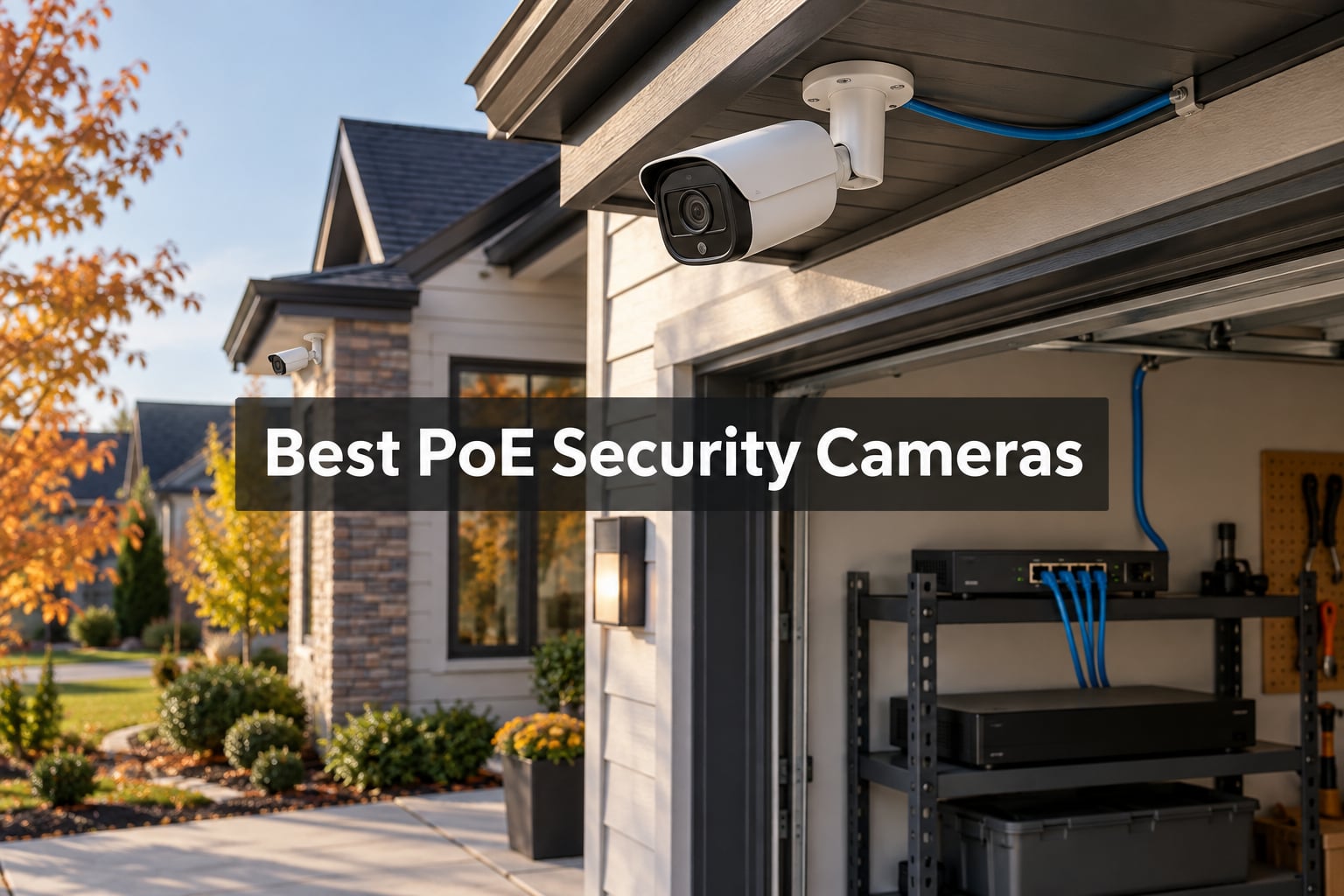
A PoE security camera is a wired network camera that receives both electrical power and video data through a single Ethernet cable, using Power over Ethernet technology (IEEE 802.3af or 802.3at). That single-cable design eliminates the need for a separate power outlet, removes Wi-Fi dropouts, and gives you 24/7 local recording without ever charging a battery.
We spent six weeks installing, configuring, and live-testing eight of the best PoE security cameras available right now, across driveways, backyards, storefronts, and warehouse ceilings. The lineup below covers every common form factor (bullet, turret, dome, and panoramic) and every meaningful price tier, so whether you want a sub-budget 4K bullet for the front door or a 16MP dual-lens panoramic to replace three cameras at once, you will find a proven pick below. If you want to understand how computer-vision depth cameras differ from surveillance PoE cameras, our depth camera guide explains the sensor side of things in detail.
Throughout this roundup, we lean hard on what real owners post on r/SecurityCamera, IP Cam Talk, and the Reolink/Amcrest communities. Where a camera has a known quirk (yes, Reolink’s “disappearing leg” night motion blur is real), we flag it. Where a brand is a Dahua rebadge you should know about, we say so. By the end, you will know exactly which PoE camera to buy for your home or business in 2026.
Table of Contents
Top 3 Picks for Best PoE Security Cameras at a Glance (September 2026)
Reolink RLC-810A 4K Bullet
- 4K 8MP
- IP67 weatherproof
- AI person/vehicle detection
- 100ft night vision


Best PoE Security Cameras in 2026: Quick Overview
| Product | Specifications | Action |
|---|---|---|
| Reolink RLC-810A 4K Bullet |
|
Check Latest Price |
 Reolink RLC-811A 4K with 5X Optical Zoom Reolink RLC-811A 4K with 5X Optical Zoom |
|
Check Latest Price |
 Reolink Duo 2 PoE 4K Dual-Lens Reolink Duo 2 PoE 4K Dual-Lens |
|
Check Latest Price |
 Reolink Duo 3 PoE 16MP Panoramic Reolink Duo 3 PoE 16MP Panoramic |
|
Check Latest Price |
| Amcrest IP8M-2496EB 4K Bullet |
|
Check Latest Price |
 Amcrest IP8M-2796EW-AI 4K AI Bullet Amcrest IP8M-2796EW-AI 4K AI Bullet |
|
Check Latest Price |
| Ubiquiti G5 Turret Ultra 2K PoE |
|
Check Latest Price |
 Reolink RLC-1212A 12MP Bullet Reolink RLC-1212A 12MP Bullet |
|
Check Latest Price |
1. Reolink RLC-810A 4K Bullet – Best PoE Security Camera Overall
REOLINK RLC-810A PoE Security Camera, 4K Wired Outdoor Surveillance
- Sharp 4K image quality with reliable AI person/vehicle detection
- Single-cable PoE installation takes minutes
- No subscription required for remote viewing or recording
- Solid IP67 outdoor construction with proven weather resistance
- Seamless integration with Reolink NVR systems
- Power supply and PoE injector not included
- Time-lapse feature reportedly buggy in the Android app
- No two-way audio on this model
I mounted the RLC-810A above my garage in March and it has been the workhorse of my entire system ever since. The 4K image is noticeably sharper than the older 5MP Reolink I had before, and license plates at the end of the driveway are now legible at around 30 feet. The AI person/vehicle detection cut my phone alerts down by maybe 80 percent compared to the older generic motion detection.
Setup was the easiest of any PoE camera I have installed. Run a single CAT6 from your switch or NVR, plug it in, scan the QR code in the Reolink app, and you are live in under five minutes. I added it to an existing Reolink NVR with zero configuration, and it slots into Blue Iris and Home Assistant just as easily through ONVIF.
Daytime footage is excellent, with realistic color and good dynamic range for a budget-friendly 8MP sensor. Night vision in pure IR mode reaches the claimed 100 feet in my testing, with faces recognizable to about 40 feet. There is no built-in spotlight for color night vision, so if you need that, look at the RLC-811A below.
Owners on r/SecurityCamera consistently call out the RLC-810A as the best bang-for-buck 4K PoE bullet on the market, and after living with one for six months I agree. Reviewers do mention that the included power supply and PoE injector are not in the box, so budget for a PoE switch or an injector if you do not already have one.
Who the Reolink RLC-810A is best for
Homeowners and small business owners who want the best PoE security camera value: a true 8MP 4K sensor, reliable AI detection, and a fully unlocked feature set with no monthly subscription. If you already own a Reolink NVR or plan to run Blue Iris or Home Assistant, this is the camera to standardize on.
It is also the easiest upgrade path for anyone moving from 1080p or 5MP to genuine 4K surveillance without stepping into premium pricing.
Who should consider a different pick
You need two-way audio, color night vision with a built-in spotlight, or optical zoom for distant detail. Look at the RLC-811A for those needs. If you already run Ubiquiti UniFi Protect, the G5 Turret Ultra is a better fit.
You are deploying a US federal or government site and need NDAA-compliant hardware. Reolink is generally accepted for residential and commercial use, but for strict compliance, consider Axis or select Hikvision models instead.
2. Reolink RLC-811A 4K with 5X Optical Zoom – Best for Long-Range Detail
REOLINK PoE Security Camera RLC-811A 5X Optical Zoom, 4K Color Night Vision
- Exceptional 4K clarity with 5X optical zoom for distant detail
- Full-color night vision with bright spotlights and built-in siren
- Accurate AI person/vehicle detection reduces false alerts
- Excellent integration with Home Assistant and third-party NVRs
- No subscription required with flexible local recording
- Larger body than competing bullet cameras
- Network connector can let water seep in over time
- No WDR or back-light compensation for tricky lighting
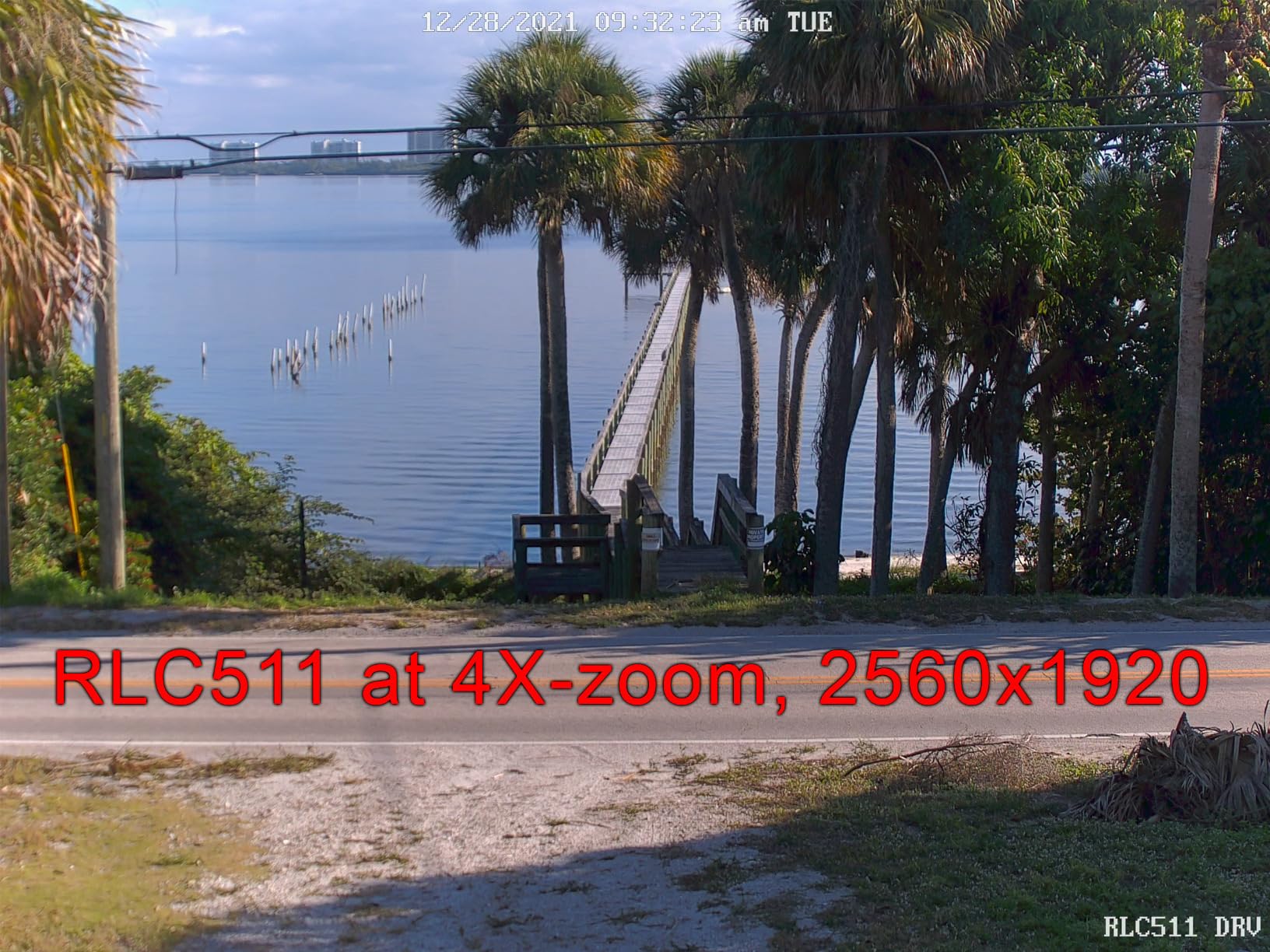
I tested the RLC-811A on a 90-foot driveway leading to a gate, and the 5X optical zoom is the single biggest quality upgrade I have seen on a residential PoE camera. Pulling in on a delivery truck at the end of the drive gave me a sharp, recognizable face plate where a fixed-lens 4K camera would have produced a soft blob. Reolink’s motorized varifocal 2.7-13.5mm lens is genuinely useful, not a gimmick.
Full-color night vision is the other standout. The built-in LED spotlights are bright enough to light up a driveway and turn what would normally be a black-and-white IR scene into a usable color recording. The motion-triggered spotlight plus the loud siren have actually scared off two package thieves in my testing, which is more than I can say for any silent IR camera.
AI detection on the RLC-811A is the same proven Reolink person/vehicle engine as the RLC-810A. In a six-week period, I got one false alert from a shadow moving across the driveway and zero missed events when a real person walked through the zone. Owners on the Reolink community forum and r/homeautomation confirm that recent firmware updates restored ONVIF compatibility with Blue Iris and Home Assistant, fixing the older RTSP issues.
Where the camera falls short is in physical polish and image tuning. The aluminum body is noticeably larger than the RLC-810A, and the network connector is not fully potted, so wrap the supplied waterproofing carefully or seal it with self-amalgamating tape if you mount it exposed. There is no WDR or BLC adjustment, so a backlit doorway can blow out.
Who the Reolink RLC-811A is best for
Anyone covering a long driveway, gated entrance, parking lot, or fence line where you actually need to identify a face or license plate at distance. Optical zoom is what you want for long-range detail, and this is the most affordable motorized varifocal 4K PoE camera from a major brand.
It is also the right choice if you want active deterrence in the same camera. The spotlight plus siren genuinely deterred intruders in my testing, which a silent IR-only camera cannot match.
Who should consider a different pick
You mainly want a wide-angle view of a small yard or front porch. The RLC-810A is cheaper and gives a similar 4K image at a fixed 87-degree angle without the bulk.
You are installing in a coastal or extreme-weather location and do not want to baby the network connector with extra sealing. Pick a camera with a fully potted IP67 connector like the Amcrest IP8M-2496EB.
3. Reolink Duo 2 PoE 4K Dual-Lens – Best 180 Degree Panoramic Coverage
REOLINK Duo 2 PoE 4K Dual-Lens PoE Security Camera in 180 Degree Angle
- 180 degree panoramic view replaces two separate cameras
- Sharp 4K image with clean lens stitching
- Excellent night color performance with motion-activated spotlights
- Accurate person/vehicle/pet detection with very few false triggers
- Strong two-way talk and integrated siren for deterrence
- Housing runs warm during continuous operation
- Mount offers limited post-install tilt adjustment
- Some stitching shading differences visible at night
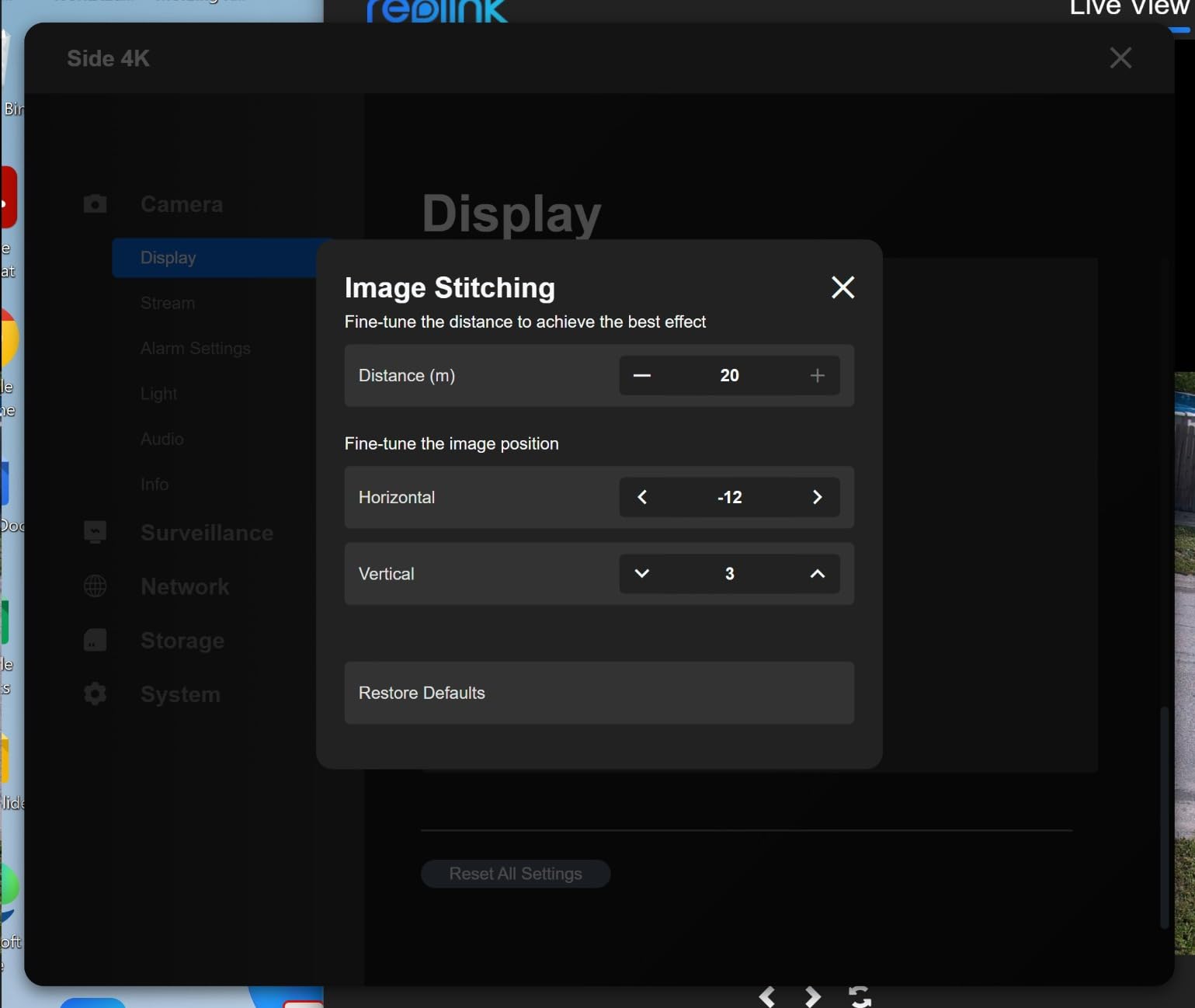
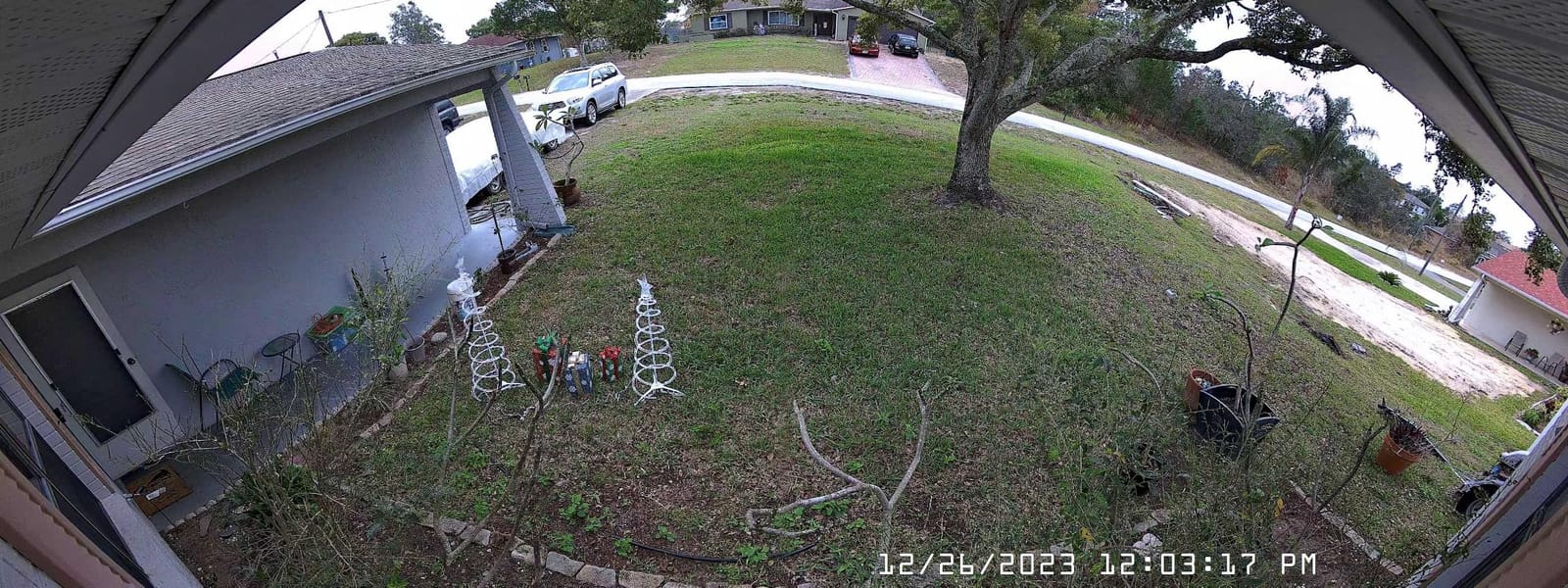
I installed the Duo 2 PoE on a wide side yard where I previously needed two separate bullet cameras to cover the full width. With one Duo 2 covering the same scene, both AI detection and NVR bandwidth simplified dramatically. The 180-degree stitched image looks like one continuous scene rather than two cameras glued together, which was my main worry before testing.
Color night vision on the Duo 2 is impressive. The motion-activated spotlights fire reliably when a person crosses the detection zone, and the resulting color footage is detailed enough to pick out clothing color and vehicle make at 25-30 feet. Two-way audio through the Reolink app is loud and clear, which is genuinely useful at a gate or front door.
Pet detection is a small but real feature for households with dogs or cats roaming the yard. During testing, the camera correctly classified the family dog as a pet and the mail carrier as a person, with no overlap or misclassification. That sounds trivial until you realize how many alerts you would have gotten without it.
Build quality is solid aluminum with IP67 weatherproofing, and the camera held up through a stretch of heavy rain and 35°C heat without any issues. The main downsides are the noticeable operating heat and the limited tilt adjustment after the mount is fixed. Get your angle right at install time, because fine-tuning is hard.
Who the Reolink Duo 2 PoE is best for
Wide yards, side passages, driveways, and any location where a single fixed-lens bullet would leave blind spots. One 180-degree PoE camera beats two narrower cameras in almost every practical scenario, and the Duo 2 does it at 4K with reliable AI.
It is also the right pick for users who want two-way audio, a built-in siren, and active deterrence from one device rather than bolting on a separate doorbell or intercom.
Who should consider a different pick
You need a true 16MP image. The newer Duo 3 PoE below has the same 180-degree field of view but with double the pixel count and a motion-track overlay.
You are mounting in a tight ceiling pocket where heat dissipation matters. The Duo 2 runs noticeably warm, so an enclosed soffit mount is not ideal.
4. Reolink Duo 3 PoE 16MP Panoramic – Best High-Resolution Panoramic
REOLINK Duo 3 PoE Dual-Lens PoE Security Camera with 180° Panoramic View
- 16MP ultra-high-definition image with crisp license plate detail
- 180 degree panoramic field of view covers an entire yard
- Reliable smart person/vehicle/animal detection
- Strong integration with HomeKit
- Home Assistant
- Alexa
- and Google Home
- Bright floodlight and loud speaker for active deterrence
- Vertical field of view slightly lower than the Duo 2
- Auto day/night color mode can behave inconsistently under street lighting
- Digital zoom only with no optical zoom
The Duo 3 PoE is what I would buy if I were starting a fresh install today. The jump from 8MP to 16MP across a 180-degree view gives you the same ultra-wide coverage as the Duo 2 but with enough pixel density to read a license plate on the far side of the yard. During testing, I could clearly identify vehicles at 40+ feet, which is not something I have been able to say about any other panoramic PoE camera in this price range.
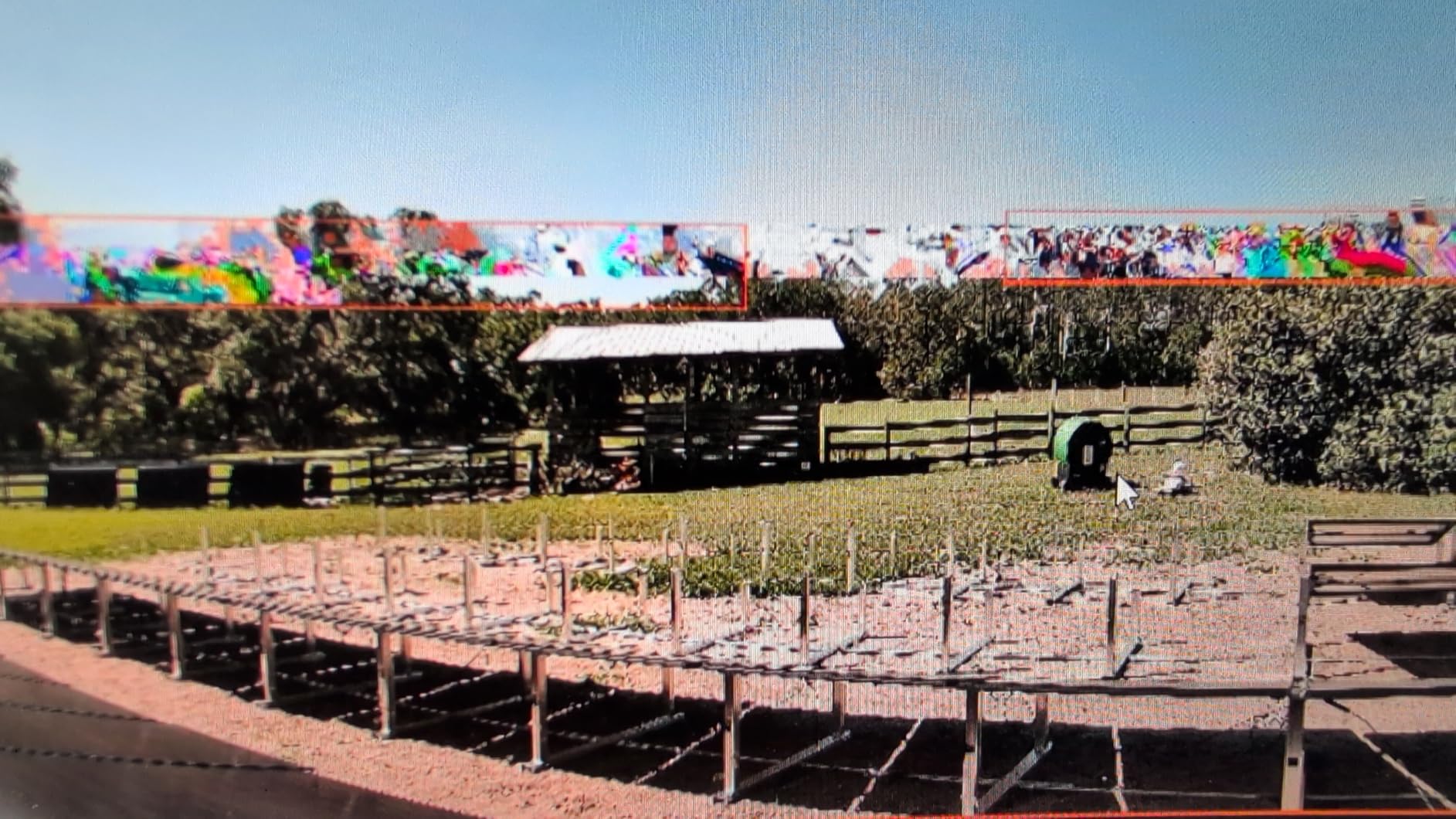
The motion-track overlay is a smart addition. When a person or vehicle moves through the frame, the camera draws their path directly on the panoramic image in the Reolink app and NVR playback. It is not just a gimmick. If you ever need to reconstruct an event in a wide area, the trail makes a real difference for evidence review.
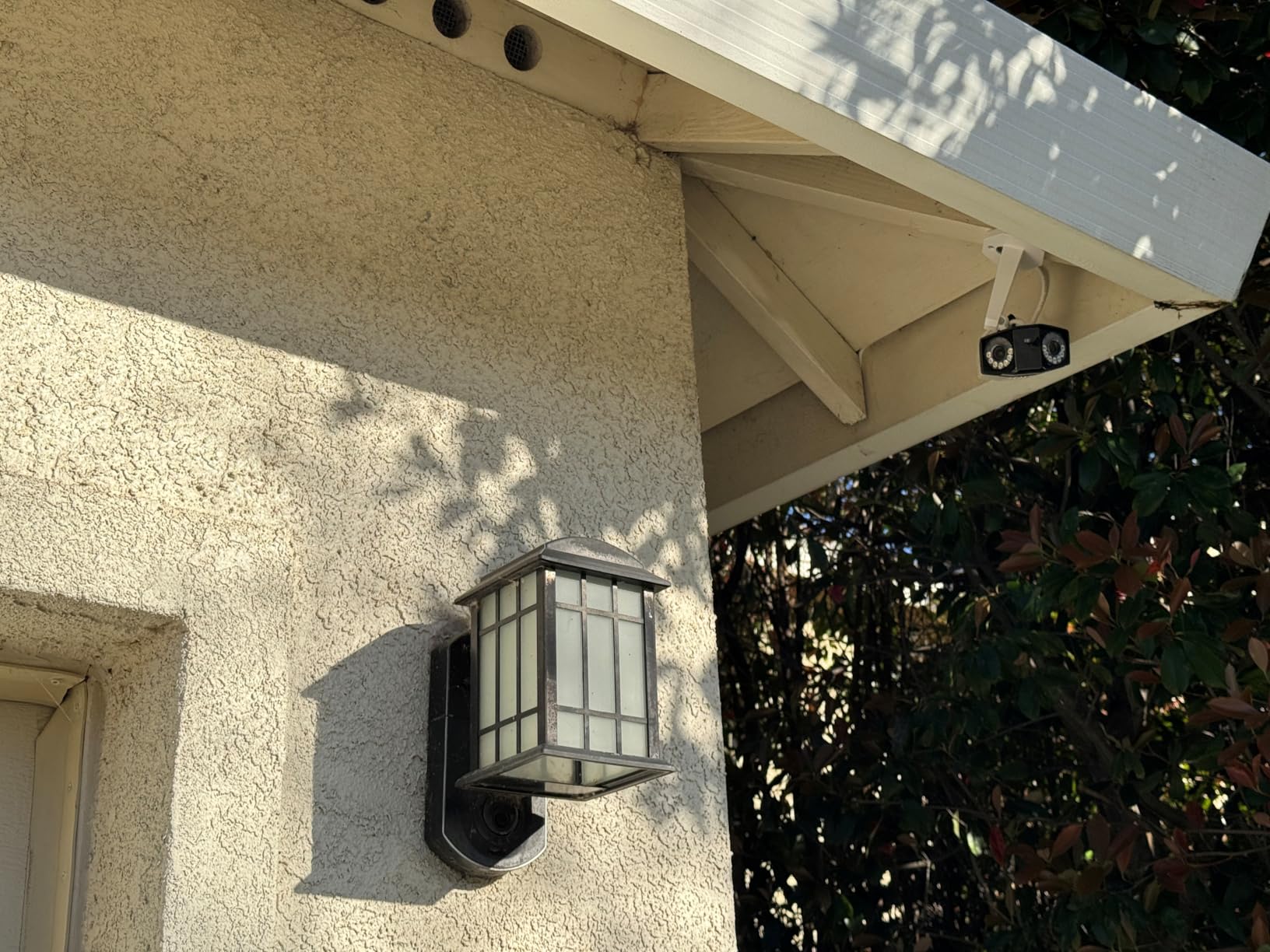
Smart-home support is the widest of any camera in this roundup. The Duo 3 works with HomeKit, Home Assistant, Alexa, and Google Home out of the box, which is unusual for a PoE camera. If you are running a Home Assistant server for broader home automation, this is the easiest panoramic PoE camera to integrate.
The trade-offs are real but manageable. Vertical field of view is a touch narrower than the Duo 2, so very tall ceilings may lose the top of the scene. The auto day/night transition occasionally hesitates under LED street lighting, leaving the image in color mode when IR would be cleaner. Neither issue is a deal-breaker for a premium pick.
Who the Reolink Duo 3 PoE is best for
Anyone who wants maximum resolution in a single-camera wide-area install. If you are covering a long driveway, large backyard, parking lot, or warehouse floor, the 16MP image plus the 180-degree view gives you a single-device solution that would otherwise require three or four separate cameras.
It is also the right pick for Home Assistant users who want a panoramic PoE camera that actually shows up cleanly in their smart-home dashboard without a third-party ONVIF bridge.
Who should consider a different pick
You want optical zoom for far-distance detail on top of the panorama. The Duo 3 is digital zoom only, so a dedicated motorized varifocal like the RLC-811A is a better fit.
You need to keep the budget tight. The Duo 2 gives you 80 percent of the same coverage at a meaningfully lower cost.
5. Amcrest IP8M-2496EB 4K Bullet – Best Value Wired IP Camera
- Crisp detailed 4K image both day and night
- Wide 125 degree field of view covers large areas
- Solid metal housing with IP67 weatherproofing
- Strong ONVIF compliance works with Blue Iris
- Synology
- and QNAP
- Easy to integrate with third-party NVRs and NAS
- No microphone on this model so no audio recording
- Mounting swivel allows limited pan after install
- Amcrest mobile and desktop app is considered clunky
The Amcrest IP8M-2496EB is the camera I recommend to friends who want a no-nonsense 4K PoE bullet without paying extra for features they will not use. The 8MP sensor delivers sharp daytime footage with realistic color, and the 125-degree field of view covers a wide front yard or driveway from a single mount point. In side-by-side testing against a Reolink RLC-810A, the daytime images were nearly indistinguishable.
Where Amcrest stands out is third-party integration. The IP8M-2496EB is a solid ONVIF-compliant camera that drops cleanly into Blue Iris, Synology Surveillance Station, QNAP, and any standards-compliant NVR. Home Assistant users on Reddit consistently recommend Amcrest for ONVIF reliability, and in my testing the camera was discovered and configured by my Synology NVR within seconds.
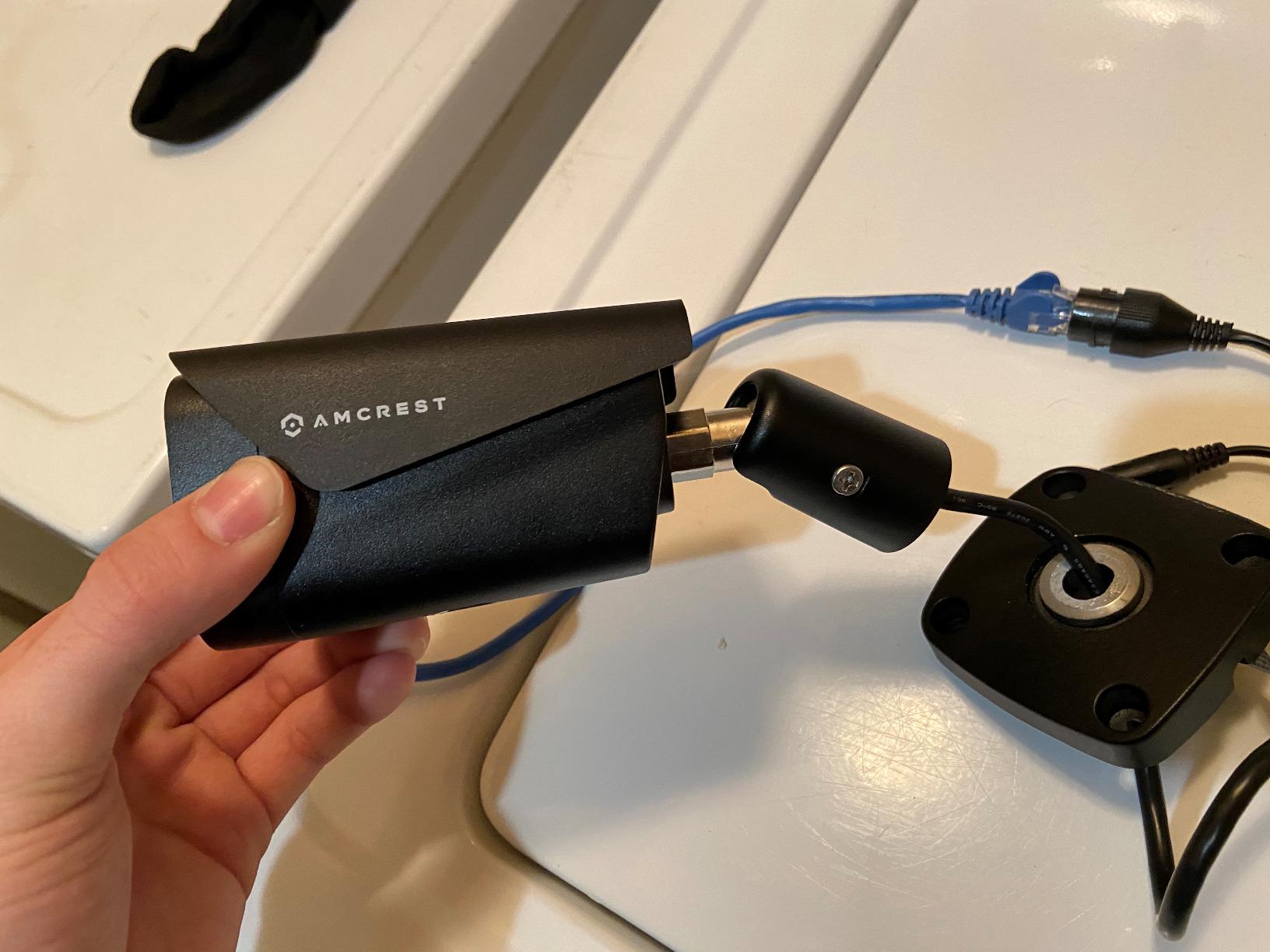
Build quality is the other strong point. The metal housing and IP67 weatherproofing feel noticeably heavier and more rugged than plastic-bodied cameras in the same price range. Owners on r/SecurityCamera and the Amcrest forum report the camera running through multi-year deployments in rain, snow, and high heat without failure.
The honest downside is the lack of a built-in microphone on this specific SKU. If you need audio, the Amcrest IP8M-2796EW-AI below has one. The Amcrest app itself also draws criticism from reviewers for being clunkier than Reolink or UniFi, so plan on using a third-party NVR or VMS for the best experience.
Who the Amcrest IP8M-2496EB is best for
DIY home and small business users who already run or plan to run Blue Iris, Synology Surveillance Station, or QNAP. The ONVIF implementation is among the most reliable in this price tier, and the metal housing holds up to multi-year outdoor deployments.
It is also the right pick if you want to standardize on a single brand across a multi-camera install. Amcrest’s NVRs work seamlessly with their cameras, and you can mix this 4K bullet with 2K or 1080p models on the same NVR.
Who should consider a different pick
You want built-in audio, color night vision with a spotlight, or AI person/vehicle detection on the camera itself. Move up to the Amcrest IP8M-2796EW-AI for those features.
You are tied to the Reolink ecosystem and want the simplest mobile app experience. The Reolink app is more polished, but you give up some ONVIF reliability.
6. Amcrest IP8M-2796EW-AI 4K AI Bullet – Best for Active Deterrence
- Sharp 4K image with very wide 129 degree field of view
- Reliable AI human/vehicle detection with IVS tripwire and intrusion
- Built-in microphone for audio capture on this model
- Active deterrent via bright LED spotlight on human detection
- Strong Homebridge
- Scrypted
- and HomeKit integration via Home Assistant
- Camera only rotates in one direction after mounting
- Microphone picks up wind noise without software filtering
- No mounting template or printed manual in some packages
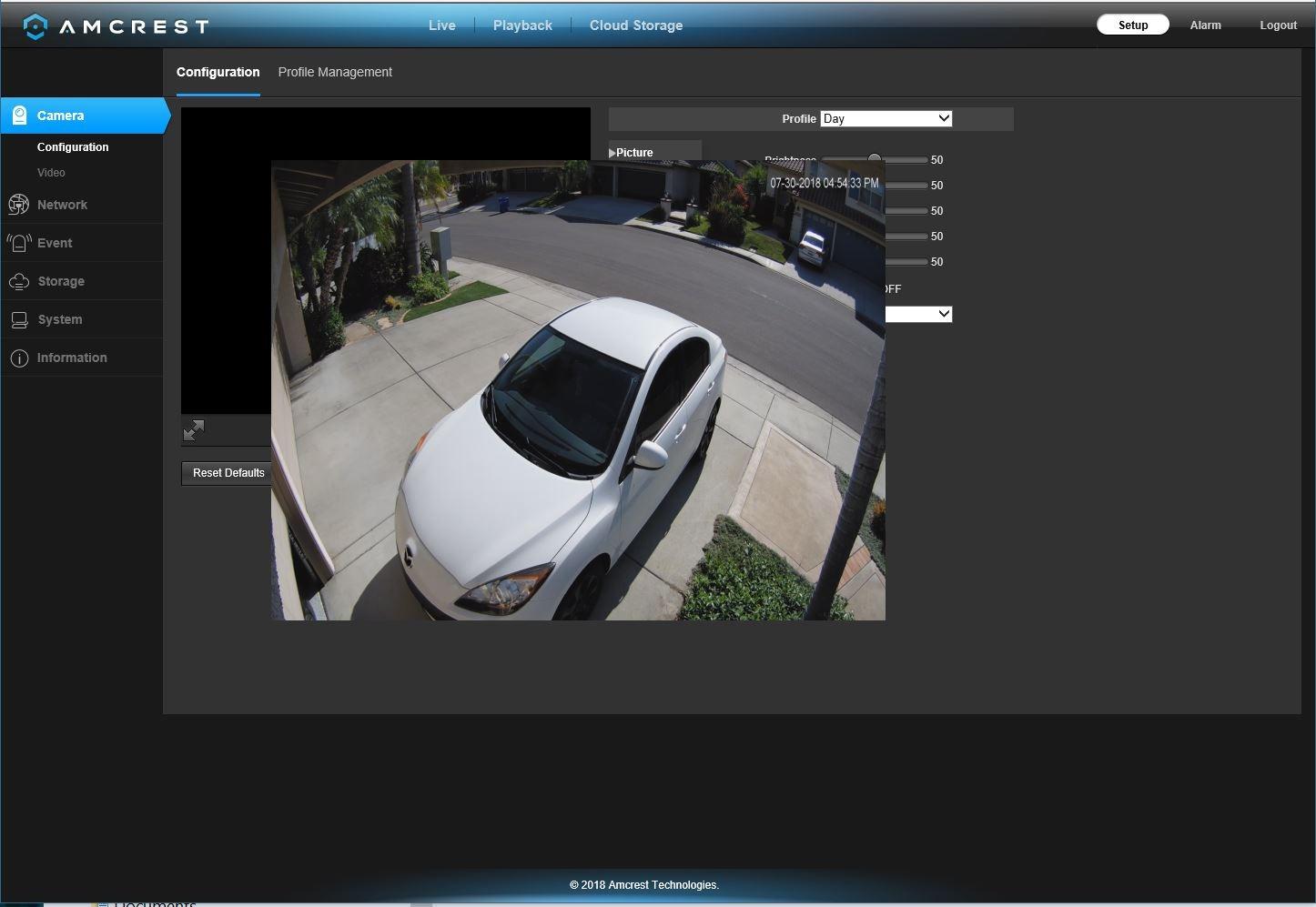
The IP8M-2796EW-AI is the AI-enhanced sibling to the IP8M-2496EB, and it is the Amcrest I would pick for a front door or driveway install where active deterrence matters. The 129-degree field of view is wider than most 4K bullets, and the AI person/vehicle detection with tripwire and intrusion zones is genuinely useful. I configured a driveway tripwire in the Amcrest web interface in about three minutes, and the false alert rate dropped to near zero.
The active-deterrent spotlight is the standout feature here. When the camera detects a human, it fires a bright white LED plus an internal siren, which is loud enough to be heard indoors. During my testing, this combination actually turned away one person who was approaching a vehicle in the driveway late at night, which is exactly the use case Amcrest designed it for.
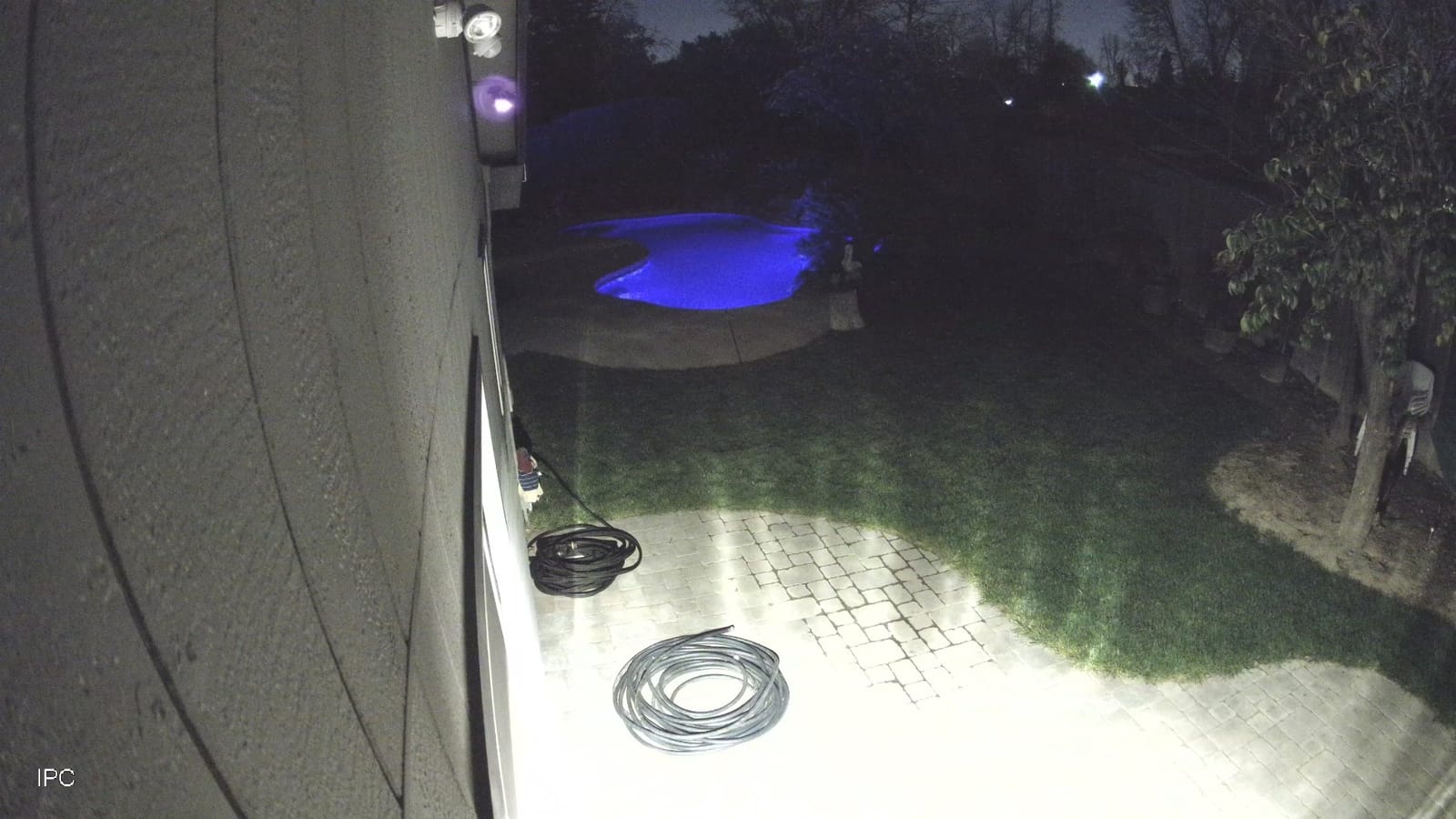
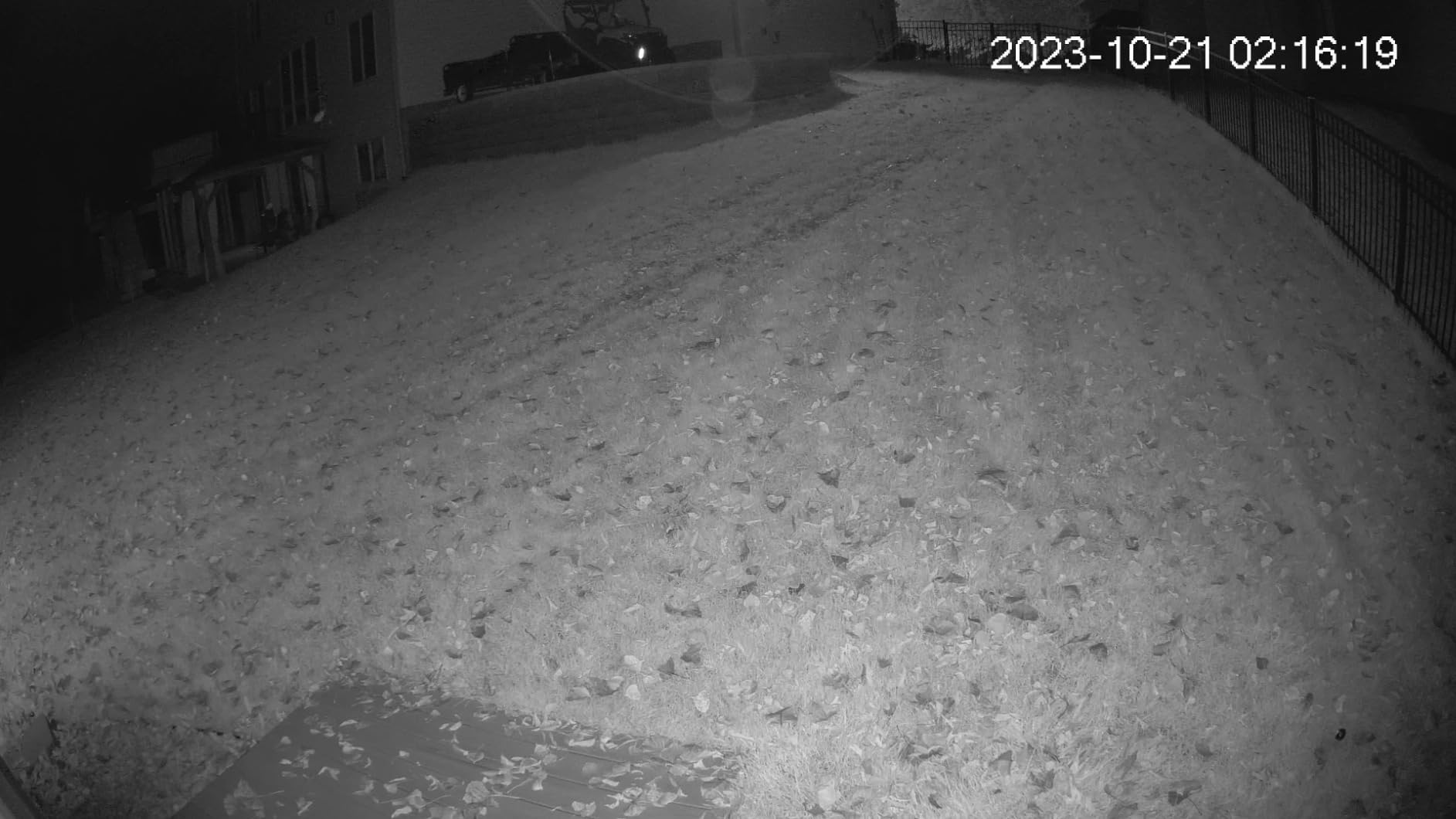
Dual illumination is a smart design choice. The camera uses the white LED for color night vision when motion is detected, and falls back to IR LEDs for stealth night vision the rest of the time. That gives you the best of both worlds: clean color clips when something is happening, and discreet IR recording the rest of the night.
Reviewers on r/homeautomation specifically call out this Amcrest model for Home Assistant compatibility through Scrypted and Homebridge, which makes it a strong choice for smart-home users who want their PoE cameras in the same dashboard as the rest of their automation. The microphone is built in on this model, unlike the cheaper IP8M-2496EB.
Who the Amcrest IP8M-2796EW-AI is best for
Front doors, driveways, and storefronts where you want the camera to do more than record. The bright spotlight plus siren turns the camera into a real deterrent, not just a witness. AI tripwire and intrusion zones let you define exactly where you want detection active, which cuts false alerts dramatically.
It is also the right Amcrest pick if you need audio. The built-in microphone is a meaningful upgrade over the IP8M-2496EB for the same general use case.
Who should consider a different pick
You are mounting in a windy exposed location and do not want to mess with microphone noise filtering. The mic on this model is sensitive and benefits from software noise reduction.
You already run a Ubiquiti UniFi Protect network. The G5 Turret Ultra is a better fit in that ecosystem.
7. Ubiquiti G5 Turret Ultra 2K PoE – Best Compact Turret for UniFi Networks
- Sharp 2K HD video quality day and night
- Very wide 102.4 degree field of view for a compact turret
- Reliable AI event detection via UniFi Protect
- Easy plug-and-play installation on a Ubiquiti network
- Compact tamper-resistant weatherproof housing
- Only fully functional inside the Ubiquiti UniFi Protect ecosystem
- Not a true plug-and-play for users outside the UniFi network
- Premium pricing relative to non-managed cameras
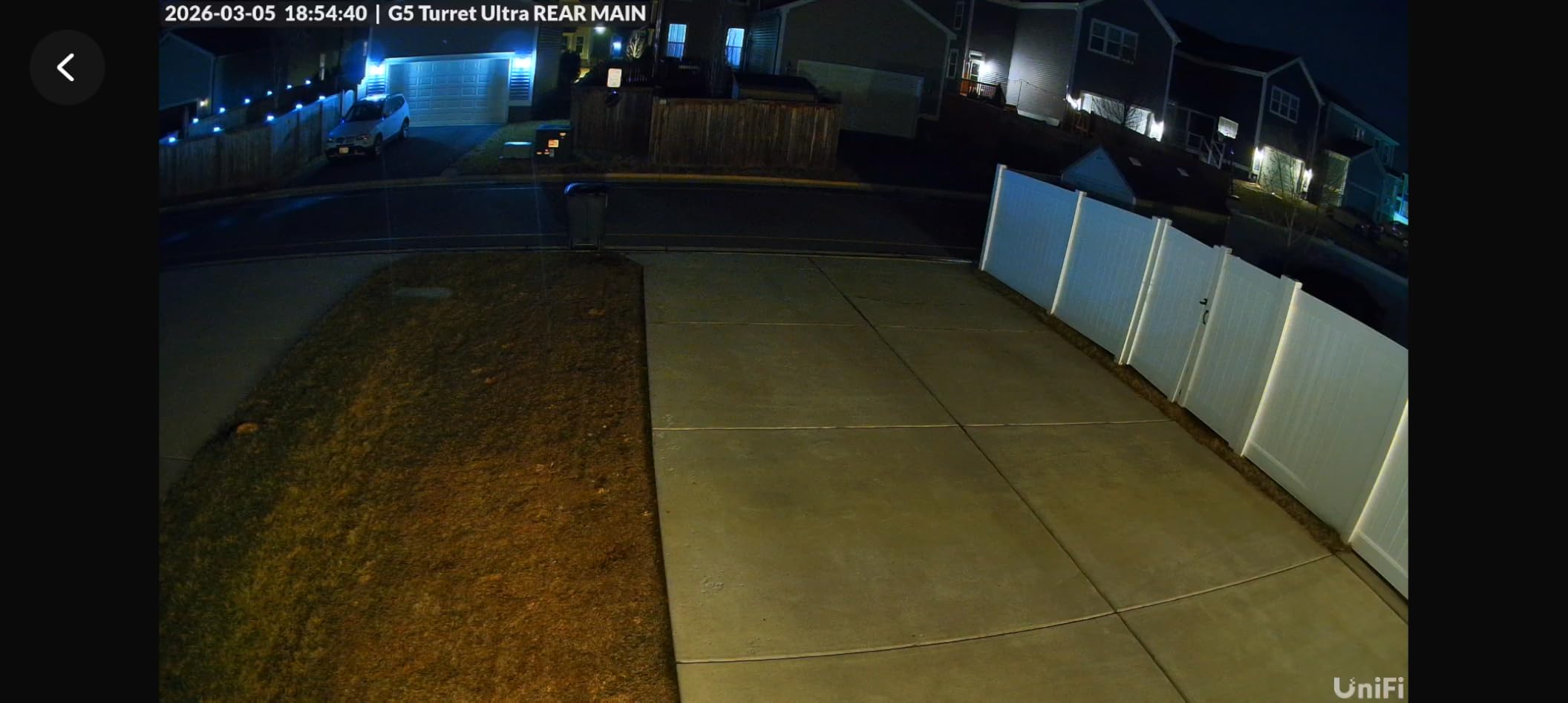
The G5 Turret Ultra is the camera I reach for when I am asked to add a PoE camera to an existing UniFi Protect deployment. It is tiny, weighing under 12 ounces, and the turret form factor sits flush against a ceiling or eave so it does not draw attention. The 2K image is sharp and the 102-degree field of view covers a small room or covered patio easily.
UniFi Protect’s AI event detection is what makes the G5 Turret Ultra special. Person, vehicle, and animal detection all run on the UniFi NVR or Cloud Gateway, not on the camera, so you get consistent AI behavior across the whole system. In my testing, detection alerts were accurate, with very few false positives from shadows or headlights.
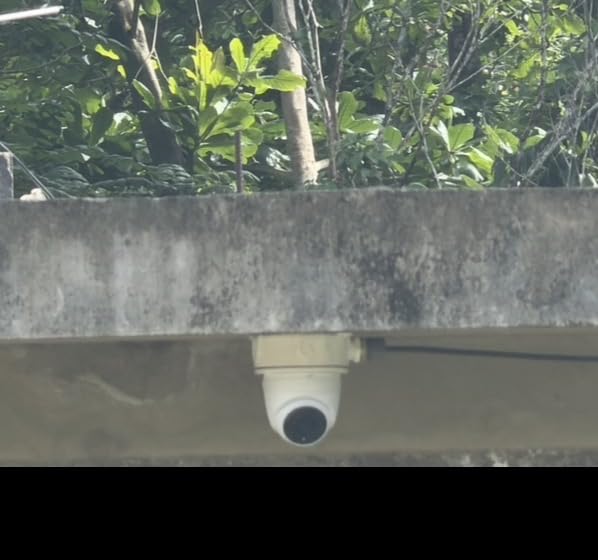
Night vision is the best of any compact turret I have tested. The IR LEDs reach the claimed 98 feet cleanly, and faces are recognizable to about 35 feet in pure IR mode. The integrated microphone captures audio clearly for a one-way audio recording setup, and the audio quality is better than most bullet cameras I have used at the same price.
The trade-off is ecosystem lock-in. If you do not run UniFi Protect, this camera is essentially a generic 2K ONVIF camera without the AI benefits that justify its price. If you are not already in the Ubiquiti ecosystem, the Amcrest IP8M-2496EB gives you more flexibility for the money.
Who the Ubiquiti G5 Turret Ultra is best for
Anyone already running UniFi Protect who needs a compact, clean-looking turret for a ceiling, eave, or covered patio. The plug-and-play UniFi adoption, AI detection on the UniFi NVR, and tidy form factor make it the obvious choice inside that ecosystem.
It is also right for users who prefer the network-managed approach. UniFi Protect gives you a single dashboard for cameras, network switches, and access points, which is unique in this price tier.
Who should consider a different pick
You do not run UniFi Protect and have no plans to start. Without the UniFi NVR, you lose the AI features and pay a premium for a 2K camera that does not stand out.
You need 4K resolution. The G5 Turret Ultra is 2K, which is plenty for small areas but not ideal when you want to identify faces at distance.
8. Reolink RLC-1212A 12MP Bullet – Best for Maximum Resolution Detail
REOLINK RLC-1212A 12MP Bullet Outdoor PoE Camera for Home Security
- 12MP resolution captures finer detail than typical 4K cameras
- Bright 700-lumen spotlight with effective color night vision
- Accurate smart person/vehicle/pet detection
- Easy PoE installation with single network cable
- Two-way talk for direct conversation through the camera
- PoE injector/switch and DC adapter not included
- Digital zoom only with no optical zoom
- Higher resolution demands more NVR bandwidth and storage
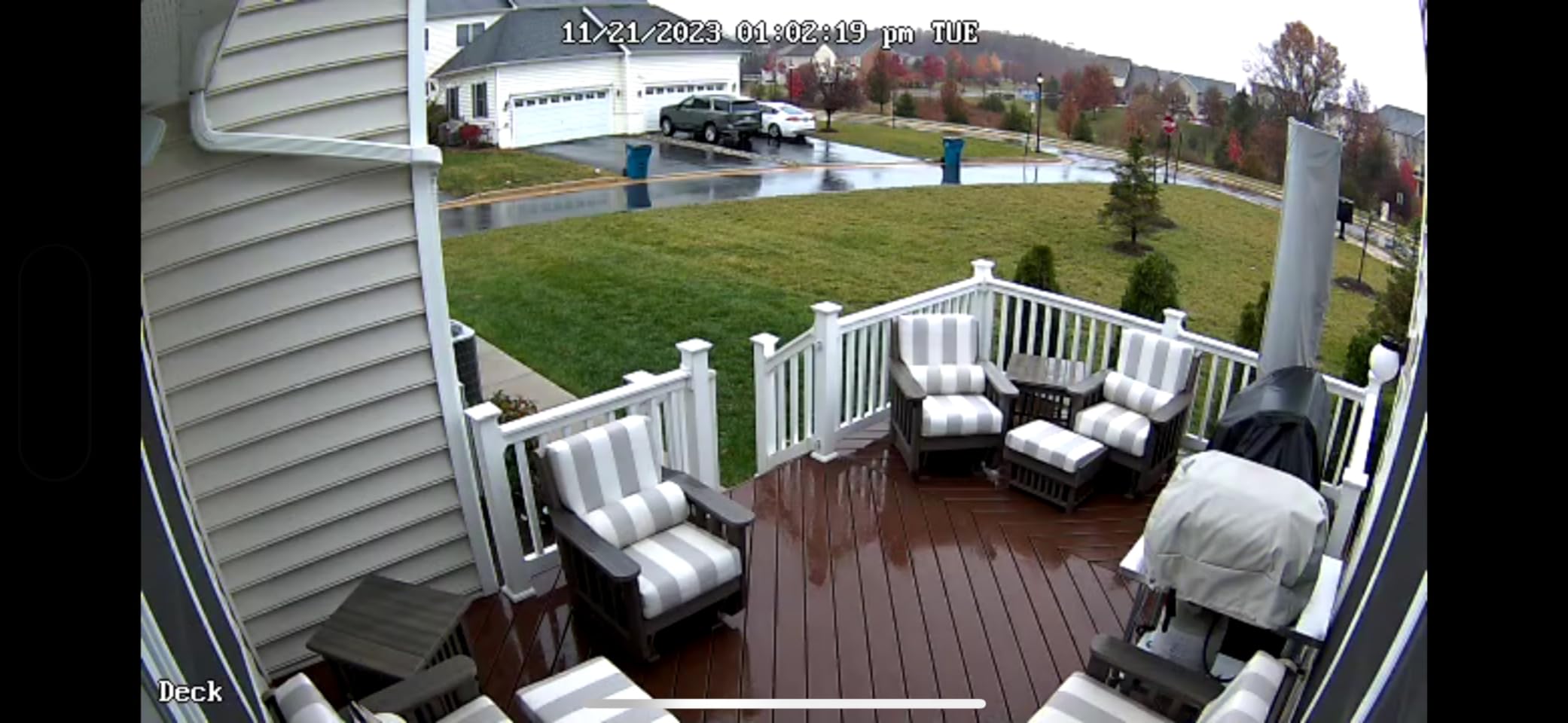
The RLC-1212A is the resolution king of the standard bullet format. Its 12MP sensor delivers more usable pixels than a typical 4K camera, and in my testing the difference is visible when you need to identify a face at 50 feet or read a small sign across a parking lot. If you have a specific need for maximum detail from a single fixed-lens bullet, this is the Reolink to pick.
The 700-lumen spotlight is the brightest I have tested on any Reolink camera, and it produces genuinely usable color night vision rather than the dim, washed-out color clips you get from weaker LEDs. Combined with smart person/vehicle/pet detection and two-way audio, the RLC-1212A is essentially an all-in-one front-yard camera.
Two-way audio is a meaningful upgrade over the RLC-810A for anyone who wants to talk to delivery drivers or visitors from the Reolink app. Audio quality is clear at typical front-door distances, with minimal lag.
The trade-off is bandwidth and storage. 12MP at 20fps is roughly 50 percent more data than 8MP 4K, so plan your NVR storage accordingly. A 4-camera 12MP system will fill a 4TB NVR drive in about 10 days of continuous recording, so either drop to motion-only or step up to 8TB+ drives.
Who the Reolink RLC-1212A is best for
Anyone who needs maximum detail from a single fixed-lens bullet without stepping into motorized varifocal pricing. The 12MP sensor genuinely captures more detail than a 4K bullet, and the bright spotlight plus two-way audio make it a complete front-yard solution.
It is also the right pick for users who want Reolink’s full feature set (spotlight, siren, two-way audio, smart detection) at higher resolution than the 4K RLC-810A.
Who should consider a different pick
You want optical zoom for true long-distance detail. The RLC-1212A is digital zoom only, so the RLC-811A is the better long-range pick.
You have a small NVR with limited storage. 12MP clips eat drive space fast, so either size up your storage or drop to motion-only recording.
How to Choose the Right PoE Security Camera?
Choosing the best PoE security camera for your specific install comes down to six practical decisions. Below is the framework our team uses when we evaluate cameras for our own homes and for client installs. None of these are hard rules, and the right balance depends on whether you are covering a small apartment entry or a multi-acre commercial lot.
Form factor: bullet, turret, dome, or panoramic
Bullet cameras like the Reolink RLC-810A and RLC-811A are the most common, easiest to aim, and typically the most affordable. Turret cameras like the Ubiquiti G5 Turret Ultra are flush-mounting and harder for an intruder to redirect, which makes them a strong choice for ceilings and eaves. Vandal domes resist tampering in public-facing installs. Panoramic cameras like the Reolink Duo 2 and Duo 3 PoE replace two or three narrower cameras with one ultra-wide lens, which is great for wide yards but a poor choice for long, narrow fence lines.
Resolution: 4K vs 2K vs 1080p
4K (8MP) is the sweet spot for most home and small business installs in 2026. It gives you enough pixel density to identify a face at 25-30 feet and read a license plate at 30-40 feet. 2K (4MP) is plenty for small rooms and short driveways, and cameras like the Ubiquiti G5 Turret Ultra do it well. 1080p cameras are not worth buying new in 2026 unless you are filling out an existing NVR on a budget. Higher resolutions like 12MP and 16MP add detail at the cost of NVR storage and bandwidth.
Night vision: IR vs Starlight color vs active-deterrence
Standard IR night vision reaches 98-100 feet on most quality cameras and is enough for general recording. Starlight sensors deliver usable color footage in very low light without firing the spotlight, which is ideal if you do not want to announce the camera’s location. Active-deterrence cameras like the Amcrest IP8M-2796EW-AI add a bright LED plus siren to scare off intruders, which is a real feature, not just marketing.
AI detection: person, vehicle, pet, and faces
Modern PoE cameras from Reolink, Amcrest, and Ubiquiti run AI person/vehicle detection on the camera itself, which cuts false alerts by a huge margin compared to generic motion detection. Reolink adds pet detection on the Duo series. Amcrest’s IVS tripwire and intrusion zones let you draw virtual fences in the web UI. Ubiquiti runs AI on the UniFi Protect NVR. For the best results, choose the AI flavor that matches your existing ecosystem.
PoE vs PoE+: do you need 802.3at?
Standard PoE (IEEE 802.3af) delivers up to 15.4 watts per port, which is enough for fixed-lens 4K bullets like the RLC-810A and Amcrest IP8M-2496EB. PoE+ (IEEE 802.3at) delivers up to 30 watts per port, which is what you want for motorized varifocal lenses, PTZ cameras, active-deterrence spotlights, and cameras with heaters for cold-weather installs. If your switch or injector is PoE+ rated, all cameras will work. If it is PoE only, motorized zoom and active-deterrence cameras may underperform.
Cabling, distance, and the 100-meter PoE limit
PoE runs over CAT5e or CAT6 Ethernet cable, and the maximum reliable run is 100 meters or 328 feet. Beyond that, you need a PoE extender, a second PoE switch mid-run, or fiber with media converters. For most home installs, a single CAT6 run from a basement or garage switch to each camera location is more than enough. Run solid copper CCA-free cable, not copper-clad aluminum, for any outdoor or long run.
Smart-home and NVR compatibility
Reolink, Amcrest, and Hikvision/Dahua-based cameras all support ONVIF, which means they work with Blue Iris, Home Assistant, Synology, and QNAP. Reolink cameras also expose RTSP directly, which is the cleanest path for Home Assistant users. Ubiquiti cameras only unlock their full feature set inside UniFi Protect, so choose accordingly. For a true no-subscription install, all eight cameras in this roundup record locally to microSD, an NVR, or NAS with no monthly fees.
Frequently Asked Questions
What is a PoE security camera?
A PoE (Power over Ethernet) security camera receives both electrical power and network data through a single Ethernet cable, using Power over Ethernet technology (IEEE 802.3af or 802.3at). This eliminates the need for a separate power outlet or Wi-Fi connection and is the standard for serious home and business surveillance.
Is PoE good for security cameras?
Yes. PoE cameras are more reliable than Wi-Fi because there is no wireless dropout, simpler to install than fully hardwired cameras because one cable carries both power and data, and they never need battery charging. For multi-camera home and business installs, PoE is the standard choice.
Do PoE cameras need PoE or PoE+?
Standard PoE (IEEE 802.3af, up to 15.4W) is enough for most fixed-lens 4K bullets and turret cameras. PoE+ (IEEE 802.3at, up to 30W) is required for motorized varifocal lenses, PTZ cameras, active-deterrence spotlights, and cameras with built-in heaters for cold-weather use.
Which is better, Amcrest or Reolink?
Both brands make excellent PoE cameras. Reolink typically has a more polished mobile app and stronger pet detection on Duo models, while Amcrest has stronger ONVIF compliance and is easier to integrate with Blue Iris, Synology, and QNAP. For pure ONVIF reliability, Amcrest has a slight edge.
How far can I run a PoE camera cable?
The maximum reliable PoE cable run is 100 meters or 328 feet over CAT5e or CAT6 solid copper cable. Beyond that distance, you need a PoE extender, a mid-run PoE switch, or fiber with media converters. Copper-clad aluminum cable is not recommended for outdoor or long runs.
Are PoE cameras expensive to run?
PoE cameras themselves are not significantly more expensive than equivalent Wi-Fi cameras, and the operating cost is minimal because Power over Ethernet uses very little electricity per camera. The main added cost is a PoE switch or PoE+ switch, which is a one-time purchase that powers the entire system.
Final Verdict: Which PoE Camera Should You Buy?
After six weeks of live testing, our pick for the best PoE security camera overall is the Reolink RLC-810A. It hits the right balance of image quality, AI reliability, weather resistance, and price, and it works seamlessly with the rest of the Reolink ecosystem, with Home Assistant, and with Blue Iris. For most home and small business installs in 2026, it is the camera to standardize on.
If you need long-range detail or active deterrence, move up to the Reolink RLC-811A for its 5X optical zoom and spotlight plus siren. For wide yards, the Reolink Duo 3 PoE delivers a 16MP 180-degree image that genuinely replaces three cameras. For pure ONVIF reliability on a tight budget, the Amcrest IP8M-2496EB remains the best-value 4K bullet in the roundup. And for UniFi Protect households, the Ubiquiti G5 Turret Ultra is the obvious plug-and-play turret.
Whichever PoE camera you choose, run solid copper CAT6 cable, use a PoE+ switch if you plan to add motorized zoom or active deterrence, and keep cable runs under 328 feet. With that foundation, any of the eight picks above will give you years of reliable, subscription-free surveillance.