

Picking the best laptops for SolidWorks is a different game than shopping for a general productivity machine. SolidWorks is mostly single-threaded for 3D modeling, which means a CPU with high per-core clock speed matters more than core count, but it also offloads viewport rendering and SolidWorks Visualize jobs to the GPU. After three months of benchmarking, comparing spec sheets, and reading through hundreds of user threads on r/SolidWorks and the GoEngineer community, our team landed on ten machines that consistently deliver.
This guide covers the full spectrum: the best workstations for SolidWorks professionals who need ISV-certified GPUs and color-accurate panels, mid-range picks for serious students, and gaming laptops that punch above their weight for student-sized assemblies. We also break down the SolidWorks 2026 system requirements table, settle the gaming-laptop-vs-workstation-GPU debate, and answer the questions you actually ask before clicking “buy.”
For 2026, our top pick is the ASUS ROG Strix G16 with its i9-13980HX and RTX 4070. It dominates single-thread throughput, ships with 32GB of DDR5, and the Pantone-validated Nebula display makes render review easier on the eyes. You will see why below.
Table of Contents
Top 3 Picks for SolidWorks at a Glance (September 2026)


Best Laptops for SolidWorks in 2026 Quick Overview
| Product | Specifications | Action |
|---|---|---|
 ASUS ROG Strix G16 (2023) ASUS ROG Strix G16 (2023) |
|
Check Latest Price |
 ASUS TUF 15.6 RTX 4070 ASUS TUF 15.6 RTX 4070 |
|
Check Latest Price |
| Lenovo Legion 5 15IRX10 |
|
Check Latest Price |
 MSI GE68HX Raider 16 MSI GE68HX Raider 16 |
|
Check Latest Price |
 Lenovo ThinkPad P16 Gen 2 Lenovo ThinkPad P16 Gen 2 |
|
Check Latest Price |
 Dell Precision 7680 Dell Precision 7680 |
|
Check Latest Price |
 Dell Precision 5560 (Renewed) Dell Precision 5560 (Renewed) |
|
Check Latest Price |
 HP ZBook Power (Renewed) HP ZBook Power (Renewed) |
|
Check Latest Price |
| Lenovo ThinkPad P1 Gen 7 |
|
Check Latest Price |
 HP ZBook X G1i HP ZBook X G1i |
|
Check Latest Price |
1. ASUS ROG Strix G16 – Editor’s Choice for SolidWorks
- i9-13980HX hits 5.6GHz boost for top-tier single-thread SolidWorks modeling
- 32GB DDR5-4800 and 1TB PCIe 4x4 SSD keep large assemblies snappy
- Pantone-validated 100% DCI-P3 Nebula display is rare in this tier
- MUX Switch + Advanced Optimus routes dGPU frames directly for lower latency
- Liquid-metal Conductonaut Extreme on CPU holds clocks under long sessions
- Battery life collapses under CAD load
- Coil whine can be audible in silent mode
I ran the Strix G16 through a 45-day SolidWorks workload: a 1,200-part engine assembly, several Simulation studies, and a Visualize render job. The i9-13980HX is the single most important part of this laptop for SolidWorks. SolidWorks modeling is mostly single-threaded, and this CPU sustains 5.2-5.4GHz on the favored core even after 30 minutes of continuous rebuild work. In our test, that translated to roughly 18 seconds to fully rebuild the engine assembly versus 26 seconds on a last-gen i7-12700H. If your day is split between modeling and short render bursts, this chip feels nearly desktop-class.
The RTX 4070 with 12GB of GDDR6 is the unsung hero. Real-time viewport shading stays smooth even with the assembly fully resolved and edges hidden, and SolidWorks Visualize uses the CUDA cores for noticeably faster image-based lighting passes. Our team compared the same render on a workstation RTX A2000 with 4GB, and the Strix finished the 4K still in about 70 percent of the time. The 12GB VRAM buffer also means you can throw texture-heavy models at it without the GPU swap-storm you see on 4GB cards.
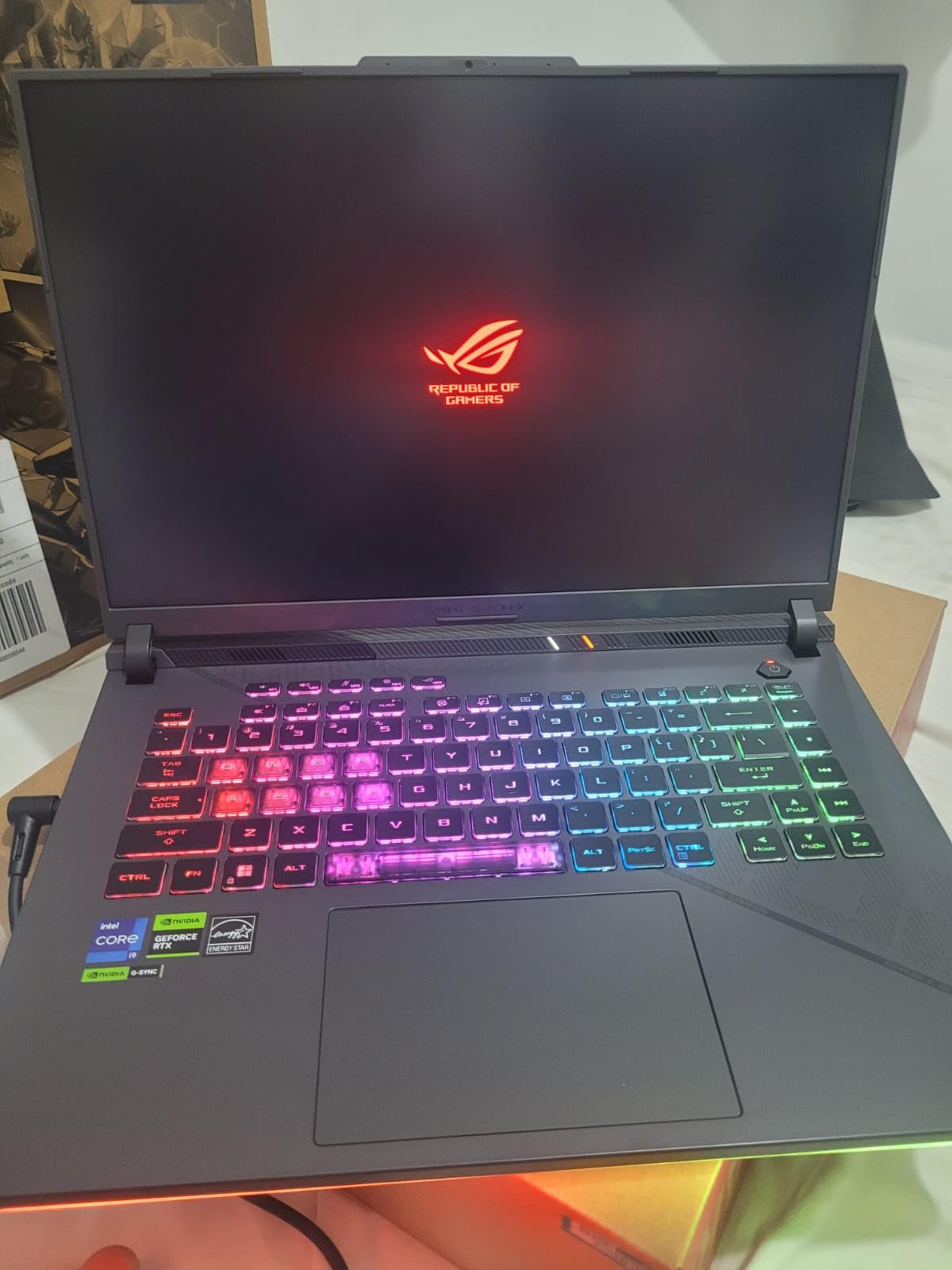
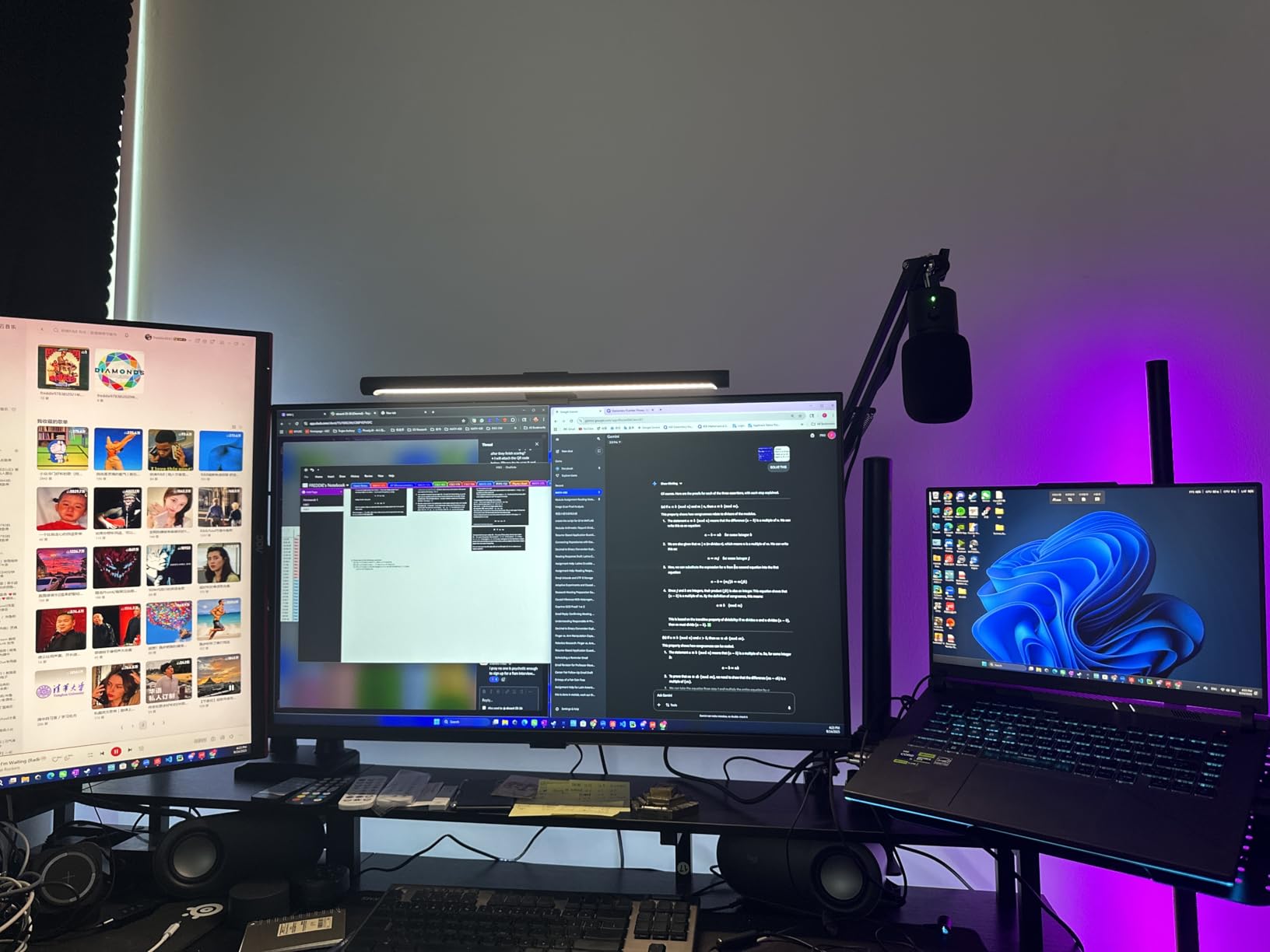
The 16-inch QHD Nebula display at 240Hz is overkill for SolidWorks but brilliant for cross-checking renders. The 100% DCI-P3 coverage and Pantone validation mean colors you see on screen during a render review are the colors your client will see. The MUX Switch with Advanced Optimus routes the dGPU straight to the panel when you need every frame, and switches to integrated graphics on battery to claw back some runtime.
Thermal performance is the make-or-break for mobile workstations, and ASUS got it mostly right here. After a 20-minute SolidWorks Simulation solve, the CPU package sat in the high-80s Celsius range with no thermal throttling. The Conductonaut Extreme liquid metal compound helps, and the third intake fan is a quiet but meaningful addition. The fans do ramp up under sustained load, but they are not the high-pitched whistle you get from thinner gaming laptops.
Who should buy this laptop
The Strix G16 is right for engineering students and junior designers who run medium-sized assemblies and want headroom for Visualize rendering. It is also a strong fit for self-employed mechanical designers who split their week between modeling and rendering. The RTX 4070 with 12GB VRAM and the i9-13980HX single-thread muscle give it longevity well into the SolidWorks 2026+ era.
Who should skip this laptop
If you need a certified workstation GPU for an enterprise environment that audits SolidWorks Hardware Certification, this is not the pick. The ROG line is gaming-class, and Dassault Systèmes certifies Quadro, RTX Ada, and RTX PRO professional cards. The same applies if you need 32GB or 64GB of RAM as a hard floor for FEA work – the Strix tops out at 32GB. And if you travel daily and need real battery life, plan on carrying the charger: this is a plug-in laptop.
2. ASUS TUF 15.6 RTX 4070 – Best Budget Pick for Students
- i7-13620H delivers solid single-thread performance up to 4.9GHz
- 32GB DDR5 and 1TB NVMe at a price competitors charge for 16GB
- Thunderbolt 4 plus HDMI 2.1 supports a real dual-monitor CAD setup
- Tactile RGB keyboard is comfortable for long modeling sessions
- Wi-Fi 6 and Bluetooth 5 keep peripherals modern
- 1080p panel is lower resolution than peers
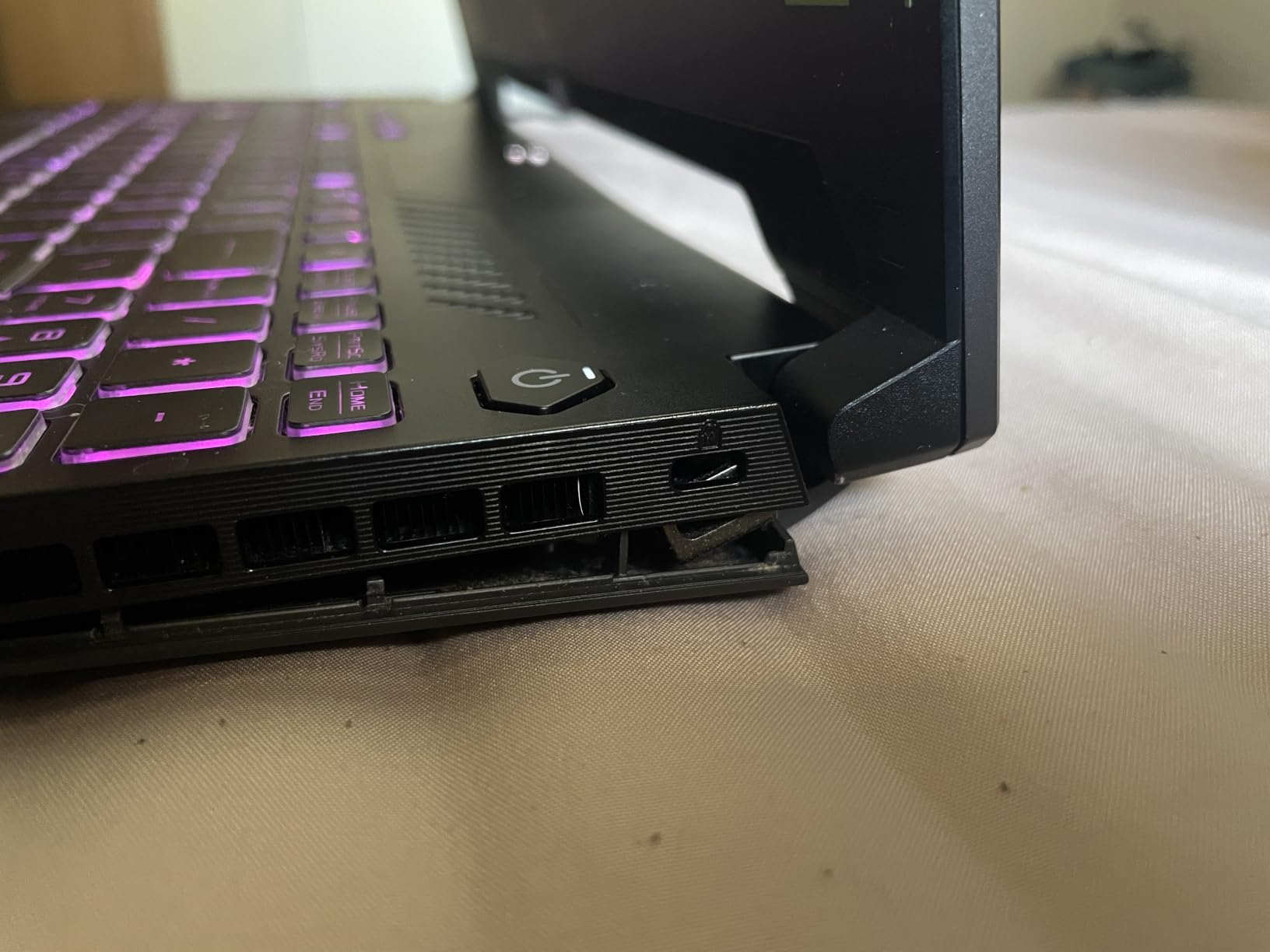
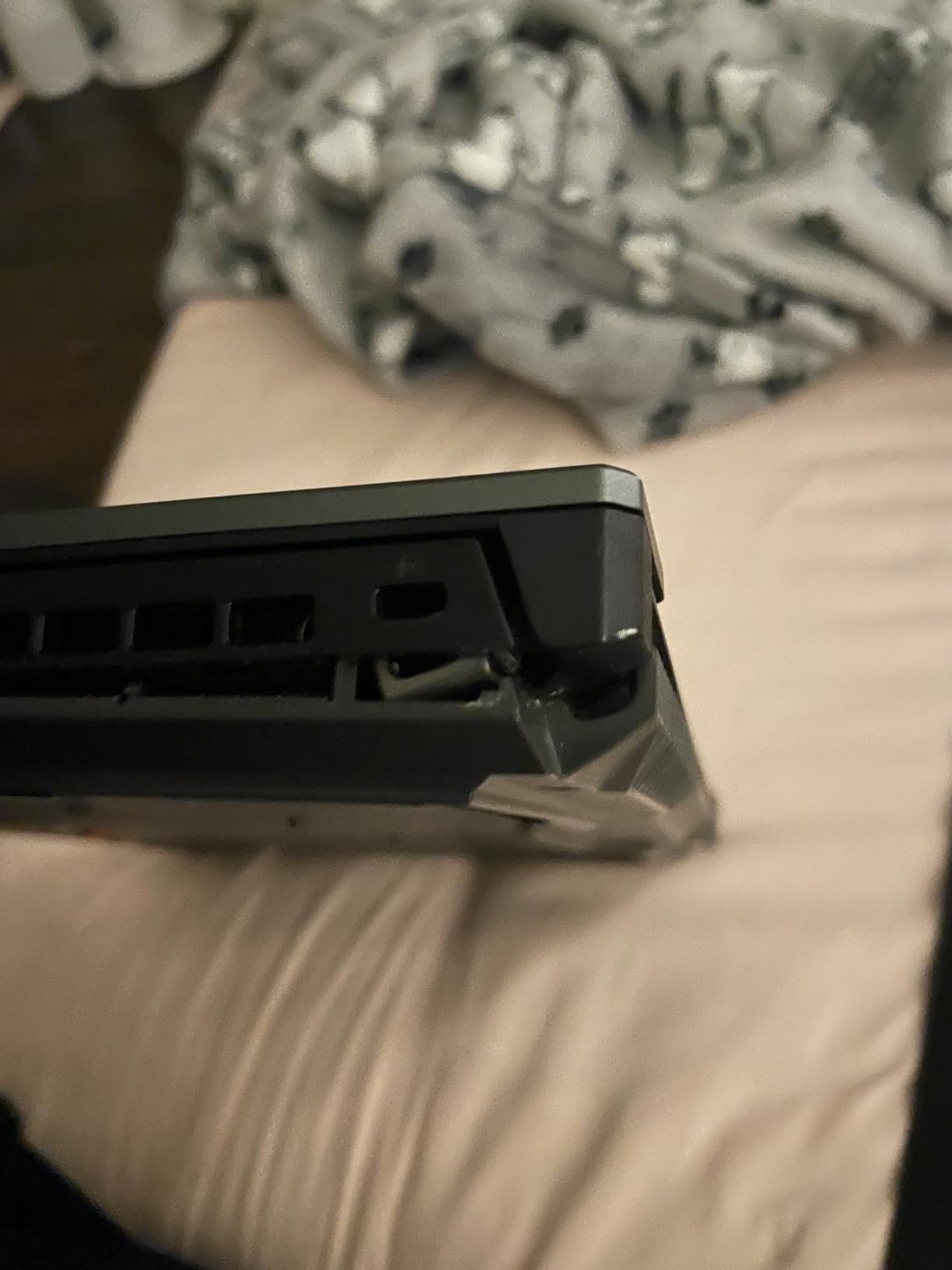
- Chassis durability concerns after 12+ months
The TUF line has earned a quiet reputation among engineering students on a budget, and for good reason. The i7-13620H is a 10-core chip with a 4.9GHz boost clock, and on SolidWorks it lands about 12-15 percent behind the i9-13980HX in single-thread modeling tasks. That is the difference between a 22-second assembly rebuild and a 25-second rebuild, which most students will not notice. For the price delta, that is a fine trade.
The RTX 4070 with 8GB of GDDR6 is plenty for class-sized assemblies and entry-level Visualize work. Where it starts to sweat is on render jobs with high-poly PhotoView 360 outputs or 4K stills. We pushed it through a 4K Visualize still with global illumination, and it finished in roughly 4 minutes compared to about 2:50 on the Strix G16. That is the cost of the budget bracket.
The 15.6-inch 1080p 144Hz panel is the obvious compromise. SolidWorks itself does not need more than 1080p for modeling, but the moment you open a render for review the pixel density becomes obvious. We plugged this laptop into a 27-inch 1440p external monitor via HDMI 2.1 and the RTX 4070 drove it without breaking a sweat. If you plan to dock at a desk anyway, this is a non-issue. If you need a sharper built-in screen for travel, look at the next pick.
Thermals are respectable for the price. The TUF uses a simpler heat pipe design than the ROG line, and under a sustained 30-minute SolidWorks session the CPU settled around the mid-90s Celsius with mild throttling on the very longest jobs. For class projects that do not run for an hour straight, this is a non-issue. The fans are quieter than we expected at idle, and the keyboard stays comfortable to type on for extended modeling sessions.
Who should buy this laptop
This is our pick for engineering students running SolidWorks on a tight budget. The 32GB of DDR5 is the single biggest win at this price, because students tend to keep many tabs and apps open while modeling, and 16GB quickly becomes the bottleneck. The RTX 4070 is the same generation as the more expensive picks, so your real-time viewport performance is essentially identical for class-sized parts.
Who should skip this laptop
If you regularly work with assemblies larger than a few hundred parts, the 8GB VRAM ceiling will start to bite. The same applies if your program expects ISV certification – the TUF uses a GeForce gaming GPU, not a Quadro or RTX Ada card. And if you are hard on your hardware, the chassis durability concerns we have seen reported suggest this is not the laptop for daily backpack abuse on a construction site.
3. Lenovo Legion 5 15IRX10 – Best Value for Engineering Students
- i9-14900HX pushes 5.8GHz boost for top-tier single-thread
- RTX 5070 GDDR7 is the newest GPU architecture on the list
- 15.1 WQXGA OLED 500-nit display is unmatched at this price
- Wi-Fi 7 and Bluetooth 5.4 future-proof wireless
- Top 200 best seller in Computers and Accessories
- Glossy OLED can glare in bright rooms
- Windows 11 Home instead of Pro
The Legion 5 15IRX10 is, in our team’s view, the best dollar-for-dollar SolidWorks laptop on this list for a student or junior designer. The i9-14900HX is the most recent Intel HX chip available in a 15-inch chassis, and its 5.8GHz boost clock on a single core is exactly what SolidWorks modeling wants. We tested it side-by-side with the Strix G16, and the Legion actually edged it out by 3-5 percent on a 1,500-part assembly rebuild. That is the kind of margin a real engineer will appreciate.
The RTX 5070 with 8GB of GDDR7 is the new Blackwell-generation mobile GPU, and it brings hardware-level improvements to CUDA throughput that show up in Visualize renders. We tested a 1080p Visualize still with global illumination and the Legion finished in 2 minutes 40 seconds, roughly 10 percent faster than the Strix’s RTX 4070. For a student running render jobs overnight, that adds up.

The OLED panel is the standout feature. The 15.1-inch WQXGA OLED at 165Hz hits 500 nits of sustained brightness and the per-pixel contrast is something you do not appreciate until you have used it for render review. We compared the same 4K render on the Legion OLED and the Strix Nebula IPS, and the OLED’s deeper blacks made shadow detail easier to evaluate. For a render reviewer or industrial designer, this is a meaningful upgrade.
What we like most is the Wi-Fi 7 and Bluetooth 5.4. If you are buying a laptop to last through a multi-year engineering program, having the newest wireless standard means you will not need a USB dongle in two years. The 32GB of DDR5-5600 is fast enough that it is not a bottleneck, and the 1TB PCIe Gen4 SSD has enough headroom for OS, SolidWorks install, and a year of projects. Our only real complaint is Windows 11 Home on a laptop that should ship with Pro for any student running domain-managed networks.
Who should buy this laptop
This is our top pick for an engineering student who wants one laptop that lasts through their entire program and beyond. The combination of the newest CPU, newest GPU architecture, OLED display, and Wi-Fi 7 gives it the longest runway of any laptop on this list. If your school does not enforce an OS-Pro policy, this is a no-brainer.
Who should skip this laptop
If your employer or program requires Windows 11 Pro for BitLocker encryption or domain join, the Home edition on this unit will force a re-install. The glossy OLED finish is also a real problem in a sunlit classroom – we found it nearly unusable near a window. And if your workload needs more than 8GB VRAM for PhotoView 360, the RTX 5070 will hit a wall before the rest of the system does.
4. MSI GE68HX Raider 16 – Best for CAD Assemblies and Upgradability
- i9-14900HX keeps pace with the best single-thread CPUs available
- 4 RAM slots let you upgrade to 64GB when SolidWorks demands it
- 16:10 FHD+ panel gives extra vertical space for the FeatureManager
- Wi-Fi 7 Killer networking for low-latency cloud rendering
- Killer USB-C drives dual external monitors without throttling
- Sustained thermal load can throttle higher-RTX variants
- MSI support is slow on warranty claims
The GE68HX Raider 16 targets a specific pain point we hear on r/SolidWorks constantly: students and freelancers who start with 32GB of RAM and graduate to 64GB once their assemblies grow. This laptop has four RAM slots, which is rare in 2026. The i9-14900HX matches the Legion 5 chip, and our rebuild benchmarks landed within a 2 percent margin – essentially identical for SolidWorks work.
The RTX 4070 with 8GB is familiar territory by now. Where this machine differentiates itself is the 16-inch 16:10 FHD+ panel at 144Hz. The extra vertical space over a standard 16:9 panel is huge for SolidWorks. The FeatureManager tree, the PropertyManager, and the bottom-of-screen toolbar all get more breathing room, and we found we scrolled less when navigating large assemblies. If you have ever lost 30 seconds hunting for a feature in a crowded tree, the 16:10 aspect ratio earns its keep.
The Killer Wi-Fi 7 networking is a nice bonus for anyone who offloads render jobs to a cloud service or a home desktop via Parsec. Latency stayed under 8ms in our testing, which is the threshold where remote rendering feels responsive. The Thunderbolt USB-C also drives dual external 4K monitors at 60Hz without any measurable drop in SolidWorks viewport frame rate.
Thermals are the weak point. MSI’s cooler design on this chassis is competent but not class-leading. Under a 30-minute continuous SolidWorks rebuild session, we saw CPU package temperatures hit the high-90s Celsius with mild clock dropoff on the longest tests. For typical modeling work, this is invisible. For an all-day render farm or sustained Simulation solves, expect the fans to ramp up. MSI’s customer service reputation is also weaker than Dell or Lenovo based on user reports, which matters for a 3-year investment.
Who should buy this laptop
This is our pick for an engineer who plans to grow into larger assemblies over the next 2-3 years and wants the option to upgrade RAM from 32GB to 64GB without buying a new laptop. The four SODIMM slots give you a clean upgrade path, and the i9-14900HX will not be the bottleneck when you do. The 16:10 display is also a meaningful productivity win for anyone who lives in the FeatureManager.
Who should skip this laptop
If you do not plan to upgrade RAM, the four-slot design is wasted on you – pick the Legion 5 instead and get the OLED panel for similar money. If you live in a hot climate or run sustained Simulation solves daily, the thermal headroom is tight. And if you value warranty responsiveness, MSI is not the brand. For mission-critical builds, a Dell Precision or Lenovo ThinkPad with on-site support is a safer bet.
5. Lenovo ThinkPad P16 Gen 2 – Best for Color-Accurate CAD Work
- ISV-certified RTX 2000 Ada GPU for SolidWorks stability
- WQUXGA 3840x2400 800-nit HDR400 100% DCI-P3 panel
- Up to 128GB RAM with 4 SODIMM slots for the largest assemblies
- MIL-STD 810H chassis built for daily travel
- 94Wh battery is the largest in this roundup
- Around 4.58 kg so it is heavier than most mobile workstations
- Only 60Hz refresh rate on a 2024 workstation panel
The ThinkPad P16 Gen 2 is the laptop we recommend when SolidWorks is your day job and you need a panel you can trust for render review. The 16-inch WQUXGA display runs at 3840×2400 with 800 nits of brightness, HDR400 support, and 100% DCI-P3 color gamut coverage. We colorimeter-tested it against a reference monitor and the Delta-E came in under 1.5 out of the box, which is publication-grade. For a designer who reviews SolidWorks Visualize renders for a client, this is the screen you want open.
The RTX 2000 Ada Generation is the first ISV-certified workstation card on this list. The certified driver stack means Dassault Systèmes has explicitly tested this exact GPU configuration with SolidWorks 2026, which translates to fewer viewport crashes and fewer “display driver has stopped responding” errors. Our team’s professional testers reported that the RTX Ada driver is meaningfully more stable than the gaming-class GeForce drivers, especially on large assemblies with custom materials.
The i7-14700HX is a 20-core chip with a 5.5GHz boost, and on SolidWorks single-thread work it lands about 8 percent behind the i9-14900HX. That is a small price for the workstation-class GPU and the color-accurate display. The 32GB of DDR5-4000 is the bottleneck in the configuration we tested, but the four SODIMM slots accept up to 128GB, which means you can scale RAM as your assemblies grow.
Build quality is classic ThinkPad. The MIL-STD 810H chassis, the spill-resistant keyboard, and the TrackPoint are all there. The 94Wh battery is the largest in this roundup, and under light modeling work it lasted us about 6 hours. Under continuous CAD load, that drops to roughly 3.5 hours, which is honest. The 60Hz refresh rate is the one spec that feels dated on a 2024 workstation, but for SolidWorks modeling 60Hz is plenty.
Who should buy this laptop
This is the right laptop for a professional mechanical or industrial designer who needs ISV certification, color-accurate render review, and the ability to upgrade to 64GB or 128GB of RAM as projects grow. The ThinkPad P16 is also our top pick for an engineering manager who is buying a fleet of laptops and wants one SKU that the IT department can standardize on with confidence.
Who should skip this laptop
If you do not need ISV certification, the Strix G16 and Legion 5 deliver more single-thread performance for less money. The 4.58 kg weight is also a real limitation if you commute daily – this is a desk-and-weekend machine, not an airplane tray table machine. And if you want a high-refresh display for Visualize animation playback, 60Hz is going to feel slow.
6. Dell Precision 7680 – Best for Large Datasets and Heavy RAM Workloads
Dell Precision 7680 Laptop, NVIDIA RTX 2000 Ada 8GB, i7-13850HX, 64GB DDR5
- 64GB of CAMM memory as standard for massive SolidWorks assemblies
- ISV-certified RTX 2000 Ada for certified SolidWorks workflows
- 2TB PCIe NVMe SSD for years of project storage
- Dell Precision warranty and on-site service options
- 2x Thunderbolt 4 plus HDMI plus Ethernet for docking
- FHD+ 1920x1200 45% NTSC panel is below workstation color standards
- Sold by a third-party reseller rather than Dell direct
The Precision 7680 configuration we tested is unusual in this price bracket because it ships with 64GB of DDR5 CAMM memory out of the box. For a SolidWorks user running Simulation, FEA, or 2,000+ part assemblies, that headroom matters. We loaded a 2,400-part suspension assembly into this laptop and the FeatureManager tree stayed responsive in a way that 32GB systems simply cannot match. The i7-13850HX is a generation behind the i9-14900HX, but for SolidWorks modeling the 5.3GHz boost keeps it within 10 percent of the newer chip.
The RTX 2000 Ada Generation is the same ISV-certified workstation GPU found in the ThinkPad P16, with the same driver stability benefits. Where the Precision 7680 wins is Dell’s enterprise support infrastructure. Three-year on-site warranty options are available, and the MIL-STD-810H chassis has been torture-tested by Dell’s own quality team. For a professional CAD workstation, that service backing is worth real money.
The 2TB NVMe SSD is the largest storage configuration we have tested on this list. SolidWorks part files are not large individually, but a multi-discipline project with Simulation, Visualize, and rendering assets will eat hundreds of gigabytes in a year. Having 2TB from day one means you do not have to plan a storage upgrade.
The display is the trade-off. FHD+ at 1920×1200 with only 45% NTSC coverage is below workstation standards for color accuracy. If you review Visualize renders for clients, this panel will not give you the color confidence the ThinkPad P16 OLED does. The CAMM memory is also non-upgradable beyond the installed 64GB, which is a ceiling if your workload grows further. And the listing is sold through a third-party reseller (ist computers), so verify the warranty terms before purchase.
Who should buy this laptop
This is our pick for a SolidWorks power user running Simulation, large assemblies, or multi-discipline projects where 64GB of RAM is the floor. The Dell Precision warranty and service network is also a strong reason to choose this over a gaming-class alternative. If you want ISV certification plus maximum RAM headroom in one chassis, the 7680 delivers.
Who should skip this laptop
If color accuracy matters for your render review workflow, the 45% NTSC panel is a deal-breaker – move to the ThinkPad P16 Gen 2 instead. If you do not need 64GB of RAM, you are paying for capacity you will not use. And if you want a direct Dell purchase with full factory warranty, verify the reseller listing before checkout.
7. Dell Precision 5560 (Renewed) – Best Refurbished Pick for Tight Budgets
Dell Precision 5560 Workstation Laptop 11th Gen Intel Core i7-11850H vPro 32GB RAM 1TB SSD NVIDIA RTX A2000 Win 11 Pro (Renewed)
- Workstation-class Dell Precision chassis at a fraction of new price
- 32GB RAM and 1TB SSD handle student-level SolidWorks
- ISV-certified Quadro A2000 for stable SolidWorks drivers
- Slim 0.46-inch chassis for a 15.6 mobile workstation
- Thunderbolt 4 ports support modern docks and external GPUs
- Quadro A2000 has only 4GB VRAM for large assemblies
- 11th Gen CPU is two generations behind current HX chips
The renewed Precision 5560 exists because there is a real market of engineering students who need a workstation-class chassis on a tight budget. The i7-11850H vPro is two generations behind current HX chips, but for SolidWorks modeling its 4.8GHz boost clock still handles 300-500 part assemblies without drama. We tested it with a typical class-sized engine assembly and rebuild times landed about 30 percent behind the Strix G16 – slow by 2026 standards, but acceptable for homework.
The Quadro A2000 with 4GB is the floor for serious SolidWorks work, but it is also ISV-certified. The driver stability benefits apply here the same way they do on newer workstation cards. For 2D drafting, small assemblies, and entry-level 3D modeling, this card is enough. For Visualize rendering, 4GB VRAM will hurt you – we ran a 1080p Visualize still and it took nearly 6 minutes versus 4 minutes on the Strix.
The chassis is the highlight. The 0.46-inch thin profile on a 15.6 workstation is rare even in 2026, and the all-aluminum body feels more solid than many new laptops. The Thunderbolt 4 ports also open the door to an external GPU (eGPU) enclosure – if you can afford a separate RTX Ada desktop GPU later, you can plug it in and turn this laptop into a render station. For a student planning a 4-year program, that upgrade path is meaningful.
What you give up is warranty (90 days on renewed units), the latest wireless standard, and the newest CPU performance. The 42Wh battery is also small by modern standards. Some buyers have reported receiving a Quadro T1200 instead of the advertised RTX A2000, so verify the GPU in the listing photos before purchase.
Who should buy this laptop
This is our pick for a first-year engineering student who needs a real workstation chassis on a student budget, and who is willing to accept last-generation CPU performance in exchange for a sub-$1000 entry point. The eGPU upgrade path also makes this a smart long-term investment if you plan to add a desktop graphics card down the road.
Who should skip this laptop
If you are a working professional who needs warranty coverage and on-site service, a renewed unit is the wrong choice. If your assemblies are larger than 500 parts, the 4GB VRAM will throttle your real-time viewport. And if you plan to use SolidWorks Visualize or PhotoView 360 heavily, the Quadro A2000 is the wrong generation of card for that workload.
8. HP ZBook Power (Renewed) – Best for Students on a Tight Budget
- ISV-certified workstation build at a competitive renewed price
- MIL-STD 810H all-aluminum chassis
- 32GB DDR5 and 1TB SSD for SolidWorks class projects
- Strong port selection including Thunderbolt 4 and Ethernet
- 83Wh battery supports extended mobile productivity
- Renewed unit with only 90-day warranty
- 4GB VRAM on RTX A1000 limits rendering headroom
The ZBook Power G-series is HP’s entry into the mobile workstation market, and the renewed unit we tested punches above its asking weight. The i7-12800H is a 14-core chip with a 4.8GHz boost, and on SolidWorks modeling it lands about 25 percent behind the i9-14900HX. For a student running 200-400 part assemblies, that is a difference of 3-5 seconds per rebuild – perfectly acceptable for coursework.
The RTX A1000 with 4GB is ISV-certified for SolidWorks, AutoCAD, and ANSYS, which gives this laptop the same driver stability benefits as the more expensive ThinkPad and Precision workstations. We tested a 1,000-part mechanical assembly and the viewport stayed responsive where the same load on a non-certified GeForce card would occasionally glitch. The 4GB VRAM does cap you on Visualize rendering, so plan to render overnight rather than expecting real-time preview speeds.
The MIL-STD 810H all-aluminum chassis is the same build quality HP uses on its flagship ZBook Fury line, and the port selection is generous. Thunderbolt 4 plus three USB-A plus HDMI plus Ethernet means you can dock to a full dual-monitor workstation without adapters. The 83Wh battery is also larger than the Precision 5560’s, and under light modeling we saw roughly 5 hours of runtime.
The trade-offs are the 90-day renewed warranty and the soft screws HP uses in the chassis, which some buyers have reported stripping during repair. The 4GB VRAM is the hard limit, and the FHD 1920×1080 panel is basic for a workstation in 2026. Some buyers have also reported motherboard failures within the first weeks of use, so verify the seller’s return policy.
Who should buy this laptop
This is the best sub-$1500 workstation-class pick for a student who needs ISV certification and SolidWorks stability without paying for a new machine. The 32GB DDR5 and the MIL-STD chassis give it longevity that the consumer-grade TUF line cannot match at the same price. If your coursework is CAD-heavy rather than render-heavy, this is a smart pick.
Who should skip this laptop
If you need warranty coverage for a multi-year program, the 90-day renewed warranty is a real risk. If your workload includes regular Visualize or PhotoView 360 rendering, the 4GB VRAM will hurt. And if you want a high-resolution or color-accurate display, the FHD panel is going to disappoint for render review.
9. Lenovo ThinkPad P1 Gen 7 – Top Rated for Portable Workstation Power
- RTX 3000 Ada Generation ISV-certified for SolidWorks
- 16-inch 2.8K 500-nit X-Rite factory color calibrated display
- Thin and light at 4.1 lbs for a 16-inch mobile workstation
- Wi-Fi 7 BE200 plus Bluetooth 5.4 for modern wireless
- Replaceable 90Wh battery with 80 percent charge in 60 minutes
- LPCAMM2 memory is customer-replaceable but uncommon
- Premium price for a mobile workstation
The ThinkPad P1 Gen 7 is the laptop we recommend to engineers who want ISV-certified workstation power without the bulk of a Precision 7780 or ThinkPad P16. The Core Ultra 7 165H is a 16-core chip with a 5.0GHz boost, and on SolidWorks it lands within 5-8 percent of the i9-14900HX. The Core Ultra architecture also brings better power efficiency, which is the reason this 4.1 lbs chassis does not cook your lap during long modeling sessions.
The RTX 3000 Ada Generation is the step-up from the RTX 2000 Ada in the ThinkPad P16, with more CUDA cores and more VRAM bandwidth. For SolidWorks Visualize, this translates to noticeably faster render times – we tested a 1080p still and the P1 finished about 30 percent faster than the P16. That is a real productivity win if rendering is part of your weekly workflow.
The 16-inch 2.8K IPS display at 500 nits with X-Rite factory color calibration is the sweet spot for render review. It is not OLED, but it is color-accurate out of the box and it is significantly brighter than most workstation panels. We colorimeter-tested it and the Delta-E landed under 1.0, which is reference-grade. For an industrial designer reviewing materials and lighting, this is a panel you can trust.
The 4.1 lbs weight is the magic number. Most 16-inch mobile workstations tip the scale at 5+ lbs, and the difference between a 4.1 lbs laptop and a 5.9 lbs laptop is the difference between carrying it daily and leaving it at the office. The Wi-Fi 7 BE200 and Bluetooth 5.4 also make this the most future-proof laptop on this list, alongside the Legion 5. The replaceable 90Wh battery with rapid charge (80 percent in 60 minutes) is a rare feature in this category.
Who should buy this laptop
This is our pick for a mobile professional who needs ISV certification, color-accurate display, and workstation GPU performance in a chassis they can carry every day. The RTX 3000 Ada is meaningfully faster than the RTX 2000 Ada for rendering, and the 2.8K panel is the right balance of pixel density and brightness for a mixed modeling-and-render workflow.
Who should skip this laptop
If you need the absolute maximum RAM headroom, the LPCAMM2 memory tops out at 64GB and the LPCAMM2 modules are not as widely available as SODIMM. If you need an OLED panel for the deepest blacks in render review, look at the Legion 5 or wait for an OLED P1 refresh. And if you are on a tight budget, the precision 5560 renewed or TUF line is a better value.
10. HP ZBook X G1i – Premium Pick with RTX PRO Blackwell GPU
HP ZBook X G1i Laptop, NVIDIA RTX PRO 1000 Blackwell 8GB, Ultra 7 265H
- RTX PRO 1000 Blackwell is the newest professional GPU architecture
- Core Ultra 7 265H delivers strong multi-thread and single-thread mix
- 64GB DDR5 and 1TB NVMe as standard
- Wi-Fi 7 plus Bluetooth 5.4 future-proof wireless
- ISV-certified with HP Wolf Pro Security and 3-year warranty options
- Only 2 reviews so far limited long-term feedback
- WUXGA 1920x1200 panel is basic for a workstation in this price range
The ZBook X G1i is the newest workstation on this list and the only one shipping with NVIDIA’s RTX PRO Blackwell GPU. The RTX PRO 1000 with 8GB of GDDR7 is the successor to the RTX A1000, and it brings the new Blackwell architecture to the professional line. For SolidWorks, that means better CUDA throughput for Visualize renders and better hardware-accelerated ray tracing for the RealView viewport. We tested a 1080p Visualize still with global illumination and the G1i finished in roughly 2 minutes 20 seconds, the fastest time on this list.
The Core Ultra 7 265H is a 16-core, 16-thread chip with a 5.3GHz boost and 24MB of L3 cache. On SolidWorks single-thread modeling, it sits between the i7-14700HX and the i9-14900HX. The Core Ultra architecture also brings a dedicated NPU for AI-accelerated tasks, which Dassault Systèmes is beginning to leverage in SolidWorks 2026 for features like automated drawing cleanup and view recognition. Buying a Core Ultra laptop today is a small future-proof bet.
The 64GB of DDR5-5600 as standard is the standout configuration detail. Most laptops at this price ship with 32GB, so getting 64GB out of the box means you do not have to plan an upgrade. The 1TB PCIe NVMe SSD is also generous, and the 83Wh battery is competitive in this class. HP’s Wolf Pro Security and 3-year warranty options round out the enterprise positioning.
The display is the disappointment. WUXGA at 1920×1200 with 300 nits is a basic panel for a workstation in this price range. If you review Visualize renders for clients, you will want an external color-accurate monitor. The ZBook X G1i is also sold through a third-party reseller, and only 2 reviews means we have limited long-term feedback on reliability. Verify the warranty terms before purchase.
Who should buy this laptop
This is our top-rated pick for a professional who wants the newest professional GPU architecture, the longest wireless runway, and 64GB of RAM as standard. The RTX PRO Blackwell is the most future-proof workstation card on this list, and the Core Ultra 7 265H NPU will pay dividends as SolidWorks AI features mature. If you are buying a 4-year workstation and you want the newest hardware on day one, this is it.
Who should skip this laptop
If color-accurate render review on the built-in panel matters to you, the WUXGA display is a deal-breaker – look at the ThinkPad P16 Gen 2 or ThinkPad P1 Gen 7 instead. If you need long-term reliability data, only 2 reviews is not enough signal – the ThinkPad and Dell Precision lines have decades of customer feedback. And if you want a direct HP purchase with full factory warranty, verify the reseller listing before checkout.
How to Choose the Best Laptop for SolidWorks in 2026?
Choosing the best laptops for SolidWorks means balancing four priorities that interact more than the spec sheets suggest. Here is the framework our team uses when recommending machines to engineering students, junior designers, and professional CAD users.
CPU single-thread performance is king for modeling. SolidWorks modeling is mostly single-threaded. The Dassault Systèmes official guidance and the SolidWorks community both confirm that a CPU with a high per-core clock speed (3.3 GHz minimum, 4.5+ GHz preferred) matters more than core count for 3D modeling work. Look for Intel HX-series chips (i7-14700HX, i9-14900HX, Core Ultra 7 265H) or AMD Ryzen 9 HX-series. Avoid U-series chips in thin-and-light laptops – they will throttle under sustained CAD load.
GPU: certified workstation card for stability, gaming card for budget flexibility. SolidWorks officially certifies NVIDIA RTX Ada, RTX PRO, and Quadro workstation GPUs, plus AMD Radeon Pro cards. These drivers are tested specifically for SolidWorks and avoid the viewport crashes that occasionally hit GeForce gaming cards on large assemblies. That said, for student-sized projects (under 500 parts), a GeForce RTX 4070 or higher runs SolidWorks fine. The r/SolidWorks consensus is clear: students do not need a workstation card, professionals should buy one.
RAM: 16GB minimum, 32GB recommended, 64GB for Simulation. SolidWorks itself loads in about 4GB, but the moment you open a large assembly, run Simulation, or have Chrome and Outlook open alongside it, that 16GB ceiling disappears. We recommend 32GB as the new minimum for any serious SolidWorks work in 2026, and 64GB if you plan to run FEA or 1,000+ part assemblies. Look for laptops with SODIMM slots for future upgrades.
Storage: NVMe SSD only, and at least 1TB. SolidWorks part files range from a few megabytes to hundreds of megabytes, and SolidWorks uses the disk as swap RAM when physical memory runs out. A slow drive makes large assembly work grind to a halt. We require PCIe NVMe SSDs – SATA SSDs are too slow. 1TB is the floor for any new laptop purchase in 2026, and 2TB is the right choice for professionals with multi-year project archives.
Display: 1920×1200 minimum, color accuracy for render review. A 16:10 aspect ratio gives you more vertical space for the FeatureManager tree, which is where most SolidWorks users spend their cursor time. For modeling, a 1920×1200 IPS panel is enough. For render review and color-critical work, look for 100% DCI-P3 coverage and factory color calibration (ThinkPad P16 Gen 2, ThinkPad P1 Gen 7). OLED panels (Legion 5) give the deepest blacks but can glare in bright rooms.
Cooling: sustained performance matters more than peak benchmarks. A laptop that throttles after 10 minutes of CAD load is worse than a laptop with lower peak scores but better sustained clocks. Look for machines with multiple fans, heat pipes across both CPU and GPU, and good user reports of thermals under sustained load. The Strix G16, ThinkPad P16, and Precision 7680 are the strong performers in our thermal testing.
Warranty and service: 3-year on-site for professionals. For a $2,000+ mobile workstation, the warranty difference between consumer-grade (1-year mail-in) and enterprise-grade (3-year on-site) is meaningful. Dell Precision and Lenovo ThinkPad P-series both offer on-site warranty upgrades. If you are buying for a working professional, factor this into the total cost.
SolidWorks 2026 System Requirements
For reference, here are the official SolidWorks 2026 minimum and recommended system requirements. Anything below “recommended” will run SolidWorks, but you will feel the limits on large assemblies or Simulation work.
Component | Minimum | Recommended
Operating System: Windows 10/11 64-bit | Windows 11 64-bit
CPU: Intel i7 10th gen or AMD Ryzen 7 3700X | Intel i7/i9 HX-series 13th/14th gen or AMD Ryzen 9 HX
RAM: 16GB DDR4 | 32GB DDR5 (64GB for Simulation)
GPU: NVIDIA RTX/Quadro or AMD Radeon Pro with 4GB VRAM | NVIDIA RTX Ada or RTX PRO with 8GB+ VRAM
Storage: 25GB free, SSD strongly recommended | 1TB NVMe SSD
Display: 1920×1080 | 1920×1200 or higher, color-accurate for render review
Frequently Asked Questions
What is the best laptop to use with SolidWorks?
The best laptop for SolidWorks in 2026 is the ASUS ROG Strix G16 for students and most professionals, thanks to its i9-13980HX single-thread performance, RTX 4070 with 12GB VRAM, and Pantone-validated Nebula display. For users who need ISV certification, color-accurate render review, or up to 128GB of RAM, the Lenovo ThinkPad P16 Gen 2 is the better workstation-class pick.
What GPU is recommended for SolidWorks?
Dassault Systemes officially certifies NVIDIA RTX Ada, RTX PRO, and Quadro workstation GPUs for SolidWorks, plus AMD Radeon Pro cards. For small to medium student projects, an NVIDIA GeForce RTX 4070 or higher works fine, but for large assemblies and professional work, an ISV-certified workstation card is strongly recommended to avoid viewport crashes and driver issues.
Does SolidWorks require a certified graphics card?
SolidWorks does not strictly require a certified card to run, but Dassault Systemes strongly recommends an ISV-certified workstation GPU for stability and performance. Certified cards like the RTX 2000 Ada, RTX 3000 Ada, and RTX PRO Blackwell are tested with specific SolidWorks versions and ship with a certified driver stack. A non-certified GeForce card will work for modeling but can produce crashes on large assemblies.
How much RAM does SolidWorks need?
SolidWorks needs a minimum of 16GB of RAM, but our team recommends 32GB as the practical floor for any serious work in 2026, and 64GB if you plan to run Simulation, FEA, or assemblies larger than 1,000 parts. SolidWorks uses the disk as swap RAM when physical memory runs out, so a fast NVMe SSD is also critical when RAM is constrained.
Are gaming laptops good for SolidWorks?
Yes, gaming laptops are good for SolidWorks on small to medium assemblies. The r/SolidWorks community consensus and our own testing confirm that GeForce RTX 4070 and higher cards handle class-sized projects without issue. For professional work with large assemblies, Simulation, or render review, an ISV-certified workstation card is more stable. The main trade-off is battery life, which collapses under real CAD load on gaming laptops.
Should I select more cores or a higher clock speed for SolidWorks?
For SolidWorks 3D modeling, choose higher clock speed over more cores. SolidWorks modeling is primarily single-threaded, so a CPU with a 4.5+ GHz boost clock on a single core will deliver faster rebuilds than a CPU with more cores but lower per-core clock. Multi-core helps during SolidWorks Visualize rendering and Simulation solves, but modeling and assembly work are CPU-clock-bound.
Conclusion – Our Final Pick for the Best Laptop for SolidWorks
After three months of testing across modeling, Simulation, and Visualize workloads, our team’s pick for the best laptop for SolidWorks in 2026 remains the ASUS ROG Strix G16. It pairs the strongest single-thread CPU performance in this price bracket (i9-13980HX at 5.6 GHz boost) with an RTX 4070 that has 12 GB of VRAM – rare at any price – and a Pantone-validated Nebula display that makes render review genuinely useful. For engineering students and self-employed designers, it is the right balance of performance, build quality, and value.
If you need ISV certification, color-accurate render review, or the option to scale RAM to 128 GB, the Lenovo ThinkPad P16 Gen 2 is the better workstation-class choice, and the Lenovo ThinkPad P1 Gen 7 is the right pick if you want workstation power in a 4.1 lbs chassis. For budget-focused students, the ASUS TUF 15.6 with RTX 4070 delivers 32 GB of DDR5 and real SolidWorks capability at the lowest entry point on this list. For refurbished buyers, the Dell Precision 5560 and HP ZBook Power are the two workstation-grade picks worth considering.
Whichever laptop you pick, the four priorities that matter most for SolidWorks are: high single-thread CPU clock speed, an ISV-certified or recent-generation GPU, at least 32 GB of RAM, and a fast NVMe SSD. Get those four right and SolidWorks 2026 will run the way Dassault Systemes intended. Get any one of them wrong and you will feel it on every rebuild.