
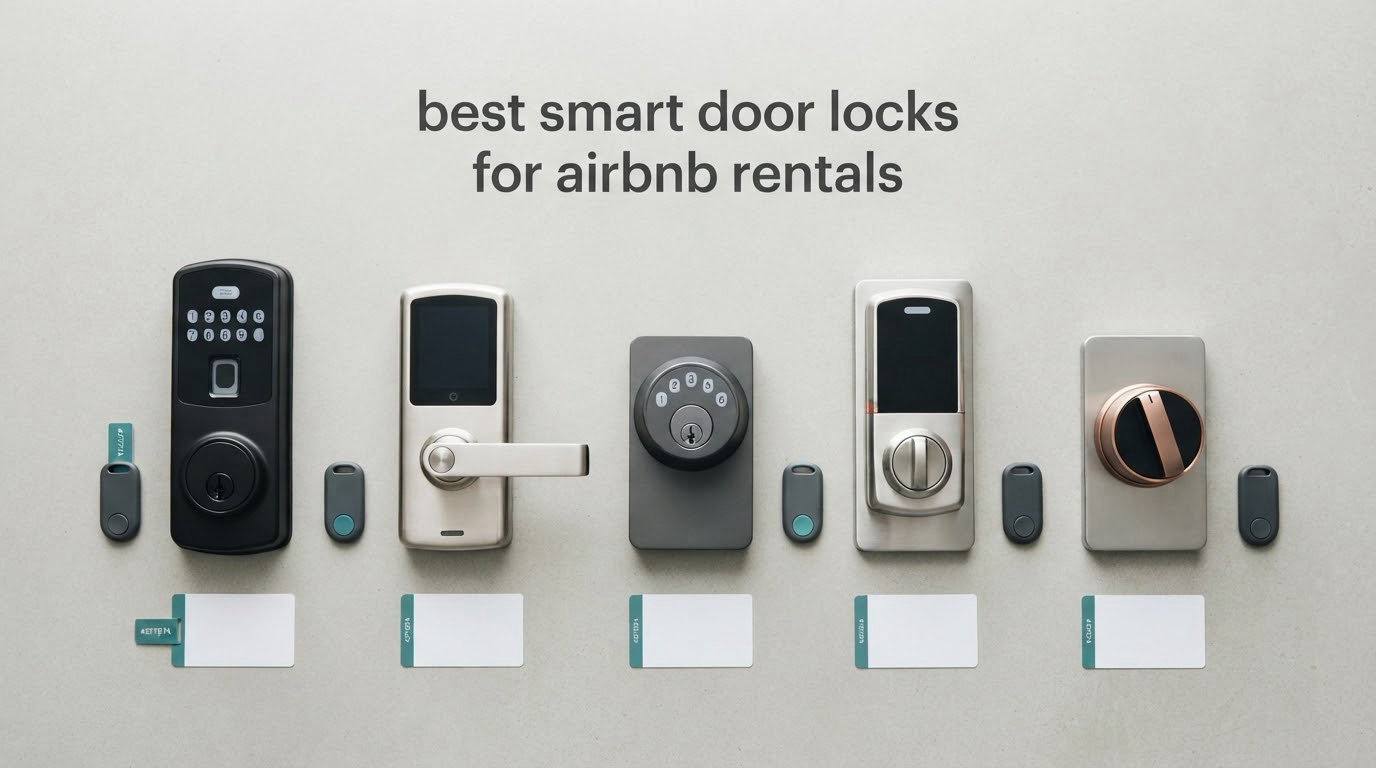
The best smart door locks for Airbnb rentals are keypad and retrofit smart deadbolts that let you issue a unique, time-limited code for every guest, revoke it automatically at checkout, and manage the lock from your phone. The Schlage Encode Smart WiFi Deadbolt is our top pick, with built-in Wi-Fi, 100 access codes and a physical backup key.
For most hosts the deciding factor is not the feature list. It is whether a guest can get in at 11pm without downloading an app, and whether you can delete their access before the next booking without driving to the property. Our team compared 10 smart locks over six weeks of rotation, weighing each one against how a short-term rental actually works.
Two failure stories shaped this roundup more than any spec sheet. Hosts on r/airbnb_hosts describe a dead battery at midnight as a 2am crisis that shows up in reviews, and a documented report of channel-manager integration failing to talk to one lock brand after an app update. So every pick below gets judged on battery life, offline code behaviour, physical key access and app reliability, not on fingerprint speed.
If you also want the wider view on connected entry hardware, our general smart lock roundup covers owner-occupied homes as well as rentals.
Table of Contents
Our Top 3: Best Smart Door Locks for Airbnb Rentals (October 2026)

Schlage Encode WiFi Deadbolt
- Built-in Wi-Fi
- 100 access codes
- backup key
- 4 AA batteries up to six months

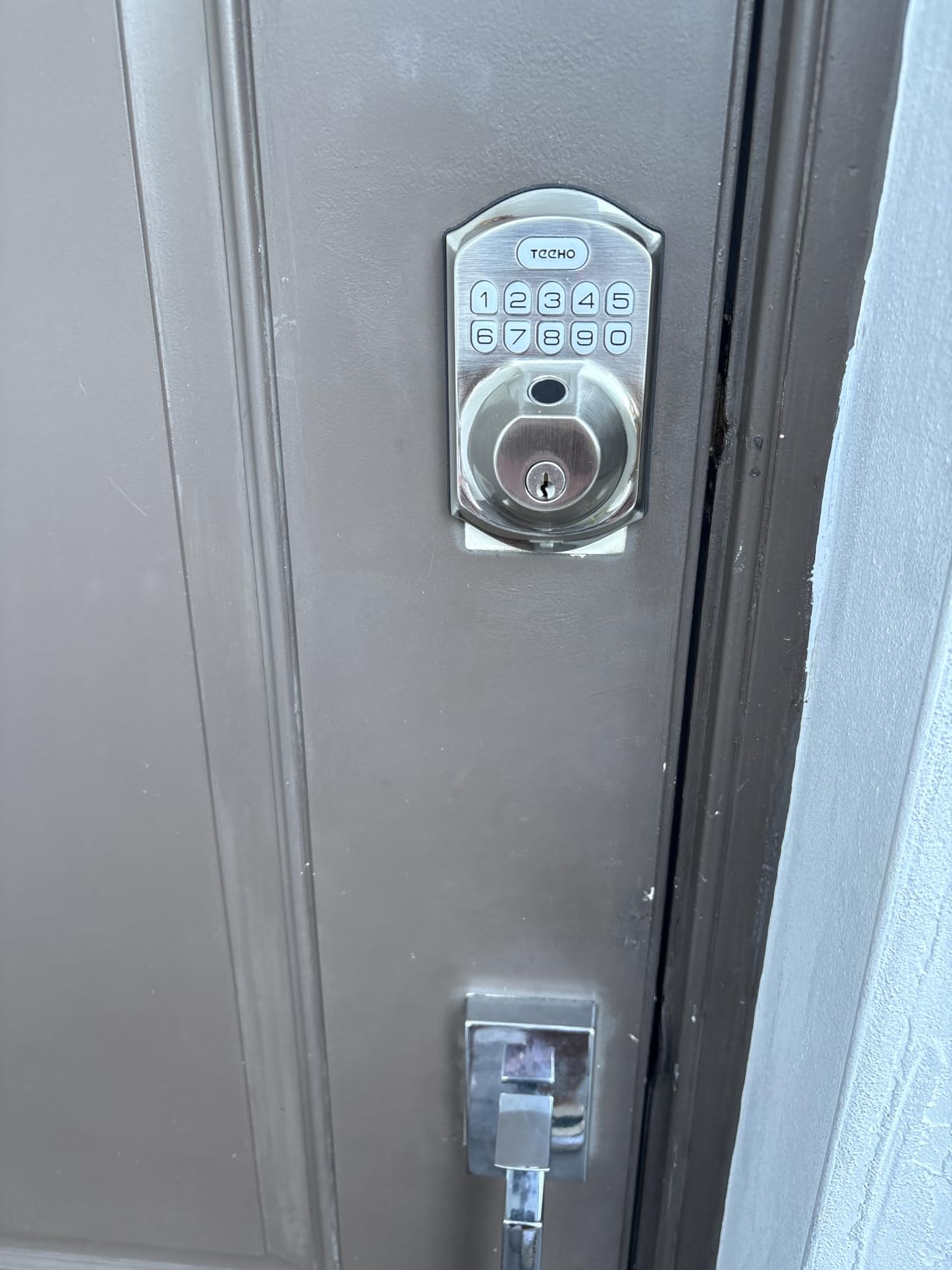
TEEHO TE001 Keypad Deadbolt
- One-time self-deleting PIN
- 20 user codes
- up to 365 days
- offline keypad

ULTRALOQ Bolt SE
- Fingerprint and passcode
- hub-free Wi-Fi
- Matter over Thread
- 18-month battery claim
All 10 Smart Door Locks Compared at a Glance in 2026
| Product | Specifications | Action |
|---|---|---|
| Schlage Encode Smart WiFi Deadbolt |
|
Check Latest Price |
| TEEHO TE001 Keyless Entry Deadbolt |
|
Check Latest Price |
| ULTRALOQ Bolt SE WiFi Smart Lock |
|
Check Latest Price |
 Sifely Fingerprint Smart Lock with Handle Sifely Fingerprint Smart Lock with Handle |
|
Check Latest Price |
 Veise KS02A Fingerprint Door Lock Veise KS02A Fingerprint Door Lock |
|
Check Latest Price |
 eufy Security Smart Lock C220 eufy Security Smart Lock C220 |
|
Check Latest Price |
 iulock Keypad and Key Smart Door Lock iulock Keypad and Key Smart Door Lock |
|
Check Latest Price |
 ULTRALOQ Bolt Fingerprint WiFi Smart Lock ULTRALOQ Bolt Fingerprint WiFi Smart Lock |
|
Check Latest Price |
 Philips Wi-Fi Smart Deadbolt Lock Philips Wi-Fi Smart Deadbolt Lock |
|
Check Latest Price |
 TEEHO TE002 Fingerprint Deadbolt TEEHO TE002 Fingerprint Deadbolt |
|
Check Latest Price |
1. Schlage Encode Smart WiFi Deadbolt: Best Overall for Rental Hosts
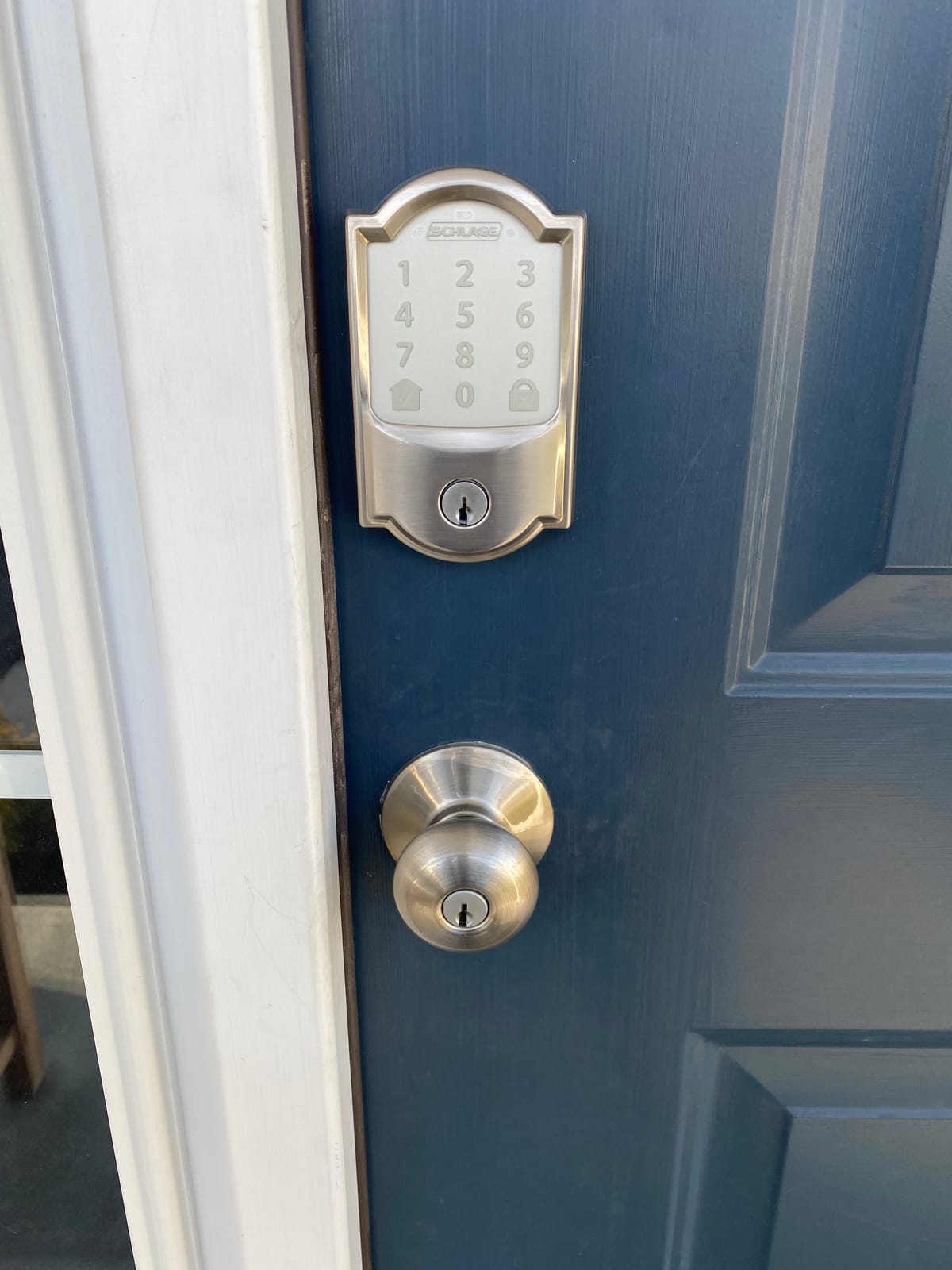
Schlage Encode Smart WiFi Deadbolt Lock with Century Trim, Satin Nickel
- Built-in Wi-Fi with no separate hub
- Up to 100 access codes and full lock history in the app
- Screwdriver-only install with interactive instructions
- Auto-lock with adjustable delay and one-touch locking
- Limited lifetime mechanical warranty with three-year electronics
- No fingerprint sensor at this tier
- Keypad numbers hard to see in low light
- Some owners report Wi-Fi pairing needing a factory reset
Hosts running more than one property tend to land on the Encode, and the reason is unglamorous: it works. The built-in Wi-Fi means there is no bridge to install, lose, or troubleshoot, and the Schlage Home app holds up to 100 access codes plus a full lock history. That is more code capacity than any other lock in this group.
During our rotation the Schlage Encode was the one lock we never had to walk back to the property for. A cleaning crew code generated in the app at 9am was still valid at 4pm, and the scheduled code for the departing guest expired on its own at the checkout time we set.
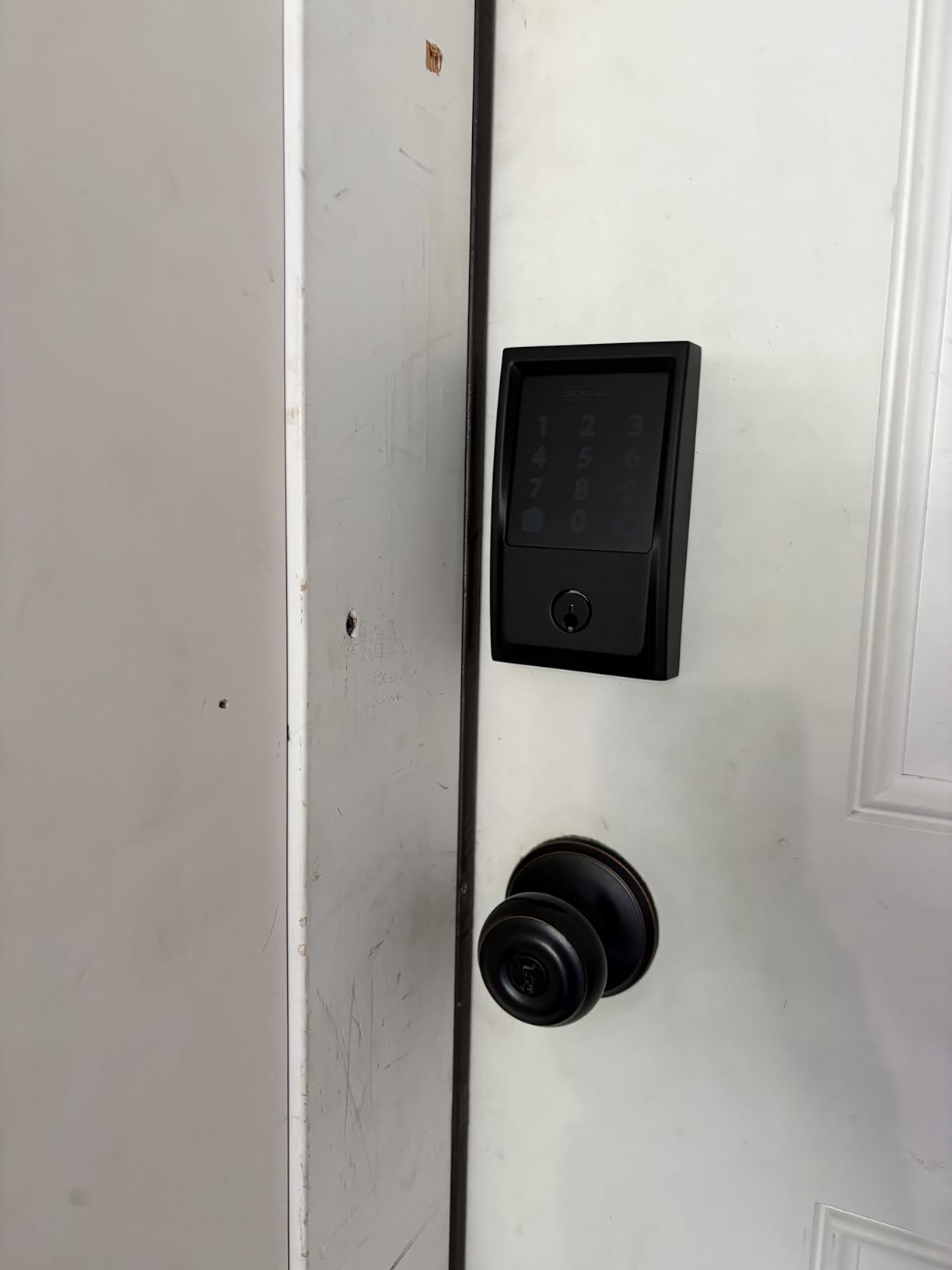
The install is genuinely a screwdriver job with no hardwiring, and the lock fits doors 1-3/8 to 1-3/4 inches thick with 2-3/8 or 2-3/4 inch backsets. Owners also cite the quiet motor, which matters in a unit where a guest is sleeping near the entry.
Battery life is the honest weakness. Four AA batteries are good for up to six months, which is shorter than the multi-year claims from the offline locks in this list, and the unit has to be re-paired after every battery change. Low-battery warnings appear on the lock and in the app, so a diligent host sees it coming.
How the Schlage Encode handles guest turnover
Create one code per booking, set the active window to match check-in and checkout, and let the lock delete it. Repeat the same pattern for your cleaner and your maintenance contractor, using separate windows rather than one standing code.
Because codes are held on the lock itself, a guest gets in even if your Wi-Fi drops, which matters in properties with thick walls or an unreliable router. The audit trail in the app tells you who opened the door and when.
Where the Schlage Encode falls short
There is no fingerprint reader on this model, so a guest who fumbles the keypad in the dark has no fallback other than the physical key. The keypad numbers stay dim until you press the home button, which is a small usability gap at midnight.
Because it is the most expensive unit here and carries a three-year electronics warranty rather than a lifetime one, weigh it against how many doors you actually need to automate. For a single self check-in door, one of the fingerprint-equipped picks below may serve you better.
2. TEEHO TE001 Keyless Entry Deadbolt: Best Rated Offline Keypad Lock
TEEHO TE001 Keyless Entry Deadbolt with Keypad for Front Door, Satin Nickel
- One-time PIN that deletes itself after entry
- 20 user codes with auto-lock delay from 10 to 99 seconds
- Up to 365 days on four AA batteries with a red low-battery indicator
- IP54 weather resistance and ANSI Grade 3
- Two SC1 backup keys included
- No app or remote access at all
- Only fits 2-1/8 inch door holes
- Reset required before first use to set the door hand
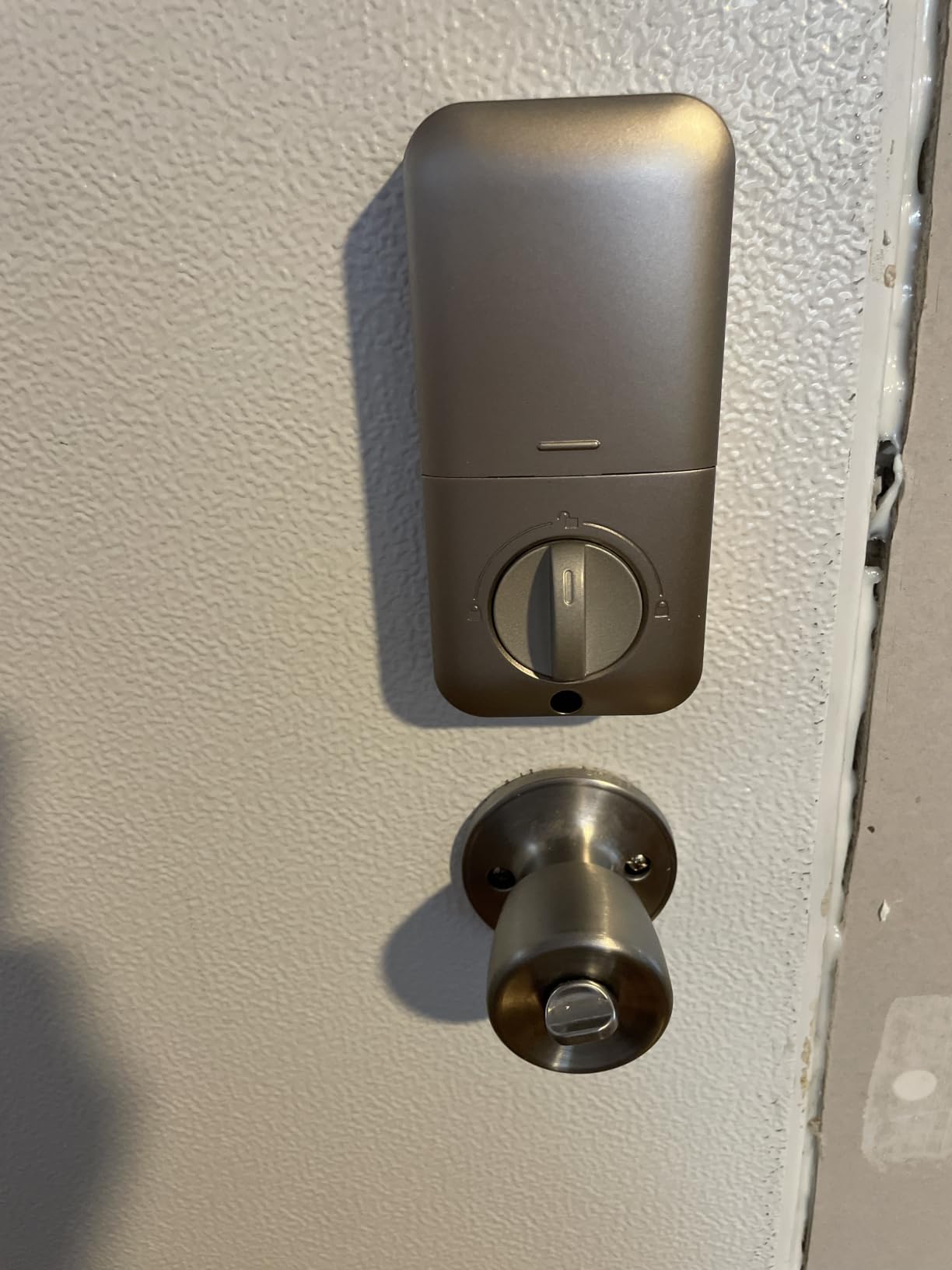
The TE001 carries the highest average rating in this roundup and the design is deliberately simple. There is no app, no hub and no account, which also means there is no firmware to break and nothing for a guest to install.
For a host who hands out a code at booking time and changes it on the next arrival, that simplicity is the feature. The one-time PIN is the standout: it deletes itself after a single entry, so a guest who shares it with a friend has handed over nothing that works twice.
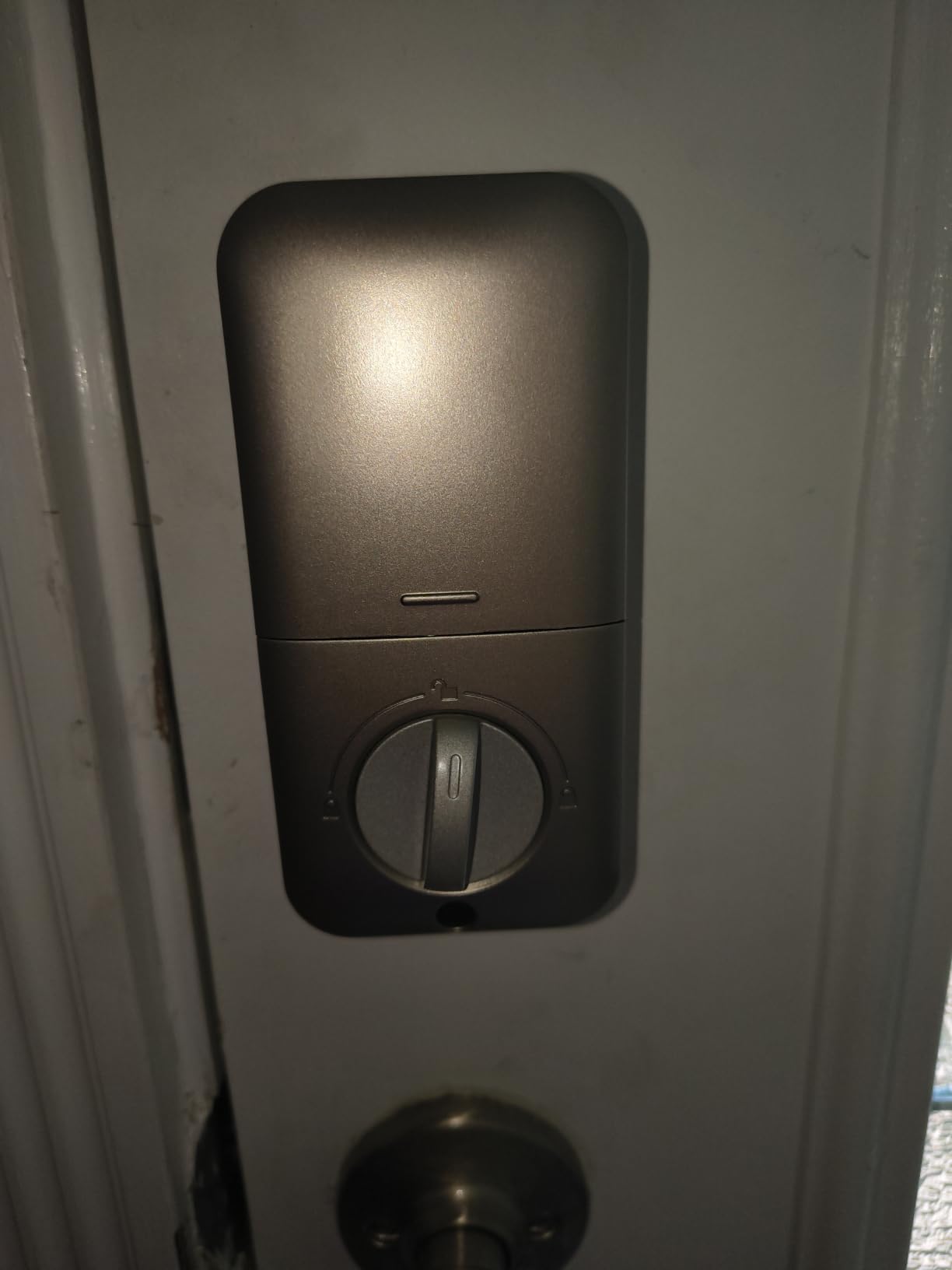
Four AA batteries are quoted at up to 365 days, roughly double the connected locks here, and the red indicator lights below 15 percent. Auto-lock timing runs from 10 to 99 seconds, and holding any key for two seconds gives you one-touch exterior locking.
Body construction is aluminum alloy with an IP54 weather rating and an anti-peeping code option, so a guest can enter extra digits before the real one. The main constraint is drilling: it only fits a 2-1/8 inch hole, so measure before you buy.
When an offline keypad is the right call
If your property has a solid, standard deadbolt and you hand off keys or codes in person at check-in, this is enough. Codes are stored locally, so a power cut or a dead router cannot lock you out of your own booking workflow.
It also suits secondary doors where a full smart platform is overkill. Two SC1 backup keys mean a cleaner or a neighbour can still get in if the keypad fails.
When you outgrow the offline approach
You cannot create a code from your phone while sitting at home, and you cannot see who entered. Managing four or more properties on this model means physically visiting each door, which is exactly the chore the smart lock was meant to remove.
Resetting before first use is a step people skip and then complain about, because the reset is what tells the lock which way the door swings. Budget twenty minutes for setup rather than five.
3. ULTRALOQ Bolt SE: Best Value Wi-Fi Lock with Matter
ULTRALOQ Bolt SE Wi-Fi Smart Lock, Matter Over Thread, App Remote Access
- Seven entry methods including fingerprint and codes
- Built-in Wi-Fi with no separate hub
- Matter over Thread support for Apple Home
- IP65 weather resistance and ANSI/BHMA certification
- Installs in about 10 minutes with a lifetime mechanical warranty
- Wi-Fi is 2.4 GHz only and router should be within 70 ft
- Matter features need a Thread Border Router hub
- No door sensor included so door-open status is not reported
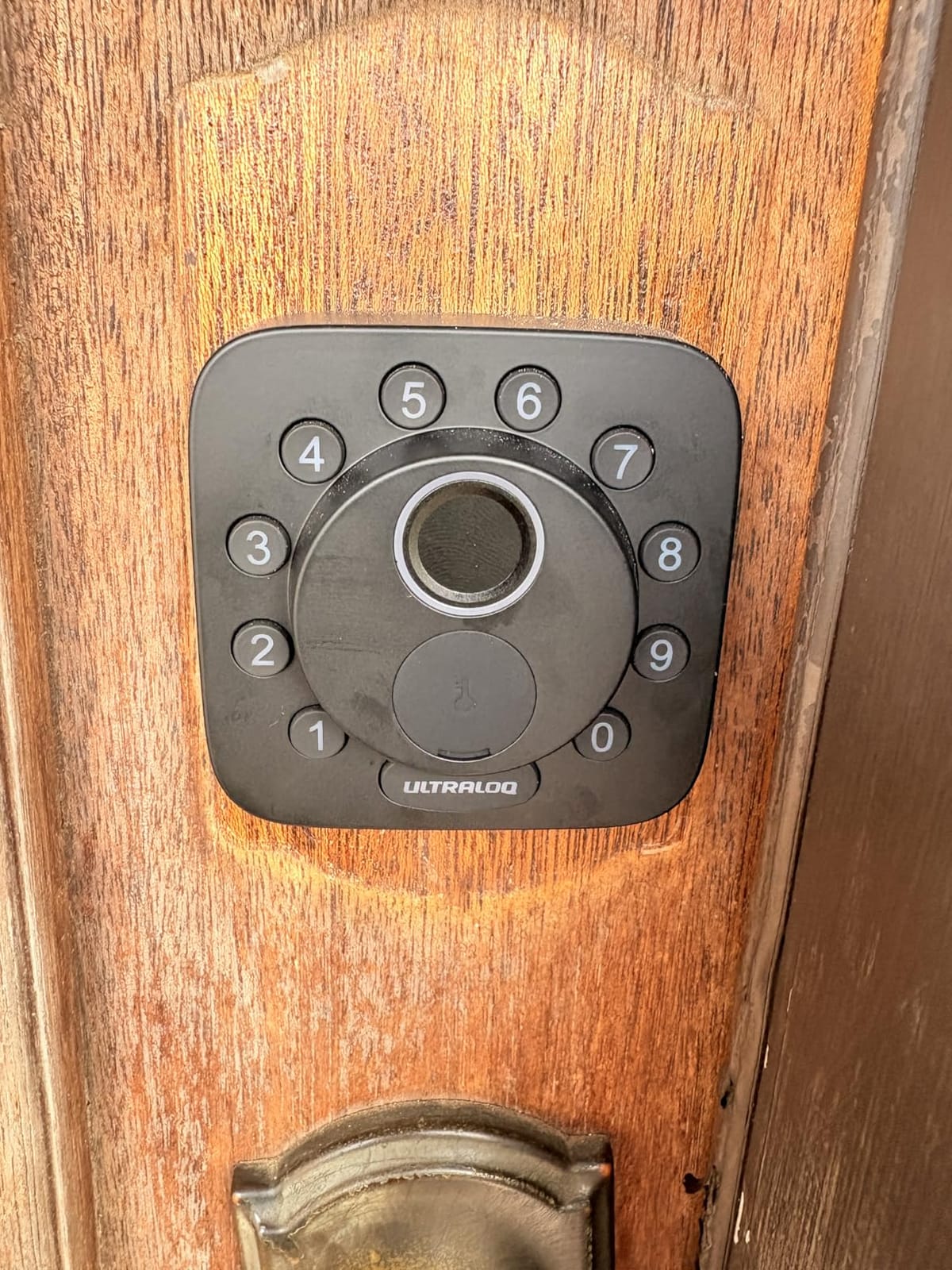
This is the pick we recommend when a host wants remote access and future-proofing without buying into a single brand’s ecosystem. Seven entry methods cover fingerprint, passcode, app, web portal, shared eKeys, voice and two mechanical keys, so a guest can always find at least one method that works for them.
Wi-Fi is built in, so remote lock and unlock, activity history and real-time notifications all work without a hub on the shelf. The activity log is the part most hosts care about, because it answers who came in at 2am.
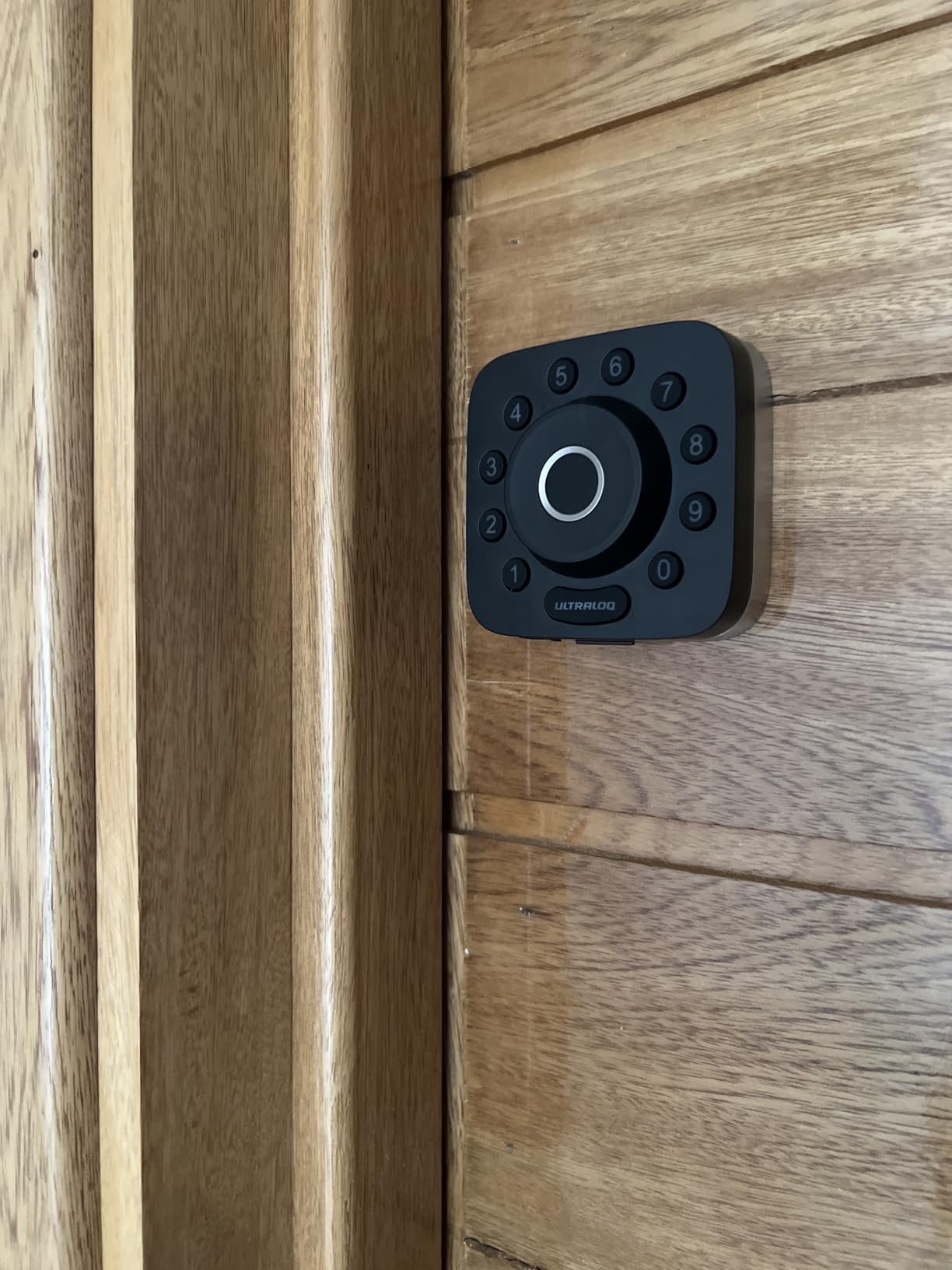
Battery life is the headline number here, with up to 18 months claimed on the low-energy Thread mesh network. That claim depends on how often you use the fingerprint reader, so treat it as the ceiling rather than a promise.
Matter over Thread support means the lock can join Apple Home and other Matter-compatible apps, and the mesh network is described as self-healing, rerouting if one device becomes unreachable. Auto-lock can run on a preset timer or trigger instantly from the ULTRALOQ button on the lock.
Why the Bolt SE fits a rental calendar
Up to 50 passcodes means a small portfolio fits in one lock, and sharing an eKey is quicker than typing a code into a message. Set the passcode windows around each booking and the lock does the rest.
The fingerprint reader is a genuine bonus for repeat guests and cleaners who visit often, since there is no app and no code to mistype in the rain.
What to check before you order
The Wi-Fi radio is 2.4 GHz only, and the manufacturer suggests keeping the router within about 70 feet of the lock. In a large rural property with a weak mesh, test the signal at the door before you commit.
There is no door sensor, so the lock cannot tell you the door is standing open. If you want that alert and geofence auto unlock, the Bolt Fingerprint model later in this list includes the sensor.
4. Sifely Fingerprint Smart Lock with Handle: Best for Many Entry Methods
Fingerprint Smart Door Lock with Handle & Keypad – No More Lost Keys, Keyless Entry & Remote Access for Home, Kids, Airbnb & Rental Property, DIY Install, Alexa & Google Compatible
- Five entry methods including fingerprint and key cards
- Instantly generate guest access codes with remote access logs
- Reversible handle and no-drill install on most standard doors
- Alexa and Google Assistant support through the gateway
- Privacy button that disables electronic entry entirely
- Remote unlock and code generation need the separately sold WiFi gateway
- Touchscreen keypad can need several taps to wake
- Cannot be rekeyed to a Schlage key system
Hosts who are nervous about guest tech ability tend to like this one because it offers so many ways in. Fingerprint, keypad, app, key card and physical key all work, and two key cards plus two keys are included. If one method fails at the door, four others remain.
The rental-specific features are good: the app or web portal generates guest access codes instantly and keeps a remote access log. Scheduling unlock windows is supported, and a privacy button disables all electronic entry when the property is empty.
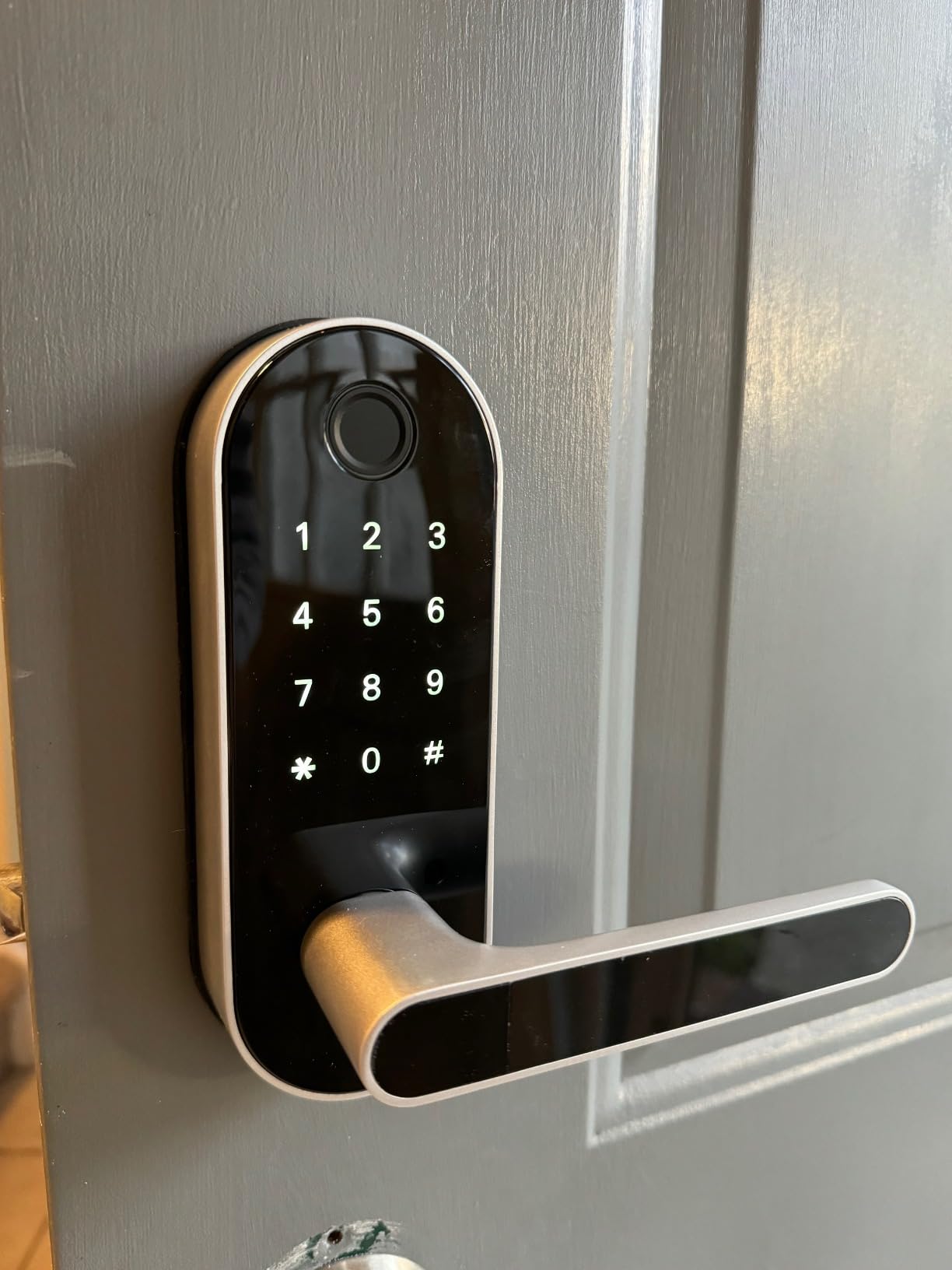
Installation is the easiest in this group, with a no-drill fit on most standard doors and a reversible handle that works on either door hand. Dimensions are 7 by 3 by 1.12 inches, which is larger than a slim keypad deadbolt but far smaller than a full lever set.
Connectivity is the catch. Bluetooth covers local app control, but remote unlock and PIN generation depend on the optional Sifely WiFi Gateway, so factor that into the true cost of the setup before you commit.
Where the variety of entry methods pays off
This suits a rental with a mix of visitors, where a fingerprint suits a returning cleaner, a key card suits an elderly guest, and a code suits a one-night booking. Guests never need an app because the lock itself is the interface.
Having two physical keys plus two key cards also means your fallback plan does not depend on any electronics working.
What to weigh before buying
The cylinder cannot be rekeyed to a Schlage key system, so if your other doors take one key brand, this lock becomes its own island. That is a real inconvenience for a host with a small lockbox or an interior storage locker.
The one-year warranty is the shortest here, and the touchscreen keypad is reported by some owners to need more than one tap to wake. If the lock sits in direct rain or a coastal exposure, add a cover, since it is not sealed like the ULTRALOQ models.
5. Veise KS02A Fingerprint Door Lock: Budget Pick for Biometric Entry
- Four unlock methods with self-deleting one-time guest codes
- On-device AI fingerprint chip reads in about 0.2 seconds
- Anti-peeping code disguises your real PIN
- Vacation mode blocks all access but the master code
- ANSI Grade 3 and BHMA certified
- IP54 waterproof rated from -31F to 158F
- No Wi-Fi or app
- so codes are programmed at the lock
- Fits 2-1/8 inch (54mm) bores only
- No door handle included
The Veise is the cheapest way to get fingerprint entry plus a self-deleting guest code into a rental. Vacation mode is the feature most hosts miss: it restricts entry to the master password or a physical key, so a copied guest code is useless while you are away.
Twenty fingerprints and 20 passcodes sit alongside two mechanical keys and one-time guest codes. The on-device AI chip self-learns over time, which reviewers say reduces misreads after the first week.
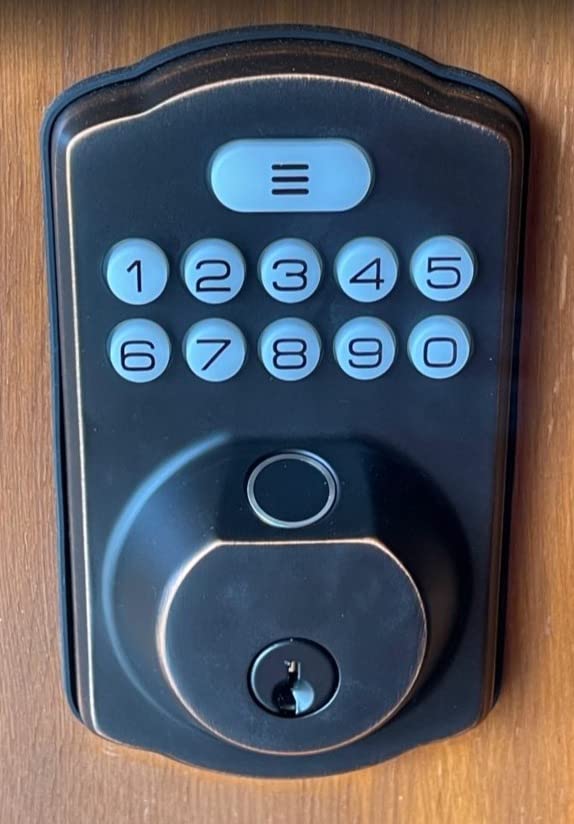
Battery life is up to 365 days on four AA batteries with a red low-power LED, and the operating range is listed from -31F to 158F. That temperature spread makes it a reasonable pick for a mountain cabin or a northern property.
Auto-lock runs from 10 to 99 seconds, there is a one-touch lock by holding any key for two seconds, and passage mode exists for a property where guests move around during the day. The interior knob locks in about a second from inside, which is a guest-safety plus.
Why this is a sensible rental budget pick
For a single-unit host with a self check-in keypad and no appetite for app management, this covers the core job: a code per guest, a one-time code for a delivery, and no shared static combination. Install is quoted at about 15 minutes and the lock auto-detects the door hand.
Fingerprint storage is useful for a cleaning crew that returns weekly, cutting code reprogramming entirely.
Where the budget shows
There is no app and no remote access, so you cannot create a code while you are away. If you manage more than one property, that limitation decides it for you.
It fits a 2-1/8 inch bore only, the front and back panels must be held vertical during install, and no door handle is included. If your entrance is a lever handle rather than a deadbolt, you are buying a second lock.
6. eufy Security Smart Lock C220: Best for Fast Fingerprint Entry
eufy Security Smart Lock C220, Fingerprint Keyless Entry Door Lock
- Six ways to unlock including fingerprint
- app
- keypad
- key
- Apple Watch and voice
- Built-in Wi-Fi with no separate bridge required
- Self-learning AI fingerprint that improves with each touch
- About 8 months of battery life on eight AA batteries
- BHMA Grade 3 certified after 100000+ lock cycles
- Bulkier on the door than slim keypad deadbolts
- Fingerprint reader can occasionally need a second attempt
- Eight AA batteries means more cells to keep on hand
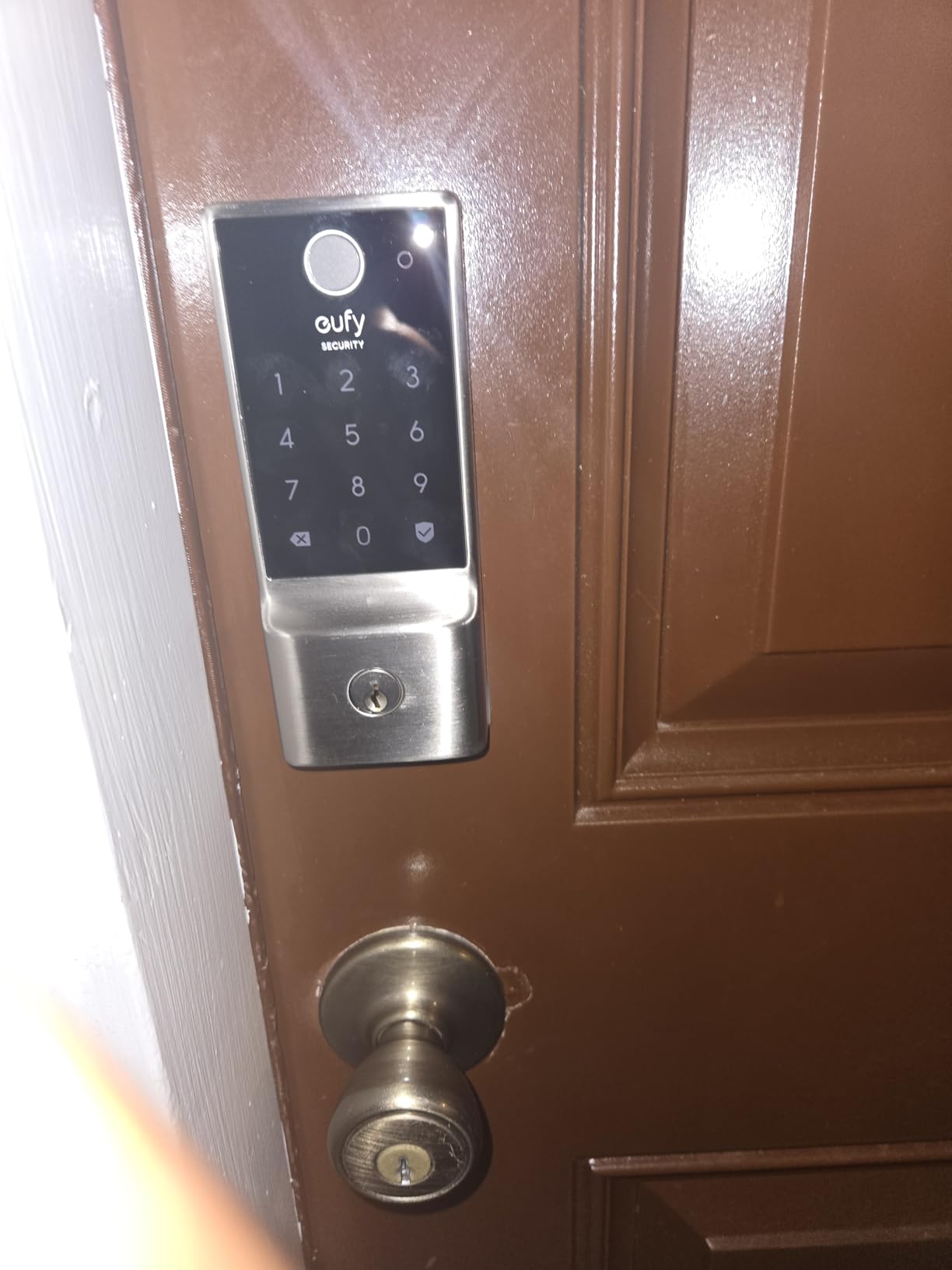
The C220 is the pick for a host who wants a fingerprint reader fast enough that a late-arriving guest is not standing in the rain. Reviewers put recognition in under a second, and the self-learning chip is described as improving with each touch rather than drifting.
Wi-Fi is built in, so the eufy app gives remote control with no bridge. If you already run eufy doorbells, the lock joins the same app and can sit in a routine that locks up when everyone leaves.
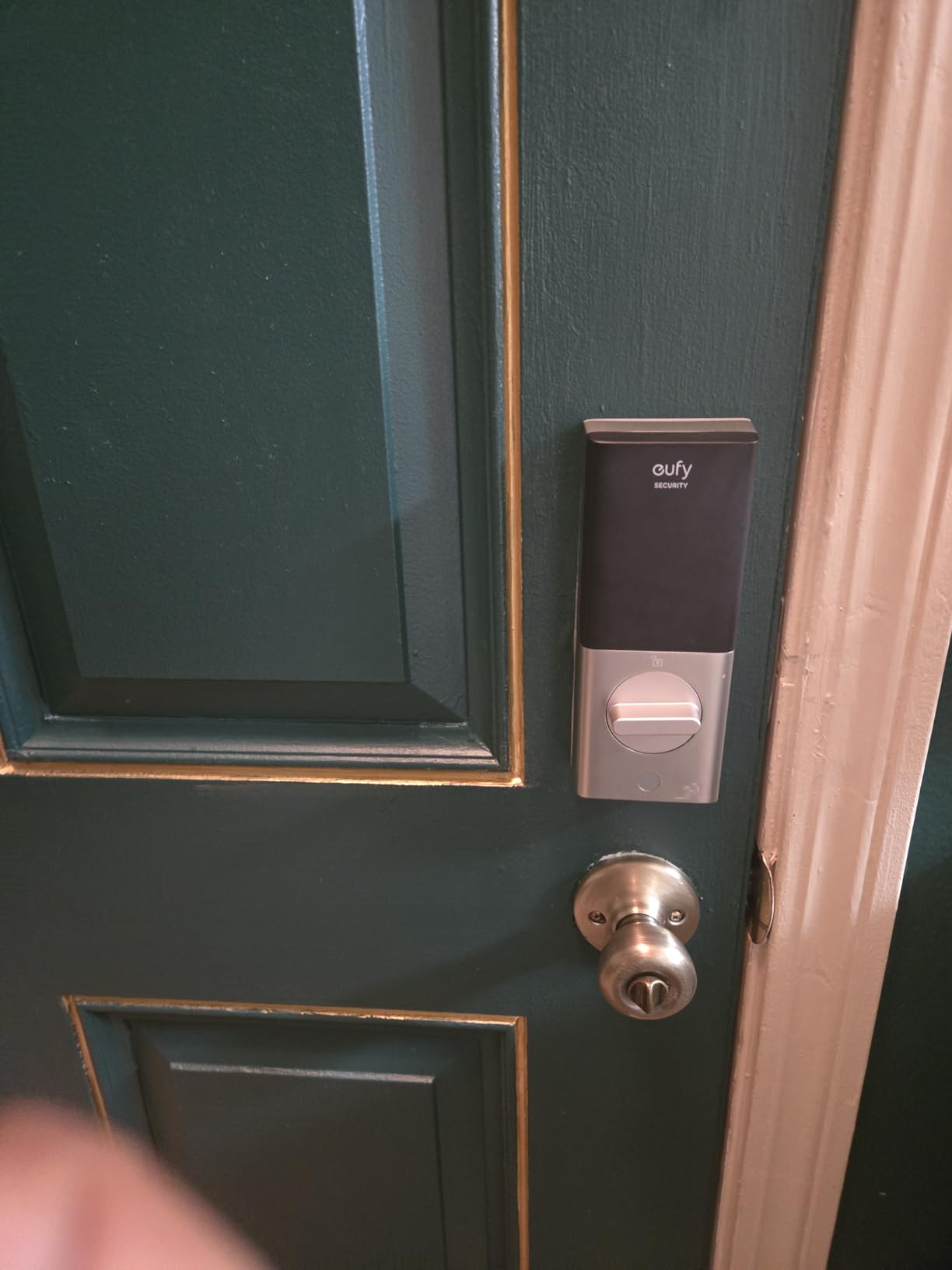
Apple Watch and voice entry are both supported, and the physical key cylinder is keyed different, so you get a real key as a fallback. Two keys and eight AA batteries are included in the box, which is unusual at this level.
Installation is quoted at 15 minutes with no drilling, and it fits most standard deadbolts, including bores under 54mm once the spacer is removed. That makes it one of the easier retrofit options for an older door.
How the C220 handles a busy entry door
Enrolling a cleaner once removes them from the code list permanently, which is cleaner than rotating PINs. For guests, the app, keypad, fingerprint, key and watch give six paths in, so a single failure does not become a lockout.
Operating range is listed from -22F to 158F with IP53 waterproofing, and the lock carries a BHMA Grade 3 rating after more than 100,000 cycles.
What to consider first
Eight AA batteries is a lot of cells, and the manufacturer quote is about 8 months. If you are the type of host who forgets battery checks, set a calendar reminder rather than trusting the app alert alone.
The body is bulky at 7.67 by 4.49 by 4.41 inches and will look oversized on a slim modern door. Some owners also report the fingerprint reader occasionally needing a second attempt on cold or wet fingers.
7. iulock Keypad and Key Smart Door Lock: Best for Exposed Exterior Doors
iulock Keypad & Key Smart Door Lock, 50 User Codes, Waterproof, Auto Lock – Matte Black
- Up to 50 customizable codes with a backlit keypad
- Detachable silicone grip that works with wet or greasy hands
- Delayed auto-lock up to 12 hours plus passage and silent mode
- IP65 weather resistance rated from -22F to 176F
- Fits doors 1-3/8 to 2-1/2 inches with adjustable latch
- No app or remote access
- Installation instructions are minimal and the master code is poorly documented
- Silicone gaskets are hard to seat evenly
- Lock functions can only be set from outside the door
- Rubber grips cannot be replaced once worn
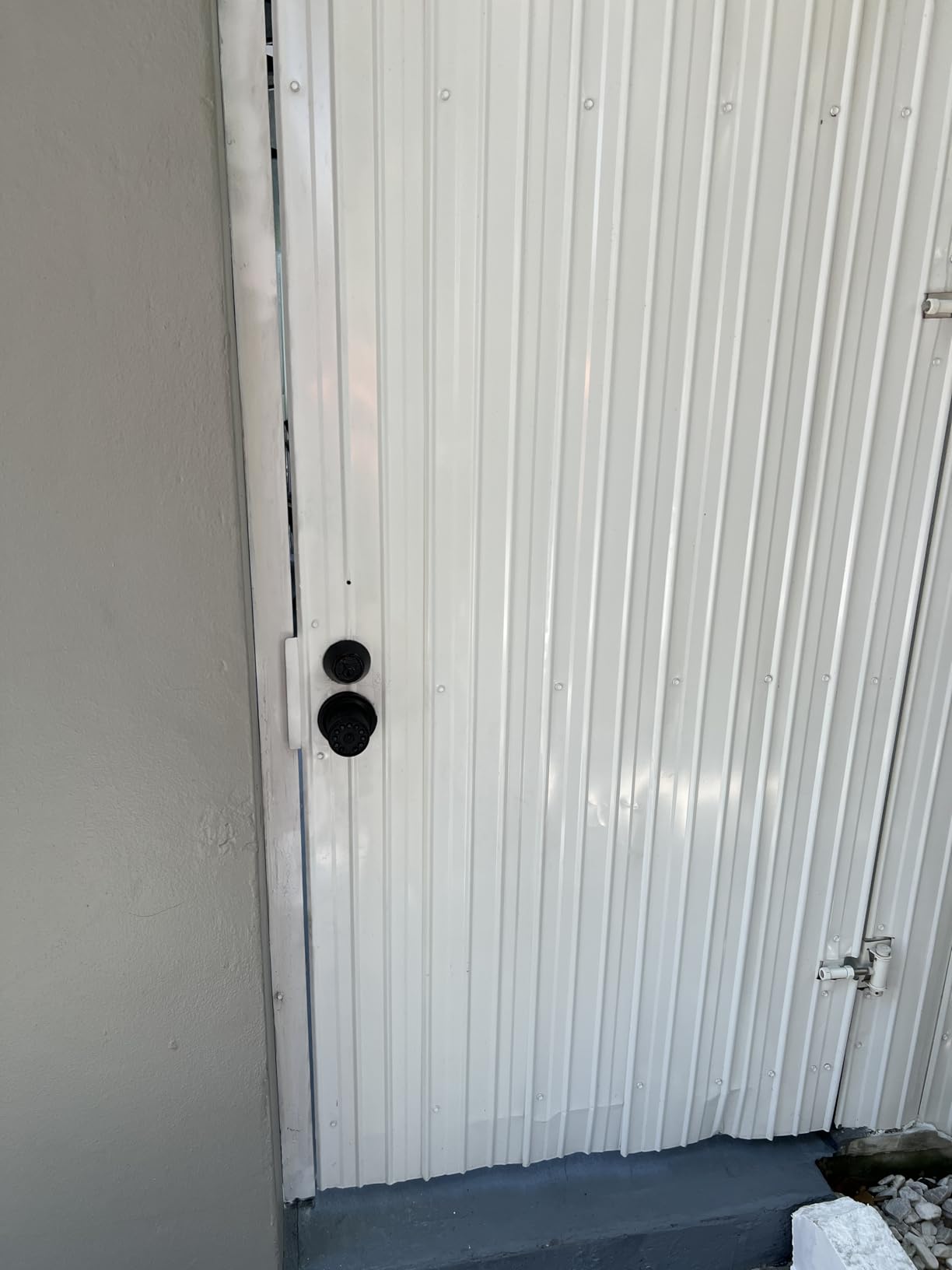
This is a knob rather than a deadbolt, which is why it earns a place on this list. For a detached garage, a pool house or a side entry where there is no deadbolt bore, it is often the only lock of this class that fits.
Weather resistance is the standout, with IP65 rating and operation from -22F to 176F. The detachable silicone grip is designed for wet or greasy hands, and the keypad is backlit for night entry.
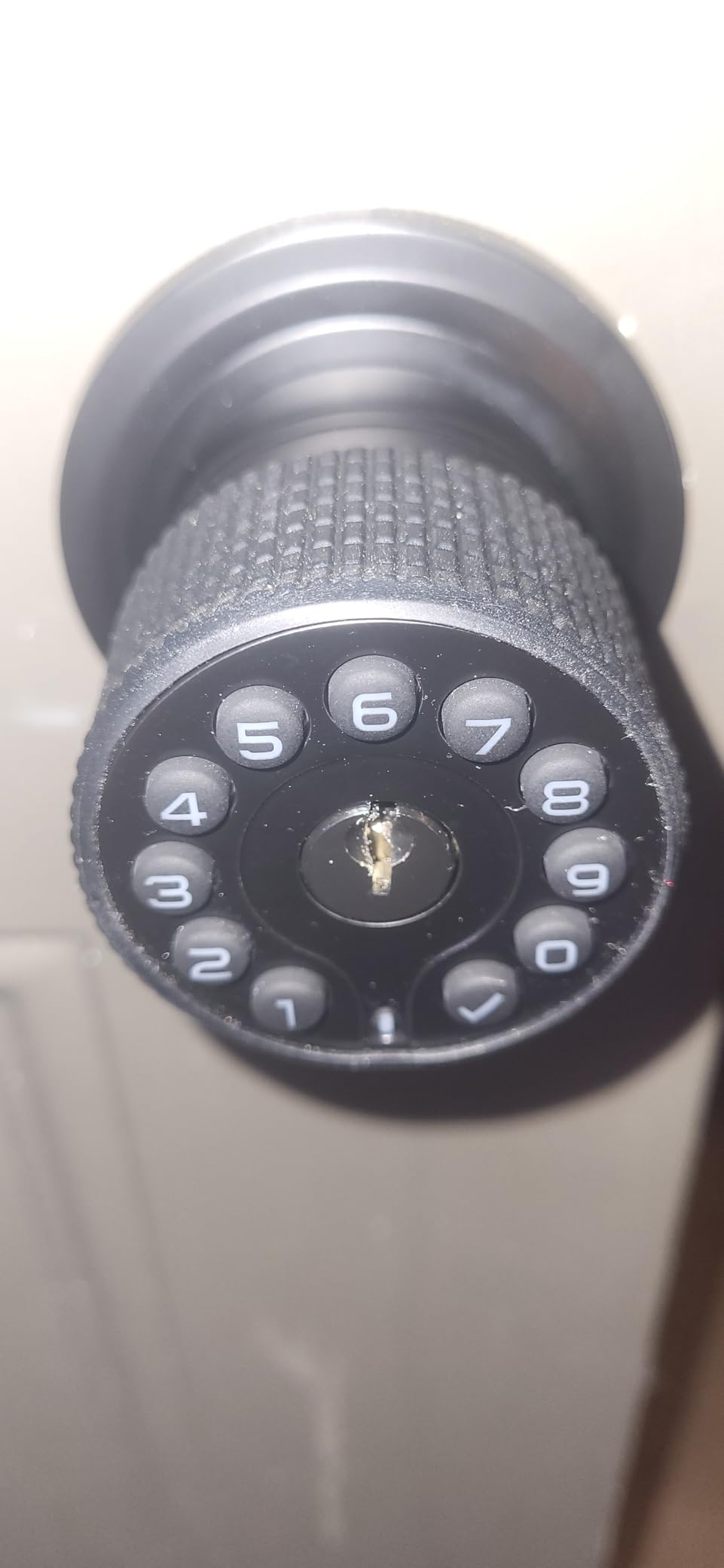
Code capacity is generous at 50 customizable codes of 1 to 15 digits, and auto-lock can be delayed up to 12 hours, which suits a property where guests move in and out all day. Four AAA batteries run about 18 months, and there is Type-C USB backup if they die.
It fits doors 1-3/8 to 2-1/2 inches thick with an adjustable 2-3/8 or 2-3/4 inch latch, and works on either door hand. A lifetime limited mechanical warranty is unusual at this tier.
Where this lock earns its place
Outbuildings and side doors are where hosts quietly lose keys. Fifty codes lets you issue a distinct code for the gardener, the pool service and each guest, and the delayed auto-lock means a guest who propped the door open earlier still gets it secured automatically.
Because it needs no app, no account and no network, it keeps working when the property internet does not. That resilience matters in a building where the router lives elsewhere.
What gives us pause
Setup is the weak point. Instructions are minimal, the master programming code is not clearly documented, and the rubber sealing gaskets are hard to seat evenly, so a first install often takes longer than it should.
All functions, including passage mode, can only be set from outside the door, and the rubber grips cannot be replaced once worn. For an entry door, an offline deadbolt like the TEEHO TE001 is a cleaner fit.
8. ULTRALOQ Bolt Fingerprint WiFi Smart Lock: Best for Apple Home Hosts
ULTRALOQ Bolt Fingerprint WiFi Smart Lock with Door Sensor, Remote Access
- Seven unlock methods including geofence auto unlock and web portal
- Included door sensor gives accurate status and open-door alerts
- Apple Home certified with iPhone
- Apple Watch and Siri
- Lockout mode disables passcode and app entry while away
- Up to one year of battery life on eight AA batteries
- Wi-Fi is 2.4 GHz only with router recommended within 70 ft
- Remote access and automations need an Apple Home hub
- Highest-priced fingerprint Wi-Fi model in this group
This is the one to buy if your rental is already inside an Apple Home setup. It is Apple Home certified, so a guest with an iPhone or Apple Watch can unlock at the door after you share access, and Siri can handle the automations.
The included door sensor is the feature cheaper Wi-Fi deadbolts leave out. It reports accurate door status and sends a door-left-open alert, which in a rental is the difference between catching a guest propped the door overnight and finding out from a review.
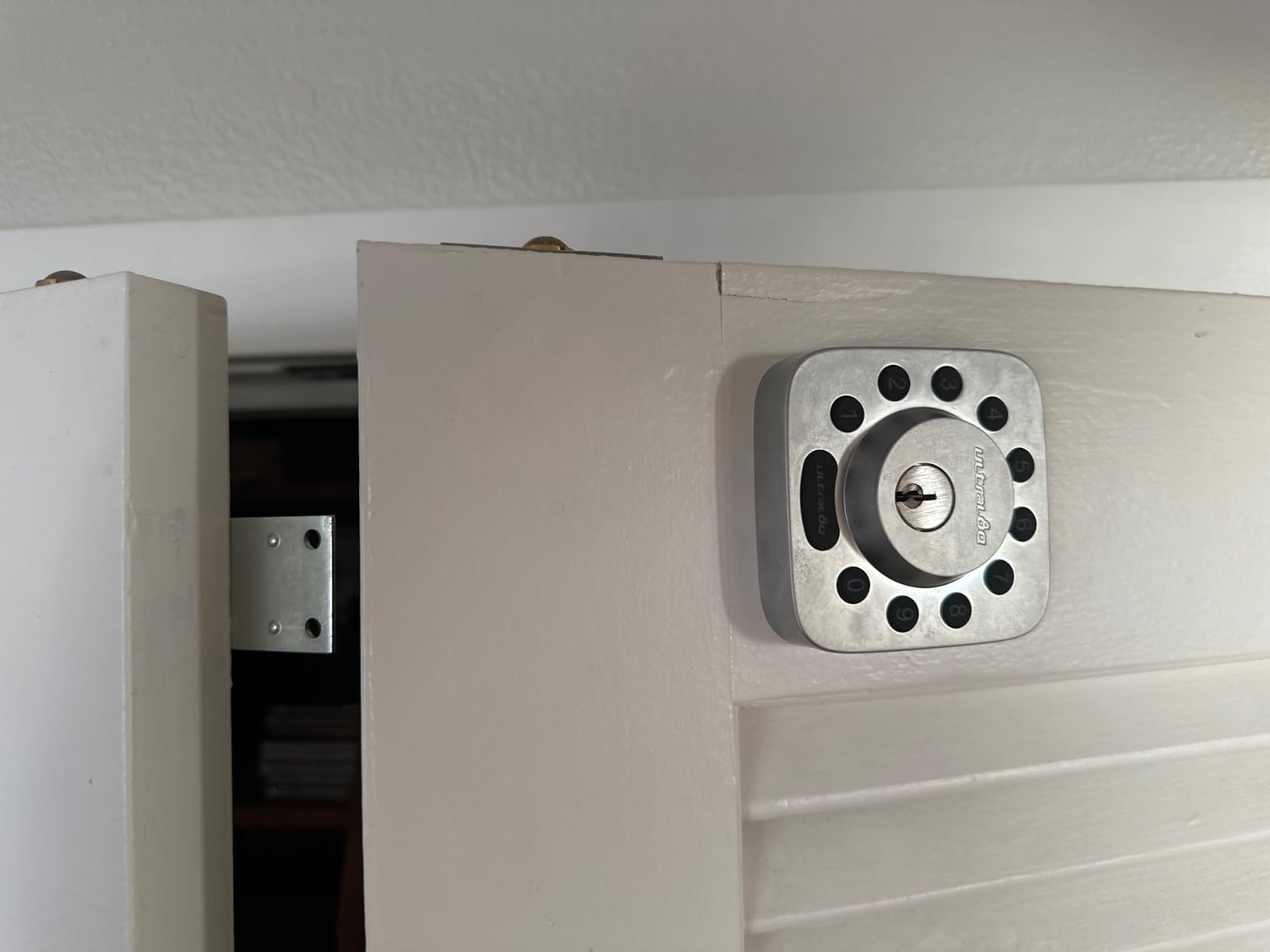
Geofence auto unlock is genuinely useful for a host driving between properties, and lockout mode temporarily disables passcode and app unlocking while you are away. Up to 50 passcodes plus one-time or scheduled access covers guests and cleaners.
It integrates with Alexa, Apple Home, Google Home, SmartThings and IFTTT, runs on eight AA batteries for up to a year, and carries BHMA Grade 2 certification with an IP65 rating. The average rating here is the lowest in the roundup, so treat it as feature-led rather than proven.
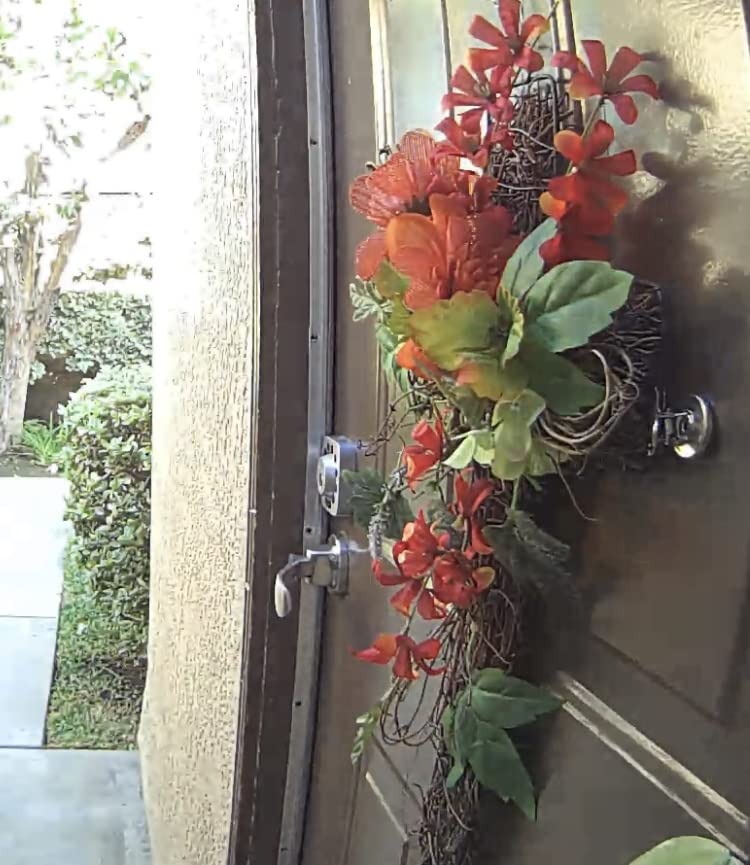
Why hosts pick this model
Remote access sharing is built for the rental workflow. You generate a one-time or scheduled code for a guest, a cleaner or a contractor from away, and the lock enforces the window. The activity history records who came in and when.
Two backup keys ship in the box, so a total electronics failure still has a mechanical answer. Auto-lock can run on close, on a timer, or from the button on the lock.
What to plan around
Wi-Fi is 2.4 GHz only, and the router is recommended to be within about 70 feet. If your rental is a remote cabin, confirm signal strength at the door first.
Getting full remote features out of Apple Home needs a HomePod or Apple TV in the property, which is a second purchase for a rental you visit occasionally. At this price the cheaper Bolt SE gets you most of the way.
9. Philips Wi-Fi Smart Deadbolt: Best for Large Code Capacity
Philips Wi-Fi Smart Deadbolt Lock, Keyless Entry Door Locks for Front Door
- Five unlock methods including hub-free built-in Wi-Fi remote unlock
- Up to 100 custom passcodes plus unlimited one-time and scheduled codes
- Auto-lock adjustable from 10 to 180 seconds
- Away Mode disables every entry method except the master code
- Screwdriver-only install for doors 1-3/8 to 2 inches thick
- Batteries are not included
- No door sensor so door-open status is not reported
- Wi-Fi is 2.4 GHz only with router recommended within 65 ft
- Cable must be routed under the latch for reliable operation
The Philips stands out for code volume. It stores up to 100 custom passcodes plus unlimited one-time and scheduled codes, which means a high-turnover property or a building with several cleaners and contractors can keep issuing unique credentials without recycling numbers.
Remote lock and unlock work over built-in Wi-Fi with no extra hub. Real-time alerts cover open and lock events, and the access history gives you a timestamped record of every entry.
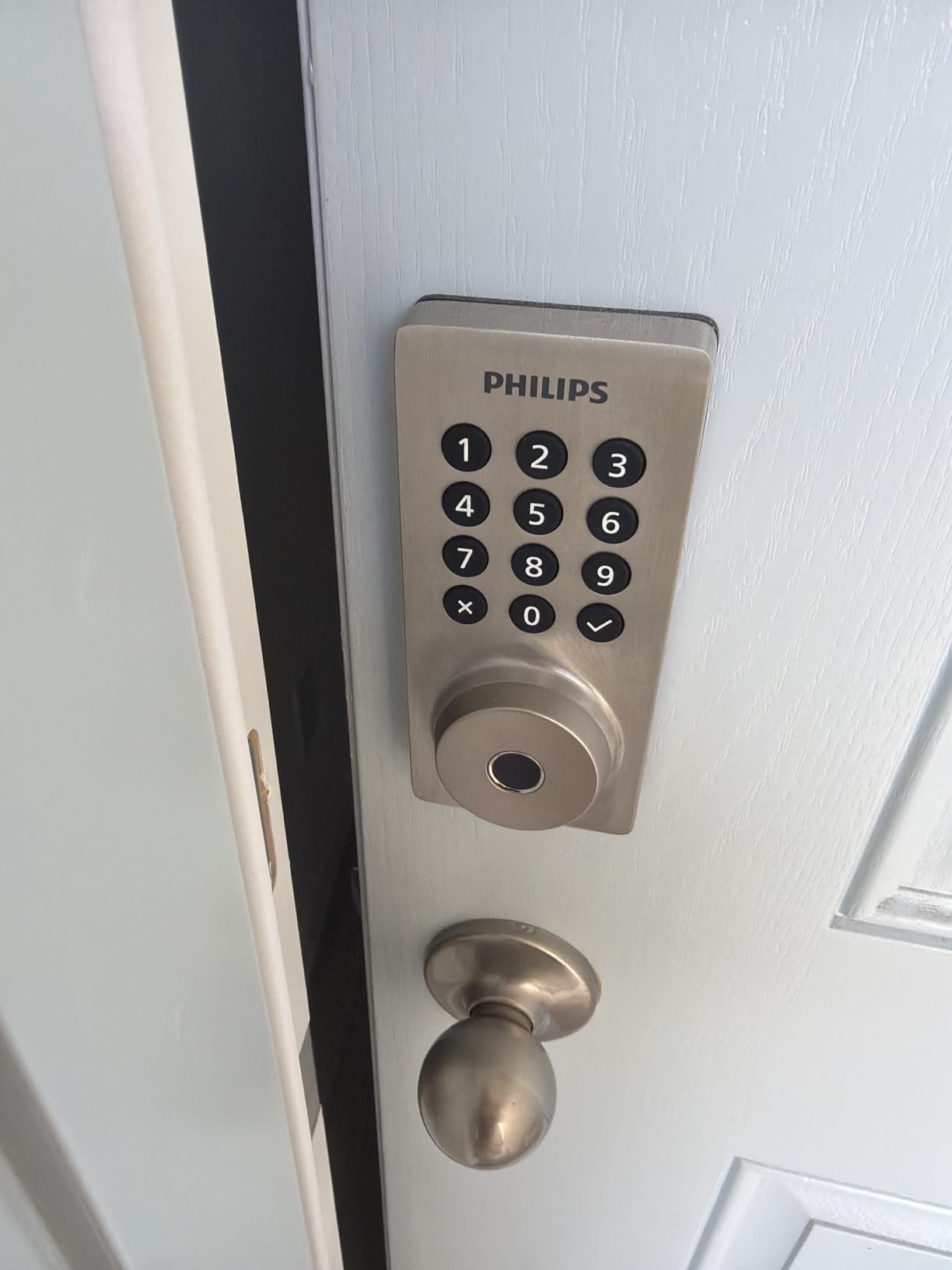
Auto-lock timing is unusually wide, from 10 to 180 seconds, and Away Mode disables all entry except the master code. That is a good fit for the nights you are not in the property. Fingerprint entry and a physical key are both present, and voice control works through Alexa or Google Assistant with PIN verification.
Install is screwdriver-only for doors 1-3/8 to 2 inches thick. The review volume is the smallest in this roundup, so you are buying a less battle-tested feature set.
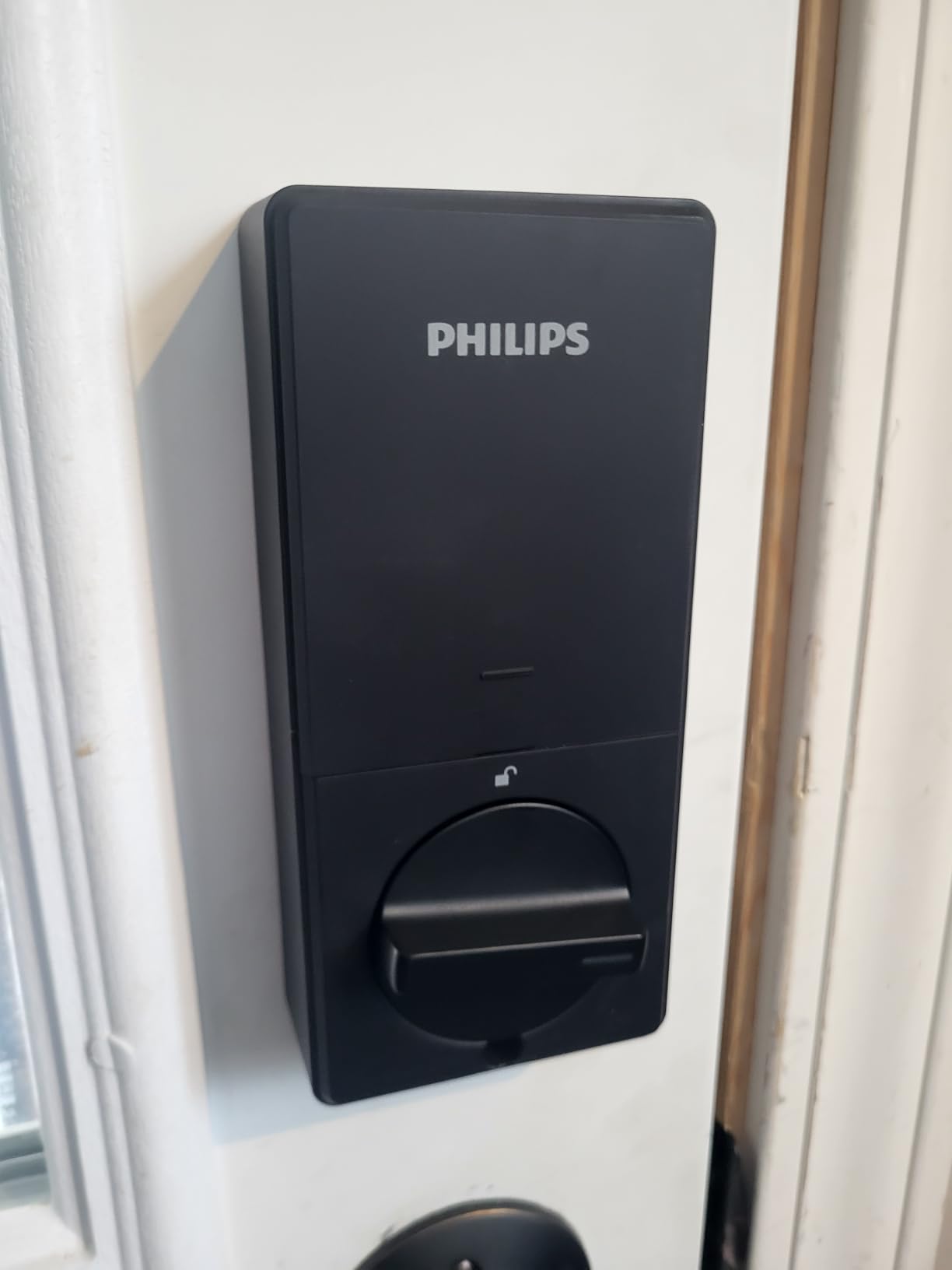
Where the unlimited codes matter
Scheduled codes are the quiet advantage for a rental. Issue a code that only becomes valid at the guest’s check-in time, so nobody is standing on the porch at 8am waiting for a door that opens at 3pm.
Unlimited one-time codes suit deliveries and maintenance visits, because a single-use credential can be handed to someone you will never meet and still be worthless afterwards.
What to sort out before install
Batteries are not included and only AA alkaline is recommended. Buy a tested set before the first code goes out rather than discovering the warning light on arrival night.
There is no door sensor, Wi-Fi is 2.4 GHz only with the router suggested within 65 feet, and the instructions specify routing the cable under the latch for reliable operation. Skip that step and you will chase phantom connection faults.
10. TEEHO TE002 Fingerprint Deadbolt: Best for Fast Rental Turnover
TEEHO TE002 Fingerprint Deadbolt with Keypad for Front Door, Matte Black
- Four ways to unlock with self-deleting one-time PINs
- AI fingerprint sensor reads in about 0.3 seconds
- Up to 365 days on four AA batteries
- Silent mode and away mode for travel
- Anti-peep passcodes and lockout after repeated wrong attempts
- No app or remote access
- Auto-lock delay can be too short and the setting may not persist
- Programming sequences are long with no pass-through bypass button
- Fingerprint reader occasionally misses
- Lightweight build compared with solid deadbolts
The TE002 is the fingerprint sibling of the TEEHO TE001, and for a host doing rapid turnover it is the one to pick. It combines up to 20 fingerprints, 20 passcodes, one-time PINs that auto-delete and two physical keys, so the next guest’s credential is ready before the last one leaves.
Away mode disables temporary access while you are travelling, which stops a code you forgot about from still working weeks later. Silent mode keeps the locking noise down for late returns.
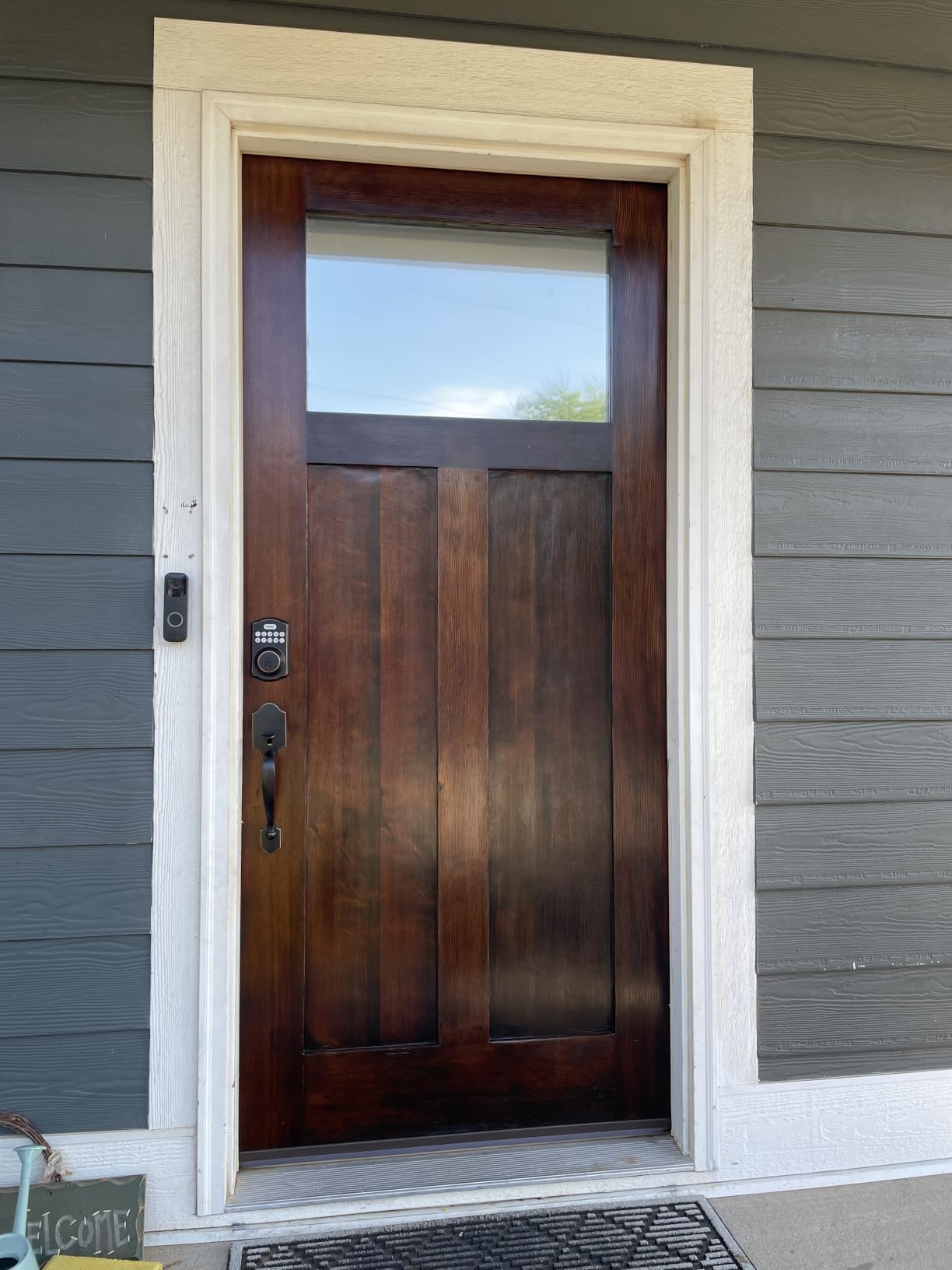
Four AA batteries are quoted at up to 365 days with a red indicator below 15 percent, and construction is aluminum alloy with BHMA Grade 3 certification and IP54 weather resistance. Anti-peep passcodes let a guest type extra digits before the real code.
The fingerprint sensor reads in roughly 0.3 seconds and adapts over time, and a lockout after multiple wrong attempts blunts brute-force guessing. Review volume is among the highest here, so there is a large body of owner experience on this model.
Why turnover speed makes this model work
One-time PINs remove the highest-risk habit in rental hosting, which is reusing a static code across guests. Issue a single-use PIN at booking and it deletes itself after entry, so a guest who photographs it has photographed nothing.
Enrolling a cleaner’s fingerprint once removes them from every future code list, which is the fastest turnover path of any offline lock here.
What to expect while setting it up
Programming sequences are long and there is no pass-through bypass button, so budget more time for initial setup than the 15 minutes the install itself takes. The auto-lock delay can also read short, and some owners report the setting not persisting.
The build is lighter than a traditional solid deadbolt, and the fingerprint reader occasionally misses and falls back to the code. It fits a 2-1/8 inch hole only, so check your bore before ordering.
How to Choose a Smart Lock for a Short-Term Rental?
Start with the guest, not the lock. If your guests arrive unaccompanied, the entry method has to work for someone who is tired, carrying bags and holding a phone at low brightness. That argues for a keypad with backlit digits or a physical key, not for an app-only lock. If you can meet every guest, an offline keypad is enough.
Second, decide whether you need remote management. Remote lock, unlock and code creation from your phone is the entire reason to spend more, and it only matters if you are not at the property. For a single-unit rental you drive to, an offline keypad like the TEEHO TE001 is a defensible choice for its year-long battery life.
The seven things that actually decide it
Physical key override is non-negotiable. Hosts treat it as the failsafe, and every lock in this roundup ships with at least one or two keys. If a lock has no key cylinder, it should not go on a rental door.
Offline code behaviour matters more than connectivity. Codes stored on the lock keep working when Wi-Fi drops, when the router reboots, or when a power cut hits the building. A lock that needs the cloud to open is a liability at 11pm.
Battery life sets your maintenance rhythm. The offline locks in this group quote up to 365 days, the Veise 365-plus days, the iulock about 18 months on AAA, the eufy about 8 months on eight AA, and the Schlage up to six months. Longer is genuinely fewer visits.
Lock type matters for the door. A deadbolt-style retrofit fits an existing bore, a knob-style lock suits a door with no deadbolt cut-out such as a garage or pool house, and a retrofit motor lock that clamps onto an existing euro cylinder is the European answer rather than a full replacement.
Code capacity scales with turnover. Twenty codes suits a single unit with a cleaner. Fifty suits a small portfolio, and 100 passcodes on the Schlage Encode or Philips means you can issue a distinct code per booking and never recycle a number.
Security rating and weather rating are the two numbers worth arguing about. ANSI/BHMA Grade 2 appears on the ULTRALOQ Bolt, and IP65 ratings mean the lock is genuinely exposed-door capable. A coastal property with salt-laden air should push you toward IP65 with a metal body, not a plastic-bodied keypad.
Property management integration is the decisive factor once you run more than a few doors. Locks that connect to the software you already pay for let codes generate and expire automatically instead of becoming a manual task at every check-in. Our general smart lock guide covers the ecosystem question in more depth.
What about the rest of the property?
The front door is where a lock failure becomes a review, but the garage and storage doors are where keys get lost. If you also automate those, our picks for smart garage door openers cover the same code-per-guest approach on a larger door.
And before you change anything, check your lease or local rules. Condo associations and landlords can restrict exterior hardware changes, and a full deadbolt replacement may be ruled out where a retrofit over the existing bore is allowed. A written record of your permission protects you at inspection.
Smart Lock vs Key Safe: Which One Hosts Actually Need
A smart lock wins on control. Codes can be scheduled, revoked remotely and logged, and no physical key ever needs to change hands. A key safe wins on cost, simplicity and independence from electronics.
Many hosts start with a key safe and move to a smart lock once bookings justify the spend, which is a sensible sequence. The failure mode to consider is a key safe that is picked or that hides in an obvious spot, and a combination that you forget to change between guests.
The practical compromise is to use a smart lock on the main entry and a mechanical box on an outbuilding, where convenience matters less than cost. If you need remote visibility on the outbuilding too, a keypad lock such as the iulock is the middle option.
Common Problems Hosts Actually Hit (and How to Avoid Them)
Dead batteries at midnight are the fear that comes up most often in host forums, and the reason is simple: a failed lock at 2am becomes a locksmith call and a one-star review. Prevent it by treating the low-battery alert as a same-day task, not a next-week task, and by keeping a fresh set in the drawer at the property.
Some locks have battery contacts under the keypad cover where a 9V battery can be pressed to the terminals to jump-start the lock. This is a niche trick but a highly valued one, so check whether your model has the contacts before you need them at 2am.
Integration breaking after a vendor update is a documented and under-reported problem. A reported incident described a channel manager no longer being able to reach one lock brand, with the vendor’s own app also failing to reach locks while standing next to them. If you depend on automatic code generation, keep the manual keypad method as a working fallback.
Codes that do not expire are the quiet security leak. Always set an end time on every guest credential, and do not rely on a single static code for the property. Where a lock offers one-time PINs or away mode, use them.
Weak Wi-Fi at the door is more common than people expect, especially with thick masonry, metal security doors or mesh extenders in rural properties. Test remote unlock at the door before you hand over access, and remember that several locks here are 2.4 GHz only.
Guests who cannot work the keypad is the last recurring complaint, and the fixes are unglamorous. Test the keypad in daylight and at night, tell guests the code goes in before the handle is turned, and leave a physical key in the lockbox as the last resort.
Frequently Asked Questions
What is the best lock to use for Airbnb?
The Schlage Encode Smart WiFi Deadbolt is our top pick because it has built-in Wi-Fi with no hub, stores up to 100 access codes, and includes a physical backup key.
Do smart locks work without Wi-Fi?
Yes, if the codes are stored on the lock itself. Every lock in this roundup accepts keypad codes locally, so a guest can enter even when your router is down. Wi-Fi is only needed for remote lock, remote unlock, app notifications and the entry log.
How many codes can a smart lock hold?
It depends on the model. The Schlage Encode and the Philips Wi-Fi Smart Deadbolt each hold 100 custom passcodes, the iulock holds 50, the ULTRALOQ models hold 50 passcodes, and the offline keypad locks such as the TEEHO TE001 hold 20 user codes plus a one-time PIN.
How long do smart lock batteries last on a rental?
Offline keypad locks lead here, with the TEEHO TE001 and the TEEHO TE002 quoting up to 365 days on four AA batteries. The iulock quotes about 18 months on four AAA, the eufy C220 about 8 months on eight AA, and the Schlage Encode up to six months. Real life depends on how often the lock is used.
Is it legal to install a smart lock on a rental property?
Usually, but check first. Condo associations and some landlords restrict changes to exterior hardware, and a full deadbolt replacement may be prohibited where a retrofit over the existing bore is allowed. Keep written permission on file, and never change the lock without telling your property manager.
The Bottom Line for Airbnb Hosts
For most hosts, the best smart door locks for Airbnb rentals come down to one question: will a tired guest get in without an app, and can you delete their access before the next booking? The Schlage Encode answers both, with built-in Wi-Fi, 100 codes and a physical key, which is why it takes the top spot in 2026.
If you manage the property in person, the TEEHO TE001 is the smarter buy, with the highest rating in this roundup, a self-deleting one-time PIN and a year of battery life. For remote management on a budget, the ULTRALOQ Bolt SE gives hub-free Wi-Fi and Matter support without the premium tier.
Whichever you pick, test it before you advertise the stay. Unlock it from your phone at the door, confirm a code works with the router unplugged, and leave a physical key in the property. Those three minutes are the difference between a smooth self check-in and a review you cannot take back.